
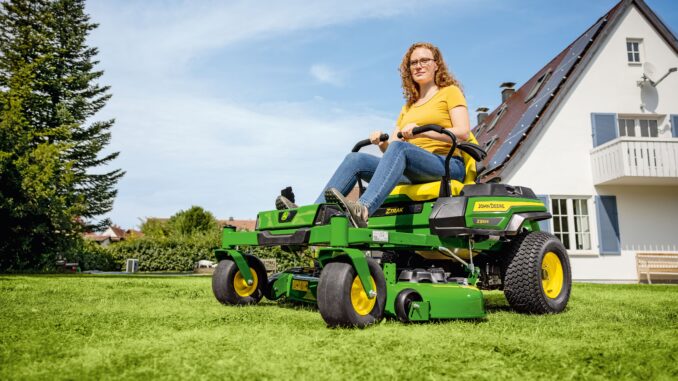
Introduction to the John Deere Z810A
The John Deere Z810A is a commercial‑grade ZTrak zero‑turn mower designed for fast, precise mowing on medium to large properties, often with 48‑ or 54‑inch mower decks and a Kawasaki V‑twin engine. It is popular with homeowners who want commercial performance as well as small contractors who need reliable, repeatable cut quality and high productivity.
This John Deere Z810A service and repair guide focuses on real‑world owner problems: starting and running issues, uneven cut, vibration, belt problems, hydrostatic drive issues, and electrical faults. You will also find parts information, a practical maintenance schedule, where to find diagrams and manuals, and an expanded troubleshooting FAQ to keep your Z810A working reliably season after season.
John Deere Z810A overview and key systems
Within the John Deere lineup, the Z810A sits in the early professional ZTrak series targeted at commercial and heavy residential use rather than entry‑level residential zero turns. It combines a Kawasaki vertical‑shaft gasoline engine, dual hydrostatic wheel motors, and a mid‑mount fabricated mower deck for durability. Typical deck sizes are 48″ or 54″, with three blades driven by a belt from the engine PTO clutch.
Key systems you will deal with on a John Deere Z810A include:
-
Engine and fuel system – Kawasaki V‑twin, carbureted, with engine oil and fuel filters and a multi‑stage air cleaner.
-
Mower deck and belt drive – Three‑blade deck, spindle assemblies, idlers, and deck drive belts sized to deck width.
-
Drive system – Dual hydrostatic pumps and wheel motors with separate hydraulic oil, filters, and linkage adjustment.
-
Electrical and safety system – Ignition switch, PTO switch, seat switch, parking brake switch, starter, solenoid, fuses, and optional lighting.
Common service parts Z810A owners regularly buy include:
-
Engine oil filter (e.g. AM107423 or as specified for your exact engine)
-
Air filter primary and secondary elements
-
In‑line fuel filter
-
Spark plugs (typically two, NGK or equivalent cross)
-
Deck drive belt (48″ or 54″)
-
Engine‑to‑deck drive belt
-
Mower blades (48″ or 54″, high‑lift, medium‑lift, or mulching profiles)
-
Hydraulic filters and fluid (if applicable for your serial range)
-
PTO switch, ignition switch, seat switch, and battery
Troubleshooting approach for a John Deere Z810A
Always start with the symptom you see or hear on the John Deere Z810A, not with a guess at which part failed. Think in terms of:
-
What changed just before the problem started (fuel, storage, an impact, recent repairs)?
-
Is this a single symptom or part of a pattern (e.g. hard starting plus low power)?
-
Does the issue appear only when the deck is engaged, only after warming up, or all the time?
For a Z810A, the main symptom categories are:
-
Starting and cranking issues
-
Running and power issues
-
Cut quality problems
-
Vibration and noise
-
Overheating, leaks, and smells (fuel/oil)
-
Transmission / drive / steering issues
-
Electrical and safety switch problems
Work through the relevant section below, rule out the simple items, and only then move on to deeper disassembly or dealer‑level diagnostics.
Emergency and immediate repair needs on the Z810A
Some issues on a John Deere Z810A must be dealt with immediately because they make the mower unsafe or risk expensive damage. If you see leaking fuel, oil spraying onto hot parts, belt smoke, or a major vibration, shut it down and investigate before continuing. Likewise, do not bypass safety switches or use the machine with compromised steering, brakes, or deck guards.
1. Starting issues – when the Z810A will not crank or start
When the John Deere Z810A does nothing or cranks but will not fire, it is usually electrical, fuel, or safety‑interlock related. If the starter runs slowly or not at all, you may also be looking at a battery or cabling problem.
Common causes:
-
Weak or discharged battery
-
Corroded battery terminals or poor ground connection
-
Faulty seat, PTO, or brake safety switch
-
Ignition switch or starter solenoid failure
-
Stale fuel, clogged fuel filter, or carburetor issues
-
Spark plug or ignition coil problems
Owner checks:
-
Verify PTO is OFF, parking brake set, and control levers in the correct start position.
-
Check battery voltage with a meter if available, or try a known‑good battery or booster pack.
-
Inspect battery terminals and grounds; clean and tighten as needed.
-
Cycle the seat and brake switches and watch for any “click” at the solenoid when starting.
-
Confirm fuel level, replace the fuel filter if it has not been changed recently, and inspect for kinked lines.
2. Cut‑quality problems on a John Deere Z810A
Cut quality issues include streaks, uncut strips, scalping, ragged grass tips, and an uneven cut across the deck width. On the Z810A this is often down to blade condition, deck pitch/level, or grass buildup under the deck rather than a “major” failure.
Common causes:
-
Dull, bent, or mismatched blades
-
Deck not level side‑to‑side or improper front‑to‑rear pitch
-
Incorrect deck height setting versus terrain
-
Grass accumulation under deck and in discharge area
-
Wrong blade type for your grass or conditions
Owner checks:
-
Inspect blades for sharpness, bends, cracks, and correct part numbers and length.
-
Clean underside of the deck and discharge chute thoroughly.
-
Check tire pressures and set to specs before checking deck level.
-
Level deck side‑to‑side and pitch front slightly lower than rear according to the manual.
-
Adjust mowing speed and avoid running too fast for thick or wet grass.
3. Vibration and noise on the John Deere Z810A
Unusual vibration or noise from the John Deere Z810A, especially when the deck is engaged, can quickly destroy belts, spindles, or bearings if ignored. A sudden new vibration almost always means something has changed – an impact, a broken blade, or a failing bearing.
Common causes:
-
Bent blade from striking an object
-
Worn spindle bearings or idler pulleys
-
Loose deck components or missing hardware
-
Damaged deck belt or belt running off the pulleys
-
Debris wrapped around spindles or pulleys
Owner checks:
-
Safely shut down the machine, remove the key, and block the deck.
-
Inspect blades individually; compare each to a new blade or flat surface.
-
Spin each blade spindle and idler by hand to feel for roughness or play.
-
Check that the deck belt is routed correctly and not missing chunks.
-
Tighten obvious loose fasteners and look for cracks in brackets or hangers.
4. Overheating, leaks and smells
Overheating on a John Deere Z810A shows up as strong hot‑oil smell, boiling fuel, reduced power, or engine shutting down. Fuel or oil leaks present a fire risk and must be corrected before further use.
Common causes:
-
Low or dirty engine oil
-
Cooling fins and engine shrouds clogged with debris
-
Fuel line or filter leaks, cracked hoses, or faulty clamps
-
Hydraulic oil leaks at hoses, fittings, or wheel motors
-
Overfilled crankcase or wrong oil weight causing foaming
Owner checks:
-
Check engine oil level and condition; top up or change if needed.
-
Remove engine shrouds (if accessible) and clean fins and screens.
-
Inspect fuel lines, filter, and connections for wet spots or fuel smell.
-
Look under the mower after parking for oil spots or drips.
-
If overheating persists, reduce load and consult a dealer or mechanic.
5. Transmission and drive problems on a Z810A
Z810A drive problems show up as weak pulling power, uneven tracking (one side faster), or jerky operation. Because the ZTrak uses hydrostatic transmissions, contamination or low oil can cause expensive failures.
Common causes:
-
Low or contaminated hydraulic oil
-
Air in the hydraulic system after service
-
Linkage out of adjustment, causing one side to creep
-
Failing pump or wheel motor
-
Sticking parking brake or brake linkage issues
Owner checks:
-
Inspect hydraulic oil level and look for cloudy or burned fluid.
-
Check that the parking brake releases fully.
-
Follow the manual’s purging procedure after any hydraulic service.
-
Inspect linkages from the control levers to the pumps for binding or looseness.
-
If drive is weak or noisy even with correct fluid, plan for dealer diagnosis.
6. Electrical and safety switch problems on the Z810A
Electrical issues on the John Deere Z810A often cause intermittent starting, random shut‑offs when the operator moves, or inability to engage the PTO. The safety interlock system is designed to prevent dangerous situations, so avoid bypassing switches except for controlled testing.
Common causes:
-
Failing seat switch, PTO switch, or brake switch
-
Damaged wiring harness under the seat or along the frame
-
Corroded fuse terminals or loose relays
-
Weak battery leading to voltage drop under load
Owner checks:
-
Confirm all fuses are intact and seated properly.
-
Inspect the seat switch and wiring for damage, and test by gently moving the harness.
-
Check harness sections where they pass over sharp edges or moving parts.
-
Cycle the PTO switch and ignition switch several times to clean internal contacts.
-
If electrical diagnosis goes beyond simple checks, consider dealer service.
DIY or dealer? John Deere Z810A repair decision guide
For a John Deere Z810A, the usual “line” is between routine maintenance and component replacement on one side, and hydraulic/internal engine diagnostics or complex electrical faults on the other. Most owners with basic tools can handle filters, belts, blades, and simple switch replacement. Internal hydro pump work, carburetor rebuilding, and advanced electrical troubleshooting are best left to experienced technicians.
Good DIY jobs on a Z810A:
-
Engine oil and filter changes
-
Air and fuel filter replacement
-
Spark plug replacement
-
Blade sharpening/replacement and deck cleaning
-
Deck belt replacement and basic deck leveling
-
Battery replacement and cleaning terminals
-
Seat switch or ignition/PTO switch replacement (if harness is accessible)
Advanced DIY or dealer jobs:
-
Hydrostatic pump or wheel motor replacement
-
Internal engine repairs, head gaskets, or valve adjustments
-
Carburetor rebuilds and significant fuel‑system contamination cleanup
-
Complex wiring harness repairs or intermittent electrical faults
-
Major frame, deck shell, or spindle housing repairs requiring welding
Skill level guide:
-
Beginner: Oil changes, air/fuel filters, spark plugs, battery, basic cleaning and inspection.
-
Intermediate: Deck belt replacement, blade changes, spindle/idler replacement, deck leveling, seat/ignition switch replacement.
-
Advanced: Hydrostatic drive repairs, carburetor and engine internals, full electrical diagnostics, and hydraulic leak tracing beyond hoses.
Parts needed for a John Deere Z810A: OEM vs aftermarket
Before ordering parts for your John Deere Z810A, gather the following information:
-
Full model designation: John Deere Z810A ZTrak
-
Product Identification Number (PIN), usually on a plate near the rear of the machine
-
Engine model and spec code from the Kawasaki engine label
-
Deck size and style (48″ or 54″, mulch kit or standard, MOD deck where fitted)
-
Any attachments or options (mulch kit, bagger, lights, ROPS accessories)
Common John Deere Z810A service parts (example table)
Use this table as a starting reference; always confirm numbers against your PIN and engine model before buying.
OEM parts are generally recommended for belts, PTO clutches, safety switches, hydro components, and anything where fit and material quality are critical. Aftermarket parts can be fine for oil and air filters, blades, and batteries if they are from known brands and cross‑reference correctly to the original part numbers.
Where to find John Deere Z810A parts diagrams and manuals
Good diagrams and manuals are essential when servicing the Z810A. Use these sources as your primary references:
-
John Deere “Manuals and Training” page – access operator’s manuals and technical manuals by searching for “Z810A” and entering your PIN.
-
John Deere Parts catalog (JDParts) – interactive exploded diagrams of every assembly on the Z810A, with current part numbers and supersessions.
-
John Deere Technical Publications – paid access to the full Z810A ZTrak mower repair manual, which covers detailed diagnostics and torque specs.
-
A reputable Deere‑focused parts site – many have model‑specific Z810A pages with common parts and diagrams for quick reference.
Use the operator’s manual for safety, daily maintenance, and adjustments, and the technical manual for in‑depth repair procedures and hydraulic/electrical diagnostics.
How to locate model, serial and engine numbers on a Z810A
These numbers are critical when ordering parts or pulling diagrams because John Deere often changes components mid‑production.
Follow these steps to locate them:
-
Look for the John Deere Z810A product ID plate on the frame near the rear of the mower, often near the right‑hand side or behind the seat.
-
Note the full model, PIN/serial number, and any configuration data printed on the plate.
-
On the engine, locate the Kawasaki ID label or stamped plate, usually on the engine blower housing or crankcase; record model, spec code, and serial.
-
Check the mower deck shell for a decal indicating deck size and any specific deck model or kit installed.
-
Keep clear photographs of all these labels stored on your phone for quick reference at dealers and online parts sites.
Buying John Deere Z810A parts online and in stores
A simple strategy works best: use your PIN and engine information to identify exact OEM numbers, then decide where to buy based on price, availability, and your confidence in the seller. Online, always search by part number rather than description to avoid incorrect matches. At dealer counters, bring your PIN and be clear about deck size and any attachments.
General guidance:
-
Online: Use OEM part numbers and choose well‑reviewed retailers or John Deere’s official online parts channels. Avoid “will fit” belts unless you can confirm dimensions and cross‑reference.
-
John Deere dealer: Best choice for complex or serial‑specific parts, hydro components, and when you need confirmation that a superseded part is correct.
-
Retail stores: Fine for oil, generic grease, and some filters and batteries, provided the packaging lists the Z810A or correct OEM cross reference.
Step‑by‑step fitting guide: common John Deere Z810A jobs
Replacing the engine oil and filter on a Z810A
This job improves engine life and is suitable for beginners.
-
Park on level ground, set the brake, shut off the engine, and let it cool.
-
Place a drain pan under the engine drain and open the drain valve or remove the plug per the manual.
-
Once drained, close the drain, remove the old oil filter, and wipe the mounting surface clean.
-
Lightly oil the gasket of the new filter, install it by hand until the gasket contacts, then tighten as specified (usually 3/4 turn by hand).
-
Refill with the recommended oil grade and volume, start the engine briefly to fill the filter, then shut down and re‑check the level.
Replacing the air filters on a John Deere Z810A
Clean air is critical for the Kawasaki engine’s performance and longevity.
-
Release the air cleaner cover latches and remove the cover.
-
Pull out the primary (outer) air filter and the secondary (inner) safety element if your unit has one.
-
Wipe out any dust in the housing with a clean, dry cloth; do not blow compressed air into the intake.
-
Install the new secondary element first, then the primary element, oriented correctly.
-
Reinstall the cover securely and latch it so dust cannot bypass the filter.
Changing mower blades on the John Deere Z810A
Sharp blades ensure a clean cut and reduce strain on the drive system.
-
Park the mower on a firm, level surface, lower the deck fully, remove the key, and block the deck securely.
-
Use a blade block or wooden board to hold the blade from turning, and remove the blade bolt with an appropriate socket or breaker bar.
-
Note the blade orientation (cutting edge direction and “this side up” marking) before removal.
-
Install the new or sharpened blade in the same orientation, apply the correct torque to the blade bolt, and repeat for all blades.
-
Spin each blade by hand to be sure it clears the deck and that there is no contact or wobble.
Replacing the deck drive belt on a Z810A
A worn or slipping belt causes poor cut quality and can leave you stranded.
-
Remove the key, set the brake, and lower the mower deck to the ground.
-
Refer to the belt routing decal or diagram for your deck size (48″ or 54″).
-
Release belt tension using the idler spring or tensioner (as per the manual) and remove the old belt from the PTO clutch, idlers, and spindle pulleys.
-
Route the new belt carefully according to the diagram, ensuring it sits fully in the pulley grooves and is not twisted.
-
Re‑engage the tensioner, check alignment, and test run the deck briefly at low throttle to watch the belt track.
Maintenance to prevent Z810A problems recurring
Regular maintenance on the John Deere Z810A prevents the majority of breakdowns and preserves both cut quality and drive performance. Think of maintenance as eliminating root causes: dirt, heat, vibration, and neglect. Attending to the basics means fewer surprises in the middle of the season.
Key focus areas:
-
Starting reliability: Keep the battery charged, terminals clean, fuel fresh, and filters replaced on schedule.
-
Cut quality: Maintain sharp, correct blades, a clean deck underside, and proper deck leveling and tire pressures.
-
Fire and overheating prevention: Clean engine fins and screens, fix fuel/oil leaks promptly, and avoid debris buildup around hot exhaust parts.
-
Drive performance: Monitor hydraulic fluid condition and level, keep linkages adjusted, and repair leaks early.
-
Electrical reliability: Inspect wiring looms for chafing, keep connections clean, and replace suspect switches before they completely fail.
John Deere Z810A maintenance schedule and year‑round checklist
Always follow your official operator’s manual for exact intervals, but the Z810A typically follows a pattern similar to other commercial ZTrak mowers. Adjust for extreme dust, heat, or heavy commercial use.
Daily / before each use
-
Check engine oil level and look for leaks.
-
Inspect tires for proper inflation and visible damage.
-
Ensure safety systems (seat, PTO, brake) function correctly.
-
Visually inspect belts, blades, and deck area for debris or damage.
After 8–10 hours (or daily for heavy use)
-
Clean engine cooling fins, intake screens, and deck top surface.
-
Grease key pivot points and zerks as listed in the manual.
-
Check for loose fasteners on deck, ROPS, and control linkages.
Every 25 hours
-
Inspect and clean the air cleaner primary element; replace if very dirty.
-
Check deck level and adjust if cut quality has changed.
-
Inspect fuel filter and fuel lines for restriction or weeping.
Every 50 hours or yearly (whichever comes first)
-
Change engine oil and filter.
-
Replace air filter elements if not already done.
-
Grease spindle bearings and other lubrication points per the chart.
-
Check battery connections and clean any corrosion.
Every 200 hours or as specified
-
Replace fuel filter.
-
Inspect and, if required, change hydraulic oil and filters (refer to Z810A manual as procedures vary).
-
Inspect all belts for wear and replace if cracking or glazing is evident.
Seasonal checklist (pre‑season, mid‑season, end‑of‑season)
-
Pre‑season: Full inspection, oil and filters as needed, blade sharpening or replacement, belt inspection, battery test.
-
Mid‑season: Check cut quality, deck level, tire pressures, and look for emerging leaks or wiring wear.
-
End‑of‑season: Stabilize or drain fuel, clean machine thoroughly, perform any deferred repairs, store in a dry, covered area with the battery maintained.
John Deere Z810A – repair, upgrade, or replace?
For a John Deere Z810A, repair is often cost‑effective because it is a professional‑grade unit, but there is a point where structural wear or repeated major failures justify upgrading or replacement. Consider machine age, total hours, deck condition, and whether your needs have changed (larger property, more commercial work) when making the decision.
Repair if:
-
Issues are limited to wear parts like belts, blades, filters, and switches.
-
The deck shell and frame are solid with no major cracks or rust‑through.
-
Hydrostatic drive is strong and quiet once serviced.
Upgrade if:
-
You want better collection/mulching (adding a mulch kit or bagger).
-
You need improved lighting, seating, or ROPS accessories for comfort and safety.
-
You are keeping the Z810A but want higher‑quality blades or better tires for traction.
Replace if:
-
The hydrostatic system or engine requires repeated major repairs that exceed the machine’s value.
-
The deck shell is worn or cracked beyond economical repair.
-
Your property or workload has outgrown the Z810A’s deck size or capability.
Expanded troubleshooting FAQ – John Deere Z810A (30+ questions)
1. Why will my John Deere Z810A not start at all?
If the Z810A does nothing when you turn the key, check the basics: PTO off, control levers in neutral, and parking brake set. A dead battery, corroded terminals, or a failed seat/brake switch are the most common causes. Make sure the battery has at least 12.4 volts and that all cables are tight. If you hear no click from the solenoid, the ignition switch or a safety circuit may be open.
2. Why does my Z810A crank but not fire?
When the engine turns over but does not start, suspect fuel or ignition. Old fuel, a clogged fuel filter, or a stuck carburetor needle can prevent fuel from reaching the cylinders. Check for fresh fuel, ensure the fuel shutoff (if fitted) is open, and consider replacing the fuel filter. If fuel is good, inspect and possibly replace the spark plugs.
3. Why does my John Deere Z810A start and then stall?
A Z810A that starts and quickly stalls often suffers from fuel starvation or a safety switch issue. A partially blocked fuel filter or venting problem in the fuel cap can cause it to run briefly and then die. Also ensure the seat switch is working; if it loses contact, the engine may shut down when you move.
4. Why does my Z810A only run with the choke on?
If the mower runs only with the choke partially engaged, the carburetor may be dirty or the main jet partially clogged. The engine is effectively running lean and needs the extra enrichment. Replacing the fuel filter and using fresh fuel may help, but usually the carburetor will need cleaning or professional service.
5. Why is my Z810A hard to start when hot?
Hot‑start problems can stem from marginal ignition components, vapor lock, or a weak starter. Check that battery cables are clean and that the starter spins the engine strongly. If hot cranking is slow, consider battery and starter health. Also verify routing of fuel lines away from excessive heat.
6. Why does my John Deere Z810A lose power on hills?
Loss of power under load may indicate engine or hydrostatic issues. For engine‑related causes, check air filter, fuel filter, and spark plugs. For drive causes, inspect hydraulic oil level and condition and ensure the hydro system has been purged of air after any service. Slipping belts or dragging brakes can also make hills feel harder.
7. Why is my Z810A blowing black smoke?
Black smoke from the Z810A usually means a rich mixture. A very dirty air filter or a stuck choke can cause this. Inspect and clean or replace the air filter and make sure the choke plate is fully open when the control is off. If smoke continues, a carburetor issue may be at fault.
8. Why is my Z810A blowing blue or white smoke?
Blue or white smoke indicates oil burning or coolant in engines that have it (the Z810A’s Kawasaki is typically air‑cooled). Mild smoke on startup can occur if the engine has been stored tilted. Persistent smoke, especially with oil usage, points to worn rings, valve seals, or overfilled crankcase oil. Check the oil level and correct it before assuming internal damage.
9. Why does the John Deere Z810A cut unevenly?
Uneven cut is often caused by unbalanced deck height or incorrect tire pressure. Verify all tire pressures first, then check deck level side‑to‑side and front‑to‑rear. Bent blades or worn spindle bearings can also cause one area to cut lower than another. Replace damaged blades before adjusting the deck.
10. Why does my Z810A leave uncut strips of grass?
Uncut strips between passes usually indicate blades that are not the correct length, dull edges, or a blade that is installed incorrectly. Make sure you are using the proper OEM or equivalent blades for your deck width. Also check that the deck is not missing any baffles or skirts that guide grass into the blades.
11. Why is the cut from my Z810A ragged or torn?
Ragged tips are typically due to dull blades or very high ground speed. Sharpen or replace the blades and try mowing at a slower pace. Wet grass can also tear more than it cuts, so try to mow when the lawn is dry. If problems persist, verify blade tip speed by ensuring the engine reaches full operating RPM.
12. Why is my Z810A scalping the lawn?
Scalping occurs when parts of the deck dig into the ground on uneven terrain. Check that the anti‑scalp wheels are correctly adjusted and not worn flat. Raise your cut height and slow down over bumps. If the terrain is very uneven, you may need to mow in a different pattern or with overlapping passes.
13. Why is my John Deere Z810A vibrating badly when I engage the deck?
A sudden strong vibration when the PTO engages often indicates a bent blade or damaged spindle. Safely shut the mower down and inspect each blade for straightness and secure mounting. Spin the spindles by hand; any roughness or wobble suggests bearing problems. Inspect the belt and idlers for damage as well.
14. Why does my Z810A vibrate even when the deck is off?
If the mower vibrates with the deck disengaged, the source may be the engine, engine mounts, or drive system. Check the engine mounting bolts and the condition of any rubber mounts. Inspect the engine pulley and drive belt for damage. A failing clutch or pulley can also transmit vibration into the frame.
15. Why does the deck belt on my Z810A keep coming off?
A belt that won’t stay on usually points to mis‑routed belt installation, worn or misaligned pulleys, or loose/broken idler arms. Confirm routing with the decal or manual. Look for bent brackets or pulleys and play in idler arm bushings. If the belt is heavily worn or stretched, replace it with the correct OEM size.
16. How do I know if the blades on my Z810A need to be replaced?
Replace blades if they are badly worn, cracked, bent, or sharpened down to where the sail (lift portion) is significantly reduced. If you hit a solid object and feel a sudden vibration, inspect blades immediately. It is often safer to replace a damaged blade than try to straighten it.
17. Why does my John Deere Z810A pull to one side?
Pulling or tracking issues usually come from uneven hydrostatic performance or misadjusted control linkages. First make sure tire pressures match left to right. If the machine still drifts, follow the manual’s procedure for neutral and tracking adjustment on the control levers. Severe differences can indicate a weak pump or wheel motor.
18. Why is my Z810A slow or weak in both directions?
Weak drive both forward and reverse can be caused by low or contaminated hydraulic oil or air trapped in the system. Check fluid level and condition and perform the recommended purging procedure. If the fluid is dark or smells burnt, consult a dealer – continuing to run can cause costly damage.
19. Why does my Z810A creep when parked with the levers in neutral?
Creeping movement indicates the neutral position is slightly off on one or both hydro controls. Use the procedure in the technical or operator’s manual to adjust the neutral return mechanisms. Always perform adjustments on a flat, open area with chocks in place until you are sure the creep is corrected.
20. Why will the blades on my Z810A not engage?
If pulling the PTO switch does nothing, check the basics: engine at operating RPM, operator in seat, and all safety switches satisfied. Inspect the PTO switch itself, fuses, and wiring to the PTO clutch. If voltage reaches the clutch but it does not click or engage, the clutch coil may have failed.
21. Why do the blades on my John Deere Z810A shut off on slopes?
If the blades cut out when you lean or when mowing slopes, the seat switch may be losing contact as you shift weight. Inspect and test the seat switch and its mounting. Also ensure the wiring harness has enough slack and is not pulling when you move. Replacing a weak seat switch often cures this symptom.
22. Why does my Z810A battery keep dying?
Frequent dead batteries can come from a failing battery, poor charging system, or parasitic drain. Test the battery with a load tester if available. With the engine running at full throttle, measure charging voltage at the battery; it should be above static battery voltage. Inspect wiring for chafing that could cause shorts.
23. Why does my Z810A click but not crank?
A single click when turning the key usually points to insufficient current to the starter. Check battery charge and terminals first. If voltage is good and terminals are clean, the starter solenoid contacts may be worn, or the starter itself may be failing. Replacing the solenoid or starter is a common fix.
24. Why do my Z810A headlights or accessory lights not work?
If optional lights fail, check their dedicated fuse or inline fuse first. Inspect wiring from the switch to the lights for damage or corrosion at connectors. Confirm you are supplying power to the light switch; if not, trace back to the ignition circuit. Light bulbs themselves can also simply burn out over time.
25. How often should I change oil on a John Deere Z810A?
For typical residential use, change engine oil and filter at least once per season or every 50 hours, whichever comes first. Under commercial or dusty conditions, follow the shorter interval recommended in the manual. Always use oil that meets the viscosity and service rating specified for your engine.
26. How often should I replace the air filter on my Z810A?
Inspect the air filter every 25 hours and replace it when dirty, damaged, or at the manufacturer’s recommended interval. Operating in dusty environments may require more frequent changes. Never run without a filter, even briefly, as it can quickly damage the engine.
27. How often should I sharpen blades on the Z810A?
For most homeowners, blades should be sharpened at least once or twice per season. Under heavy use or sandy soil conditions, sharpening may be needed every 8–12 hours of mowing. Inspect blades regularly and sharpen when the cutting edge becomes rounded or dull.
28. What type of fuel should I use in my John Deere Z810A?
Use fresh unleaded gasoline meeting the octane rating recommended in your Kawasaki engine manual, typically regular grade. Avoid fuel with more than 10% ethanol and never use fuel that has sat for months without stabilizer. Stale fuel is a leading cause of hard starting and poor running.
29. Why does my Z810A smell strongly of fuel?
A strong fuel smell indicates a leak or overflow. Inspect the tank, cap, fuel lines, filter, and carburetor area for wet spots. Make sure the fuel cap seals properly and that the vent is not stuck open. Address leaks immediately and do not operate the machine until they are resolved.
30. Why is oil leaking from my John Deere Z810A?
Oil leaks can come from the engine crank seals, valve covers, oil filter, drain plug, or hydraulic components. Clean the suspected area and then run the mower briefly to see where new oil appears. Tighten loose fasteners to spec and replace damaged gaskets or seals promptly to avoid fire and component damage.
31. Why are my Z810A controls stiff or difficult to move?
Stiff motion in the control levers usually means binding linkages or lack of lubrication. Inspect linkage pivot points and grease or oil them per the manual. Check for bent rods or interference with the seat or frame. If stiffness persists, internal hydro controls may require professional service.
32. How do I store my John Deere Z810A over winter?
For off‑season storage, clean the mower thoroughly, remove built‑up grass, and change oil if it is due. Stabilize the remaining fuel or run the tank nearly dry, depending on your engine maker’s recommendations. Store the mower in a dry, covered location, keep the battery charged or disconnected, and avoid parking where rodents can chew wiring.
33. What can I do if my Z810A rusts on the deck or frame?
Surface rust can be wire‑brushed, treated with a rust converter, and repainted to slow further corrosion. Check the underside of the deck for thinning metal or holes; minor areas can sometimes be patched, but severe deck rust may require replacement. Keeping the deck clean and dry after mowing will minimize future rust.
34. Why does my John Deere Z810A shut off when I get off the seat?
This is normal when the PTO is engaged or when hydro levers are not fully in neutral, as the safety system is designed to stop the blades and engine if the operator leaves the seat. If it shuts off even with PTO off and levers in neutral, the seat switch or wiring may be overly sensitive or failing.
35. Can I tow or push my Z810A if it will not drive?
If the Z810A will not move under its own power, use the bypass valves on the hydrostatic transmissions to allow pushing short distances. Refer to the operator’s manual for the correct procedure and never tow at speed or for long distances, as this can damage the hydro units. Loading onto a trailer with a winch is safer for longer moves.