
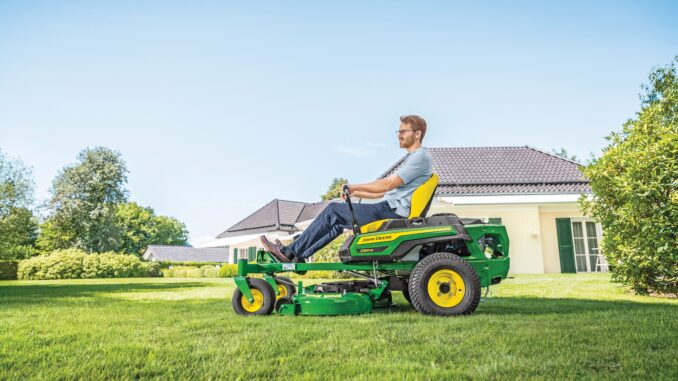
The John Deere L130 is a 100 Series lawn tractor built for homeowner mowing and light property work, and the common owner concerns center on starting, uneven cutting, belt wear, hydrostatic drive weakness, vibration, and electrical faults. This guide follows a symptom-first format so owners in the USA and Canada can decide what is realistic DIY maintenance, what repairs need more skill, and when dealer help makes more sense.
John Deere L130 Introduction / model overview
The L130 is a lawn tractor rather than a garden tractor, and the parts catalog for the 48-inch 3-in-1 deck shows its core homeowner setup: V-twin engine service parts, traction drive belt, 48-inch deck belt, and three-blade mower system. In Deere’s residential range, that puts it in the large-deck end of the L-Series, aimed at bigger lawns where bagging, side discharge, or mulching may all be useful depending on setup.
This article covers repair priorities, troubleshooting logic, parts sourcing, maintenance intervals, common fitting jobs, and an expanded FAQ written around what owners actually notice first, such as “it won’t start,” “it cuts badly,” or “it barely climbs now.”
General overview of the John Deere L130
The L130 sits in Deere’s older L-Series residential lineup, and Deere’s official publications route owners to operator manuals, parts catalogs, and technical publications through the Technical Information Store and JDParts systems. For repair planning, the model breaks down into four main owner-facing systems: engine and fuel system, mower deck system, hydrostatic drive system, and electrical/safety interlock system.
John Deere L130Key systems and components
John Deere L130Engine and fuel system
The L130 parts catalog lists the routine engine service parts owners commonly replace: oil filter AM125424, engine oil TY22076, fuel filter AM116304 or AM107314 depending on engine marking, air filter kit GY20576, and spark plugs M78543. When this system has trouble, owners usually see hard starting, rough running, poor throttle response, fuel starvation, or smoke.
John Deere L130 Mower system
The mower system centers on the 48-inch 3-in-1 deck, deck belt GX20305 on listed configurations, and three blades including standard blade GX20250 or mulch blade GX20819. Problems here usually show up as uneven cut, uncut strips, belt squeal, blade vibration, clumping, or poor bagging and discharge performance.
John Deere L130 Drive system
The catalog lists traction drive belt GX20006, which is one of the first wear items owners check when the tractor still runs but drive performance becomes weak or inconsistent. Drive complaints often feel like “slow on hills,” “won’t pull well hot,” or “barely moves after engaging forward or reverse,” and those symptoms can point to belt condition, linkage issues, or deeper hydrostatic wear.
John Deere L130 Electrical system
Common electrical service items include ignition switch GY20074, padded key GY20680, battery TY25878, and headlight bulb AD2062R. On a mower like this, electrical complaints often overlap with safety switch faults, weak battery condition, dirty terminals, failed charging, or ignition switch wear.
John Deere L130Common service parts owners buy
-
Oil filter: AM125424.
-
Fuel filter: AM116304 or AM107314 depending on engine variant.
-
Air filter kit: GY20576.
-
Spark plugs: M78543, quantity two.
-
Traction drive belt: GX20006.
-
Deck belt: GX20305, with GX21833 listed for 2005 models in the catalog excerpt.
-
Standard blades: GX20250.
-
Mulch blades: GX20819.
-
Ignition switch: GY20074.
-
Battery: TY25878.
John Deere L130 Troubleshooting approach
Start with the symptom the owner can actually observe, because the same machine can have several unrelated wear problems at once and guessing by part name alone wastes time and money. On the L130, the main symptom groups are starting issues, running issues, cut-quality problems, vibration and noise, overheating or leaks, transmission or drive complaints, and electrical or safety-switch faults.
A practical order is to check fuel, spark, air flow, battery state, visible belt condition, loose hardware, debris buildup, and interlock operation before assuming major component failure. Deere also stresses regular cleanout around the engine, exhaust, deck top, and transmission because debris buildup raises both fire risk and cooling problems.
John Deere L130 Emergency and immediate repair needs
Some faults should not wait because they create a safety risk or can quickly damage more expensive parts. If the machine has severe vibration, fuel leakage, blades that do not stop properly, a hot-smelling slipping belt, damaged safety shields, or major loss of braking or drive control, stop using it until the cause is identified.
4.1 John Deere L130 Starting issues
If the engine cranks slowly, clicks, or will not fire, the risk is usually inconvenience first, but repeated cranking with weak voltage can mask a charging or cable problem and leave the machine stranded. Starting faults also overlap with seat, brake, PTO, and ignition interlocks on residential tractors.
Common causes:
-
Weak or failing battery TY25878.
-
Corroded battery terminals or poor grounds.
-
Faulty ignition switch GY20074.
-
Plugged fuel filter or stale fuel.
-
Fouled spark plugs M78543.
-
Safety interlock not satisfied, especially brake or PTO position.
Basic checks:
-
Confirm PTO is off and brake is fully set.
-
Inspect battery terminals for looseness or corrosion.
-
Check fuel freshness and fuel filter flow direction/condition.
-
Remove and inspect both spark plugs for fouling or heavy wear.
-
If cranking remains weak, test battery voltage and charging output before replacing parts blindly.
4.2 John Deere L130 Cut-quality problems
Poor cut quality usually appears as scalping, ridges, uncut strips, clumping, or an uneven left-to-right finish, and continued mowing that way often accelerates belt, spindle, and blade wear. Most homeowner causes are still basic: dull blades, incorrect deck level, clogged underside, or wrong ground speed for grass conditions.
Common causes:
-
Dull, bent, or mismatched blades GX20250/GX20819.
-
Deck out of level.
-
Worn or slipping deck belt GX20305.
-
Grass buildup under deck.
-
Tire pressure mismatch affecting deck attitude.
Basic checks:
-
Clean the underside of the deck only with the engine off, key removed, and blades stopped.
-
Inspect all three blades for sharpness, bend, and equal type.
-
Check visible deck belt condition for glazing, cracking, or stretching.
-
Verify deck level before replacing more expensive parts.
-
Slow ground speed in heavy or damp grass and recheck results.
4.3 John Deere L130 Vibration and noise
Sudden vibration is an immediate stop-and-check symptom because Deere specifically instructs owners to stop and inspect after striking an object or when abnormal vibration occurs. Continued use can damage mandrels, belts, engine mounts, or the deck shell itself.
Common causes:
-
Bent blade or loose blade hardware.
-
Packed debris around pulleys or spindle areas.
-
Failing spindle bearings or idlers.
-
Damaged deck belt.
-
Loose wheel or chassis hardware.
Basic checks:
-
Shut the engine off and remove the key before inspection.
-
Look for bent blades, missing hardware, and wrapped debris.
-
Spin pulleys and spindle areas by hand only when made safe to do so, checking for roughness or play.
-
Inspect tires and wheel hardware as well as deck components.
4.4 John Deere L130 Overheating and leaks
Fuel leaks, oil leaks onto hot surfaces, or heavy debris packed around the engine and muffler deserve immediate attention because Deere highlights fire prevention and machine cleanout as a major safety issue. Heat-related complaints often show up as loss of power, hot smell, smoking debris, or a machine that gets weaker after mowing for a while.
Common causes:
-
Grass and chaff around engine screens and exhaust.
-
Engine oil leak or overfill.
-
Fuel cap or fuel line sealing problem.
-
Restricted air filter.
Basic checks:
-
Clean cooling and exhaust areas only after the machine cools.
-
Inspect for wet fuel or oil traces before restarting.
-
Check engine oil level and air filter condition.
-
Replace leaking caps, filters, or lines before regular use resumes.
4.5 John Deere L130 Transmission/drive problems
A tractor that loses pulling power, especially when warm, can often still mow flat ground for a while, but continued use may accelerate belt or hydrostatic wear. Owners usually describe this as weak forward motion, poor hill performance, delayed response, or a machine that acts worse after 20 to 30 minutes of mowing.
Common causes:
-
Worn traction drive belt GX20006.
-
Linkage or bypass-rod issue.
-
Cooling/debris problem around transmission area.
-
Internal hydrostatic wear requiring deeper diagnosis.
Basic checks:
-
Inspect traction belt condition and routing first.
-
Make sure the freewheel/bypass arrangement is fully returned to operating position.
-
Clean debris from around the transmission area.
-
If the problem persists hot after belt and linkage checks, treat it as advanced diagnosis rather than guesswork.
4.6 John Deere L130 Electrical problems
Electrical faults often show up as no crank, intermittent cutout, dead lights, or a machine that starts only when controls are held in just the right position. These can be minor, but repeated bypassing or ignoring interlocks is unsafe and should not be treated as an acceptable workaround.
Common causes:
-
Weak battery or dirty connections.
-
Failing ignition switch GY20074.
-
Blown bulb AD2062R for lighting-related complaints.
-
Faulty seat, brake, or PTO safety switch/interlock circuit.
Basic checks:
-
Start with battery condition and terminal cleanliness.
-
Wiggle-test only for symptom confirmation, not as a permanent fix.
-
Confirm key switch function and inspect connector condition.
-
Repair interlocks properly instead of bypassing them.
John Deere L130 DIY or dealer? Repair decision guide
The usual line on an L130 is simple: routine service, visible belt and blade work, and basic electrical checks are realistic DIY jobs, while internal hydrostatic, major engine, or complex wiring diagnosis quickly moves into advanced territory.
Good DIY jobs
-
Engine oil and oil filter service.
-
Air filter and fuel filter replacement.
-
Spark plug replacement.
-
Blade removal, sharpening, and replacement.
-
Deck cleanout and deck leveling checks.
-
Battery replacement and terminal cleaning.
-
Visible deck belt or traction belt replacement if the owner can document routing first.
Advanced DIY or dealer jobs
-
Hydrostatic drive diagnosis when weak drive persists after belt and linkage checks.
-
Internal engine work, valve adjustments, or compression-related troubleshooting.
-
Electrical troubleshooting beyond basic switch and battery checks.
-
Steering, brake, and major chassis wear repairs when safe adjustment specs or special tools are needed.
Skill level guide
-
Beginner: filters, plugs, battery, blades, deck cleaning, tire pressure, visual belt checks.
-
Intermediate: deck belt replacement, traction belt replacement, deck leveling, switch replacement, basic multimeter testing.
-
Advanced: hydrostatic diagnosis, internal engine work, wiring harness faults, steering and brake overhaul.
John Deere L130 Parts needed, OEM vs aftermarket, and what information you need
Before ordering parts, gather the full model name, the tractor Product Identification Number, the engine serial number, and the exact deck configuration because Deere’s official material shows that even basic items like fuel filters and deck belts can vary by engine marking or model year. That step matters most when ordering ignition, fuel, belt, or serial-sensitive items online.
OEM parts are the safer choice for belts, ignition parts, and safety-critical or fit-sensitive items because Deere’s own catalog ties some parts directly to engine markings and model-year variation. Aftermarket can be fine for batteries, spark plugs, filters, and blades when the seller provides a precise cross-reference to the L130 and the correct engine/deck setup.
John Deere L130 Where to find parts diagrams and service manuals
The best starting points are Deere’s official manual and parts systems, with one Deere-focused aftermarket seller as a quick-reference source for routine service items.
-
Operator’s manual PDF for safety, service intervals, lubrication, troubleshooting, and identification-number locations.
-
JDParts L130 48-inch deck catalog PDF for service parts, common OEM numbers, and deck-specific items.
-
John Deere Technical Information Store for official operator’s manuals, parts catalogs, quick reference guides, and technical manuals.
-
Green Farm Parts L130 maintenance guide for a dealer-oriented quick list of common maintenance parts.
John Deere L130 How to locate model, serial and engine numbers
These numbers matter because Deere tells owners to provide the product model and identification numbers whenever contacting an authorized service center, and the parts catalog itself shows engine-based filter variation.
-
Park the tractor safely on level ground, shut it off, remove the key, and let moving parts stop.
-
Find the tractor Product Identification Number on the left side of the frame, which Deere illustrates in the operator’s manual.
-
Locate the engine serial number on the engine itself; Deere shows separate locations for single-cylinder and V-twin layouts in the manual.
-
Record the deck size and deck serial information from the mower deck identification area if you are ordering deck parts.
-
Keep a photo of all tags along with your current part numbers before ordering online.
John Deere L130 Buying parts online and in physical stores
The most reliable strategy is to identify the exact OEM number first, then compare price and availability, instead of starting with a vague “fits L130” listing. That reduces mistakes on belts, filters, and ignition parts that changed by engine marking or production year.
-
Online: use Deere part numbers first, then confirm PIN or engine-sensitive fitment before checkout through sources such as JDParts, Technical Information Store, and Green Farm Parts.
-
Dealer counter: best for serial-sensitive items, wiring components, and cases where the old part is missing or already modified.
-
Retail stores: acceptable for common consumables like spark plugs, oil, batteries, and some filters only when the packaging clearly cross-references the exact L130 engine or part number.
John Deere L130 Step-by-step fitting guide for common parts
John Deere L130 Engine oil and oil filter
Fresh oil and a clean filter help starting, lubrication, and general engine life, and Deere’s L130 catalog lists oil filter AM125424 with 2.0 qt of 10W30 Turf-Gard oil for the shown setup.
-
Run the engine briefly so oil flows more easily, then shut it off and let hot parts cool enough to work safely.
-
Drain the old oil into a suitable container and remove the old oil filter.
-
Lightly oil the gasket on the new AM125424 filter and install it hand-tight.
-
Refill with the correct oil quantity and grade listed for the machine setup, then check the dipstick.
-
Start the engine, check for leaks, shut down, and recheck oil level after it settles.
John Deere L130 Air filter and fuel filter
These jobs often fix hard starting, rich running, and fuel starvation complaints, and Deere lists GY20576 for the air filter kit plus AM116304 or AM107314 fuel filters depending on engine marking.
-
Confirm which engine marking you have before ordering the fuel filter.
-
Open the air cleaner housing and replace the filter element(s) with the correct kit.
-
Clamp or control fuel flow if needed, then remove the old inline fuel filter.
-
Install the new filter in the correct flow direction and secure the lines properly.
-
Start the engine and check for leaks or air-lock symptoms before mowing.
John Deere L130 Spark plugs
Replacing both spark plugs is a high-value tune-up job when the engine cranks but runs rough, misses under load, or becomes hard to start.
-
Remove both plug wires and clean around the plug bases first.
-
Remove the old M78543 plugs and compare their condition for clues such as fouling or oiling.
-
Gap and install the replacement plugs to the engine specification in the manual or plug data.
-
Refit the plug wires securely so neither connection is loose.
-
Start and test under load to confirm smoother running.
John Deere L130 Mower blades and deck belt
Blade and belt work directly affects cut quality, vibration, and discharge performance, and the catalog identifies GX20250/GX20819 blades plus deck belt GX20305 for the listed deck setup.
-
Park safely, remove the key, and disable accidental starting before working around the deck.
-
Inspect blades for bend, cracks, and edge wear; replace in matched sets when needed to preserve balance.
-
Document belt routing before removal, then remove the worn deck belt and compare length/profile to the replacement.
-
Install the new belt correctly on all pulleys and confirm guards are refitted.
-
After blade installation, verify deck level and test for smooth engagement without squeal or heavy vibration.
John Deere L130 Maintenance to prevent problems reoccurring
Most repeat L130 issues come from deferred routine service, dirty cooling areas, worn belts left in service too long, and blades that are allowed to get dull or bent. Deere’s maintenance material supports focusing on the systems that affect starting reliability, cut quality, fire prevention, drive performance, and electrical consistency.
-
Starting reliability: keep fresh fuel in the system, replace fuel and air filters on schedule, and keep spark plugs in good condition.
-
Cut quality: sharpen or replace blades as needed, keep the deck clean, and correct deck level before chasing deeper faults.
-
Fire and overheating prevention: inspect and clean the muffler, engine screens, top of deck, and transmission area regularly.
-
Drive performance: inspect the traction belt before it gets badly glazed or stretched, and keep the transmission area free of packed debris.
-
Electrical reliability: maintain battery terminals, keep connectors dry and secure, and repair safety switches rather than bypassing them.
John Deere L130 Maintenance schedule and year-round checklist
The operator’s manual includes service intervals, and the L130 parts catalog reminder sheet lists key recurring items such as oil, oil filter, fuel filter, and spark plugs every 25 hours for the listed machine setup. Because published Deere schedules can vary by exact series and publication, owners should match the final checklist to their machine’s PIN and manual, but the following structure reflects the official interval logic shown in the Deere materials.
Daily / before each use
-
Check engine oil level.
-
Inspect the machine for loose, worn, or damaged parts.
-
Check that guards, shields, and discharge components are in place.
-
Remove debris from hot and moving areas as conditions require.
-
Check tire condition and general operating safety.
After 8 hours
-
Check and tighten wheel hardware after early use, following Deere’s service guidance for new machines.
-
Recheck for loose hardware and obvious leaks after the first extended mowing session.
Every 25 hours
-
Change engine oil and oil filter.
-
Replace or service the fuel filter as listed for the machine setup.
-
Replace spark plugs if following the catalog reminder sheet literally for the listed setup.
-
Grease and lubricate service points according to the operator’s manual.
Every 50 hours or yearly
-
Inspect and lubricate mower/deck components according to Deere’s service interval structure.
-
Inspect belts for wear, cracking, or glazing.
-
Check blade condition and deck operation thoroughly.
Every 100 to 200 hours
-
Inspect or replace the primary air cleaner element according to Deere’s interval guidance.
-
Replace the fuel filter on longer interval service if your publication/version specifies it there rather than earlier.
-
Check drive-belt condition and mower deck drive-belt condition carefully.
John Deere L130 Seasonal checklist
Spring / start of mowing season
-
Change oil and filter if not done at end of last season.
-
Install fresh spark plugs and inspect battery condition.
-
Clean cooling areas, deck top, and underside thoroughly.
-
Inspect blades, deck belt, and traction belt before first heavy use.
Mid-season
-
Recheck belt wear, blade sharpness, and deck cleanliness.
-
Clean engine and transmission areas more often in hot, dry mowing conditions.
-
Watch for weak-hot hydro symptoms and correct belt issues early.
Fall / end of season
-
Clean the machine before storage and remove debris from fire-risk areas.
-
Address fuel, battery, and oil service before long storage.
-
Replace worn blades and belts now if you want the machine ready for next season.
John Deere L130 Repair, upgrade, or replace?
For an L130, repair usually makes sense when the tractor is structurally sound and the problem is limited to normal wear items like filters, belts, blades, battery, switches, or deck service. Upgrade or replace becomes more reasonable when several major systems are worn at once, especially if hydrostatic weakness, engine issues, deck damage, and electrical faults stack up on an older machine.
Repair if…
-
The engine is fundamentally healthy and the issue is routine service or an isolated component.
-
The deck shell, frame, and steering are still solid.
-
You mainly need belts, blades, filters, battery, or switch work.
Upgrade if…
-
You need better cut options, better bagging/mulching setup, or improved parts availability through a newer equivalent model range.
-
Your mowing area or workload has grown beyond what a residential tractor comfortably handles.
Replace if…
-
Hydrostatic drive remains weak after correct belt/linkage checks and the total repair bill is approaching the value of the machine.
-
The tractor has major frame, deck, engine, and electrical wear together.
-
Safety-critical systems are compromised and the machine has been poorly repaired in the past.
John Deere L130 Troubleshooting FAQ
1. Why will my John Deere L130 not start?
Most no-start complaints come down to battery voltage, dirty terminals, stale fuel, fouled spark plugs, or a safety interlock not being satisfied. Start by confirming the PTO is off, the brake is fully set, and the battery connections are clean and tight. Then check fuel condition, fuel filter flow, and spark plug condition before assuming a larger engine failure.
2. Why does my L130 click but not crank?
A clicking sound usually points to weak battery output, bad cable connections, or starter-circuit voltage drop rather than a mowing-deck issue. Battery corrosion is common on older lawn tractors, so clean and tighten both terminals and grounds first. If the battery tests weak after charging, replace it before chasing switches or starters.
3. Why does my L130 crank but not fire?
If it cranks normally but will not fire, focus on fuel, spark, and interlock-related shutdown causes. A plugged fuel filter, fouled plugs, stale fuel, or a poor ignition-switch/interlock signal can all produce this symptom. Replacing overdue filters and plugs is often the fastest first step on an L130 with unknown service history.
4. Why does my L130 start and then die?
That pattern often points to fuel starvation, restricted air flow, or an intermittent electrical/interlock problem. Check the fuel filter, tank venting, and air filter condition first, because those are common and easy to verify. If it dies when the operator shifts position or engages the deck, inspect the seat and PTO interlock circuit more closely.
5. Why is my L130 hard to start when cold?
Cold-start difficulty is often linked to weak ignition parts, stale fuel, low battery condition, or overdue tune-up parts. On this model, replacing both spark plugs and servicing the air and fuel filters can make a noticeable difference. Also confirm the battery still has enough reserve to spin the V-twin properly.
6. Why does my L130 run rough at full throttle?
Rough running under mowing speed usually points to restricted fuel flow, dirty air filtration, ignition misfire, or an engine tune issue. Start with the service parts Deere lists most commonly for this model: air filter kit, fuel filter, and two spark plugs. If the roughness remains after a basic tune-up, move on to deeper fuel or ignition testing.
7. Why does my L130 lose power in tall grass?
Tall or damp grass raises load sharply, so dull blades, a slipping deck belt, clogged deck, or engine tune issues can all show up as bogging. Clean the deck, sharpen or replace blades, and inspect the deck belt first. Then slow ground speed and see whether the problem improves before assuming engine damage.
8. Why is my mower cutting unevenly?
Uneven cutting usually comes from deck level error, blade wear, tire-pressure mismatch, or bent blade hardware. Because several simple issues can stack together, check all of them before replacing spindles or the deck shell. A clean deck and matched blade set often restore cut quality quickly.
9. Why does the L130 leave uncut strips?
Uncut strips usually mean blade edges are dull, deck airflow is poor from buildup, or mowing speed is too high for the grass conditions. It can also happen if one blade is bent or the wrong blade style is mixed into the set. Inspect all three blades as a set rather than one at a time.
10. Why does my deck belt keep slipping?
A slipping deck belt can come from belt wear, wrong belt profile, pulley problems, contamination, or improper routing. Since Deere lists specific deck-belt part numbers for the L130 and even notes a model-year variation, the first question is whether the correct belt is installed. After that, inspect idlers and pulley alignment before blaming the PTO system.
11. Why does my L130 shred deck belts?
Repeated belt failure usually means something else is wrong, such as seized pulleys, damaged guards, misrouting, or severe debris buildup. A belt alone is rarely the full story when failures repeat quickly. Inspect pulley rotation and the deck shell area carefully before installing another new belt.
12. Why does the mower vibrate badly when I engage the deck?
Vibration on engagement often points to blade damage, a bent spindle/blade assembly, belt damage, or heavy debris packed around rotating parts. Deere specifically treats abnormal vibration as a stop-and-inspect condition because continued operation can damage more components. Check for strike damage if the symptom started suddenly after hitting something.
13. Why is one side of the deck scalping?
Scalping on one side usually means deck level is off, tire pressures differ, or the mowing path is exposing dips and ridges the deck cannot float over cleanly. Verify tire pressure and deck level first because both are easy and often overlooked. Then inspect blades and anti-scalp/gauge wheel condition if the problem continues.
14. Why does my L130 make a squealing noise?
A squeal usually comes from a slipping deck or drive belt, dry pulley bearing, or debris in the belt path. The sound often appears before complete failure, so it is worth checking promptly. Look for glazing, heat shine, or frayed belt edges rather than waiting for the belt to snap.
15. Why does the tractor shake after I hit a stump or rock?
After an impact, the first suspects are bent blades, loosened blade hardware, spindle damage, or deck-shell distortion. Deere advises stopping and inspecting the machine any time abnormal vibration occurs after contact with an object. Continuing to mow can turn a blade problem into a spindle, belt, or deck problem.
16. Why does my L130 smell hot after mowing?
A hot smell can come from packed grass on hot surfaces, belt slip, overheated bearings, or oil and fuel residue collecting debris. Deere repeatedly warns about fire risk from buildup around the muffler, engine screens, deck top, and transmission area. Clean those zones after cooling and inspect for fresh leaks before using the tractor again.
17. Why is there oil on my engine or frame?
Oil on the machine can come from overfilling, a leaking gasket, a loose filter, or residue from previous messy service. Clean the area first so you can tell whether the leak is active. Then recheck oil level and the filter installation before assuming a major engine seal failure.
18. Why does my L130 leak fuel?
Fuel leaks are an immediate repair item because gasoline and hot engine parts are a dangerous combination. Check the fuel cap, fuel filter connections, and fuel lines for cracks or looseness, then do not operate the tractor until the leak is fixed. Deere’s fire-prevention guidance makes this a stop-use symptom rather than a “watch it for now” issue.
19. Why does my L130 barely move uphill?
Weak hill performance often points to traction-belt wear, hydrostatic weakness, or heat-related drive fade. Owners commonly notice the problem getting worse after the machine warms up, which is one clue that the issue may go beyond a simple adjustment. Inspect the traction belt and bypass position first before concluding the transaxle is done.
20. Why does my L130 slow down after 20 to 30 minutes?
That “works cold, weak hot” pattern is commonly associated with drive-system heat, belt wear, debris buildup around the transmission area, or internal hydrostatic wear. Clean the area, inspect the traction belt, and verify nothing is preventing full drive engagement. If the symptom repeats consistently hot, treat it as an advanced diagnosis case.
21. Why will the L130 not go forward or reverse?
If the engine runs but the tractor will not move, begin with the traction belt, linkage, and bypass/freewheel setting before suspecting catastrophic transmission failure. A disengaged or mispositioned bypass arrangement can mimic a major drive problem. Also inspect for obvious belt breakage or belt loss from the pulleys.
22. Why is the traction drive jerky?
Jerky response can be caused by worn linkage, inconsistent belt grip, sticky controls, or early hydrostatic issues. Start with visible mechanical causes because they are cheaper and easier to confirm. If no belt or linkage fault is found, deeper transaxle diagnosis may be needed.
23. Why does my L130 battery keep going dead?
Repeated dead-battery complaints usually involve age, poor connections, charging issues, or intermittent parasitic drain.
John Deere L130 deck belt replacement
For the L130 48-inch deck, the basic pattern is: make the tractor safe, drop or support the deck, remove guards, note routing, swap the belt, then re-route and tension it correctly around all pulleys before refitting covers.
Below is a clear, generic step set you can adapt to your exact setup and belt diagram.
Safety and preparation
-
Park on level ground, set the brake, shut the engine off, remove the key and let everything stop moving.
-
If you have the operator’s manual or a belt diagram sticker, study the routing first or take photos of the existing belt so you can copy it exactly.
1. Remove or lower the deck
-
Lower the deck to the lowest cutting position.
-
Disconnect the deck drive belt from the engine PTO pulley at the front by rolling it off the pulley (engine off) or by releasing the idler-tension spring depending on your setup.
-
Pull the deck slightly out from under the tractor, or fully remove it if you prefer more room; many owners find it easier to work with the deck completely out.
2. Remove belt guards and note routing
-
Take off the plastic or metal belt covers on each side of the deck; these are usually held by a few small bolts or screws.
-
Clean off heavy debris so you can see pulleys, guides and belt paths clearly.
-
Take clear photos from above and from each side, or sketch the routing; this helps you copy the correct “around/inside/outside” path on idlers and guides.
3. Remove the old deck belt
-
Release tension by moving the spring-loaded idler away from the belt; on many L130 decks this is done by prying or pulling the idler arm to slacken the belt.
-
Slip the belt off the spindle pulleys and idlers, noting any belt guides you must go inside or outside of.
-
Inspect pulleys and idlers by spinning them by hand; any roughness, wobble or play should be corrected before installing the new belt.
4. Install the new belt on the deck
-
Lay the new belt out to remove twists and kinks; some owners pull it through a few times so it hangs straight before routing.
-
Route the belt around the spindle pulleys and idlers following your photos or the belt diagram: the flat side runs on flat idlers and the V side runs in V-groove pulleys.
-
Make sure the belt is inside all belt guides where Deere intended, not riding on top of or outside them.
-
Reapply tension by allowing the spring-loaded idler to return to its working position, keeping fingers clear of pinch points.
5. Refit belt covers and reinstall deck
-
Reinstall the deck belt covers and any brackets you removed, tightening fasteners securely but not over-tightening into the deck shell.
-
Slide the deck back under the tractor if you removed it, reconnect the rear draft arms and front hangers, and make sure all pins and clips are back in place in their original positions.
-
Reconnect the deck belt to the engine PTO pulley, ensuring it seats correctly and is not pinched by guards or guides.
6. Final checks
-
Raise and lower the deck through its full range while watching the belt to ensure it stays in the pulleys and clears all brackets.
-
Spin the pulleys by hand (engine off) to confirm the belt tracks correctly and does not rub guards; adjust any guides if needed.
-
Start the tractor, engage the PTO at low throttle, and listen for squealing or vibration; if it sounds normal, increase to mowing speed and test in a safe area.
If you tell what tools you’re comfortable with (for example, whether you’re ok dropping the whole deck vs working under the tractor), a more tailored step set for your exact approach can be laid out.