
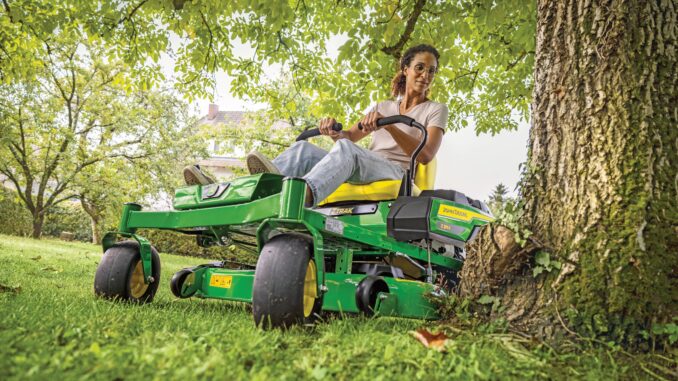
The John Deere Z425 is a residential zero-turn mower built for homeowners who want faster mowing and better maneuverability than a lawn tractor, with common deck options including 48-inch and 54-inch Edge decks and model-specific maintenance parts that vary by serial number and deck setup. This guide is written for owners who handle routine service themselves and want a clear line between realistic DIY work and jobs that are better left to a dealer.
It follows a symptom-first approach, because most owners start with what the mower is doing: hard starting, poor cutting, vibration, belt problems, weak drive, or electrical faults.
It also covers the service parts owners commonly buy, where to find manuals and diagrams, how to identify the right machine and engine numbers, and a maintenance schedule based on Deere’s published service intervals.
John Deere Z425 Introduction / model overview
The Z425 sits in John Deere’s EZtrak residential zero-turn range and is aimed at home lawn mowing rather than commercial daily use. Compared with a traditional riding mower, its main advantage is faster trimming around trees, beds, and obstacles, which makes it a practical choice for medium to larger home properties where time savings matter.
From an owner-repair standpoint, the Z425 is straightforward in some areas and more technical in others. Routine jobs such as engine oil service, air and fuel filter replacement, blade work, deck cleaning, and basic belt inspection are normal homeowner tasks, while hydraulic drive diagnosis, valve-clearance work, and persistent electrical faults usually cross into dealer territory.
General overview of the John Deere Z425
In Deere’s homeowner lineup, the Z425 is a residential zero-turn rather than a lawn tractor, so the systems that matter most are the engine and fuel system, mower deck and blades, hydro drive system, and electrical/safety interlock system. These are also the systems most often involved when owners report no-start conditions, rough running, poor cut quality, drive complaints, or repeated belt trouble.
Key components owners should understand include:
-
Engine and fuel system: air filter, pre-cleaner, spark plugs, oil filter, inline fuel filter, cooling fins, and fuel cap/vent.
-
Mower system: Edge deck, spindle assemblies, deck belt, blades, gauge wheels, and deck-level setting points.
-
Drive system: hydro drive components, hydraulic filter, and model/serial-sensitive drive belt part numbers.
-
Electrical system: ignition switch, battery, key switch area, and seat/brake/PTO safety circuit functions described in the operator’s manual.
Common service and repair parts owners regularly buy include AM125424 engine oil filter, AM116304 inline fuel filter, MIU11286 or MIU11515 air filter cartridge depending on serial number, LG273638S or MIU11517 pre-cleaner depending on serial number, M78543 or MIU11020 spark plugs depending on serial number, AM131054 or MIU13018 hydraulic filter depending on serial number, TCA22740 ignition switch, TY25878 battery, M158130 or M158131 mower belt depending on serial number, and M145476 48-inch side-discharge blades for 48-inch deck machines.
John Deere Z425 Troubleshooting approach
Diagnosis on the Z425 should always begin with the symptom, not the part. A mower that cranks slowly, stalls under load, cuts unevenly, vibrates, or loses drive can have more than one possible cause, and the quickest path is to start with the visible or repeatable complaint before ordering parts.
The main symptom groups on this model are:
-
Starting issues, including no crank, slow crank, and crank-but-won’t-start complaints.
-
Running issues, such as surging, rough running, stalling, smoke, or power loss under mowing load.
-
Cut-quality problems, including scalping, streaks, clumping, and uncut strips.
-
Vibration and noise, often tied to blades, belt condition, spindle wear, or debris buildup.
-
Overheating and leaks, including dirty cooling fins, blocked screens, oil seepage, or fuel-system faults.
-
Transmission and drive problems, such as weak response, poor hill performance, or belt-related drive complaints.
-
Electrical and safety-switch problems, including intermittent starting or PTO engagement faults.
John Deere Z425Emergency and immediate repair needs
4.1 John Deere Z425 Starting issues
A Z425 that will not crank, only clicks, or repeatedly blows through batteries needs immediate attention because owners are often tempted to keep cycling the key, which can hide a weak battery, bad connection, failing switch, or safety-circuit problem. Repeated no-start events also delay diagnosis, because fuel, battery, and switch issues can overlap on residential zero-turns.
Common causes:
-
Weak or failing TY25878 battery.
-
Corroded battery terminals or poor ground connection.
-
Faulty ignition switch TCA22740 or worn key/switch contacts.
-
Safety interlock issues involving the parking brake, PTO switch, or seat switch circuit.
-
Plugged fuel filter or stale fuel on crank-but-no-start complaints.
Basic checks:
-
Confirm the PTO is off and parking brake is set as required by the operator’s manual.
-
Check battery terminal tightness and visible corrosion.
-
Inspect whether the engine cranks strongly or only clicks.
-
Check the inline fuel filter and fuel condition if the engine cranks but does not fire.
-
Replace obvious wear items first only when they match the symptom, such as a bad battery, clogged fuel filter, or fouled spark plugs.
4.2 John Deere Z425 Cut-quality problems
Poor cut quality matters immediately because many owners keep adjusting speed or overlap when the real cause is deck setup, dirty underside, worn blades, or belt/blade-speed loss. Using the machine this way can worsen belt wear and leave the deck out of level longer than necessary.
Common causes:
-
Dull, bent, or incorrect blades.
-
Deck packed with grass underneath.
-
Deck out of level.
-
Wrong tire pressure affecting deck attitude.
-
Worn or slipping mower belt.
Basic checks:
-
Clean the underside of the deck.
-
Inspect blades for sharpness, bends, and correct matching set.
-
Check deck level with a gauge such as AM130907 or an equivalent method.
-
Verify tire pressures are even side to side.
-
Inspect the mower belt for glazing, cracking, or stretching.
4.3 John Deere Z425 Vibration and noise
Sudden vibration should be treated as an immediate stop-and-check issue because a thrown blade, bent blade, bad spindle, or debris wrapped around rotating parts can damage the deck fast. Continued operation can also enlarge spindle or pulley damage and turn a simple blade job into a bigger repair.
Common causes:
-
Bent or unbalanced blades.
-
Debris packed around spindle or pulley areas.
-
Damaged spindle bearings.
-
Belt damage or pulley wear.
Basic checks:
-
Shut the mower down and remove the key before going near the deck.
-
Inspect blades for bends, chips, and missing material.
-
Clear wrapped grass, wire, or debris from deck pulleys and spindle areas.
-
Spin components by hand only with the engine off and safely secured, listening for rough bearings.
-
Replace damaged blades or belt before mowing again.
4.4 John Deere Z425 Overheating and leaks
Heat-related problems on the Z425 should not be ignored because blocked cooling fins and intake screens can shorten engine life, while oil or fuel leaks add both reliability and fire risk. Deere specifically lists cleaning engine cooling fins and air intake screens in the routine maintenance schedule.
Common causes:
-
Grass and debris clogging intake screens or cooling fins.
-
Low or dirty engine oil.
-
Leaking fuel cap, fuel line, or inline filter connection.
-
Oil filter or drain-area seepage after service.
Basic checks:
-
Clean the air intake screens and engine cooling-fin area.
-
Check engine oil level and service history.
-
Inspect around the oil filter and fuel filter for wetness or seepage.
-
Do not continue mowing if fuel smell or visible leakage is present.
-
Move to dealer diagnosis if overheating continues after cleaning and basic service.
4.5 John Deere Z425 Transmission / drive problems
Drive complaints deserve quick attention because a weak or slipping machine can become unsafe on slopes and may be caused by a serial-specific drive belt, hydraulic filter, or hydro issue that gets worse if ignored. This is one of the clearest areas where owners should avoid guessing at parts without checking the serial number first.
Common causes:
-
Worn drive belt, with M154157, M160571, or M169705 depending on serial number.
-
Restricted or overdue hydraulic filter, with AM131054 or MIU13018 depending on serial number.
-
Hydro system wear or internal drive-unit problems.
-
Parking brake linkage or control-linkage issues.
Basic checks:
-
Confirm the machine rolls and releases normally with the brake off.
-
Inspect the drive belt condition and confirm the correct serial-number-specific part.
-
Check service history for the hydraulic filter.
-
Look for obvious leaks or damaged linkage.
-
Move to dealer diagnosis for persistent weak drive, uneven pull, or hydro noise.
4.6 John Deere Z425 Electrical problems
Electrical faults often show up as intermittent starting, dead controls, or unreliable PTO behavior, and they matter because safety circuits are part of the normal operating logic on the Z425. A machine that only starts in some positions or cuts out unexpectedly should not be trusted until the switch or interlock fault is isolated.
Common causes:
-
Worn ignition switch TCA22740.
-
Battery or ground-cable problems.
-
Safety-switch misadjustment or failure.
-
Corrosion in connectors exposed to moisture and grass debris.
Basic checks:
-
Verify the battery is charged and connections are clean.
-
Confirm starting procedure and safety-interlock positions.
-
Check for loose connectors around the switch and seat area.
-
Replace the ignition switch only after confirming the battery and interlocks are sound.
-
Use dealer help for recurring or hard-to-trace electrical faults.
John Deere Z425 DIY or dealer? Repair decision guide
The Z425 is a good DIY machine for routine service and a fair amount of bolt-on repair work, but the line is usually crossed when diagnosis requires hydraulic-system testing, deeper electrical tracing, internal engine work, or valve-clearance adjustment that Deere specifically routes to the dealer at 200 hours.
Good DIY jobs
-
Engine oil and oil filter service with AM125424.
-
Fuel filter replacement with AM116304.
-
Air filter and pre-cleaner replacement with the correct serial-number-specific parts.
-
Spark plug replacement with M78543 or MIU11020 as applicable.
-
Blade sharpening or replacement, deck cleaning, deck leveling checks, and mower-belt inspection or replacement.
-
Battery replacement and basic ignition-switch replacement.
Advanced DIY or dealer jobs
-
Drive-belt replacement when access or routing is unclear on a specific serial range.
-
Hydraulic filter service combined with drivability diagnosis.
-
Electrical fault tracing involving multiple safety switches or intermittent PTO issues.
-
Valve-clearance check and adjustment at 200 hours.
-
Persistent hydro weakness, internal transmission noise, or repeated belt failures after correct installation.
Skill level guide
-
Beginner: air filter, pre-cleaner, fuel filter, spark plugs, battery, deck cleaning.
-
Intermediate: blades, deck belt, deck-level adjustment, ignition switch, oil and filter service.
-
Advanced: drive belt, hydraulic filter plus diagnosis, electrical fault tracing, repeated vibration diagnosis.
John Deere Z425 Parts needed, OEM vs aftermarket, and what information you need
Before ordering Z425 parts, gather the full model name, tractor serial number or PIN, engine model and serial number, and the deck size currently fitted to the machine. That matters because the Z425 uses serial-number breaks for several important parts, including air filters, spark plugs, hydraulic filter, drive belt, mower belt, and even fuel cap.
OEM parts are the safer choice for belts, ignition components, hydraulic filters, and fit-sensitive parts because Deere already splits many Z425 parts by serial number. Aftermarket parts can make sense for blades, batteries, and some routine filters, but only when the seller provides a clear OEM cross-reference tied to the exact Z425 serial range and deck configuration.
John Deere Z425 Where to find parts diagrams and service manuals
These are the most useful sources for Z425 owners:
-
Official operator’s manual: useful for safety, controls, operating checks, and owner-level maintenance guidance for the Z425 family.
-
John Deere service intervals page: useful for the published 8-hour, 50-hour, 100-hour, and 200-hour maintenance intervals.
-
JDParts maintenance reminder sheet for Z425 with 48-inch deck: useful for service part numbers and serial-number breaks.
-
Jacks Small Engines Z425 parts diagrams: useful for exploded diagrams when matching hardware, pulleys, guards, and deck-related items.
John Deere Z425 How to locate model, serial and engine numbers
These numbers matter because the Z425 uses serial-number-specific service parts, and engine parts can also depend on the engine’s own identification data rather than only the mower model.
-
Park the mower safely, shut the engine off, remove the key, and let hot parts cool before looking for tags.
-
Find the tractor serial/PIN tag on the mower frame in the identification area described in Deere literature for the machine.
-
Record the deck serial number from the deck tag, especially if the deck has ever been swapped or repaired.
-
Locate the engine model and serial number on the engine label or shroud so engine tune-up parts can be matched correctly.
-
Photograph all tags before ordering parts so the dealer or online seller can confirm serial-range breaks.
John Deere Z425 Buying parts online and in physical stores
The best buying strategy is to confirm the OEM number first, then match it to your exact serial number and deck setup before shopping price. That prevents a very common Z425 mistake: ordering the wrong belt, air filter, spark plug, or hydraulic filter because the machine changed across serial ranges.
-
Online: use Deere’s maintenance sheet and operator information first, then cross-check against a diagram site or dealer listing for the exact serial range.
-
Dealer counter: best for serial-sensitive parts, ignition and safety parts, hydraulic items, and cases where the deck or engine may not be original.
-
Retail stores: acceptable for oil, batteries, and some tune-up parts only when the packaging clearly cross-references the correct OEM number and serial range.
Useful links:
John Deere Z425 Step-by-step fitting guide for common parts
John Deere Z425 Replacing the fuel filter
A clogged inline fuel filter can cause hard starting, surging, or stalling under load, and AM116304 is the common Z425 replacement listed in Deere’s maintenance reminder sheets.
-
Park on a level surface, switch off the engine, remove the key, and let the engine cool.
-
Locate the inline fuel filter in the fuel line and note the flow direction before removal.
-
Clamp the fuel line if needed, loosen the clamps, and remove the old filter carefully.
-
Install the new AM116304 filter in the correct direction and secure the clamps.
-
Check for leaks after restarting and stop immediately if seepage appears.
John Deere Z425 Replacing the air filter and pre-cleaner
Restricted air filters reduce power and can make the mower run rich, and the Z425 uses different cartridge and pre-cleaner sets depending on serial number.
-
Confirm whether the mower needs MIU11286 and LG273638S or MIU11515 and MIU11517 based on serial number.
-
Open the air-cleaner housing and remove the old paper element and foam pre-cleaner.
-
Clean loose debris from the housing without forcing dirt into the intake.
-
Install the new pre-cleaner and paper element in the correct orientation.
-
Close the housing securely and recheck for a proper seal.
John Deere Z425 Replacing spark plugs
Old or fouled plugs can cause misfire, hard starting, and rough running, and Deere lists M78543 for earlier serial numbers and MIU11020 for later ones.
-
Verify the correct plug part number from the mower serial range before starting.
-
Remove the plug leads carefully so the boots are not damaged.
-
Remove the old plugs and inspect them for heavy carbon, oiling, or damage that may point to another problem.
-
Install the new plugs to the correct specification from the engine information and reconnect the leads securely.
-
Start the engine and confirm smooth idle and clean acceleration.
John Deere Z425 Replacing the mower deck belt
A worn deck belt can reduce blade speed, hurt cut quality, and create squeal or slippage, and the 48-inch deck uses M158130 on earlier serial numbers and M158131 on later ones.
-
Confirm the deck size and serial range before ordering the belt.
-
Lower the deck, remove the key, and make sure the PTO is disengaged.
-
Remove the necessary belt guards and note the routing before taking the old belt off.
-
Install the new belt around the pulleys in the same routing and check that it sits fully in each groove.
-
Refit guards, engage the PTO briefly at low-risk test conditions, and confirm smooth belt tracking.
John Deere Z425 Maintenance to prevent problems reoccurring
Regular maintenance matters more on the Z425 than many owners think because the most common complaints on homeowner zero-turns are often preventable: clogged cooling fins, overdue filters, dull blades, dirty decks, and ignored belt wear. Deere’s own schedule emphasizes frequent oil-filter service, deck-spindle lubrication, deck cleaning, air-filter replacement, and cooling-system cleaning for exactly that reason.
Focus areas:
-
Starting reliability: keep the battery healthy, replace the fuel filter on schedule, and avoid stale fuel storage.
-
Cut quality: keep blades sharp, underside clean, deck level checked, and tire pressures correct.
-
Fire and overheating prevention: clean air intake screens and engine cooling fins, and fix fuel or oil leaks promptly.
-
Drive performance: inspect the correct drive belt and keep hydraulic service history current.
-
Electrical reliability: maintain clean battery terminals and address intermittent safety-switch behavior early.
John Deere Z425 Maintenance schedule and year-round checklist
The schedule below is based on Deere’s published Z425 service intervals and maintenance reminder documents for the model.
Daily / before each use
-
Check engine oil level before mowing.
-
Walk around the machine for loose parts, leaks, damaged blades, or tire problems.
-
Clear grass buildup from intake-screen and deck areas if needed.
After 8 hours
-
Change engine oil filter during break-in service for the Z425.
-
Change engine oil as shown on the maintenance reminder sheet.
Every 25 hours
-
No separate 25-hour interval is listed in the Deere interval page retrieved here for the Z425, so owners should keep using before-use checks and move to the next published interval rather than inventing an unsupported service item.
Every 50 hours or yearly
-
Change engine oil.
-
Change engine oil filter.
-
Sharpen or replace mower blades.
-
Clean underside of deck.
-
Check tire pressure.
-
Lubricate mower deck spindles.
-
Clean engine cooling fins and air intake screens.
-
Check mower deck level.
Every 100 hours or yearly
-
Replace air filter elements, both foam and paper.
-
Replace fuel filter.
-
Replace spark plugs.
-
Check mower belt.
-
Check mower deck level.
Every 200 hours
-
Check or adjust engine valve clearance through a John Deere dealer.
-
Repeat the 100-hour filter and tune-up items where the maintenance sheet shows 100/200-hour replacement.
John Deere Z425 Seasonal checklist
Spring / start of mowing season
-
Change engine oil and oil filter if due by time or hours.
-
Inspect blades, deck belt, battery condition, and air filter status.
-
Clean deck underside, cooling fins, and intake screens before heavy mowing starts.
Mid-season
-
Recheck deck level, tire pressure, blade condition, and deck cleanliness.
-
Inspect the drive belt and fuel filter if symptoms such as surging or weak response appear.
Fall / end of season
-
Clean the machine thoroughly, especially deck underside, screens, and cooling-fin areas.
-
Replace overdue service parts before storage so the machine is ready next season.
-
Inspect battery condition and fuel system components before long storage.
John Deere Z425 Repair, upgrade, or replace?
For most homeowners, the Z425 is worth repairing when the problem is in normal wear parts such as blades, belts, filters, battery, or switch items, because Deere still has clear maintenance support and parts identification for the machine. The value equation changes when the mower has repeated hydro issues, multiple neglected systems, or structural wear that turns a homeowner machine into an ongoing project.
Repair if…
-
The issue is limited to maintenance parts, deck wear items, or a straightforward electrical part like the ignition switch.
-
The engine runs well and the hydro drive is otherwise normal.
-
The deck shell and frame are sound.
Upgrade if…
-
The mower still works but your property size, terrain, or attachment needs have outgrown the Z425’s homeowner role.
-
You are facing repeated cut-quality or comfort limitations rather than a single major failure.
Replace if…
-
The machine has persistent hydro/transmission problems plus other deferred maintenance.
-
Engine, drive, deck, and electrical systems all need work at the same time.
-
Repair cost approaches the value of a better-condition replacement mower.
John Deere Z425 Troubleshooting FAQ
1. Why will my John Deere Z425 not start?
Start by separating a no-crank problem from a crank-but-no-start problem. No-crank complaints often point to the battery, cable connections, ignition switch, or safety interlock logic, while crank-but-no-start complaints more often involve fuel delivery, spark, or stale fuel. Check that the PTO is off, brake is set, and battery connections are clean before replacing parts. If it cranks strongly but will not fire, inspect the fuel filter and spark plugs next.
2. Why does the Z425 click but not crank?
A clicking sound usually means the starter circuit is trying to engage but current delivery is weak or interrupted. The most common owner-level checks are battery charge, dirty terminals, poor ground, or a weak battery under load. A worn ignition switch or interlock issue can also mimic battery problems. If jump-starting changes nothing, move beyond the battery and check the switch and safety circuit.
3. Why does my Z425 crank but not fire?
If the engine spins but does not start, focus on fuel and spark first. A clogged AM116304 fuel filter, stale fuel, or fouled spark plugs are common causes on homeowner machines that sit between mowing sessions. Also confirm the engine is getting clean air through the correct filter set for its serial range. When simple tune-up parts do not fix it, deeper carburetion or ignition diagnosis may be needed.
4. Why does the engine start and then stall?
Stalling after startup often points to restricted fuel flow, contaminated fuel, or an air restriction. The Z425 maintenance sheet specifically identifies the fuel filter and air filter elements as scheduled service items, so overdue parts are a practical first suspect. A partially blocked filter may let the engine start but not keep running well under demand. Start with fresh fuel, a clean filter set, and spark plugs in known good condition.
5. Why is my Z425 surging while mowing?
Surging is commonly tied to fuel restriction, dirty air filtration, stale fuel, or carburetion that is beginning to gum up from storage. Because the Z425 has serial-specific air filter parts, make sure the cartridge and pre-cleaner installed are the right pair for the mower. Also inspect whether the symptom is worse under blade load, which can help separate engine weakness from a deck issue. If tune-up parts and fresh fuel do not help, a deeper fuel-system cleanout may be required.
6. Why is the Z425 losing power in heavy grass?
Power loss under load often comes from dull blades, a dirty deck underside, restricted air flow, or a worn deck belt reducing blade speed. Owners sometimes blame the engine first when the cutting system is actually overloaded or slipping. Clean the deck, sharpen or replace the blades, and inspect the belt before assuming a major engine issue. Also mow at a pace that matches grass height and moisture conditions.
7. Why does my mower cut unevenly?
Uneven cutting usually points to deck-level error, blade condition, tire-pressure differences, or underside buildup. Deere lists deck-level checks repeatedly in the Z425 maintenance information, which shows how important deck setup is on this model. Inspect the blades for bends as well as dullness, because a bent blade can leave a different height side to side. Correct tire pressure first, then set deck level and reassess the cut.
8. Why does the Z425 leave uncut strips?
Uncut strips are often caused by dull blades, reduced blade tip speed from a worn belt, or mowing too fast for conditions. They can also appear when the deck is slightly out of level or the underside is packed with clippings that disrupt airflow. Check the blade edges and belt condition before changing mowing pattern. On a side-discharge setup, heavy wet grass can exaggerate the problem.
9. Why is the cut ragged instead of clean?
A ragged cut usually means the blades are dull, damaged, or not the right type for the deck setup. Deere lists both side-discharge and mulching blade options for the 48-inch deck, so make sure the installed blade style matches how the deck is configured. Torn grass tips are most visible when mowing fast with overdue blades. Sharpen or replace the full set together rather than mixing one new blade with worn ones.
10. Why does the deck clog with grass?
Deck clogging is more likely in wet or overgrown grass, but poor airflow from dirty underside buildup and dull blades also contributes. The maintenance reminder specifically includes cleaning the underside of the deck, which tells owners this is not just a cosmetic task. Clean the deck after use when buildup is moderate rather than waiting until it hardens. Slower ground speed and drier mowing conditions also help.
11. Why does the mower vibrate when I engage the blades?
Vibration that appears with PTO engagement often points to the cutting system rather than the engine alone. Common causes include bent blades, heavy debris on one spindle area, belt damage, or failing spindle bearings. Shut the machine down immediately and inspect the deck before mowing again. Continuing to run it can damage pulleys, spindles, and the belt.
12. Why is there constant vibration even with the blades off?
If vibration continues with the blades off, think beyond the deck and include the engine, mounting points, drive system, and rotating pulleys. Start with a visual inspection for loose hardware or obvious damage and then compare whether the vibration changes with engine speed. Blade issues can still contribute if a damaged part is dragging, but constant vibration needs a wider look. Dealer diagnosis is sensible if nothing obvious is found.
13. Why does the deck belt keep coming off?
A belt that repeatedly jumps off usually means there is an alignment issue, worn pulley, missing guard, wrong belt, or damaged spindle/pivot path rather than just an old belt. Because the Z425 has serial-specific mower belt numbers, confirm the correct belt part first. Then inspect the pulleys and guards closely before installing another belt. Repeated belt loss after correct installation points to hardware wear or deck damage.
14. Why does the deck belt squeal?
Squealing generally means slip, contamination, or a pulley/bearing problem. On the Z425, the first owner checks are belt condition, correct routing, debris in pulley grooves, and whether the belt part matches the mower serial range. A glazed or stretched belt can still drive the blades but not at full efficiency. If the squeal is paired with poor cut quality, inspect the whole deck drive path.
15. Why are the blades not spinning properly?
If the engine runs but the blades do not reach full speed, inspect the mower belt, PTO engagement behavior, and deck pulleys. Belt slip or pulley trouble is more common than a sudden complete blade failure. Also check for heavy grass packing under the deck that may be overloading the system. Stop using the mower until blade speed is restored, because low blade speed destroys cut quality quickly.
16. Which blades fit a Z425 with a 48-inch deck?
For a 48-inch deck, Deere’s maintenance sheet lists M145476 as a 48-inch side-discharge blade and M127673 as a 48-inch mulching blade. The correct choice depends on how the deck is configured, not just the mower model alone. Always replace blades as a matched set and inspect the spindle hardware at the same time. If the deck has been changed since new, verify the deck tag before ordering.
17. Which mower belt does my Z425 need?
That depends on both deck size and serial number. For the 48-inch deck sheet retrieved here, Deere lists M158130 for serial number -100000 and M158131 for serial number 100001-. Do not assume another Z425 uses the same belt without checking the serial tag and deck configuration. This is one of the most common wrong-part orders on older Deere mowers.
18. Why does the drive feel weak or slow?
Weak drive can come from the drive belt, hydraulic filter service state, linkage issues, or internal hydro wear. Deere lists different drive-belt numbers and hydraulic filters by serial number, so correct identification matters before any repair begins. If both sides feel equally weak, think belt or service history first; if one side is weaker, hydro or linkage problems move higher on the list. Persistent weak drive is often a dealer-level diagnosis job.
19. Why does one side pull weaker than the other?
Uneven drive response usually points to hydro-unit performance differences, linkage adjustment problems, or a side-specific mechanical issue. Unlike a simple no-start or tune-up complaint, this is not usually solved by replacing routine consumables at random. Look for visible linkage damage and check whether the problem is constant or only after warm-up. If the issue remains, dealer diagnosis is the sensible next step.
20. What hydraulic filter does the Z425 use?
The hydraulic filter depends on serial number. Deere lists AM131054 for serial number -100000 and MIU13018 for serial number 100001-. That serial break is exactly why owners should record the mower identification before ordering drive-system parts. If drive performance is poor, filter condition is only one part of the diagnosis.
21. Why is my Z425 overheating?
Overheating on homeowner zero-turns often traces back to dirty engine cooling fins or blocked air intake screens. Deere includes both items in the routine maintenance schedule, which shows they are expected service points rather than rare exceptions. Low oil level or excessive engine load from a neglected deck can also contribute. Clean the cooling path thoroughly before assuming internal engine failure.
22. Why does it smell like hot oil or fuel?
A hot oil or fuel smell should be taken seriously because it can indicate a leak onto hot engine surfaces or simply heavy debris buildup around the engine bay. Inspect around the oil filter, fuel filter, lines, and cap area for wetness or staining. Also clean the engine and cooling areas so fresh leaks are easier to identify. Do not keep mowing until the source is found.
23. Why does the battery keep going flat?
Repeated dead-battery complaints can come from an aging battery, poor cable connection, corrosion, or a charging problem. On a homeowner mower, long storage periods and vibration can make terminal issues look like a bad battery. Start with cable cleaning and a battery test before replacing switches or other parts. If a new battery also goes flat, the charging system needs deeper diagnosis.
24. What battery does a Z425 use?
Deere’s Z425 maintenance reminder sheet lists TY25878 as the battery. That gives owners a reliable OEM reference before shopping for an equivalent replacement. If buying aftermarket, match the size, terminal layout, and rating to the OEM specification rather than choosing by appearance alone. Clean the cables before fitting the new battery so the replacement is not blamed for an old-connection problem.
25. Why does the ignition switch seem intermittent?
An intermittent switch can cause no-start events, random loss of electrical response, or a need to jiggle the key. Deere lists TCA22740 as the ignition switch replacement for the Z425. Before replacing it, confirm the battery and main cable connections are clean and that the safety circuit is functioning normally. If the key action feels loose or inconsistent, the switch becomes a stronger suspect.
26. How often should I change the oil and filter?
The retrieved Deere interval information shows break-in oil-filter service after 8 hours and recurring oil and filter service at 50-hour or annual intervals, while the maintenance reminder sheet also lists oil and filter change points at 8/50/100/150/200/250 hours. For most homeowners, the practical rule is to change oil and filter at least yearly and sooner if the hour interval arrives first. Hard use in heat, dust, or heavy mowing may justify shorter intervals, which Deere-focused parts guidance also notes. Keep the service record with the machine because hour-based maintenance affects diagnosis later.
27. How often should I replace the air filter?
The Z425 interval page says to replace both foam and paper air filter elements every 100 hours or annually. The maintenance reminder sheet also lists the air filter cartridge and pre-cleaner at 100/200-hour replacement points. In dusty mowing conditions, inspection should happen sooner even if the official replacement interval has not yet arrived. Always use the correct serial-range parts pair.
28. How often should I replace the fuel filter and spark plugs?
The Deere maintenance reminder sheet lists both the AM116304 fuel filter and the Z425 spark plugs at 100/200-hour intervals. For low-hour homeowner use, that often means these parts are still replaced by time and condition rather than waiting many seasons. If the engine has hard-start or surge symptoms, they move higher on the list even before the maximum interval is reached. Tune-up parts are inexpensive compared with the time lost chasing preventable running problems.
29. Does the Z425 need deck-spindle lubrication?
Yes. Deere’s interval page specifically lists lubricating mower deck spindles every 50 hours or annually for the Z425. That is an important difference from some machines whose spindle assemblies are fully sealed and non-greaseable. Skipping this service can shorten spindle life and contribute to noise or roughness over time.
30. When should valve clearance be checked?
Deere’s published interval says engine valve clearance should be checked or adjusted every 200 hours. The same interval page says to see a John Deere dealer for this service. That makes it a clear dealer-line item for most homeowner owners unless they already have the tools, procedure, and engine-specific specs. It is not a first-response fix for ordinary no-start or rough-cut complaints.
31. Is it worth repairing a John Deere Z425?
Usually yes, when the problem is limited to normal wear parts such as filters, blades, belts, battery, or an ignition switch. Deere still has strong parts identification support for the model through maintenance sheets, manuals, and diagram sources. The answer changes when the mower has hydro issues, multiple neglected systems, or unclear previous repairs that stack costs quickly. A good deck and sound engine often make smaller repairs worthwhile.
32. When should I stop DIY troubleshooting and go to a dealer?
Go to a dealer when the Z425 has persistent hydro weakness, repeated belt failures after correct installation, valve-clearance needs, deeper electrical faults, or any repair that requires more than straightforward owner-level testing. Dealer help also makes sense when symptoms overlap and you are no longer sure whether the fault is in the engine, deck, or drive system. For many owners, the best use of DIY time is completing the routine maintenance first and then handing over the mower with clear symptom notes. That usually saves diagnostic time and avoids random parts swapping.
33. Can I use aftermarket parts on a Z425?
Yes, but choose carefully. OEM parts are the safer bet for belts, hydraulic filters, ignition components, and serial-sensitive items because Deere clearly splits many Z425 parts by serial number. Aftermarket blades, batteries, and some maintenance filters can be acceptable when the OEM cross-reference is explicit and trustworthy. Avoid any listing that only says it fits “many John Deere models” without exact Z425 confirmation.
34. What information should I have before ordering parts?
Record the full model, mower serial number or PIN, deck size and deck serial number, and engine identification numbers. That is especially important on the Z425 because air filters, spark plugs, hydraulic filters, drive belts, mower belts, and even fuel cap numbers can change across serial ranges. Taking photos of the tags is usually faster and more reliable than handwritten notes alone. Having that information ready also helps dealer staff confirm the correct part quickly.
35. What are the most important maintenance tasks to prevent expensive repairs?
The biggest preventive wins are regular oil and oil-filter service, timely air and fuel filter replacement, clean cooling fins and screens, deck cleaning, spindle lubrication, sharp blades, and early belt inspection. Those are the same areas Deere emphasizes in the Z425 service material, which is a good clue to where owners should focus attention. Most expensive homeowner-mower problems start as ignored routine maintenance rather than sudden catastrophic failure. Staying ahead of the schedule is usually cheaper than chasing symptoms later.
How to replace the Z425 mower deck belt
To replace the John Deere Z425 mower deck belt you need to (1) confirm the correct belt for your deck/serial, (2) safely drop and access the deck, (3) remove guards and the old belt, then (4) route and tension the new belt following the deck diagram before reinstalling shields.
Below is a practical, text-only walkthrough aimed at a typical homeowner with a 48″ or 54″ Edge deck; always adapt to your exact deck layout and follow the routing diagram on your deck or in the manual.
1. Confirm belt and deck details
Before you start, confirm the exact belt and deck you have; Z425 belts differ by deck size and serial range.
-
Check the deck size (48″ or 54″ Edge deck) from the deck decal or operator’s manual.
-
For 48″ Edge deck, Deere maintenance sheets show belts such as M158130 or M158131 depending on serial number.
-
For 54″ Edge deck, common OEM belt is M158131 / M154296 for Z425/Z445 with 54″ Edge deck.
-
Make sure the new belt matches your OEM number, not just “fits Z425” in generic listings.
2. Prepare the mower safely
Safe access is more important than speed when working under the deck.
-
Park on a flat, solid surface and set the parking brake; remove the key and let the engine cool.
-
Lower the deck to its lowest cutting position to reduce spring tension height and improve access.
-
If you plan to pull the deck out from under the mower, disconnect the spark-plug wires so it cannot start accidentally.
3. Decide: deck off or deck under the mower
You can change the belt with the deck still under the machine, but pulling the deck out gives a clearer view if you are new to it.
-
Many owners replace the belt with the deck under the mower by dropping it fully, removing plastic shields, and working from above and underneath.
-
Other how-to guides remove the deck completely (pull the front draft arm and rear hangers, slide the deck out) then swap the belt on the ground.
-
For a first-time belt change, removing the deck usually makes routing mistakes less likely.
The steps below assume the deck stays under the mower but lowered fully; you can adapt them if you remove the deck.
4. Remove belt shields and release tension
You must take off the plastic belt guards and release the idler so the old belt can come out.
-
Remove the plastic belt covers on top of the deck (typically held by 1/2″ bolts or similar). Slide them back and lift off as shown in common Z425 belt replacement videos.
-
Note the existing belt routing or take photos before removal; the belt will go around the PTO drive pulley, spindle pulleys, and idler(s).
-
Locate the spring-loaded idler arm that tensions the deck belt. Either move the idler with a wrench/ratchet to remove tension or unhook its spring as shown in video guides.
5. Remove the old deck belt
Once tension is off, you can walk the belt out of the pulleys.
-
Slip the belt off the engine PTO drive pulley at the rear of the deck first; this is usually the tightest area.
-
Work the belt off the spindle pulleys and idlers, noting where the belt runs in the V-grooves (V side) vs over flat idlers (flat side).
-
If there is a belt keeper/guide rod near any pulley, loosen the small bolt and swing the guide away just enough to clear the belt, then retighten later.
-
Remove the old belt and compare length and profile to the new one to confirm you have the correct replacement.
6. Route the new belt correctly
Correct routing and orientation are critical to prevent the belt from jumping off or wearing prematurely.
-
Start at the PTO drive pulley: loop the new belt around the PTO sheave so the V section sits in the pulley groove.
-
Route the belt around the spindle pulleys as shown in your deck routing diagram: for example, on a 54″ Edge deck guides show the V side in spindle sheaves and the flat side over flat idlers.
-
Follow the pattern in the manual or decal: center spindle first, then around idler, then out to left and right spindles, etc., as illustrated in 54″ Z425 belt replacement videos.
-
Make sure the belt sits fully inside each V-groove and is not twisted; the printed side should follow the same direction as the old belt.
7. Reapply tension and reinstall shields
Once the belt is routed, the idler spring must be reattached or the idler arm moved back into position.
-
Using a suitable tool (ratchet/wrench or spring puller), pull the idler arm or spring back into its working position to apply tension.
-
Verify there is firm tension on the belt but the idler pulley still spins freely without side play after tightening its bolt.
-
Spin the blades by hand (engine off, key removed) to confirm the belt tracks smoothly around all pulleys and does not rub on belt keepers.
-
Reinstall all belt shields and covers in their original positions and tighten mounting bolts securely.
8. Final checks and test run
A careful test run prevents damage if anything was routed incorrectly.
-
With the mower still safely on level ground, start the engine at low throttle and engage the PTO briefly while watching the belt through any openings in the shields.
-
Listen for abnormal squeal, slapping, or rubbing noises; disengage immediately and recheck routing if anything seems wrong.
-
If operation looks normal at low throttle, slowly increase engine speed and run the deck for a short test, then shut down and check belt seating again.
-
After the first full mow with the new belt, inspect for early wear and confirm all shield bolts remained tight.