
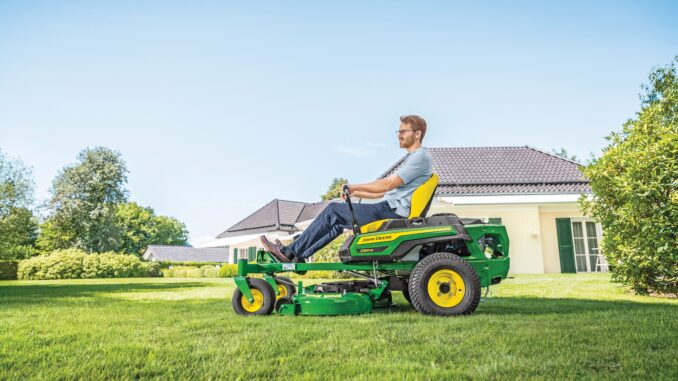
The John Deere S140 is a 100 Series lawn tractor aimed at homeowners who want a step up from entry-level riding mowers, with a 48-inch mower deck, foot-pedal hydrostatic drive, and a control layout shared with the S130/S140/S160/S170/S180 group.
It is built mainly for regular mowing, bagging, and light yard work rather than heavy commercial use, so the best results come from staying ahead of belt wear, blade condition, deck setup, battery health, and fuel-system maintenance.
This guide is written for DIY owners in the USA and Canada who are comfortable doing routine service and some intermediate repairs. It follows a symptom-first approach, so the sections start with what the owner actually sees or hears, then narrow down likely causes, practical checks, parts, and the point where dealer help makes more sense.
And See:
General overview of the John Deere S140
The S140 sits in John Deere’s 100 Series lawn tractor range and shares its operator’s manual with the S100 through S180 tractors. In Deere’s lineup, that puts it squarely in the homeowner category: larger and more capable than the smallest 42-inch models, but still designed around residential mowing intervals, seasonal service, and attachment use that stays within the tractor’s limits.
The key systems that matter most on the S140 are:
-
Engine and fuel system: gasoline engine, air filter, fuel filter, spark plug, engine oil, oil filter, cooling fins and intake screens.
-
Mower system: 48-inch deck, mower deck belt GX21833, three-blade setup using blade kit GY20852, deck spindles, anti-scalp wheels, and deck lift/leveling hardware.
-
Drive system: foot-pedal hydrostatic drive with forward and reverse pedals, traction drive belt, brake/park brake linkage, and transaxle/driveline areas that must be kept clean.
-
Electrical system: ignition switch, battery, fuse block, wiring under the left side panel, PTO engagement switch, safety interlocks, and starter/charging connections.
Common service parts owners often buy for this model include the 48-inch mower blade set GY20852, mower deck belt GX21833, oil filter GY20577, fuel filter GY20709, air filter GY21435, Turf-Gard oil TY22029, and mulch cover GY20417.
Deere-focused parts listings also commonly show the traction drive belt GX20006, spark plug MIU11020, ignition switch GY20074, key GY20680, and battery TY25221B for S140 fitment, which are useful when diagnosing no-start and drive complaints.
John Deere S140 Troubleshooting approach
Diagnosis on the S140 should start with the symptom, not the first part that seems easy to replace. On this model, the main complaint categories are starting issues, poor running, cut-quality problems, vibration or unusual noise, overheating or fluid/fuel leak concerns, transmission or drive complaints, and electrical or safety-switch faults.
A practical order is: confirm fuel, spark, air, battery condition, and safety-switch operation first; then inspect belts, blades, deck level, and debris buildup; then move to wiring, switches, charging, and internal mechanical faults only if the simple checks do not explain the problem.
John Deere S140 Emergency and immediate repair needs
4.1 John Deere S140 Starting issues
If the S140 suddenly will not crank, cranks slowly, or starts and dies, treat it as more than an inconvenience because repeated starting attempts can flatten the battery, overheat wiring, and hide a safety-switch or fuel-delivery fault. Hard starting after storage also raises the chance of stale fuel, filter restriction, or battery problems.
Common causes:
-
Weak battery or dirty battery terminals.
-
Faulty seat, brake, or PTO safety interlock operation.
-
Dirty air filter or stale fuel.
-
Clogged fuel filter GY20709.
-
Worn spark plug or ignition-switch issue.
Basic checks:
-
Confirm the PTO is off, the brake is fully applied, and the operator is seated correctly before assuming a hard fault.
-
Check battery terminals for corrosion and loose connections, then verify battery voltage if you have a meter.
-
Inspect fuel condition and replace the fuel filter if flow looks weak or the machine has sat for months.
-
Remove and inspect the air filter and spark plug if the engine cranks but does not fire cleanly.
4.2 John Deere S140 Cut-quality problems
Uneven cutting, stragglers, scalping, or brown-tipped grass usually means the deck setup or blade condition is wrong, and continuing to mow that way can overload the belt and spindle system. On the S140, correct deck pitch and blade sharpness matter as much as engine power.
Common causes:
-
Dull, bent, or damaged blades.
-
Deck out of level side-to-side or front-to-back.
-
Worn or slipping mower deck belt GX21833.
-
Packed grass under the deck or wrong anti-scalp wheel setting.
Basic checks:
-
Inspect the blades and replace as a set if badly worn or bent.
-
Clean the underside and top of the deck, including belt and spindle areas.
-
Verify tire pressures first, then level the deck so side-to-side difference stays within 1/8 inch and front pitch is about 1/8 to 1/4 inch lower than the rear.
-
Inspect the mower belt for glazing, cracking, stretching, or burning smell.
4.3 John Deere S140 Vibration and noise
A sudden vibration, rattling deck, or rumbling spindle should be handled immediately because loose blades, damaged pulleys, or deck component failure can quickly damage other parts or create a safety issue. Noise that changes when the PTO is engaged usually points toward the deck rather than the engine.
Common causes:
-
Bent blade or blade installed incorrectly.
-
Debris wrapped around a spindle or pulley.
-
Worn spindle bearings or idler hardware.
-
Damaged deck belt or pulley misalignment.
Basic checks:
-
Shut the engine off, remove the key, and wait for all movement to stop before inspecting under the deck.
-
Check blade bolts, blade condition, and whether all three blades match in wear.
-
Spin pulleys and spindles by hand with the belt released if you suspect a bearing problem.
-
Do not keep mowing with severe vibration; the risk of secondary spindle, belt, or shell damage is too high.
4.4 John Deere S140 Overheating and leaks
The S140 manual puts real emphasis on debris cleanup around the muffler, engine intake screens, cooling fins, deck top, transmission area, and wiring because buildup in these areas can cause overheating, poor performance, or even fire. Fuel or oil leaks also create debris collection points and should be fixed promptly.
Common causes:
-
Grass and debris packed around cooling fins or intake screens.
-
Oil seepage collecting dirt around the engine.
-
Fuel line, cap, or filter leaks.
-
Deck and transmission areas clogged with clippings.
Basic checks:
-
Inspect and clean the exhaust, muffler shield, intake screens, cooling fins, deck top, transmission area, and battery/fuse area.
-
Check below the machine for fresh drips before and after mowing.
-
Replace leaking fuel filters or damaged hoses immediately.
-
Stop using the tractor until any active fuel leak or heavy oil leak is corrected.
4.5 John Deere S140 Transmission and drive problems
If the S140 loses traction, moves weakly uphill, surges, or stops moving while the engine still runs normally, check the drive system quickly because slipping belts and heat buildup can turn a minor repair into a bigger one. Not every “bad transmission” complaint is a failed transaxle on this model.
Common causes:
-
Traction drive belt wear or slipping.
-
Brake linkage not fully releasing.
-
Debris buildup near the transmission and driveline.
-
Overuse on slopes or towing beyond homeowner-duty expectations.
Basic checks:
-
Inspect the traction belt area and look for glazing, cracks, or belt contamination.
-
Confirm the park brake fully releases and wheels rotate freely when appropriate.
-
Clean debris from the transmission/driveline area before assuming an internal hydro problem.
-
If drive remains weak after belt and linkage checks, dealer diagnosis is usually the sensible next step.
4.6 John Deere S140 Electrical problems
Electrical faults on the S140 often show up as intermittent starting, dead dash functions, PTO engagement issues, or blown fuses. Because the manual identifies the fuse block and battery/wiring area under the left side panel as a critical cleanout point, corrosion and debris should be part of the first inspection.
Common causes:
-
Dirty or weak battery TY25221B fitment equivalent.
-
Corroded terminals or loose grounds.
-
Faulty ignition switch GY20074 or key wear.
-
PTO or safety switch problems.
Basic checks:
-
Clean battery terminals and inspect the ground connection.
-
Check the fuse block area for moisture, debris, or damaged wires.
-
Test for consistent cranking and PTO response before replacing switches blindly.
-
If you find melted wiring, repeated fuse failures, or intermittent harness faults, stop and use a dealer or experienced technician.
Summary:
John Deere S140 tire pressure specifications
For the John Deere S140, the specified cold tyre pressures are:
The S140 normally uses 15 × 6.00–6 front tyres and 20 × 8.00–8 rear tyres.pdf.lowes+1
Why it matters
Correct tyre pressure is particularly important before leveling the 48-inch mower deck:
-
A front tyre low by only a few psi can make the deck appear uneven.
-
Unequal left-to-right pressures can cause an uneven cut, striping, or scalping.
-
Measure pressure with the tyres cold—before mowing or after the tractor has been parked long enough to cool.
-
Inflate each side equally; do not compensate for an uneven deck by deliberately running different pressures.
Before deck leveling
Set all four tyres to the specified pressures first:
-
Both fronts: 14 psi
-
Both rears: 10 psi
Then place the tractor on level ground and carry out the deck-level adjustment at the 2.5-inch setting. The operator’s manual notes that tyre pressure information is also printed on the tyre sidewalls.
John Deere S140 replacement belt part numbers
For a John Deere S140 with the standard 48-inch mower deck, the primary replacement belt is the mower-deck/blade-drive belt: GX21833. It is approximately 1/2 inch wide with an effective length of 141.7 inches.lowes+1
S140 belt part numbers
Important distinction
The S140 uses more than one belt system:
-
Mower-deck belt: GX21833. This is the belt to order if the blades will not turn properly, the deck belt is cracked/glazed/frayed, or it has come off repeatedly.
-
Traction-drive belt: Runs from the engine/transmission drive system and affects forward/reverse movement. Its correct part number can vary with tractor configuration and production serial number, so confirm it in the parts catalogue using the serial number before purchase.
Avoid confusing GX21833 with GX20305. GX20305 is another 48-inch mower-deck belt, but it is 139.25 inches long and is used on different applications; it is not the standard S140 deck belt identified in the S140 parts-and-maintenance guide.lowes+1
Before fitting a new deck belt
A new belt will fail quickly if the underlying issue remains. Inspect:
-
Idler pulleys for rough bearings, wobble, seized rotation, or damaged pulley grooves.
-
Spindle pulleys for grass packing, wobble, or sharp/rusted edges.
-
Belt guards for contact with the belt.
-
Deck spindle bearings for looseness or noise.
-
Idler tension arm and spring for free movement and adequate tension.
-
PTO clutch pulley alignment.
-
Correct belt routing under the deck covers.
John Deere’s S140 maintenance guide calls for the mower-drive belt to be checked or replaced at 25-hour intervals as needed.
How to install a John Deere S140 deck belt
To install the mower-deck belt on a John Deere S140 with the 48-inch deck, use belt GX21833, remove the deck, replace the belt under the two deck belt shields, then reinstall the deck and route the belt around the engine PTO pulley while holding the idler arm against spring tension.pdf.lowes+1
Safety and preparation
-
Park the tractor on a hard, level surface.
-
Disengage the PTO/blade switch, set the parking brake, stop the engine, and remove the key.
-
Allow hot engine and muffler parts to cool.
-
Disconnect both spark-plug leads so the engine cannot start unexpectedly.
-
Raise the deck to transport height briefly and remove any grass buildup that would obstruct hardware or pulley access.
-
Confirm the replacement belt is GX21833 for the S140’s 48-inch deck. It is a 1/2-inch belt with an effective length of about 141.7 inches.lowes+1
Remove the deck
Removing the deck makes belt routing much easier and reduces the chance of forcing or misrouting the new belt.
-
Place wood blocks under each side of the mower deck.
-
Lower the attachment-lift lever fully so the deck rests on the blocks.
-
Locate the idler-sheave nut at the front drive-belt tensioner.
-
Place a 15 mm wrench or socket on that nut.
-
Rotate it clockwise, moving the idler pulley toward the front of the tractor and releasing belt tension.
-
While holding the tensioner released, lift the belt off the engine/PTO drive sheave; then release the wrench slowly.
-
Remove the spring locking pins and washers from the rear draft arms and adjustable lift links on each side.
-
Disconnect the front draft rod/pin as necessary, then slide the deck out from under the tractor.
The S140 manual procedure identifies the 15 mm idler-sheave nut and clockwise movement as the method for relieving tension to remove the belt from the engine drive sheave.manual-hub
Replace the belt on the deck
-
With the deck out, remove the five capscrews securing the left and right belt shields.
-
Remove both shields and photograph the old belt routing before taking it off.
-
Clean grass and debris from the top of the deck, spindle pulleys, idler pulleys, and belt-guide areas.
-
Check each pulley:
-
Spindle pulleys should turn smoothly without wobble.
-
Idler pulleys should rotate freely and quietly.
-
The idler arm should pivot freely and return under spring tension.
-
Belt guides must not be bent into the belt’s path.
-
-
Remove the old belt. On the 48-inch deck, loosen or move the left-side pulley belt guides as needed rather than forcing the belt past them.manual-hub
-
Route the new GX21833 belt exactly as shown on the deck-routing decal or in the S140 operator’s manual:
-
The V side of the belt runs in the grooves of the blade-spindle pulleys.
-
The flat/back side runs against any smooth idler pulley.
-
Ensure the belt is fully seated at the bottom of every V-pulley groove.
-
Keep the belt inside every belt guide.
-
-
Refit the left and right belt shields and tighten all five capscrews securely.
Do not rely on belt length alone. A belt can look close to correct but still be misrouted, installed outside a belt keeper, or intended for a different 48-inch Deere deck.
Reinstall the deck and belt
-
Slide the deck back beneath the S140.
-
Reconnect the front draft rod and the left/right lift links and rear draft arms.
-
Install the washers and spring locking pins in their original locations.
-
Raise the deck slightly with the lift lever to take pressure off the blocks, then remove the blocks.
-
Lower the deck again to its lowest height for access to the engine drive sheave.
-
Put the 15 mm wrench/socket back on the idler-sheave nut.
-
Rotate the nut clockwise to move the idler forward and release tension.
-
Route the belt around the engine PTO drive sheave.
-
Confirm the belt sits inside the PTO-sheave belt guides and is not twisted.
-
Slowly release the idler arm so the spring tensions the belt.
The belt must be correctly installed on the PTO clutch sheave, spindle sheaves, and idler pulleys; Deere’s belt-service guidance specifically warns to verify routing before restoring tension.manuals.deere
Check before mowing
Before starting the engine:
-
Rotate the blades/pulleys by hand only with the engine disabled. The belt should track smoothly and remain inside all keepers.
-
Confirm the belt is not riding on top of an idler flange or outside a guide.
-
Check that both belt shields are reinstalled.
-
Check that all lift-link and draft-arm pins are secured with their locking pins.
-
Ensure no tools, blocks, or debris remain under the tractor.
Then reconnect the spark plugs, start the engine while seated, and test the PTO at low engine speed briefly. Disengage it and inspect the belt tracking. If it stays centred and there is no rubbing, squealing, or excessive vibration, test-mow at full governed engine speed.
If the belt comes off again
Do not simply fit another belt. Inspect for:
-
Incorrect routing or a belt outside a keeper.
-
Bent/missing belt guides.
-
Weak, disconnected, or damaged idler tension spring.
-
Worn idler pulley bearing or seized pulley.
-
Bent deck spindle pulley or excessive spindle play.
-
Debris packed under a pulley cover.
-
A damaged/misaligned electric PTO clutch pulley.
-
Incorrect replacement belt—the correct deck belt is GX21833.
John Deere S140 deck leveling procedure
How to change blades on John Deere S140
To change the blades on a John Deere S140’s 48-inch deck, safely support the tractor or remove the deck, block each blade from turning, remove the blade bolt and cupped washer, then reinstall each new blade with its cutting edge facing the ground and its uplift/winged section facing the underside of the deck. Use genuine replacement blades such as the S140-compatible three-blade set, OEM reference M20852 / 20852, and tighten each blade bolt to the specified torque for the exact S140 deck/manual.manuals.deere+1
Tools and parts
-
Three replacement blades for the S140 48-inch deck.
-
Socket and breaker bar or ratchet—check the blade-bolt head before starting.
-
Torque wrench.
-
Wooden block, roughly 2 × 4 size.
-
Gloves and eye protection.
-
Jack or ramps rated for the tractor’s weight, or equipment needed to remove the deck.
-
Optional: wire brush, scraper, penetrating oil, and anti-seize only if your Deere manual specifies it.
Do not use automotive jack stands, a light-duty jack, or the hydraulic jack alone as the only support. Never reach under a raised deck unless the machine is securely supported. Deere advises either raising the front safely or removing the deck before blade work.manuals.deere
Make the tractor safe
-
Park on a level, hard surface.
-
Disengage the PTO/blades.
-
Set the parking brake.
-
Stop the engine, remove the ignition key, and wait for all parts to stop.
-
Disconnect both spark-plug wires. Deere specifically advises disconnecting the battery or removing the spark-plug wire before this repair.manuals.deere
-
Raise the deck to transport height and clean away loose grass where possible.
-
Either:
-
Remove the deck and turn it on its side carefully, or
-
Raise and safely support the front of the tractor so you can reach the blades from underneath.
-
Remove the old blades
The S140’s 48-inch deck has three blades. Replace all three as a matched set if possible, especially if the existing blades are worn or have been sharpened several times.
-
Put a wooden block between the blade and a solid deck baffle so the blade cannot rotate.
-
Remove the centre blade bolt.
-
Remove and retain the concave/cupped blade washer.
-
Lower the old blade from the spindle.
-
Repeat for the other two blades.
Do not grip a blade with bare hands or use your hand to stop it while loosening the bolt. Wrap sharp edges or wear robust gloves. Deere says to replace damaged blades rather than straighten or weld them.manuals.deere
Inspect before refitting
Before installing new blades, inspect:
-
The spindle shaft and blade mounting area for damage.
-
The deflector cup between the spindle and blade; it must be seated correctly.
-
The blade bolt threads and washer for damage.
-
The underside of the deck for packed grass, cracks, loose baffles, or spindle play.
-
Each old blade for cracks, bends, missing metal, or a worn cutting edge.
If a spindle pulley wobbles, the spindle has side play, or the blade bolt will not tighten correctly, stop and repair that issue before operating the mower.
Install the new blades
-
Confirm each new blade is correct for the 48-inch S140 deck.
-
Position the blade on the spindle with the sharp cutting edge facing down toward the ground.
-
Make sure the blade’s raised wing/air-lift section faces upward toward the mower deck.
-
Ensure the blade is fully seated on the spindle and the deflector cup is correctly positioned.
-
Fit the concave blade washer with its cupped side toward the blade.
-
Install the blade bolt and tighten it by hand until the blade seats fully.
-
Block the blade with the wooden block again.
-
Tighten the blade bolt with a torque wrench to the specification for your S140’s manual/deck identification.
Deere’s blade procedure is explicit: the cutting edge points toward the ground; the concave washer’s cupped side faces the blade; and the blade must be properly seated on the spindle before final tightening.manuals.deere
Torque note
A Deere 48C/54C deck service procedure specifies 68 N·m (50 lb-ft) for blade bolts, but deck designs and manuals can vary. Treat 50 lb-ft as a useful cross-check, not an assumption: verify the blade-bolt torque in the operator’s manual or technical manual matching your S140 serial number before applying final torque.manuals.deere
Final checks
-
Spin each blade gently by hand with the engine disabled. It should clear deck baffles and not contact adjacent blades.
-
Confirm every bolt and washer is installed and every blade has the correct orientation.
-
Lower the tractor/remove supports or reinstall the deck.
-
Reconnect spark-plug wires.
-
Start the tractor outdoors and engage the PTO briefly at low engine speed.
-
Disengage it and inspect for vibration, scraping, or unusual noise.
-
Mow at full engine rpm and moderate travel speed for the first pass.
Stop immediately if there is heavy vibration. The usual causes are a blade installed upside down, a missing/misoriented washer, a bent blade, an unbalanced blade, loose hardware, or a damaged spindle.
What is the torque spec for John Deere S140 blade bolts
How to prevent John Deere blade bolts from seizing
To prevent the S140’s blade nuts/fasteners from seizing, keep moisture and grass debris out of the spindle area, remove the blades periodically for cleaning, and protect the threads correctly—but do not blindly apply anti-seize and then tighten to the normal dry-thread torque. Lubricated threads reduce friction and can create excessive clamp load at the same wrench setting.shop.deere+1
Best prevention routine
At least once per season—more often if you mow wet grass, wash the deck frequently, or store the tractor in damp conditions:
-
Park safely, remove the key, disconnect the spark-plug leads, and make sure the PTO is off.
-
Remove each blade nut and blade.
-
Clean the nut and spindle threads with a wire brush and a solvent/degreaser; remove dried grass, rust flakes, and old compound.
-
Inspect the nut, spindle splines, blade centre bore, cupped washer, and blade for corrosion, damage, or worn threads.
-
Clean the underside of the deck and the area around each spindle, particularly after mowing damp grass.
-
Reinstall using the blade orientation and torque stated in the correct S140 operator’s manual.
Removing blades periodically also lets you sharpen or replace them before they become excessively worn. Deere directs owners to use the S140 Owner Support area for model-specific manuals, parts, and maintenance guidance.shop.deere
Anti-seize: use with care
This is the important distinction:
-
Dry, clean threads: Apply the Deere-specified S140 blade-fastener torque—65 lb-ft / 88 N·m for the current S140 manual’s 5/8-inch blade nut.
-
Anti-seize or oil applied: Do not automatically use that same dry torque. Anti-seize acts as a thread lubricant, so the same torque can over-tighten/stretch the fastener or overload the spindle arrangement. General fastener guidance commonly calls for a reduction of roughly 20–30 percent when torque values are specified for dry threads, but the exact adjustment depends on the compound and fastener materials.drivewayschool
Because Deere’s S140 operator-manual torque is a safety-critical blade-retention figure, the safest approach is:
-
Use clean, dry threads, unless the S140 manual or an authorised Deere dealer specifically approves a particular thread treatment and associated torque.
-
If you decide to use anti-seize for corrosion conditions, obtain the lubricated-thread torque from a Deere dealer or applicable technical manual first.
-
Never put anti-seize on the blade faces, the splined mating surfaces, the blade’s mounting contact area, washer faces, or the spindle shaft—keep it strictly off areas that must clamp or locate the blade.
Other measures that work
-
Store the machine in a dry shed or garage, not directly on damp soil.
-
Avoid putting the tractor away with wet grass packed under the deck.
-
After wet mowing, let the deck dry, then scrape off grass accumulation.
-
Avoid pressure-washing directly into spindle seals, blade nuts, and pulley bearings; it can force water into areas where corrosion starts.
-
Use intact genuine Deere nuts/fasteners and replace any with rounded corners, visible rust pitting, damaged threads, or evidence of stretching.
-
Tighten with a calibrated torque wrench rather than an impact wrench. Impact guns frequently over-tighten blade fasteners and are a major reason removal becomes difficult later.
-
Recheck blade retention after any service only by following Deere’s inspection guidance; never operate with a loose blade or uncertain fastener condition.
Cleaning threads and mounting surfaces before reassembly, using only a thin amount of compound when it is approved, and tightening to the manufacturer’s specified torque are standard practices for reducing corrosion and preventing future seizure.sunseekerelite+1
If a blade nut is already seized
Do not heat the nut with an open flame near a mower deck unless the fuel system is drained/isolated and all grass, fuel, oil, and flammable residue are removed. The safer first approach is penetrating oil, time, a six-point socket, a solid blade block, and a breaker bar.
How to remove a stuck John Deere mower blade bolt
For a stuck John Deere S140 blade nut, first make the tractor incapable of starting, lock the blade with a wooden block, soak the nut/threads with penetrating oil, then use a correctly fitting six-point socket and a long breaker bar. Do not use heat near the deck unless fuel, oil, grass, and other flammable material have been fully removed. Deere’s basic blade-removal method is to safely raise or remove the deck, block the blade with wood, and remove the blade fastener and washer.manuals.deere
First: identify the S140 fastener
The current S140 48-inch deck uses a 5/8-inch blade nut on a splined/StarLock-style spindle, rather than a conventional blade bolt. It is a normal right-hand thread:
-
Turn counter-clockwise to loosen.
-
Turn clockwise to tighten.
-
Use a 15/16-inch six-point socket for the 5/8-inch nut.
-
The reinstallation torque is 65 lb-ft (88 N·m).
Do not assume it is reverse-threaded. Resistance is usually corrosion, packed debris, or over-tightening rather than thread direction.
Safe setup
-
Park on solid, level ground.
-
Disengage the PTO, apply the parking brake, stop the engine, and remove the key.
-
Disconnect both spark-plug leads.
-
Remove the mower deck if practical; it provides safer, much better access. Otherwise, raise and securely support the tractor/deck—never depend on a jack alone.
-
Wear gloves and eye protection.
-
Wedge a stout wooden block between the blade and a solid deck baffle so the blade cannot rotate. Deere specifically directs users to block the blade with wood before removing the fastener.manuals.deere
Escalation procedure
1. Clean and soak it
-
Scrape away grass and dirt around the blade nut, washer, and spindle end.
-
Wire-brush accessible rust from the nut and exposed spindle area.
-
Apply penetrating oil at the nut-to-spindle interface and around the washer.
-
Let it work for at least 15–30 minutes; for serious corrosion, reapply and leave it for several hours or overnight.
Penetrating oil plus time is much safer than immediately applying extreme force.toolboxtours+1
2. Use the right socket and leverage
-
Fit a 15/16-inch six-point impact-rated socket completely over the nut.
-
Use a long breaker bar rather than a short ratchet.
-
Keep the bar square to the nut; do not pull at an angle.
-
Apply steady counter-clockwise pressure rather than sharp, uncontrolled jerks.
-
If it starts to round, stop immediately and use a quality extractor socket or seek repair help.
A six-point socket and steady breaker-bar force greatly reduce the chance of rounding the fastener.toolboxtours
3. Shock the corrosion carefully
If it will not move:
-
Keep the socket firmly seated.
-
Tap the end of the breaker bar gently with a dead-blow or small hammer while maintaining loosening pressure.
-
Alternatively, give the nut face a few controlled taps with a hammer and a suitable punch while avoiding the spindle shaft, deck shell, and blade.
The objective is to crack rust bonding—not to deform the nut, bend the blade, or damage the spindle.
4. Use an impact wrench—if available
A cordless or pneumatic impact wrench with a 15/16-inch six-point impact socket is often effective because repeated impacts break corrosion without the long continuous side load of a breaker bar.
-
Keep the blade securely blocked.
-
Use short bursts.
-
Keep the socket aligned squarely.
-
Stop if the nut starts rounding or the spindle/shaft begins to move abnormally.
Do not do these things
-
Do not put fingers near the blade to hold it.
-
Do not use a 12-point socket, adjustable spanner, or pliers on the blade nut.
-
Do not use an open flame or torch on an assembled mower deck. Fuel vapour, oil, grass, plastic guards, paint, and spindle seals create fire and damage risks.
-
Do not extend a breaker bar with a very long pipe unless the deck and tractor are securely supported and you can keep the socket square; too much leverage can round the nut or damage the spindle.
-
Do not hammer directly on the spindle shaft or pry hard against the blade.
-
Do not reinstall a rounded, cracked, stretched, heavily corroded, or otherwise suspect blade nut.
If it still will not move
At that stage, remove the deck and take it to a John Deere dealer or competent small-engine repair shop. A shop can use a controlled high-torque impact tool, heat only after proper disassembly and fire precautions, or replace the nut/spindle components if necessary. This is usually cheaper than damaging the spindle assembly, deck shell, or blade mounting parts.
After removal
-
Replace the blade nut if it was badly corroded, rounded, or heavily impacted.
-
Clean the spindle splines, blade mounting surfaces, washer, and nut.
-
Follow the S140 manual’s blade installation order and orientation.
-
Use clean, dry threads unless your exact Deere service information specifies an approved lubricant and revised torque.
-
Refit and torque each blade nut to 65 lb-ft (88 N·m) with a torque wrench.
John Deere S140 tire pressure specifications
The John Deere S140’s recommended cold tyre pressures are:
These specifications apply to the S140’s usual 15 × 6.00–6 front tyres and 20 × 8.00–8 rear tyres.tractortechspecs+1
Important use notes
-
Check pressure when the tyres are cold: before mowing, or after the tractor has been parked long enough to cool.
-
Use an accurate low-pressure tyre gauge; small differences matter on a lawn tractor.
-
Keep left and right tyres equal. Deere specifically notes that equal tyre pressure on both sides helps produce a uniform, level cut.deere
-
Set the tyre pressures before leveling the 48-inch mower deck. A low tyre can make the deck appear incorrectly adjusted and cause uneven cutting or scalping.
-
Do not inflate to the maximum pressure printed on the tyre sidewall unless that is also the operating specification; sidewall pressure is commonly a maximum inflation rating, not necessarily the recommended mowing pressure.
How to change the transmission fluid on John Deere S140
John Deere S140 DIY or dealer?
The line on the S140 is usually straightforward: routine service, deck setup, basic ignition and fuel-service work, and simple belt/blade jobs are realistic for many owners, but internal engine work, hydrostatic transmission diagnosis, valve-clearance checks, and complex electrical faults are better left to a dealer.
Good DIY jobs
-
Engine oil and filter service.
-
Air filter, fuel filter, and spark plug replacement.
-
Blade replacement or sharpening.
-
Mower deck cleaning, leveling, and anti-scalp wheel adjustment.
-
Mower deck belt inspection and replacement if you are comfortable removing shields and routing the belt correctly.
Advanced DIY or dealer jobs
-
Traction drive belt replacement.
-
Intermittent no-crank electrical diagnosis involving switches and harnesses.
-
Spindle, pulley, or deck shell repair after impact damage.
-
Valve-clearance inspection/adjustment at 200 hours; Deere specifically says to see your dealer for this service.
Skill level guide
-
Beginner: oil and filter, air filter, spark plug, fuel filter, battery terminal cleaning, deck washing.
-
Intermediate: blade removal, deck leveling, mower belt replacement, safety-switch checks, battery replacement.
-
Advanced: traction drive belt work, electrical tracing, spindle replacement, diagnosing charging or hydro complaints.
John Deere S140 Parts, OEM vs aftermarket, and what information you need
Before ordering parts, collect the full model name, the tractor PIN, the engine serial number, and the deck size or deck version. Deere states that dealers need the serial number or product identification number for the machine or attachment when ordering parts, and using the wrong deck or serial break can easily lead to the wrong belt, blade, switch, or spindle parts.
OEM parts are usually the safest choice for belts, electrical switches, safety-related components, and fit-sensitive deck parts because belt dimensions, switch function, and pulley fit matter more than they first appear. Aftermarket parts can be fine for some consumables such as blades, filters, spark plugs, and batteries, but only when the cross-reference clearly matches the S140 and the specific deck/engine setup.
John Deere S140 Manuals and diagrams
Useful official and dealer-support sources include:
-
John Deere 100 Series operator’s manual – best for safety, controls, operating procedures, deck leveling, service intervals, troubleshooting basics, and identification-number locations.
-
John Deere S140 parts and maintenance guide – best for quick service intervals and core maintenance part numbers.
-
John Deere Technical Information Store – source for official parts catalogs and technical publications when you need deeper service information.
-
JDParts / Deere parts ordering – useful for diagrams, superseded numbers, and confirming fit before ordering.
-
Green Farm Parts S140-related listings – useful as a Deere-focused aftermarket/dealer-style reference for cross-checking common homeowner service parts and assemblies.
John Deere S140 Model, serial, and engine numbers
These numbers matter because the S140 shares components with other 100 Series tractors, and parts ordering is more accurate when the PIN and engine serial are in hand. That is especially important for switches, belts, deck-related items, and any part affected by serial breaks or engine variation.
-
Park the tractor safely on a level surface, shut it off, set the park brake, and remove the key before looking for identification tags.
-
Find the tractor PIN on the left side of the frame; Deere shows the machine product identification number in that location for the S100-S180 tractors.
-
Record the full PIN exactly as stamped, not just the model name.
-
Find the engine serial number on the engine; Deere illustrates the engine serial-number location separately in the operator’s manual.
-
If ordering deck or attachment parts, also confirm the deck width and any deck-specific labels before placing the order.
John Deere S140 Buying parts
A good buying strategy is to identify the symptom first, confirm the exact OEM part number second, and only then decide whether online, dealer-counter, or retail purchase makes the most sense. This reduces the common homeowner mistake of buying a “John Deere 48-inch belt” or “100 Series filter” that does not actually match the S140 setup.
-
Online: use the OEM number, verify the PIN if the listing asks for it, and compare deck width and engine details before checking out.
-
Dealer counter: best for serial-sensitive parts, electrical parts, linkage pieces, and any time your old part does not clearly match online photos.
-
Retail stores: acceptable for oil, spark plugs, filters, and batteries when the packaging explicitly lists S140 compatibility or the exact OEM cross-reference.
Useful links:
John Deere S140 Fitting guide for common parts
John Deere S140 Engine oil and oil filter
This service protects the engine and is one of the most important yearly or 50-hour maintenance jobs on the S140.
-
Run the engine briefly so the oil warms slightly, then park safely, shut it off, and remove the key.
-
Drain the old oil using the machine’s service method and remove the old oil filter GY20577.
-
Lightly oil the gasket on the new filter and install it snugly by hand.
-
Refill with the correct oil, check the dipstick, and look for leaks after restart.
-
Recheck the level after shutting the engine off and letting the oil settle.
John Deere S140 Air filter and fuel filter
This job often fixes hard starting, rich running, and power loss caused by restricted airflow or poor fuel flow.
-
Park safely and let the engine cool fully before opening the air-filter area or disturbing fuel lines.
-
Remove the air filter cover, inspect the element GY21435, and replace it if dirty, oily, or damaged.
-
Clamp or manage fuel flow as needed, remove the old fuel filter GY20709, and install the new one in the correct direction.
-
Check that the fuel line connections are secure and dry before starting.
-
Start the engine and confirm it runs smoothly without seepage around the filter.
John Deere S140 Spark plug
A fresh plug helps with starting and smooth running, especially after a season of intermittent use.
-
Let the engine cool, then remove the spark plug lead carefully.
-
Remove the old plug and compare its condition; oily, sooty, or damaged electrodes can point to a broader tuning issue.
-
Confirm the replacement plug matches the S140 fitment before installing.
-
Thread the new plug in carefully by hand first to avoid cross-threading, then tighten to specification if available from the plug maker or service literature.
-
Refit the plug lead firmly and test-start the engine.
John Deere S140 Mower blades and deck belt
These are high-impact jobs because they directly affect cut quality, vibration, and deck performance.
-
Park safely, remove the key, and disconnect the spark plug wire or battery negative cable before working near the blades.
-
Remove the deck if needed for access, then inspect the three blades and the GX21833 belt.
-
Replace blades as a matched set if bent, badly worn, or cracked; do not replace only the worst one.
-
Route the new belt exactly as shown in the deck diagram or parts reference and check pulley alignment before tensioning.
-
After reassembly, level the deck and test-mow a small area to verify smooth operation and even cutting.
John Deere S140 Maintenance to prevent repeat problems
Regular maintenance is what keeps most S140 problems from returning. The biggest pattern on this tractor is simple: poor cleaning, old fuel, neglected filters, dull blades, and ignored belt wear create a long list of “repair” complaints that are really maintenance backlog.
Focus areas:
-
Starting reliability: keep the battery terminals clean, replace the air and fuel filters on schedule, and avoid stale fuel.
-
Cut quality: sharpen or replace blades, keep the deck clean, and check level after impacts or uneven cutting complaints.
-
Fire and overheating prevention: clean the muffler, cooling fins, intake screens, deck top, transmission area, and wiring/battery area often, especially in dry debris.
-
Drive performance: inspect the drive system area for debris and do not ignore slipping-belt symptoms.
-
Electrical reliability: protect battery terminals, wiring, and fuse-block area from corrosion and packed debris.
John Deere S140 Maintenance schedule and year-round checklist
The S140 parts guide lists core maintenance at after 8 hours, every 25 hours, yearly or every 50 hours, and every 200 hours. The operator’s manual also includes a daily operating checklist covering safety systems, tire pressure, oil level, debris removal, air intake cleaning, leak checks, and loose hardware inspection.
Daily / before each use
-
Check and test safety systems.
-
Check tire pressure and brakes.
-
Check fuel level and engine oil level.
-
Remove grass and debris from engine compartment, muffler area, and top of mower deck before and after operation.
-
Clean air intake screen.
-
Check below the machine for fluid leaks and tighten loose hardware.
After 8 hours
-
Lubricate mower spindles and pivot points.
-
Check mower deck spindle brakes where applicable.
-
Lubricate front axle pivot and axle spindles.
-
Lubricate front axle wheel bushings.
Every 25 hours
-
Lubricate mower spindles and pivot points.
-
Lubricate front axle pivot and axle spindles.
-
Lubricate front axle wheel bushings.
Every 50 hours or yearly
-
Change engine oil and replace filter; service more often in dusty conditions.
-
Clean or replace air filter precleaner and element; service more often in dusty conditions.
-
Replace fuel filter.
-
Sharpen or replace mower blades.
-
Check or replace mower drive belt.
Every 200 hours
-
Check and adjust valve clearance; Deere says this service should be done by a dealer.
John Deere S140 Seasonal checklist
-
Spring / season start: oil and filter, air filter, fuel filter, battery check, blade inspection, deck cleanout, and first deck-level check.
-
Mid-season: inspect mower belt, sharpen blades if cut quality slips, clean cooling fins and deck top, and recheck deck level after any impact.
-
Fall / end of season: remove debris thoroughly, inspect fuel system, stabilize or manage fuel for storage, and store only after the machine cools and is cleaned.
John Deere S140 Repair, upgrade, or replace?
For most homeowners, the S140 is worth repairing when the problem is in normal wear items such as blades, belts, filters, switches, battery, or deck setup. Upgrade decisions usually come from capacity limits rather than one-off repairs, while replacement makes more sense when multiple major systems are failing at the same time or the repair cost approaches the value of a sound used machine.
Repair if…
-
The issue is a routine service item or a single wear component like a blade set, filter, or deck belt.
-
The engine and transmission still perform normally once maintenance is current.
-
The frame, deck shell, and wiring are fundamentally sound.
Upgrade if…
-
You regularly ask the S140 to do more than homeowner mowing, such as frequent heavy towing, rough-ground use, or large-acreage work.
-
You want features beyond what the 100 Series platform is designed to provide.
-
Repeated overheating, traction, or deck complaints come from workload mismatch rather than one failed part.
Replace if…
-
The tractor has major engine, transmission, and deck issues at the same time.
-
Safety-related corrosion, wiring damage, or structural deck/frame damage is extensive.
-
The cost of parts and labor is no longer sensible compared with a healthier replacement machine.
John Deere S140 Troubleshooting FAQ
1. Why will my John Deere S140 not start?
Most no-start complaints come down to battery condition, safety-switch setup, stale fuel, a plugged fuel filter, or ignition-related issues rather than catastrophic engine failure. First confirm the PTO is off, the brake is locked, and the battery connections are clean and tight, then move on to the air filter, fuel filter, and spark plug.
2. Why does my S140 crank but not fire?
If it cranks but does not start, think fuel, spark, and air in that order. Old fuel, a restricted fuel filter, a fouled spark plug, or a badly dirty air filter are the most practical homeowner checks before chasing harder faults.
3. Why does my S140 click once and not crank?
A single click often points to a weak battery, corroded terminals, poor ground, or a starter/solenoid circuit issue. Clean and tighten the battery connections first, then test the battery before replacing switches or starter parts.
4. Why does the battery keep going flat?
Repeated discharge can come from a weak battery, poor terminal contact, charging issues, or the machine sitting too long between uses. On the S140, it is also smart to inspect the battery and fuse-block area for dirt, corrosion, or wiring damage under the left side panel.
5. Why does my S140 start and then stall?
Stalling after startup often means restricted fuel flow, stale fuel, air-filter restriction, or an intermittent safety/electrical problem. Start with the cheap items: fresh fuel, new filter, clean air filter, and spark plug inspection.
6. Why is my S140 running rough?
Rough running usually comes from tune-up neglect, poor fuel quality, or restricted airflow. Replacing the air filter, fuel filter, and spark plug, then checking for debris around the engine cooling area, often solves basic homeowner rough-run complaints.
7. Why does the engine lose power while mowing?
Power loss under load usually means dull blades, wet/heavy grass, deck buildup, or a restricted engine service item such as the air filter. It can also happen when the deck belt slips or the deck is badly out of level and making the engine work harder than it should.
8. Why does my mower cut unevenly?
Uneven cutting on the S140 often traces to tire pressure differences, deck-level problems, dull blades, or bent blade hardware. Deere specifies that deck side-to-side difference should not exceed about 1/8 inch, so leveling should be checked before assuming a bigger fault.
9. Why am I getting strips of uncut grass?
Stragglers usually come from dull blades, low blade tip speed due to belt slip, mowing too fast, or clumped grass under the deck. Inspect blade edges and the GX21833 deck belt before assuming the deck itself is damaged.
10. Why is the grass turning brown at the tips?
Brown tips usually indicate tearing rather than clean cutting. Sharpen or replace the blades, then confirm the deck pitch is set with the front about 1/8 to 1/4 inch lower than the rear, which Deere says helps prevent double cutting.
11. Why does the deck scalp my lawn?
Scalping often comes from mowing too low, anti-scalp wheels set incorrectly, uneven ground, or a deck that is out of level. Check wheel adjustment and deck level before changing multiple parts.
12. Why does the S140 vibrate when I engage the blades?
If vibration appears mainly with the PTO engaged, inspect the deck first. Bent blades, debris around pulleys, worn spindles, or belt damage are more likely than an engine problem in that situation.
13. Why is there a loud knocking or rumbling from the deck?
A rumbling or grinding sound often points to spindle-bearing wear, pulley problems, or hardware working loose. Stop mowing immediately and inspect the deck, because continued use can damage the belt, shell, and spindle housings.
14. Why does the mower deck belt keep coming off?
Repeated belt derailment usually means pulley misalignment, a worn belt, damaged belt keepers, or a spindle/idler problem. Replacing the belt without checking pulley condition often leads to the same failure again.
15. How do I know if the deck belt is bad?
Common signs are squealing, burning smell, slow blade engagement, uneven cut, visible cracking, glazing, or frayed edges. On the S140, the mower deck belt is GX21833 for the 48-inch deck shown in Deere’s parts guide.
16. Why do my blades seem to dull so fast?
Fast blade wear usually comes from sandy soil, sticks, rocks, mowing too low, or hitting hidden debris. If dulling happens unusually quickly, also check that the deck is level and the blades are the correct set for the deck.
17. Can I replace only one blade?
It is better to replace blades as a matched set when one is badly damaged or wear is uneven. Mixed blade condition can worsen vibration and cut quality and makes deck diagnosis harder.
18. Why is my S140 leaving clumps of grass?
Clumping usually points to wet grass, overgrown grass, excess ground speed, or heavy deck buildup. Clean the deck thoroughly and slow down before assuming the machine lacks power.
19. Why won’t the tractor move or moves very weakly?
If the engine runs but travel is weak, inspect the traction drive system before blaming the transaxle. A worn drive belt, brake drag, or debris around the driveline/transmission area are all realistic homeowner-level causes.
20. Why does the S140 lose speed on hills?
Some speed loss can be normal under load, but sharp decline suggests belt wear, heat, traction limits, or pushing the tractor beyond intended homeowner use. Deere also stresses slope safety and operating limits, so weak hill performance should not be “fixed” by using the machine more aggressively on steep ground.
21. Why does it smell hot after mowing?
A hot smell can come from belt slip, packed debris near the muffler or deck, or engine cooling areas clogged with grass. Since the manual highlights fire risk from buildup, stop and clean the machine thoroughly before using it again.
22. Why is grass collecting around the transmission area?
That area is one of Deere’s specific cleanout zones on the tractor. Grass buildup traps heat and can shorten component life, so regular cleaning around the transmission and driveline is part of preventing bigger drive complaints.
23. Why does my S140 overheat?
Most homeowner overheating complaints are airflow problems, not internal engine failure. Check the intake screens, cooling fins, muffler area, and general debris accumulation first, especially if the tractor has been mowing dry or dusty material.
24. Why do I smell fuel around the tractor?
Fuel smell should always be taken seriously. Inspect the fuel cap, lines, and fuel filter area immediately, and do not keep mowing until you are sure there is no active leak.
25. Why won’t the PTO or blade system engage?
Blade-engagement problems can come from switch faults, safety interlocks, weak electrical supply, or deck-belt issues that make the system seem dead under load. Start with battery condition and switch behavior before assuming the clutch or deck is bad.
26. Why do the safety switches seem to act up intermittently?
Intermittent switch behavior often comes from dirty connections, vibration-related wiring issues, or switch wear. Because the S140’s battery and fuse-block area can collect dirt and debris, cleaning and inspection are sensible first steps.
27. How often should I change oil on a John Deere S140?
Deere’s S140 parts and maintenance guide calls for changing engine oil and replacing the filter yearly or every 50 hours, whichever comes first, with more frequent service in dusty conditions. That interval is the right baseline for homeowner use unless unusually harsh conditions justify shorter intervals.
28. How often should I replace the air filter and fuel filter?
The S140 guide lists cleaning or replacing the air filter precleaner and element, and replacing the fuel filter, yearly or every 50 hours, whichever comes first. Dusty mowing conditions can justify doing the air-filter service sooner.
29. When should the blades be sharpened or replaced?
Deere includes blade sharpening or replacement in the yearly or every-50-hour service group, but real timing depends on mowing conditions. If cut quality falls off, brown tips appear, or vibration starts, inspect the blades right away instead of waiting for the scheduled interval.
30. When should I check the mower deck level?
Check deck level any time the cut turns uneven, after striking an obstacle, after blade or spindle work, or at season start. The operator’s manual gives specific side-to-side and front-to-back targets, so leveling is a real adjustment step, not guesswork.
31. Is it worth repairing a John Deere S140?
Usually yes, if the issue is limited to normal wear items or one system such as the deck, battery, or basic fuel/ignition service. It becomes less attractive when engine, hydro drive, deck shell, and electrical problems stack up together.
32. When should I go to a dealer instead of fixing it myself?
Dealer help makes the most sense for valve-clearance service, internal engine work, persistent hydro drive complaints, complex electrical diagnosis, and structural deck or frame repairs. It is also the better route when a serial-specific part or unclear parts diagram is slowing the repair down.
33. What should I clean after each mowing session?
At minimum, remove debris from the engine compartment, muffler area, top of mower deck, air intake screen, and any visible buildup underneath the machine. Deere also identifies the transmission/driveline area and the wiring/battery/fuse area as critical cleanout points.
34. Why is the S140 a poor candidate for “guess and replace” repairs?
Because many symptoms overlap. A weak cut can be caused by blades, deck level, belt slip, buildup, or mowing conditions, while a no-start can be battery, switch, fuel, or ignition related, so replacing parts without a symptom-based check often wastes money.
35. What is the smartest first step before ordering any S140 repair part?
Record the model, full PIN, engine serial number, and the exact deck size, then confirm the OEM part number from Deere literature or diagrams before buying. That one step prevents a lot of wrong-part orders on 100 Series tractors that look similar but do not use identical components.