
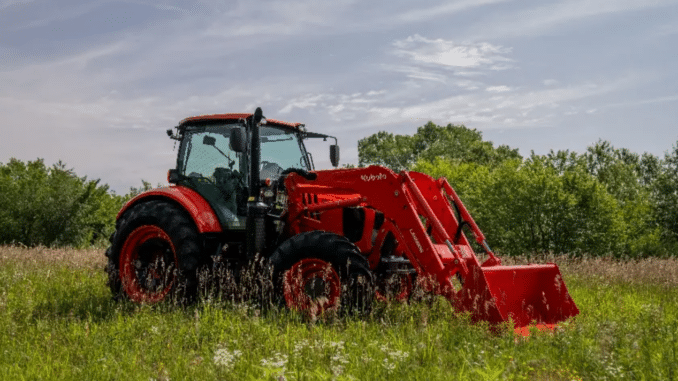
Kubota M Series Serial Number Location: A Complete Tractor Identification Guide
The Kubota M Series serial number location is generally on the left-hand side of the tractor’s frame below the engine, beneath the factory tag.
Begin your inspection in that area, but treat the description as series-level guidance rather than an exact identification diagram for every M Series tractor. Different generations, configurations, and market versions should be checked against their own operator’s manuals.
The distinction between the tractor serial number and other identification is important. A number found on the engine, loader, axle, cab, or another component should not automatically be used as the complete tractor serial number.
This guide explains where to look, how to record the correct information, what to do if identification is missing or unreadable, and how to use the details for parts, servicing, manuals, and production-year enquiries.
Where Is the Serial Number on a Kubota M Series Tractor?
Start on the tractor’s left-hand side and inspect the frame below the engine.
Kubota’s general description places the serial number below the factory tag. Look carefully at the surrounding frame area rather than assuming that every number printed on the nearest tag is the tractor serial number.
A useful search sequence is:
-
Establish the tractor’s left-hand side.
-
Locate the engine area.
-
Inspect the frame below the engine.
-
Find the factory tag where visible.
-
Examine the area beneath it for the tractor identification.
-
Confirm the exact position using the model-specific identification diagram if necessary.
Do not dismantle the tractor, remove loader mounts, or scrape suspected markings simply because the number is not immediately apparent.
Which Side Is the Tractor’s Left-Hand Side?
Use the operator’s seated position as your point of orientation.
When you sit in the seat facing forward:
-
The tractor’s left-hand side is on your left.
-
The tractor’s right-hand side is on your right.
If you stand in front of the tractor facing the seat, the tractor’s left-hand side appears on your right.
Establish this orientation before searching. It prevents confusion when comparing photographs taken from different directions.
Is the Serial Number on the Engine?
The general M Series tractor location is on the frame below the engine, not simply any identification found on the engine itself.
The engine can carry its own identification. Keep that information in a separate record.
If you find a label on the engine, photograph it, but do not substitute it for the tractor serial number without confirming what the label identifies.
Is the Factory Tag the Serial Number?
Read the complete tag and inspect the surrounding area.
Kubota’s location description distinguishes the serial-number position as below the factory tag. Do not assume that the largest number on the tag is necessarily the identifier required for your enquiry.
Record:
-
The wording on the tag.
-
Every relevant identifier.
-
Where each marking was found.
-
A photograph showing the relationship between the tag and surrounding frame.
If you are uncertain, ask a dealer to identify the markings before using them to order parts.
How to Find the Serial Number Safely
An identification search should not require you to work beneath unsupported equipment or disturb safety-critical components.
Step 1: Park the Tractor Correctly
Before inspecting the frame:
-
Park on firm, level ground.
-
Lower the loader and other implements fully to the ground.
-
Disengage the PTO.
-
Place the controls in the parked positions specified in the operator’s manual.
-
Apply the parking brake.
-
Stop the engine and remove the key.
-
Allow hot components to cool.
Follow the instructions for your exact tractor.
Do not place yourself beneath a raised loader to look for the serial number.
Step 2: Inspect the Left-Hand Frame Area
Approach from the side and use a torch to illuminate the frame beneath the engine.
A small inspection mirror or carefully positioned camera can help you view an awkward surface without reaching into a restricted area.
Stay clear of hot components, sharp edges, and areas where access would require moving or removing equipment.
If the identification cannot be viewed safely, request model-specific advice.
Step 3: Photograph Before Cleaning
Take a wider photograph before disturbing the area.
This helps preserve the original condition and provides context if you later send images to a dealer.
Look at the type of marking you have found:
-
Printed label.
-
Metal identification plate.
-
Stamped characters.
-
Raised casting number.
-
Component label.
These markings do not all serve the same purpose.
Step 4: Remove Loose Dirt Gently
Use a soft brush or cloth to remove loose dust, dried grass, and dirt.
Avoid aggressive cleaning methods, including:
-
Wire brushes.
-
Grinding tools.
-
Sandpaper.
-
Paint stripper.
-
Strong solvents.
-
Heavy scraping.
-
Direct pressure-washing on a fragile label.
If paint or corrosion obscures the identification, stop before damaging the remaining information.
Step 5: Take Clear Identification Photographs
Keep at least two images:
-
A close-up showing all readable characters.
-
A wider photograph showing the location on the tractor.
Check the images immediately.
Make sure:
-
The entire identifier is visible.
-
The photograph is in focus.
-
Glare does not obscure characters.
-
The model information is included where available.
-
The wider image clearly establishes the location.
Try a different lighting angle if necessary.
Step 6: Transcribe the Details Exactly
Create separate fields for the model and serial number.
For example:
Tractor model:
Tractor serial number:
Identification location:
Photograph date:
Uncertain characters:
Retain letters, leading zeros, hyphens, and other relevant characters as displayed.
Do not shorten the identifier to make it fit an unfamiliar search form.
If one character is unclear, mark it as uncertain rather than guessing.
Does Every Kubota M Series Tractor Use the Same Location?
The general location is a starting point, not a guarantee of identical identification arrangements across every tractor carrying an M designation.
The M family includes older utility tractors and later product groups with different configurations. Use the exact model’s documentation to resolve uncertainty.
M5040, M6040, M6060 and M7060 Enquiries
When identifying a tractor described as an M5040, M6040, M6060, or M7060, begin with the general left-hand frame location.
Then confirm the position against the identification diagram for the complete model and configuration.
Do not assume that a photograph of another M tractor establishes the precise location on yours.
Prepare:
-
Complete model designation.
-
Cab or open-station description.
-
Identification photographs.
-
Available purchase or service documents.
-
Any uncertain markings.
These details make a dealer enquiry more useful than a request based only on “Kubota M tractor.”
M4, M5 and M6 Tractors
For M4, M5, and M6 equipment, use the exact model’s manual rather than extending a general location description into an unsupported model-specific claim.
Record the full designation, including the product-group name and model number.
If the identification is not apparent in the general M Series area, request the appropriate identification illustration before removing anything.
Older M Series Tractors
Older machines may require more investigation because labels can be damaged and records may be incomplete.
Start with:
-
Readable machine identification.
-
The exact model’s operator’s manual.
-
Original purchase documents.
-
Service records.
-
Earlier photographs.
-
Dealer assistance.
Do not turn a visual resemblance to another tractor into a confirmed model or production year.
Why the Complete M Series Model Matters
A shortened model name can omit details needed for catalog selection.
Kubota’s M Series parts listings distinguish numerous configurations. Examples include separate entries for cab versions, different drive arrangements, transmission variants, and models with additional suffixes.
Copy the designation exactly rather than assuming the base model is sufficient.
| Information | How to record it |
|---|---|
| Main model | Complete model number as displayed |
| Suffix | Retain all letters, numbers, and punctuation |
| Operator station | Cab or open station |
| Drive arrangement | Record from verified information |
| Transmission description | Record if known and relevant |
| Tractor serial number | Complete identifier |
| Original market | Record where known |
Do not attempt to decode every suffix from memory. If you are unsure, preserve the designation and ask the supplier to interpret it.
Model Designation Versus Serial Number
Keep the two fields separate.
The model identifies the product or configuration. The serial number identifies the individual unit within the applicable identification system.
A parts enquiry should therefore begin with:
Complete model:
Tractor serial number:
Do not enter the model into a serial-number field or combine the two into an invented identifier.
Distinguishing the Tractor Number from Other Markings
An M Series tractor may have several valid identification numbers.
The challenge is to establish which item each one belongs to.
| Marking | What it may identify | How to use it |
|---|---|---|
| Tractor serial number | Complete tractor | Record with the full model |
| Engine serial number | Installed engine | Keep in a separate engine record |
| Loader identification | Loader assembly | Use for loader enquiries |
| Cab or ROPS identification | Operator enclosure or protective structure | Retain separately |
| Axle identification | Axle assembly | Supply when specifically relevant |
| Casting number | Casting or component reference | Do not assume it identifies the tractor |
| Part number | Individual component or assembly | Check its application before ordering |
If you do not know what a marking identifies, describe it neutrally.
For example:
Number visible on left-hand housing below engine; not yet confirmed as the tractor serial number.
That preserves useful evidence without overstating what has been established.
Tractor Serial Number Versus Engine Serial Number
The tractor and engine need separate identification records.
When to Supply the Tractor Number
Provide the complete tractor model and serial number for enquiries involving the machine itself.
Examples include:
-
Transmission.
-
Steering.
-
Three-point linkage.
-
Tractor hydraulics.
-
Electrical systems.
-
Bodywork.
-
Controls.
-
Front axle.
-
Operator-station components.
The supplier may request additional information depending on the repair.
When to Supply the Engine Number
Add the engine model and serial number when the enquiry concerns the engine or when the supplier requests them.
Use this format:
Tractor model:
Tractor serial number:
Engine model:
Engine serial number:
Component or fault:
Identification photographs attached:
Do not assume that the engine number can replace the tractor number.
Replacement Engines
If the tractor has received a replacement engine, retain:
-
Replacement date.
-
Installation invoice.
-
Current engine model.
-
Current engine serial number.
-
Installer details.
-
Associated coverage documents, where available.
Keep the tractor’s original identity separate from the history of the engine currently installed.
Loader and Implement Identification
An M Series tractor may be used with separately identified equipment.
When the repair concerns an attachment, record that attachment’s details rather than relying solely on the tractor identification.
Loader Parts
For a loader enquiry, prepare:
-
Complete loader model.
-
Loader serial number, where available.
-
Tractor model and serial number.
-
Description of the assembly.
-
Existing component markings.
-
Photographs.
A clear enquiry might say:
Tractor: [complete model and serial]
Loader: [complete model and serial]
Component: Lift cylinder
Existing markings: [as shown]
Photographs attached.
Do not assume that a number found on a loader mounting bracket identifies the complete tractor.
Other Implements
Use the same approach for:
-
Mowers.
-
Bale-handling equipment.
-
Snow equipment.
-
Backhoes, where fitted.
-
Other separately identified implements.
Record the manufacturer as well as the implement model when it is not Kubota equipment.
The tractor identification can support a compatibility enquiry without replacing the implement’s identity.
Using an M Series Serial Number for Parts Lookup
Finding the serial number is the beginning of a parts enquiry, not the final compatibility check.
Select the Correct Catalog
Use the complete model designation.
Where several catalog entries look similar, compare them carefully or ask the supplier to confirm the correct one.
Do not silently substitute another model because it appears first in a search result.
Identify the Assembly
Establish whether the component belongs to:
-
The tractor.
-
The engine.
-
The loader.
-
The cab.
-
Another attachment.
Then use the relevant catalog.
A plain-language description can help if you do not know the official part name.
For example:
Hydraulic hose running from the loader control valve toward the lift circuit.
That is more useful than:
Need hydraulic parts.
Separate Diagram References from Orderable Numbers
An illustration reference is not automatically the number used to order a part.
Record:
-
Catalog model.
-
Assembly heading.
-
Diagram reference.
-
Description.
-
Proposed part number.
-
Application notes.
This makes it easier for the supplier to verify the selection.
Read Serial Restrictions
Where a catalog distinguishes components by serial range, follow its exact wording.
For illustration only:
| Hypothetical application | Hypothetical component |
|---|---|
| Up to serial 24999 | Earlier version |
| Serial 25000 and above | Later version |
These numbers are invented examples, not actual Kubota M Series application data.
Do not apply a serial break from another machine or assembly to your tractor.
Confirm Uncertain Applications Before Ordering
Ask:
Please confirm that this part applies to the supplied model and tractor serial number. Please identify any additional seals, fittings, hardware, or associated components required.
Retain the quotation or confirmation with your records.
Kubota M Series Serial Number Year Lookup
Use the complete tractor model and serial number when requesting production or sale information.
Specify which date you need.
Production Date and Purchase Date Are Different
Keep separate fields for:
| Date | What it describes |
|---|---|
| Tractor production date | When the complete machine was manufactured |
| First documented sale | The sale shown by the available evidence |
| Your purchase date | When you acquired the tractor |
| Engine production information | Information relating to the engine |
| Attachment purchase date | When a separate implement was acquired |
A purchase invoice dated 2020 does not automatically establish a 2020 production year.
An engine date should not be relabelled as the tractor’s manufacturing date.
Avoid Unverified Universal Decoding Rules
Before using a decoding method, confirm that it applies to:
-
The tractor rather than another component.
-
The exact identification format.
-
The model family.
-
The relevant market.
Do not assume a generic automotive year-decoding rule applies to every M Series tractor.
If the Production Year Remains Unconfirmed
Record the limitation clearly.
For example:
Production year not established. Purchase invoice dated [date] retained.
Or:
Seller states [year]; supporting production documentation has not been supplied.
This prevents an estimate from becoming a permanent factual claim in future records.
What to Do If the Number Is Unreadable
Use the least intrusive methods first.
Try:
-
Better lighting.
-
Photographs from several angles.
-
Gentle removal of loose dirt.
-
Enlarging the image.
-
Comparing readable characters with existing documents.
Do not grind, sand, restamp, or alter identification.
Partly Readable Characters
Use a question mark for an unresolved position.
For example:
Readable transcription: 62?84
Uncertain position: Third character
Original photograph retained: Yes
Send the photograph, not just the typed version.
A plausible search result does not prove that a guessed character is correct.
Paint or Corrosion
If the marking is obscured, preserve the area and request advice before attempting to expose it.
Aggressive cleaning can remove the remaining evidence.
A partially readable original marking is more useful than a damaged surface created during an unsuccessful identification attempt.
What If the Serial Number Is Missing?
First confirm that you have checked the correct location for the exact model.
Then review:
-
Original purchase invoice.
-
Delivery documents.
-
Warranty records.
-
Service invoices.
-
Insurance documents.
-
Earlier photographs.
-
Available records from the supplying dealer.
If the original number cannot be recovered, explain that clearly.
Do not substitute:
-
An engine number.
-
A loader number.
-
A casting number.
-
A number copied from another tractor.
Ask what can be established from the remaining evidence and what uncertainty remains.
Information to Send a Dealer
Prepare:
-
Complete tractor photographs.
-
Model markings.
-
The expected identification area.
-
Any remaining plate or stamping.
-
Engine identification.
-
Cab or open-station details.
-
Attachment information.
-
Purchase and service documents.
Ask the dealer to distinguish confirmed identification from a preliminary assessment based on appearance.
Imported Kubota M Series Tractors
Tell the dealer if the tractor was originally supplied in another market.
Record:
-
Complete model.
-
Tractor serial number.
-
Original market, if known.
-
Current country of operation.
-
Engine identification.
-
Import and purchase documents.
-
Identification photographs.
Do not assume that a similarly named locally sold model uses the same catalog or parts.
Ask:
Does this documentation cover the exact model and market version shown on my tractor?
Keep regional support policies separate from the physical identification of the machine.
Buying a Used M Series Tractor
Request a readable identification photograph before relying on the seller’s description.
Compare the Complete Model
Check whether the model matches the advertisement.
If the seller uses a shortened designation, ask for the complete version.
Compare the Serial Number with Documents
Where documents show a serial number, check every character.
If records disagree, retain both and investigate.
Possible explanations include:
-
A transcription error.
-
Documents for another machine.
-
An engine or attachment number entered in the wrong field.
-
Another issue requiring supporting evidence.
Do not resolve a discrepancy by choosing whichever number is more convenient.
Ask What Supports the Advertised Year
Separate confirmed production information from:
-
Purchase dates.
-
Warranty dates.
-
Previous-owner estimates.
-
Appearance-based assumptions.
Identify Included Equipment
Record loaders and other implements separately.
Do not assume they were supplied with the tractor when new.
Keep Identification Separate from Condition
A readable serial number does not prove mechanical condition.
Assess operating condition, repairs, service records, hours, and seller claims separately.
Common M Series Identification Mistakes
Searching Only the Engine
The general tractor location is on the frame below the engine. An engine label may identify a different item.
Assuming Every M Tractor Has an Identical Layout
Use the series-level location to begin, then confirm the exact model.
Ignoring the Area Below the Factory Tag
Inspect the location described for the tractor serial rather than copying an unrelated number from the nearest label.
Omitting Model Suffixes
Retain the complete designation for catalog and parts enquiries.
Treating Casting Numbers as Tractor Identification
Record the marking and its location, then verify its purpose.
Guessing Unreadable Characters
Preserve uncertainty and retain photographs.
Using Purchase Date as Production Date
Record each date according to the evidence.
Treating a Parts Range as a Year Chart
A component application restriction should not automatically be interpreted as a manufacturing-date result.
Kubota M Series Identification Record
Tractor Details
Complete model:
Tractor serial number:
Identification location:
Cab or open station:
Identification photographs retained:
Original market, if known:
Current country of operation:
Unresolved questions:
Engine Details
Engine model:
Engine serial number:
Identification photographs retained:
Replacement history, if known:
Supporting documents:
Attachment Details
Loader model and identification:
Other implement manufacturer:
Implement model and identification:
Supporting photographs:
Ownership and Service
Your purchase date:
Seller or supplying dealer:
Invoice reference:
Confirmed production information:
Latest documented service:
Recorded hours at service:
Major repairs:
Confirmed parts references:
Leave unknown fields marked “not established.”
Dealer Enquiry Template
Subject: Kubota M Series tractor identification assistance
I need help confirming the identification for the following tractor.
Model shown on the machine:
Complete suffix, if shown:
Cab or open station:
Number found:
Location where it was found:
Current country of operation:
Original market, if known:I have attached photographs of the complete tractor, model markings, identification area, and relevant documents.
Please confirm whether the photographed number identifies the tractor and advise the correct location if it does not.
My enquiry concerns: [parts, manual selection, production information, or another purpose].
Uncertain characters have been marked rather than guessed.
Kubota M Series Serial Number Location FAQ
Where is the serial number on a Kubota M Series tractor?
It is generally on the left-hand side of the frame below the engine, beneath the factory tag. Confirm the precise location using the exact model’s identification instructions if necessary.
Which side is the tractor’s left-hand side?
Use the seated operator’s position facing forward. Your left is the tractor’s left-hand side.
Is the number on the engine?
Do not assume so. The general tractor location is on the frame below the engine. Keep engine identification separate.
Does every M Series model use exactly the same position?
Do not assume an identical arrangement across every model, generation, or market version. Use the general location as a starting point.
Should I copy the number from the factory tag?
Read the complete tag and inspect the area below it. Confirm which marking is the tractor identifier rather than assuming the largest printed number is correct.
Why does the complete model suffix matter?
Different catalog entries can distinguish configurations. Preserve the full designation so the supplier can select the correct information.
Can I use the loader number for tractor parts?
Do not substitute loader identification for tractor identification. Record both when the enquiry involves the loader.
Can the tractor serial number help establish the year?
Use it with the complete model to request production or sale information. Specify which date you need.
What if the number cannot be read?
Photograph it, improve the lighting, clean gently where appropriate, and compare with existing records. Mark uncertain characters rather than guessing.
What if the serial number is missing?
Confirm the model-specific location, review documents and earlier photographs, and contact a dealer with the available evidence.
Conclusion
Begin on the left-hand side of the frame below the engine and inspect the area beneath the factory tag. Treat that as general M Series guidance, then confirm the exact identification arrangement where necessary.
Photograph the number, retain the complete model designation, and keep engine and attachment information separate. Where the evidence remains uncertain, obtain confirmation before ordering parts, assigning a production year, or presenting the identification as verified.