
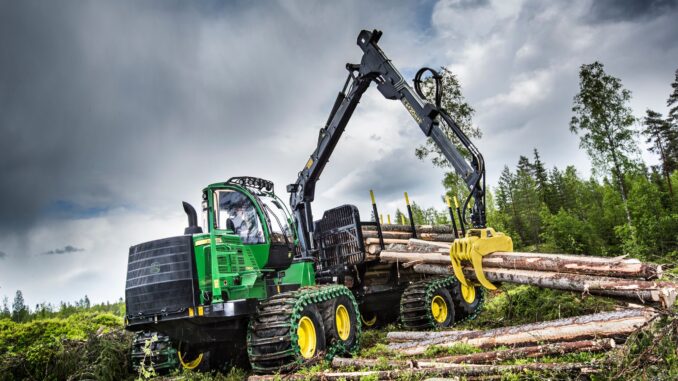
If you are looking for a practical John Deere 350 Excavator parts repair guide, the best place to start is with the exact symptom, the machine PIN, and the correct Deere parts diagram or manual for your serial range. This guide covers common faults, realistic DIY checks, maintenance priorities, and where to find John Deere 350 Excavator parts, diagrams, and manuals before you order anything.
The John Deere 350 Excavator is a mid-size construction excavator built for trenching, loading, digging, demolition support, and heavier site work rather than light homeowner yard tasks. In the current Deere lineup, the 350 P-Tier uses a John Deere PowerTech PSS 9.0 L diesel engine rated at 202 kW (271 hp), with operating weight around 36,734 kg (80,985 lb.) in a standard configuration.
Although this machine is far larger and more complex than a lawn tractor, owner-operators and small fleet users still handle many routine service tasks themselves, especially inspections, filters, fluids, greasing, undercarriage checks, and simple wear-part replacement. The key is knowing when a problem is a safe maintenance job and when it has crossed into hydraulic, structural, emissions, or electronic diagnostic work that should go to a dealer or experienced excavator technician.
John Deere 350 Excavator overview
The John Deere 350 Excavator sits in Deere’s mid-size excavator range and is designed for production digging with a 2-speed propel system, pilot-hydraulic controls, open-center hydraulics, sealed and lubricated track chain, and a choice of arm lengths depending on configuration. Deere lists the 350 P-Tier with up to 8.18 m (26 ft. 10 in.) maximum digging depth in the longer-arm configuration and fuel capacity of 628 L (166 gal.).
Key systems owners and technicians focus on include:
-
Engine and fuel system, including air filtration, fuel filtration, DEF, cooling, and engine oil service.
-
Hydraulic system, including main pumps, hydraulic tank, reservoir filter, cylinders, hoses, and pilot controls.
-
Undercarriage, including track chains, rollers, idlers, guides, sprockets, and travel gear cases.
-
Front attachment area, including bucket teeth, bucket pins, bushings, linkage, arm joints, and centralized lubrication points.
-
Electrical and monitoring system, including batteries, alternator, LCD monitor, maintenance tracking, alarms, and rearview camera equipment.
Common service and wear parts owners often end up buying include hydraulic reservoir filters, hydraulic oil filters, fuel filters, air filter elements, engine oil filters, bucket teeth, cutting edges, pins and bushings, travel motor and final drive oils, batteries, and hoses.
Troubleshooting the John Deere 350 Excavator
The smartest way to troubleshoot the John Deere 350 Excavator is to begin with the symptom the operator sees: hard starting, sluggish hydraulics, overheating, poor travel power, warning lights, track issues, leaks, or excessive play at the bucket and linkage. That keeps you from throwing expensive parts at a problem that may actually be caused by restriction, low fluid, contamination, or a monitor-stored fault code.
Main symptom groups for this machine include:
-
Starting and no-start issues.
-
Poor engine performance or derate conditions.
-
Slow hydraulics or weak digging power.
-
Travel or tracking problems.
-
Vibration, clunking, or excessive joint wear.
-
Overheating, coolant loss, or fan/cooler contamination.
-
Warning lights, fault codes, or electrical charging issues.
Emergency John Deere 350 Excavator repairs
Some John Deere 350 Excavator faults need immediate attention because they can create a safety hazard, strand the machine, or quickly damage major components. Stop using the machine and investigate promptly if you see hydraulic hose rupture, engine overheat alarms, major fuel leaks, track derailment, severe pin or linkage movement, loss of braking/propel control, or red warning conditions on the monitor.
John Deere 350 Excavator starting issues
A no-start or hard-start problem may show up as long cranking, no crank, white smoke on start-up, repeated low-voltage warnings, or fuel-related hesitation after sitting. On a modern Deere excavator, starting faults can involve batteries, fuel supply, water contamination, safety logic, or electronic management rather than a single “bad starter” assumption.
Common causes:
-
Weak batteries or poor cable connections.
-
Fuel restriction or water in the fuel system.
-
Dirty air filters reducing combustion quality.
-
Starter, charging, or electrical faults.
-
Sensor or control-related faults requiring diagnostics.
Basic owner checklist:
-
Check battery condition, cable tightness, and visible corrosion.
-
Verify fuel level and inspect the water separator/filter area.
-
Inspect air filter condition and intake restriction points.
-
Confirm the monitor is not showing a fault or shutdown-related warning.
-
If cranking speed is poor or codes persist, move to professional diagnostics.
John Deere 350 Excavator hydraulic power problems
If the machine feels weak, slow, or inconsistent when digging, booming, or swinging, the cause may be hydraulic restriction, low oil level, contamination, mode settings, or a deeper pump/control issue. Hydraulic performance complaints matter because continued operation under low oil, aeration, or contamination can become very expensive.
Common causes:
-
Low hydraulic oil or incorrect oil condition.
-
Restricted hydraulic filter or reservoir filter.
-
Air ingestion through damaged hoses or fittings.
-
Incorrect operating mode or monitor setting.
-
Pump, valve, or control faults needing dealer testing.
Basic owner checklist:
-
Park safely and verify hydraulic oil level using the correct procedure in the operator’s manual.
-
Inspect for leaks at hoses, cylinders, fittings, and around the tank area.
-
Review service history for overdue hydraulic filter or oil service.
-
Check whether one function is weak or all functions are weak, because that helps narrow the fault.
-
Do not guess at hydraulic pump replacement without pressure and flow testing.
John Deere 350 Excavator vibration and noise
Unusual vibration, banging, clunking, squealing, or grinding often points to undercarriage wear, loose hardware, worn bucket linkage, or attachment-related issues. Ignoring these signs can turn a manageable wear-part job into damage to the arm, bucket ears, sprockets, rollers, or track group.
Common causes:
-
Worn bucket teeth, pins, or bushings.
-
Loose or worn track components.
-
Attachment looseness or coupler wear.
-
Abnormal swing or travel drivetrain noise.
Basic owner checklist:
-
Inspect bucket teeth, side cutters, and cutting edges for severe wear.
-
Check bucket, link, and arm joints for excess play.
-
Walk around the undercarriage and look for loose, damaged, or oil-leaking components.
-
Track whether the noise happens in swing, travel, digging, or idle only.
-
Escalate gearbox, swing drive, or final drive noises quickly.
John Deere 350 Excavator overheating and leaks
Overheating on the John Deere 350 Excavator often begins with plugged coolers, poor airflow, coolant issues, or fan-related problems rather than a catastrophic engine failure. Deere specifically highlights improved cooler access and serviceability on the 350 P-Tier, which makes routine cleaning and inspection even more important.
Common causes:
-
Debris-packed radiator and cooler areas.
-
Low coolant or coolant-system leaks.
-
Fan or cooling-system faults.
-
Engine oil, fuel, or hydraulic leaks creating heat and contamination risks.
Basic owner checklist:
-
Shut down if coolant temperature warnings appear.
-
Inspect cooler and radiator faces for dirt, dust, seed fluff, and packed debris.
-
Check coolant level only when safe and cool enough to do so.
-
Look for visible hose leaks, seepage, or wet areas around tanks and pump zones.
-
Treat active fuel and hydraulic leaks as immediate repair items.
John Deere 350 Excavator travel problems
If the machine tracks weakly, pulls to one side, hesitates, or struggles on grades, look at travel mode, undercarriage condition, track tension, travel gear oil condition, and possible hydraulic issues. Travel complaints can also come from uneven wear or contamination in the undercarriage rather than a failed drive motor.
Common causes:
-
Track tension problems.
-
Undercarriage wear or damage.
-
Low or contaminated propel/final drive oil.
-
Hydraulic travel circuit issues.
Basic owner checklist:
-
Compare left and right track condition visually.
-
Check for debris binding in the undercarriage.
-
Review whether travel gear case service is current.
-
Note whether the problem is only under load, only on one side, or in both directions.
-
Dealer testing is usually the safer route for internal travel motor and propel hydraulic diagnosis.
John Deere 350 Excavator electrical problems
Electrical issues often appear as no-crank conditions, charging warnings, intermittent monitor alarms, dead accessories, or fault codes that return after restart. Because this machine uses integrated monitoring and diagnostics, electrical repairs are often easier when the problem is treated as a circuit or code issue rather than swapping parts blindly.
Common causes:
-
Weak batteries.
-
Alternator or charging faults.
-
Dirty or loose connections.
-
Sensor or control faults.
Basic owner checklist:
-
Check battery voltage and cable security.
-
Inspect fuse-protected circuits and visible harness areas.
-
Record any monitor message or code before cycling the key.
-
Confirm whether the issue is constant or intermittent.
-
Use dealer or Customer Service ADVISOR resources for deeper code-based troubleshooting.
DIY or dealer for the John Deere 350 Excavator
With a machine the size and complexity of the John Deere 350 Excavator, the dividing line is simple: inspections, routine service, lubrication, fluid/filter changes, and some basic wear-part work are realistic for capable owners, while pressurized hydraulics, emissions systems, major electrical diagnostics, structural welding, and internal travel/swing repairs usually belong with a dealer or experienced heavy equipment shop.
Good DIY jobs:
-
Daily inspections and fluid checks.
-
Engine oil and filter service where access, tools, and disposal are handled properly.
-
Air filter inspection and replacement.
-
Fuel filter service if the procedure is followed exactly.
-
Greasing bucket, linkage, and specified pin points.
-
Replacing worn bucket teeth and other straightforward wear items.
Advanced DIY or dealer jobs:
-
Hydraulic filter and oil service on a neglected machine.
-
Track adjustment and undercarriage work.
-
Cylinder hose replacement.
-
Electrical diagnosis involving fault codes and sensors.
-
Travel drive, swing drive, pump, or valve repairs.
-
DEF, emissions, or derate-related troubleshooting.
Skill level guide:
-
Beginner: Daily checks, greasing, visual leak inspection, basic filter inspection.
-
Intermediate: Engine oil/filter, air filters, some fuel filter service, bucket teeth, minor wear-part replacement.
-
Advanced: Undercarriage adjustment, complex fluid service, electronic diagnosis, hydraulic disassembly, structural repair.
John Deere 350 Excavator parts and part numbers
Before ordering John Deere 350 Excavator parts, collect the full machine model, the Product Identification Number (PIN), and any attachment or bucket details that may affect fit. Deere’s own manuals and publications portal stresses that operator manuals, technical manuals, and parts catalogs are tied to the exact equipment record, and Customer Service ADVISOR is the correct route for deeper diagnostic/manual access on supported machines.
For this class of excavator, owners should also note:
-
Exact model designation, such as 350 P-Tier or older 350G LC / 350D LC if applicable.
-
Machine PIN.
-
Engine family and serial details where required for engine-service items.
-
Bucket, coupler, and undercarriage configuration.
-
Serial breaks that may change filters, hoses, sensors, or electrical components.
Here is a practical service-parts table based on parts categories verified through Deere sources and Deere’s parts/manual ecosystem. Exact numbers can vary by serial number, region, or configuration, so use this as an ordering checklist and confirm the final number by PIN before purchase.
OEM vs aftermarket guidance for the John Deere 350 Excavator is fairly straightforward: use OEM for hydraulic filters, fit-sensitive seals, electrical sensors, and safety-critical components, while quality aftermarket may be acceptable for some batteries, bucket wear parts, and certain common consumables when there is a proven cross-reference and the serial range matches exactly.
John Deere 350 Excavator diagrams and manuals
The most useful John Deere 350 Excavator diagrams and manuals come from Deere’s official manuals and training portal, the Deere parts catalog system, and dealer-supported diagnostic/manual resources. These sources are better than generic listings because they are more likely to match the correct serial range and current publication status.
Recommended sources:
-
John Deere Manuals and Training — official place to view or buy operator manuals, technical manuals, and parts catalogs.
-
Customer Service ADVISOR information — explains Deere’s subscription tool for operator, diagnostic, and technical manual access plus limited code and calibration functions on supported equipment.
-
John Deere 350 P-Tier brochure/spec PDF — useful for system overview, capacities, serviceability notes, and standard equipment details.
-
Shop.Deere.com — useful for confirming some filter and consumable numbers once you have the correct machine information.
What each source is best for:
-
Operator manual: Daily checks, service intervals, capacities, safety, and routine operating procedures.
-
Technical manual / Customer Service ADVISOR: Diagnostics, repair procedures, fault tracing, and more advanced service information.
-
Parts catalog: Exploded diagrams and exact part-number lookup by serial range.
-
Spec brochure: Quick model overview, dimensions, capacities, and standard-feature confirmation.
Finding John Deere 350 Excavator serial numbers
The correct model and serial information matters because filters, hoses, sensors, bucket parts, and even maintenance publications can change by serial range. If you order without the PIN, you risk getting the wrong part even when the machine “looks” the same.
Use this basic process:
-
Find the machine Product Identification Number plate on the excavator frame area identified in the operator/manual literature for your serial family.
-
Photograph the PIN plate clearly before ordering parts.
-
Record attachment or bucket information if the repair involves teeth, linkage, couplers, or hydraulic attachments.
-
Locate engine model and serial details if the job involves engine filters, fuel system parts, or emissions-related service.
-
Give the dealer or online seller the full machine information rather than only saying “John Deere 350 excavator.”
Buying John Deere 350 Excavator parts
The best buying strategy is to use Deere documentation first, identify the exact OEM number from the diagram or parts listing, and only then compare dealer and aftermarket options. That reduces returns and helps avoid ordering visually similar parts that do not match your serial-number break.
Where to buy:
-
Online: Best for planned maintenance items when you already have the OEM part number and PIN confirmation.
-
Dealer counter: Best for serial-specific parts, hydraulic components, sensors, hoses, and anything tied to updates or supersessions.
-
Retail stores: Acceptable for some batteries and common consumables only when packaging clearly matches the machine or cross-reference.
Useful links:
Fitting common John Deere 350 Excavator parts
These are broad owner-level fitting guides for common service items on a John Deere 350 Excavator. Always use the exact operator or technical manual for your serial-numbered machine before starting work.
How to replace the John Deere 350 Excavator air filters
A restricted air filter can reduce performance and contribute to poor running or increased soot load.
-
Park safely, shut the machine down, and allow dust to settle.
-
Open the service access and release the air cleaner housing latches.
-
Remove the outer element carefully so dirt does not fall into the intake.
-
Inspect the housing, dust unloader area, and secondary element as applicable.
-
Install the correct replacement element(s), seal the housing, and confirm the restriction indicator returns to normal if applicable.
How to service John Deere 350 Excavator fuel filters
Fuel restriction or contaminated fuel can cause hard starting, poor running, or power complaints.
-
Shut the machine down and clean around the filter area first.
-
Place containment for diesel spillage and remove the old filter element or kit parts.
-
Follow the Deere procedure for seals, priming, and water-separator handling for your exact setup.
-
Recheck for leaks after start-up.
-
If the machine still runs poorly, do not assume the filter solved the issue without checking for air or contamination upstream.
How to replace John Deere 350 Excavator bucket teeth
Worn bucket teeth reduce digging efficiency and can increase shock loading on the bucket edge.
-
Lower the bucket safely to the ground and relieve movement risk.
-
Clean the tooth and retainer area thoroughly.
-
Remove the locking hardware or retainer system used on your bucket tooth setup.
-
Fit the correct replacement Deere-compatible tooth and retainer.
-
Inspect neighboring teeth and the adapter condition before returning to work.
How to grease John Deere 350 Excavator pin joints
Regular greasing is one of the simplest ways to slow wear at bucket, link, arm, and front-end joints.
-
Park on level ground with the attachment safely lowered.
-
Wipe dirt from each grease fitting before applying grease.
-
Grease each specified point until clean grease appears or the manual’s procedure is met.
-
Pay extra attention if the machine works in mud, water, or abrasive conditions, because shorter intervals may be needed in severe use.
-
Watch for fittings that will not take grease, because they may indicate blockage or joint issues.
John Deere 350 Excavator maintenance
Regular maintenance on the John Deere 350 Excavator prevents many of the expensive issues owners complain about later, especially starting trouble, contamination-related hydraulic wear, undercarriage damage, overheating, and accelerated pin-and-bushing wear. Deere also builds maintenance tracking and service indicators into the monitor system, which helps operators stay on schedule.
Focus areas:
-
Starting reliability: Keep batteries, fuel filters, and air filters in good condition.
-
Hydraulic reliability: Monitor oil level, leaks, and filter service closely.
-
Overheating prevention: Keep coolers and radiator areas clean.
-
Undercarriage life: Watch tension, wear, and contamination buildup.
-
Front-end longevity: Grease the linkage and replace worn teeth before they damage adapters or bucket structure.
John Deere 350 Excavator maintenance schedule
Exact intervals should always be confirmed in the operator’s manual for your serial-numbered machine, but Deere’s published 350 P-Tier information and Deere excavator maintenance patterns support the following owner checklist structure. The 350 P-Tier brochure specifically notes a 500-hour engine-oil-change interval and a 5,000-hour hydraulic-oil-change interval as standard features.
Daily or before each use
-
Check engine oil level.
-
Check coolant, fuel level, and visible hydraulic oil condition/level per manual procedure.
-
Inspect for fuel, coolant, and hydraulic leaks.
-
Check bucket teeth, linkage, hoses, and undercarriage for damage.
-
Clean debris from cooler and radiator areas as needed.
Early-hours / frequent inspection items
-
Recheck grease points closely during heavy front-end use.
-
Monitor track condition and adjust if needed under the manual procedure.
-
Watch filter restriction indicators and monitor alarms.
Every 250 hours
-
Review hydraulic tank/filter-related service items where required by the manual family and usage conditions.
-
Drain water and sediment from the hydraulic tank on applicable maintenance charts and conditions.
-
Inspect travel gear case oil level if required on your maintenance chart.
Every 500 hours
-
Change engine oil and engine oil filter.
-
Replace the final fuel filter where the chart calls for it.
-
Replace hydraulic tank oil filter where specified.
-
Grease or inspect front-end joints and swing-bearing related points according to the machine chart and operating conditions.
Every 1000 to 2000 hours
-
Inspect or service travel gear case oil on applicable Deere excavator schedules.
-
Check starter and alternator on longer-interval maintenance points in Deere excavator charts.
-
Drain, flush, and refill cooling system at the longer interval specified for the machine.
Long interval items
-
Hydraulic oil may run to a 5,000-hour interval on the 350 P-Tier under Deere’s published feature summary, but actual service timing still depends on manual guidance, operating conditions, and oil condition.
-
Dealer review is sensible before long-interval hydraulic service, especially on machines with contamination, unknown history, or attachment-heavy use.
Seasonal checklist
-
Spring or return-to-work: Inspect batteries, clean coolers, service overdue filters, and check the undercarriage after storage.
-
Mid-season: Recheck grease practices, leaks, and bucket wear before they become structural issues.
-
Fall or pre-storage: Clean the machine thoroughly, correct leaks, and avoid parking it with known hydraulic or cooling faults.
John Deere 350 Excavator repair or replace
For a John Deere 350 Excavator, repair usually makes sense when the issue is isolated to maintenance neglect, filters, hoses, wear parts, minor electrical faults, or non-structural undercarriage items. Upgrade or replacement becomes more realistic when the machine has repeated hydraulic contamination, major structural wear, expensive emissions issues, or a combination of pump, travel, and undercarriage costs at the same time.
Repair if:
-
The problem is clearly identified and limited in scope.
-
The machine has strong engine, hydraulic, and structural fundamentals.
-
Wear is mainly in service parts and normal consumables.
Upgrade if:
-
You need better visibility, grade technology, or productivity support features.
-
Attachment demands have outgrown the machine’s current setup.
-
Downtime cost now outweighs the savings from keeping an older configuration.
Replace if:
-
Major component failures stack up together.
-
Structural cracks or extensive joint wear make the machine uneconomical.
-
Parts, labor, and downtime together approach the value of a better replacement machine.
John Deere 350 Excavator FAQ
1. Why will my John Deere 350 Excavator not start?
The most common starting issues are weak batteries, fuel restriction, water contamination, dirty air filtration, or an electronic fault that needs proper diagnosis. Start with battery condition, fuel supply, and any monitor warnings before assuming the starter or injectors are bad.
2. Why does my John Deere 350 Excavator crank but not fire?
That usually points more toward fuel delivery, water contamination, air in the fuel system, or sensor/control issues than a simple battery problem. If the machine cranks at normal speed, inspect filtration and recorded warnings before replacing major parts.
3. Why is my John Deere 350 Excavator hard to start when cold?
Cold starts can be affected by battery strength, fuel condition, air restriction, and temperature-related engine system demands. Machines equipped with cold-weather options may also rely on those systems being functional.
4. Why does my John Deere 350 Excavator feel down on power?
Low power can come from restricted filters, contaminated fuel, hydraulic restriction, overheating, derate conditions, or mode settings. Separate engine power complaints from hydraulic performance complaints before ordering parts.
5. Why are the hydraulics slow on my John Deere 350 Excavator?
Slow hydraulics often trace back to low oil, clogged filters, air entry, oil contamination, or deeper pump/control valve issues. If all functions are slow, that usually points to a broader system issue than a single cylinder fault.
6. Why is my John Deere 350 Excavator weak when digging?
Weak digging force may come from hydraulic pressure issues, worn bucket/arm linkage, wrong bucket setup, or relief/control problems. Excessive play in the bucket and pins can also make the machine feel less effective at the edge.
7. Why does my John Deere 350 Excavator overheat?
Packed coolers, restricted airflow, coolant issues, or fan problems are common reasons. Deere’s 350 P-Tier design improves cooler access, which makes regular cleaning a key prevention step.
8. Why is my John Deere 350 Excavator leaking hydraulic oil?
Leaks can come from hoses, fittings, cylinders, seals, or tank-area components. Even a small hydraulic leak should be fixed quickly because contamination and fluid loss can snowball into larger repairs.
9. Why does my John Deere 350 Excavator leak fuel?
Fuel leaks often show up at filter seals, hose connections, or damaged lines. Treat them as immediate repairs because of fire risk and air intrusion into the fuel system.
10. Why is my John Deere 350 Excavator losing coolant?
Coolant loss may come from hoses, clamps, radiator faults, or internal engine issues. Do not keep working through repeated temperature alarms just to finish a job.
11. Why does my John Deere 350 Excavator track weakly?
Weak tracking can come from undercarriage drag, tension problems, travel oil issues, or hydraulic travel-circuit faults. Compare both sides carefully before deciding a final drive has failed.
12. Why does my John Deere 350 Excavator pull to one side?
A pull to one side usually suggests unequal track condition, drag, tension, or a one-side hydraulic travel problem. It can also happen when one side of the undercarriage is more badly worn than the other.
13. Why did the track come off my John Deere 350 Excavator?
Thrown tracks are often linked to tension problems, debris buildup, undercarriage wear, or side-loading in rough conditions. Check for worn guides and damaged components before simply reinstalling and continuing work.
14. Why is my John Deere 350 Excavator making a clunking noise at the bucket?
Clunking at the bucket usually means wear in the teeth, pins, bushings, linkage, or coupler area. Catching this early can prevent damage to the bucket ears and linkage bores.
15. Why is there too much play in the John Deere 350 Excavator bucket?
Play builds up over time in pins, bushings, linkage, and wear surfaces. Severe looseness is not just annoying; it also reduces precision and increases structural stress.
16. Why are my John Deere 350 Excavator bucket teeth wearing so fast?
Fast tooth wear can come from abrasive material, poor tooth choice, running worn teeth too long, or attachment mismatch. Replacing teeth before the adapters wear out usually saves money.
17. Why does my John Deere 350 Excavator swing feel rough?
Rough swing can be caused by hydraulic issues, contamination, abnormal swing drive wear, or control-related faults. If you hear grinding or harsh mechanical noise, stop and inspect before continuing.
18. Why is my John Deere 350 Excavator travel noisy?
Travel noise can come from rollers, sprockets, track chain wear, final drives, or debris in the undercarriage. Narrow down whether the noise appears only while moving, only on one side, or under turning load.
19. Why is the John Deere 350 Excavator monitor showing a warning light?
The monitor tracks maintenance and system alarms, so the warning may be related to temperature, charging, air restriction, DEF, fuel, or other monitored conditions. Record the exact message before shutting down or clearing anything.
20. Can I diagnose John Deere 350 Excavator fault codes myself?
Basic recording and lookup of the fault is realistic, but full diagnosis often needs Deere service information or Customer Service ADVISOR access on supported equipment. Guessing at sensors without code context usually wastes time and money.
21. Where can I find a John Deere 350 Excavator operator’s manual?
The official Deere Manuals and Training portal is the safest starting point for operator manuals, technical manuals, and parts catalogs. Use the exact model and PIN whenever possible.
22. Where can I find John Deere 350 Excavator parts diagrams?
Deere’s official parts catalog ecosystem and dealer-backed resources are the best sources for exploded diagrams and serial-sensitive part lookup. That is especially important for hydraulic, undercarriage, and electrical items.
23. Is Customer Service ADVISOR useful for the John Deere 350 Excavator?
Yes, Deere describes Customer Service ADVISOR as a subscription-based digital database for operator, diagnostic, and technical manuals, with the ability on supported products to clear and refresh codes, take diagnostic readings, and perform limited calibrations. It is far more useful than a generic manual when chasing electronic or system-level faults.
24. Which John Deere 350 Excavator parts should I buy OEM?
OEM is the safer choice for hydraulic filters, sensors, seals, hoses, fit-critical components, and safety-related parts. It also reduces compatibility risk on serial-specific items.
25. Which John Deere 350 Excavator parts can be aftermarket?
Quality aftermarket parts may be fine for some batteries, bucket wear parts, and selected consumables where cross-reference is proven. The key is matching the exact Deere number and serial break first.
26. How often should I change John Deere 350 Excavator engine oil?
Deere’s 350 P-Tier published features list a 500-hour engine-oil-change interval, but actual service timing should still follow the operator manual and operating conditions. Severe use, contamination, or uncertain service history may justify shorter intervals.
27. How often should I change John Deere 350 Excavator hydraulic oil?
The 350 P-Tier brochure lists a 5,000-hour hydraulic-oil-change interval as a feature, but real-world intervals still depend on the machine’s manual, oil condition, and contamination history. A neglected machine should not be treated the same as a well-maintained one.
28. How often should I replace John Deere 350 Excavator fuel filters?
Fuel filter timing depends on the Deere maintenance chart for the machine, but Deere excavator schedules commonly include longer-hour replacement points and additional attention when fuel quality is poor. If starting or running issues appear, inspect fuel condition sooner rather than later.
29. How often should I grease the John Deere 350 Excavator?
Greasing frequency depends on the point and the working conditions, with severe mud, water, breaker use, or abrasive work often requiring shorter intervals than normal-duty digging. The exact chart in the operator’s manual should control the schedule.
30. What battery setup does the John Deere 350 Excavator use?
Deere lists the standard electrical system with two 12-volt batteries and 1,400 CCA battery capacity, plus a 300-amp alternator. Always match the correct physical size and spec when replacing them.
31. What engine is in the John Deere 350 Excavator?
The current 350 P-Tier uses a John Deere PowerTech PSS 9.0 L diesel engine with six cylinders and a net rated power of 202 kW (271 hp) at 1,900 rpm. Older 350-series excavators may differ, so confirm your exact model family first.
32. How heavy is the John Deere 350 Excavator?
In a standard published 350 P-Tier configuration, operating weight is listed at 36,734 kg, or 80,985 lb. Actual weight changes with bucket, arm, shoe width, and installed options.
33. What is the digging depth of the John Deere 350 Excavator?
The published 350 P-Tier maximum digging depth reaches 8.18 m (26 ft. 10 in.) with the longer 4.0 m arm configuration. Shorter-arm setups have lower maximum depth.
34. Should I repair or replace my John Deere 350 Excavator?
Repair makes sense when the fault is isolated and the machine is still structurally and hydraulically sound. Replacement becomes easier to justify when failures stack across major systems and downtime costs keep rising.
35. Is the John Deere 350 Excavator realistic for DIY repairs?
For routine service and basic wear parts, yes, if you have the right tools, lifting support, safety practices, and documentation. For major hydraulics, electronics, emissions, and structural repairs, dealer or heavy-equipment shop support is usually the smarter line.