
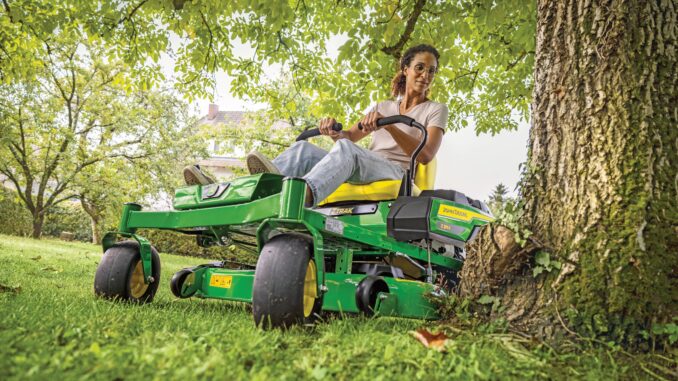
The John Deere Z375R is a residential zero-turn mower built for homeowners who want faster mowing and better maneuverability than a conventional lawn tractor, and Deere’s owner information and replacement parts guide position it as a ZTrak mower with a 54-inch Accel Deep deck for the USA and Canada market. This guide is written for DIY owners in the USA and Canada who want a practical, symptom-first reference covering troubleshooting, common repair parts, maintenance intervals, manuals, parts diagrams, and the point where a home repair should become dealer work.
John Deere Z375R overview
The John Deere Z375R sits in Deere’s residential ZTrak lineup, and the official owner information page groups it under zero-turn mowers rather than garden tractors, which matters because service access, steering layout, and drive diagnosis differ from front-engine riding mowers. Deere’s replacement parts guide for the Z375R confirms the model commonly pairs with a 54-inch Accel Deep mower deck and lists the routine service items most owners replace during normal ownership.
And See:
For owners, the main systems are easy to think about in four groups: engine and fuel, mower deck and blades, traction drive and belt system, and electrical starting/safety controls. The parts guide highlights service items owners actually buy, including air filter MIU11515, pre-cleaner MIU11517, fuel filter AM116304, spark plug MIU11020, oil filter AM125424, traction belt GX26401, mower deck belt GX26422, standard blade UC22010, mulch blade M177791, key AUC12681, and battery TY25221B for USA and Canada machines.
Common John Deere Z375R service parts
Owners usually start with consumables and wear parts because those cause many of the real-world complaints that show up first as hard starting, weak cutting, poor discharge, belt squeal, or loss of drive. The official quick-reference guide is especially useful because it ties part numbers directly to the Z375R rather than forcing owners to guess from a generic mower list.
Typical high-demand parts include:
-
Air filter cartridge: MIU11515.
-
Air filter pre-cleaner: MIU11517.
-
Fuel filter: AM116304.
-
Spark plug: MIU11020.
-
Engine oil filter: AM125424.
-
Engine oil: Turf-Gard 10W-30 TY22029, with 1.9 L (2 qt) listed in the replacement parts guide.
-
Traction belt: GX26401.
-
Mower deck belt: GX26422.
-
Standard mower blade: UC22010.
-
High-lift blade: M152726.
-
Mulch blade: M177791.
-
Battery: TY25221B for Canada and USA units.
John Deere Z375R troubleshooting approach
The best way to troubleshoot a Z375R is to start with the exact symptom the owner sees, because the same root problem often affects more than one system; for example, a weak battery can look like a starting issue, a PTO engagement problem, or an intermittent safety-switch complaint. A symptom-first approach also helps avoid unnecessary parts swapping, especially on zero-turn mowers where belts, switches, blades, and airflow-related issues can overlap.
Main symptom groups for this model include:
-
Starting issues.
-
Running or power-loss issues.
-
Cut-quality and discharge problems.
-
Vibration and unusual noise.
-
Overheating, burning smells, and leaks.
-
Traction or drive complaints.
-
Electrical and safety interlock faults.
John Deere Z375R immediate repair needs
Some problems need immediate attention because they create a safety risk or can quickly damage expensive parts such as the deck spindles, engine, or traction system. If the machine shakes heavily, leaks fuel, overheats, loses steering response, or will not disengage the mower properly, stop using it until the cause is identified.
4.1 Starting issues
A no-start or crank-no-start condition matters because repeated cranking can flatten the battery and hide the original fault. On the Z375R, owners should first think in terms of battery condition, key switch function, fuel delivery, and the operator-presence or brake-related safety system.
Common causes:
-
Weak or failed battery TY25221B.
-
Bad key or worn ignition switch; Deere lists different ignition switch numbers by serial range, TCA22740 for serial numbers up to 080000 and AUC14659 from 080001 onward.
-
Dirty air filter or stale fuel causing poor starting.
-
Fouled or worn spark plug MIU11020.
Basic owner checks:
-
Confirm the battery connections are clean and tight.
-
Check fuel freshness and verify fuel is reaching the filter area.
-
Inspect the air filter and pre-cleaner for blockage.
-
Remove and inspect the spark plug for fouling or heavy wear.
-
If the starter circuit is still dead, inspect the ignition switch part number against the machine serial range before ordering.
4.2 John Deere Z375R cut-quality problems
Poor cut quality usually shows up as stragglers, clumping, ragged tips, or uneven cutting from side to side, and these problems matter because they often point to blade wear, deck setup issues, or buildup that also shortens belt and spindle life. Deere specifically calls out deck level, blade condition, deck underside cleaning, and spindle lubrication in its service guidance, which tells owners where to look first.
Common causes:
-
Dull, bent, or mismatched blades such as worn UC22010 blades.
-
Deck out of level.
-
Packed grass under the deck.
-
Worn or slipping mower deck belt GX26422.
-
Wrong blade style for conditions, such as using standard blades where high-lift performance is needed.
Basic owner checks:
-
Clean the underside of the deck fully.
-
Inspect blade edges, bends, and balance.
-
Verify deck level before changing parts.
-
Check the mower belt for glazing, cracks, and loss of tension.
-
Match blade type to the mowing setup, standard, high-lift, or mulch.
4.3 John Deere Z375R vibration and noise
Heavy vibration is never a normal “zero-turn thing” and should be treated as urgent because it can damage spindle assemblies, loosen hardware, and crack deck components if ignored. Noise complaints on the Z375R usually trace back to blade damage, debris wrapped in rotating parts, loose hardware, or belt wear.
Common causes:
-
Bent or unbalanced blade.
-
Blade bolt or deck hardware looseness.
-
Damaged deck belt or traction belt.
-
Worn spindle area or debris in pulley zones.
Basic owner checks:
-
Shut the mower off and inspect the blades before any further operation.
-
Check that blade hardware is secure and blades match side to side.
-
Inspect deck and traction belts for fraying or missing chunks.
-
Clean debris from pulleys, belt guards, and spindle tops.
-
If vibration remains after blade service, dealer spindle diagnosis is the safer next step.
4.4 Overheating and leaks
Overheating, fuel smells, or oil leakage should be addressed quickly because air-cooled mower engines depend on clean cooling surfaces and proper lubrication to survive summer mowing loads. Deere’s service information specifically includes cleaning cooling fins and changing engine oil and filter at regular intervals, which shows how important heat management is on this model.
Common causes:
-
Dirty engine cooling fins.
-
Old engine oil or restricted oil filter AM125424.
-
Fuel filter or fuel-line issue around AM116304 service area.
-
Debris accumulation around muffler and engine shrouds.
Basic owner checks:
-
Check the engine oil level and condition before running again.
-
Clean grass and dust from cooling fins and hot engine areas.
-
Inspect for wet spots around oil filter, drain points, and fuel filter connections.
-
Replace overdue oil, oil filter, and fuel filter if service history is unknown.
-
Any active fuel leak or severe smoking problem should move straight to dealer repair.
4.5 John Deere Z375R drive problems
If the Z375R loses forward drive, feels weak on hills, or jerks during motion, owners should stop blaming the deck and focus on the traction side because Deere lists a dedicated traction belt, GX26401, as a core service part for this model. Drive complaints matter because slipping belts and neglected linkage issues can quickly make the machine unsafe on slopes or around obstacles.
Common causes:
-
Worn or slipping traction belt GX26401.
-
Tire pressure out of spec, affecting tracking and control.
-
Debris around drive components.
-
More advanced hydro drive faults that are not realistic beginner DIY jobs.
Basic owner checks:
-
Check and equalize tire pressures first.
-
Inspect the traction belt for glazing, cracking, or contamination.
-
Clean debris from the drive area.
-
Confirm the problem is not simply poor tracking caused by tire mismatch.
-
Persistent weak drive after belt and tire checks is usually dealer territory.
4.6 Electrical problems
Electrical faults often appear as intermittent no-starts, dead headlights, or PTO and interlock complaints, and these can be frustrating because they come and go with vibration, heat, or corrosion. The parts guide identifies the key, battery, headlight bulb, and ignition switch as common electrical service points, which gives owners a logical place to start.
Common causes:
-
Weak battery or corroded terminals.
-
Failed headlight bulb AM143579.
-
Worn ignition switch.
-
Dirty areas around steering or control switches; Deere’s service intervals call for cleaning around steering switches on related ZTrak service documentation.
Basic owner checks:
-
Clean and tighten battery terminals.
-
Inspect visible wiring around hot or moving components.
-
Verify the correct ignition switch number by serial range before replacing it.
-
Replace simple failed items such as the bulb or key only after checking for power and connection condition.
-
Intermittent harness faults are better handled by a dealer if basic checks do not isolate the issue.
DIY or dealer for John Deere Z375R repairs
The normal line on the Z375R is simple: routine service, blade work, filter changes, belt inspection, and deck cleaning are realistic home jobs, while internal hydro drive work, major electrical tracing, engine internal repairs, and anything requiring special setup measurements are better left to a Deere dealer or experienced repair shop.
Good DIY jobs
-
Engine oil and filter changes.
-
Air filter and pre-cleaner replacement.
-
Fuel filter replacement.
-
Spark plug replacement.
-
Blade sharpening or blade replacement.
-
Deck cleaning, leveling check, and lubrication.
-
Replacing an accessible mower belt when the routing is confirmed from the diagram.
Advanced DIY or dealer jobs
-
Traction-belt replacement if access is limited or routing is unclear.
-
Ignition-switch replacement where serial-number break matters.
-
Persistent no-start diagnosis involving interlock switches or wiring.
-
Drive-system or hydro-related diagnosis.
-
Valve-clearance service, which Deere indicates as a dealer service item at 200 hours.
Skill level guide
-
Beginner: Air filter, pre-cleaner, spark plug, blades, deck cleaning.
-
Intermediate: Oil and filter service, fuel filter replacement, deck belt replacement, deck leveling.
-
Advanced: Traction-belt replacement, electrical diagnosis, control-switch tracing, engine valve work.
John Deere Z375R parts table
Before ordering parts, gather the full model name, the machine Product Identification Number, the deck size, and where relevant the engine model and serial details from the engine itself, because Deere parts can change by serial break and configuration. This is especially important on the Z375R because the replacement parts guide shows serial-range differences even for the ignition switch.
OEM parts are usually the safer choice for belts, ignition components, and fit-sensitive or safety-related items because belt dimensions, switch compatibility, and routing tolerances matter on zero-turn mowers. Aftermarket parts can make sense for some filters, blades, and batteries when the seller clearly cross-references the exact Deere number and deck configuration.
John Deere Z375R manuals and diagrams
The most useful sources are Deere’s owner information hub, the official operator’s manual, Deere quick-reference parts guides, and a reputable illustrated parts retailer that organizes parts by model. Used together, these sources cover safe operation, service intervals, exploded parts lookup, and common replacement part numbers.
Recommended links:
-
John Deere Z375R owner information for the model landing page, owner support, and manual access.
-
Official operator’s manual for controls, safety, troubleshooting basics, and service guidance covering the Z375R family listing.
-
John Deere quick reference guides for Deere-issued maintenance part references and intervals.
-
Green Farm Parts Z375R page for illustrated aftermarket and OEM-oriented model lookup by machine.
How to find John Deere Z375R serial numbers
Those identification numbers matter because ordering by “Z375R” alone is not always enough when Deere changes a switch, harness, or configuration by serial break. They also help a dealer confirm the exact deck, engine, and production version before selling fit-sensitive parts.
-
Park the mower safely on level ground and shut it off before searching for tags.
-
Locate the machine Product Identification Number plate on the mower frame area indicated in Deere documentation or dealer parts support.
-
Confirm the deck size from the machine paperwork or deck identification area; the common guide referenced here is for the 54-inch Accel Deep deck.
-
Find the engine model and serial number on the engine’s own label, because engine tune-up parts can depend on that information as well as the mower model.
-
Photograph all tags before ordering so the part number conversation with a dealer or online seller is based on the exact machine.
Buying John Deere Z375R parts
The best buying strategy is to identify the Deere OEM number first, then compare sources, because that avoids vague listings that only say “fits John Deere zero turn” without proving the exact match. This matters most for belts, ignition parts, and serial-sensitive components.
-
Online: use OEM numbers and verify serial-range notes before checkout, especially for belts and ignition-switch parts.
-
Dealer counter: best for serial-specific electrical items, unclear drive parts, and anything that changed during production.
-
Retail stores: fine for oil, spark plugs, some filters, and batteries only if the packaging clearly cross-references the Deere number and model.
Useful sources include John Deere owner information, John Deere quick reference guides, and Green Farm Parts.
John Deere Z375R fitting guide
These are the most practical DIY jobs for owners because they address a large share of routine running, starting, and cut-quality complaints without opening major drivetrain components.
Replace the air filter on a John Deere Z375R
This job helps with hard starting, rich running, and power loss caused by a restricted intake.
-
Park the mower, remove the key, and allow the engine to cool.
-
Open the air cleaner housing and remove the old cartridge and pre-cleaner.
-
Wipe dust from the housing without forcing debris deeper into the intake.
-
Install the new pre-cleaner MIU11517 and cartridge MIU11515 in the correct order.
-
Close the housing securely and inspect for gaps that could let dirt bypass the filter.
Change the spark plug on a John Deere Z375R
A fresh spark plug often fixes misfire, weak starting, and rough running when fuel and air delivery are otherwise normal.
-
Let the engine cool fully and remove the plug wire.
-
Remove the old spark plug MIU11020 with the proper socket.
-
Compare the new and old plug to make sure the reach and style match.
-
Gap or inspect the new plug as required by the engine guidance, then install carefully by hand first.
-
Tighten properly, reconnect the wire, and test start the mower.
Replace blades on a John Deere Z375R
Blade service restores cut quality and can eliminate vibration when a blade is bent, chipped, or badly worn.
-
Disable the machine safely and secure access to the deck according to safe lifting practices in the operator guidance.
-
Remove each blade and note its orientation before installation.
-
Inspect for bends, cracks, and uneven wear; replace with UC22010, M152726, or M177791 depending on setup.
-
Install matched blades correctly and tighten hardware to specification from the operator documentation.
-
Test cut quality only after verifying all tools are removed and the deck area is clear.
Replace the mower deck belt on a John Deere Z375R
This job helps when the deck will not engage properly, slips under load, or squeals with blades engaged.
-
Confirm the replacement belt is GX26422 for the 54-inch Accel Deep deck guide used here.
-
Remove guards or covers as required and document the routing before removal.
-
Release belt tension and remove the worn belt from pulleys carefully.
-
Route the new belt exactly as shown in the deck diagram or parts reference.
-
Reinstall guards, rotate the system by hand if safe to do so, and test engagement at low-risk conditions first.
Preventing repeat John Deere Z375R problems
Most repeat failures on residential zero-turn mowers come from neglected cleaning, overdue routine service, dull blades, and belts that are not inspected until they fail outright. Deere’s maintenance guidance for the Z375R points owners toward simple prevention work that has a big effect on reliability.
Focus areas:
-
Starting reliability: keep the battery clean, replace overdue spark plugs and filters, and avoid stale fuel sitting too long.
-
Cut quality: sharpen or replace blades, clean the deck underside, and keep the deck level.
-
Fire and overheating prevention: clear debris from cooling fins, muffler areas, and the deck top regularly.
-
Drive performance: inspect the traction belt and maintain tire pressures evenly.
-
Electrical reliability: keep terminals clean and inspect switch and harness areas for dirt or damage.
John Deere Z375R maintenance schedule
The official quick-reference guide and Deere service interval material give a workable schedule for routine ownership, though dusty or extreme conditions may require more frequent service. Owners should always follow the machine-specific operator guidance where there is any conflict, especially for break-in or engine-related intervals.
Daily or before each use
-
Check engine oil level.
-
Inspect for loose hardware, damage, and debris buildup around hot or moving parts.
-
Check blades and deck condition visually.
-
Confirm the area around controls and steering components is clean.
After 8 hours
-
Check mower deck level.
-
Review the machine for early looseness or setup issues following initial use.
Every 25 hours
-
Check mower blades.
Every 50 hours or annually
-
Change engine oil.
-
Change the engine oil filter AM125424.
-
Check mower belt.
-
Sharpen or replace mower blades.
-
Lubricate mower deck spindles.
-
Clean underside of deck.
-
Lubricate mower idler arm.
-
Check tire pressure.
-
Check mower deck level.
-
Clean engine cooling fins.
Every 100 hours or annually
-
Replace air filter element(s).
-
Replace fuel filter according to the Deere quick-reference guide.
-
Replace or inspect spark plug service item MIU11020.
-
Check and clean battery.
-
Check mower drive belt.
Every 200 hours
-
Check or adjust engine valve clearance, with Deere indicating dealer service for this operation.
Seasonal checklist
-
Spring: inspect battery condition, install fresh blades if needed, level the deck, and change oil if due before heavy mowing starts.
-
Mid-season: clean cooling fins, inspect deck and traction belts, and sharpen blades again if cut quality is falling off.
-
Fall or end of season: clean the machine thoroughly, replace overdue filters, and store it with the service record updated for the next season.
Repair, upgrade, or replace the John Deere Z375R
For most owners, repair makes sense when the issue is limited to normal wear items such as filters, blades, belts, battery, or a straightforward ignition component, because Deere still provides model-specific owner support and replacement-part documentation for the Z375R. Upgrade or replacement becomes more logical when repeated hydro drive, engine internal, or structural deck problems push the machine beyond normal homeowner-level service economics.
Repair if…
-
The fault is a normal service item with a clear Deere part number.
-
The mower starts and drives but cuts poorly, vibrates, or has overdue maintenance.
-
You can confirm the repair path from the operator guide or parts diagram.
Upgrade if…
-
You want better mulching or discharge performance through a blade change rather than a machine change.
-
Your current setup is sound but needs accessory or blade optimization for your grass conditions.
Replace if…
-
The machine needs major engine and drive work at the same time.
-
Structural or repeated reliability issues make annual repair costs unreasonable for a homeowner machine.
-
Safe operation cannot be restored without extensive dealer-only work.
John Deere Z375R FAQ
1. Why will my John Deere Z375R not start?
The most common starting causes are battery weakness, a fouled spark plug, stale fuel, a blocked air filter, or an ignition or safety-related fault. Start with the battery terminals, spark plug MIU11020, and the air and fuel service items before assuming a major failure.
2. Why does my John Deere Z375R crank but not fire?
If it cranks normally but does not start, think fuel, spark, or air restriction first. Old fuel, a dirty filter setup, or a spark plug issue are more likely than major internal damage on a homeowner mower that was otherwise running recently.
3. What battery does a John Deere Z375R use?
The official replacement parts guide lists battery TY25221B as the 12-volt battery for Canada and USA models. That makes it the safest starting point when cross-checking replacement batteries online or at a dealer counter.
4. What spark plug fits a John Deere Z375R?
Deere’s Z375R replacement parts guide lists spark plug MIU11020. Always verify with the machine and engine details before buying from a non-Deere seller, especially if a listing uses only generic fitment language.
5. What oil filter does the John Deere Z375R use?
The guide lists engine oil filter AM125424. It is tied to the routine oil service interval and should be changed with the engine oil rather than reused through multiple oil changes.
6. How much engine oil does a John Deere Z375R take?
The replacement parts guide lists Turf-Gard 10W-30 TY22029 and shows a capacity of 1.9 L, or 2 qt. Fill carefully and confirm the level on the dipstick rather than relying only on bottle size.
7. What air filter fits the John Deere Z375R?
The official guide lists air filter cartridge MIU11515 and pre-cleaner MIU11517. Replacing both together is the cleanest approach when the filter is dirty and service history is uncertain.
8. What fuel filter fits a John Deere Z375R?
The listed fuel filter is AM116304. It is a common maintenance item and one of the first things to replace when the mower surges, starves for fuel, or has been stored with old gasoline.
9. Why is my John Deere Z375R cutting unevenly?
Uneven cutting usually points to deck-level issues, blade wear, low tire pressure on one side, or buildup under the deck. Deere specifically includes deck level, blade care, and tire-pressure checks in the model’s service guidance.
10. Why does my John Deere Z375R leave stragglers?
Stragglers usually mean the blades are dull, bent, mismatched, or turning below full effectiveness because of belt slip or grass buildup. Check blade condition and the deck belt before changing more expensive parts.
11. Why does my John Deere Z375R clump grass?
Grass clumping is often a mowing-condition problem made worse by packed deck buildup or the wrong blade setup. Cleaning the underside of the deck and making sure the blade type matches your mowing style usually helps first.
12. What blades fit the John Deere Z375R?
The official guide lists standard blade UC22010, high-lift blade M152726, and mulch blade M177791 for the 54-inch deck reference. Choose the blade style based on whether you want general mowing, stronger discharge, or mulching performance.
13. Why is my John Deere Z375R vibrating so much?
Strong vibration usually means a bent blade, an unbalanced blade, loose hardware, or a belt or spindle-area problem. Do not keep mowing through it, because vibration can create additional damage quickly.
14. Can a bad blade cause John Deere Z375R spindle damage?
Yes, prolonged operation with a bent or badly unbalanced blade can stress spindle components and deck hardware. That is why vibration should be treated as an immediate repair issue rather than a minor annoyance.
15. Why does the mower deck belt squeal on my John Deere Z375R?
A squealing belt usually means the belt is worn, glazed, contaminated, or not maintaining proper grip under load. For the 54-inch deck setup in the Deere guide, the mower belt is GX26422.
16. What is the John Deere Z375R mower deck belt part number?
The replacement parts guide lists GX26422 as the V-belt for the 54-inch Accel Deep deck. Match that number before purchase rather than buying from a listing that only says “54-inch John Deere belt.”
17. What is the John Deere Z375R traction belt part number?
The official guide lists traction belt GX26401. That is the part to inspect first if the mower moves weakly, slips, or loses drive feel before assuming hydro units have failed.
18. Why does my John Deere Z375R lose drive on hills?
Loss of drive on hills can come from traction-belt wear, tire-pressure issues, or a more advanced hydro-related problem. Start with tires and the traction belt because those are the simplest and most common checks.
19. Why does my John Deere Z375R pull to one side?
Unequal tire pressure is one of the first things to check because Deere includes tire-pressure checks in routine service for this mower. If pressures are equal and the issue remains, move on to drive-system inspection rather than changing random steering parts.
20. Why is my John Deere Z375R overheating?
Overheating is commonly linked to dirty cooling fins, trapped debris around hot engine parts, or overdue oil service. Cleanliness around the air-cooled engine is not cosmetic on this mower; it is essential to engine life.
21. Why does my John Deere Z375R smell hot after mowing?
A hot smell often comes from grass packed around the muffler area, slipping belts, or debris holding heat against the engine and deck. Inspect and clean before the next mowing session rather than assuming all hot smells are normal.
22. Why is my John Deere Z375R using more fuel than usual?
A dirty air filter, poor tune-up condition, and overworked mowing conditions can all increase fuel use. Start by servicing the intake and spark-plug items Deere already identifies in the model guide.
23. Why do my John Deere Z375R headlights not work?
The simple possibilities are a bad bulb, connection corrosion, or a battery and switch-related supply issue. Deere lists AM143579 as the headlight bulb, so confirm that item first before tracing deeper into the harness.
24. Which ignition switch does a John Deere Z375R use?
The answer depends on serial number. Deere lists TCA22740 for serial numbers up to 080000 and AUC14659 for 080001 and above, so checking the machine tag before ordering is essential.
25. Why does my John Deere Z375R click but not crank?
That symptom usually points to a weak battery, poor cable connection, or a starter-circuit issue rather than a fuel problem. Clean the terminals and load-check the battery before replacing harder-to-access parts.
26. How often should I change the oil on a John Deere Z375R?
The Z375R replacement guide lists engine oil service every 50 hours or annually, whichever comes first. If the machine works in heat, dust, or short, stop-start cycles, more frequent service may be wise based on Deere’s general service-interval caution for severe conditions.
27. How often should I replace the air filter on a John Deere Z375R?
Deere’s replacement guide lists the air filter element service at every 100 hours or annually. Dusty mowing conditions can justify checking it much sooner so the engine is not starved for clean airflow.
28. How often should I replace the fuel filter on a John Deere Z375R?
The model quick-reference guide includes AM116304 as a routine service item, and Deere service material for related intervals places fuel-filter replacement in the longer-cycle maintenance plan. If fuel quality is doubtful, replacing it sooner is often cheaper than chasing a starvation problem.
29. When should I sharpen the blades on a John Deere Z375R?
Deere’s service information includes blade inspection and annual sharpening or replacement, but many homeowners need blade attention sooner depending on acreage and ground conditions. If the grass tips look torn or the mower starts leaving stragglers, inspect the blades immediately.
30. How often should I clean under the John Deere Z375R deck?
The quick-reference guide includes cleaning the underside of the deck in the regular 50-hour or annual service items. In practice, wet or lush grass may require cleaning much more often to preserve cut quality and reduce belt and spindle stress.
31. Can I use aftermarket parts on a John Deere Z375R?
Yes, but it depends on the part. Aftermarket can be reasonable for some filters, blades, and batteries when the Deere number is cross-referenced correctly, while OEM is usually the safer route for belts, ignition parts, and fit-sensitive items.
32. Where can I find a John Deere Z375R parts diagram?
The best starting points are Deere’s owner information and quick-reference pages, then an illustrated retailer such as Green Farm Parts for model-organized lookup. Using more than one source is useful because one may show service numbers while another shows exploded assembly layout.
33. Where can I get a John Deere Z375R manual online?
You can start with Deere’s owner information page and the official operator’s manual page for the Z375R family. Those sources are better than random reposted PDFs because they are tied to Deere’s own documentation ecosystem.
34. Is the John Deere Z375R a good DIY mower to maintain?
Yes, for normal homeowner maintenance it is a practical DIY machine because Deere provides accessible owner support and clear replacement-part references for common service items. It becomes less DIY-friendly only when troubleshooting moves into hydro drive, wiring faults, or engine internal work.
35. What repairs on a John Deere Z375R should go to a dealer?
Dealer-level jobs include valve-clearance adjustment, major electrical diagnosis, persistent no-start problems that survive basic tune-up work, and drive-system faults beyond belt and tire checks. Those repairs usually require more experience, model-specific testing, or setup procedures than most homeowners want to handle in the garage.
Common Z375R engine starting problems troubleshooting
Common John Deere Z375R starting problems usually fall into a handful of patterns: battery and electrical issues, fuel and air problems, or safety‑interlock faults. The fastest way to diagnose is to start from “what it does” (no click, click/no crank, cranks/no start, or hard/hot start) and work through simple checks in order.
1. Break symptoms into clear types
Think about which of these best matches your Z375R:
-
No click, no crank, dead machine when key is turned.
-
Clicks but will not crank (or cranks very slowly).
-
Cranks normally but will not fire.
-
Starts but is hard to start when hot or after sitting.
Having that picture in mind makes the checklist below much easier to follow.
2. If there is no click and no crank
This usually points to basic power supply or a safety‑interlock that is not “made.”
Likely causes:
-
Dead or disconnected battery.
-
Blown main/master fuse or bad connection at fuse holder.
-
Ignition switch failure or poor plug connection.
-
Seat/brake/PTO safety switch not closed (lever or control slightly out of position).
Owner checks (in order):
-
Make sure the PTO is off, steering levers are in the start position, and park brake is fully set; then try again.
-
Inspect battery terminals for corrosion and tightness; clean and retighten if needed.
-
Check the main fuse near the battery or wiring block; replace if blown and look for obvious shorts.
-
Wiggle the seat while trying to start; if it starts intermittently, suspect the seat switch circuit.
-
If still completely dead, the ignition switch or a broken wire may be at fault and dealer‑level diagnosis is sensible.
3. If it clicks but will not crank
A single click or repeated clicks with no crank almost always mean “low voltage at the starter” rather than a fuel/engine problem.
Likely causes:
-
Weak or discharged battery (even a new one can be undercharged).
-
Corroded battery or ground connections.
-
Failing starter solenoid or starter motor.
-
Wrong or heavy oil grade in cold conditions (crank is very slow).
Owner checks:
-
Load‑test or at least measure battery voltage; recharge or replace if low.
-
Remove corrosion from posts with baking soda and water, then reconnect firmly.
-
Follow the heavy cable from battery to solenoid and starter; look for loose or burnt terminals.
-
Listen: a single loud click often points at the starter/solenoid, rapid clicking points at a weak battery.
-
If good voltage is present at the starter and it still does not turn, starter replacement is typically not a DIY‑beginner job and is best left to a shop.
4. If it cranks but will not start
When it turns over normally but never fires, think fuel, spark, or air rather than battery.
Likely causes:
-
Stale or contaminated fuel (more than 30–60 days old).
-
Clogged fuel filter or restricted fuel line.
-
Dirty or failed spark plug.
-
Blocked air filter.
-
Carburetor varnish or gummed jets from old fuel.
Owner checks:
-
Confirm you have fresh, clean gasoline; if the fuel is old, drain the tank and refill.
-
Pull the spark plug; clean or replace it if fouled, and verify the plug lead is tight.
-
Open the air filter housing and inspect/replace the filter if clogged.
-
Inspect the in‑line fuel filter for dark fuel or low flow; replace if there is any doubt.
-
If it still cranks with no fire after fresh fuel, plug, and filter, the carburetor likely needs a proper clean or replacement kit, which is an intermediate DIY task.
5. If the Z375R is hard to start or only starts with perfect choke
This pattern often shows up as “starts only with full choke,” “needs starting fluid,” or “will start cold but not hot.”
Likely causes:
-
Choke plate not fully closing due to cable misadjustment.
-
Minor carburetor restriction so it needs extra enrichment to fire.
-
Marginal spark plug that breaks down when hot.
Owner checks:
-
With engine off, move the choke control and confirm at the carb that the choke butterfly fully closes and opens; adjust cable if it does not.
-
Replace the spark plug if starting is better with a new plug, especially on hot restarts.
-
If it still wants full choke when warm, plan a carburetor clean or replacement kit before it becomes a complete no‑start.
6. Safety‑switch and wiring issues
On zero‑turns like the Z375R, multiple safety switches can completely stop cranking or kill spark if the system thinks the operator is not in the right position.
Red flags for safety‑switch faults:
-
Machine dies when you move a lever a certain way.
-
No‑crank that temporarily clears if you shift or bounce in the seat.
-
No‑start even after battery, plug, and fuel checks, with no other obvious fault.
Basic checks:
-
Verify correct starting procedure (PTO off, levers in park/start position, brake set, operator on seat).
-
Visually inspect seat, brake, and PTO switch areas for broken wires or loose connectors.
-
If you are not comfortable bypass testing with a meter, this is usually the point to hand it to a dealer, because mis‑bypassed safety circuits are a real risk.
How to change Z375R deck belt and blade replacement steps
For a John Deere Z375R with the 54‑inch Accel Deep deck, both deck belt and blade changes are solid DIY jobs as long as you work safely, follow the routing diagram, and keep the deck supported. The exact pulley layout can vary by deck spec, so always cross‑check against the diagram in your operator’s manual or the Z375R 54‑inch deck illustration before refitting.
Safety prep before any Z375R deck work
-
Park on level ground, set the brake, shut the engine off and remove the key.
-
Let the deck and engine cool fully.
-
If you prefer, disconnect the spark plug wire to prevent accidental cranking.
-
Lower the deck to its lowest height setting to give more working room.
-
Remove the floor/foot platform so you can see the top of the deck and belt area under the frame.
Z375R blade replacement – step‑by‑step
These steps mirror what Z‑series owners do when swapping blades on 54‑inch decks after impact damage or heavy wear.
-
Access and secure the deck
-
Lower the deck fully and, if you prefer more space, roll the mower onto ramps or use a suitable jack/stands under the frame (never under the deck shell).
-
Chock the wheels and confirm the mower cannot move.
-
-
Remove blade fasteners
-
Wear gloves.
-
Using the correct socket on the blade‑mounting bolts, hold the blade from turning with a block of wood against the deck and loosen each bolt.
-
Note blade orientation (cutting edge leading direction; sail/fan wing faces up toward the deck).
-
-
Inspect and choose replacement blades
-
Check each old blade for bends, cracks, missing chunks, or heavy thinning.
-
Replace with the correct Z375R 54‑inch blades (standard, high‑lift, or mulch set, as per your setup) rather than mixing blade types on the same deck.
-
-
Install new blades
-
Fit each new blade in the same orientation as original, seating the center hole and any locating features properly.
-
Install bolts and washers, then snug them while you still hold the blade with a block.
-
-
Tighten and final checks
-
Torque blade bolts firmly to spec from your operator’s manual (do not rely on “feel” if you have a torque wrench available).
-
Spin each blade by hand (engine off) to ensure it rotates freely without contacting the deck shell.
-
Re‑check all tools are removed from the work area before test running.
-
Z375R deck belt change – overview
The Z375R 54‑inch deck belt loops around three blade spindles, idler/tension pulleys, and forwards to the engine PTO pulley under the mower. The general pattern on similar Deere Z‑series decks is: drop tension, remove belt from engine PTO and deck pulleys, thread in the new belt per the routing diagram, then refit guides and tension spring.
1. Preparation and diagram check
-
Lower the deck to its minimum height and remove the foot platform for top‑side access.
-
Remove plastic belt covers over the outer spindle pulleys using the appropriate socket (usually several small bolts each side).
-
Take a clear photo of the existing belt routing from above and below, or print/save the Z375R 54‑inch deck routing diagram from Deere before you remove anything.
2. Release belt tension
-
Locate the main spring‑loaded idler arm on the deck.
-
Using a wrench or bar on the idler arm or spring hook, carefully pull to relieve belt tension.
-
While holding tension off, either:
-
Slip the belt off the idler pulley, or
-
Remove the small “belt guide” bracket that traps the belt on the idler using the specified socket and holding the nut underneath, as many Deere decks require.
-
-
Slowly release the spring back to its relaxed position.
3. Remove the old deck belt
-
With tension released and any belt guide bracket off, slip the belt off the spindle pulleys and idlers on top of the deck.
-
Follow the belt path toward the rear and slip it off the engine PTO pulley under the mower (you may need to reach from the right‑rear side).
-
Pull the belt out from around the deck and frame, noting any tight spots where guides or guards pass close to the belt.
4. Route the new deck belt on the Z375R
Use ONLY the Z375R 54‑inch belt routing diagram as your reference; similar Deere zero‑turn diagrams (Z320R, Z330R, Z5, etc.) show the same method even though pulley count/positions differ.
-
Lay the new belt out beside the deck and confirm length and profile match the old one.
-
Starting at the engine area, route the belt around the engine PTO pulley in the correct groove.
-
Feed the belt forward to the deck, ensuring it passes inside/outside any fixed guides exactly as shown in your diagram.
-
Loop the belt around each spindle pulley and idler in the pattern from the diagram; many Deere decks require threading behind one idler bracket, which may mean temporarily removing an idler bolt and guide as seen on 54‑inch Z‑series videos.
-
Leave the belt off the tension idler last so you still have slack to work with.
5. Re‑apply tension and reinstall guides
-
Refit any belt‑guide brackets you removed (often with a 15 mm socket and wrench from top/bottom) so the belt cannot jump off the idler in use.
-
Use a wrench or bar on the tension spring or idler arm to pull it back and slip the belt fully into place on the tension pulley.
-
Slowly release tension so the idler arm takes up slack and tensions the belt.
6. Final checks before running
-
Spin each spindle pulley by hand and watch the belt track; it must sit fully in all pulley grooves without twisting.
-
Check under both belt covers and near the PTO pulley that the belt is not rubbing guards or frame parts.
-
Reinstall spindle belt covers, the foot platform, and any removed guards.
-
Start the mower briefly with the deck raised, engage PTO, and watch/sound for abnormal vibration or squeal; disengage and shut down to re‑check if anything seems off.