
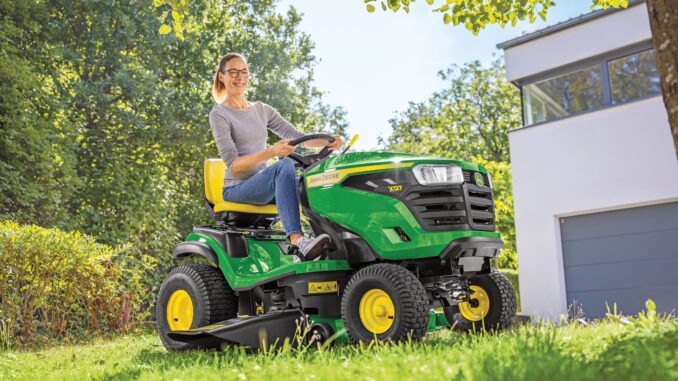
The John Deere D105 is a 100 Series lawn tractor built for homeowner mowing, with a 42-inch deck and an automatic transmission that makes it a practical choice for routine lawn care in the USA and Canada. This guide covers the John Deere D105 from an owner’s point of view, focusing on common repair symptoms, realistic DIY fixes, service parts, maintenance intervals, and where to find manuals and diagrams before ordering parts.
If your John Deere D105 has starting trouble, rough running, weak cutting, vibration, or drive complaints, diagnosis usually goes more smoothly when you start with the symptom you can see rather than guessing at a single failed part. That approach helps owners separate simple maintenance jobs from repairs that are better handled by a dealer, especially when safety switches, transmission issues, or repeated belt failures are involved.
John Deere D105 model overview
The John Deere D105 sits in the D100 Series lawn tractor range and is identified in the D100 Series operator’s manual alongside related models such as the D110, D125, D130, D140, D155, D160, and D170. For most owners, it is a basic riding mower for regular home lawns rather than a heavy-duty estate tractor, which means mowing performance and routine service matter more than ground-engaging capability.
The main systems owners deal with on the John Deere D105 are the single-cylinder gasoline engine and fuel system, the 42-inch mower deck, the automatic traction-drive system, and the electrical/safety circuit that controls starting and blade operation. Deere’s maintenance sheet for the D105 with 42-inch deck also confirms the core service items owners commonly replace, including engine oil, oil filter, air filter, fuel filter, spark plug, traction-drive belt, mower belt, blades, ignition switch, key, battery, and gauge wheels.
General overview of the John Deere D105
From a repair perspective, the John Deere D105 is a straightforward homeowner machine because the most common wear items are external service parts rather than deeply integrated systems. Owners most often end up buying filters, spark plugs, blades, belts, batteries, ignition parts, and deck wear items, especially once the tractor has seen a few seasons of mowing.
Common John Deere D105 service parts include:
-
Engine oil: TY22029 Turf-Gard 10W30.
-
Engine oil filter: AM125424.
-
Air filter: MIU14395.
-
Fuel filter: AM116304.
-
Spark plug: UC19085 or MIU11020, depending on engine marking.
-
Traction-drive belt: GX24154.
-
Mower belt: GX20072.
-
42-inch blade: GX22151, with blade kit GY20850 also listed.
-
Ignition switch: GY20074.
-
Battery: TY25221.
John Deere D105 troubleshooting approach
The best way to troubleshoot a John Deere D105 is to begin with what the tractor is doing wrong: not starting, cranking slowly, running rough, cutting badly, vibrating, leaking, driving poorly, or losing electrical functions. Deere’s operator’s manual separates service into engine, transmission, mower, electrical, and troubleshooting sections, which matches the way most owner complaints naturally group together.
The main symptom groups for the John Deere D105 are:
-
Starting issues, including no crank, hard starting, or intermittent starting.
-
Running issues, including rough idle, stalling, poor power, or smoke.
-
Cut-quality problems, including uneven cut, poor discharge, or uncut strips.
-
Vibration and noise, often tied to blades, belt path, pulleys, or debris.
-
Overheating and leaks, especially from blocked cooling areas or fuel and oil seepage.
-
Transmission and drive problems, such as weak movement or poor hill performance.
-
Electrical and safety-switch faults, including PTO engagement and seat/brake start interlocks.
Emergency John Deere D105 repair needs
Some John Deere D105 faults need immediate attention because they can make the tractor unsafe or quickly damage expensive parts. Deere specifically warns against operating with damaged blades, loose hardware, missing guards, fuel leaks, heavy debris buildup near hot parts, or safety devices that are not working properly.
John Deere D105 starting issues
A no-start or no-crank condition matters most when the tractor has become unreliable or when owners begin bypassing normal start procedures to keep it running. On this model, starting problems often involve battery condition, ignition switch issues, safety interlocks, fuel delivery, spark, or neglected tune-up parts.
Common causes:
-
Weak or failing battery TY25221.
-
Dirty or worn spark plug UC19085 or MIU11020.
-
Restricted fuel filter AM116304.
-
Ignition switch GY20074 wear or key-switch issues.
-
Safety switch faults at the seat, brake, or PTO circuit.
-
Dirty air filter MIU14395 causing poor cold starting.
Basic checks:
-
Confirm the brake is locked, the PTO is disengaged, and the tractor is being started from the seat in the normal procedure Deere specifies.
-
Check battery terminals for looseness or corrosion and verify the battery is charged.
-
Inspect the fuel filter and fuel condition if the engine cranks but will not fire.
-
Remove and inspect the spark plug for fouling, wear, or fuel wetness.
-
If the tractor still will not start, move on to safety-switch testing or dealer diagnosis rather than bypassing interlocks.
John Deere D105 cut-quality problems
Poor cut quality on a John Deere D105 usually shows up as ragged grass tips, streaks, scalping, clumping, or one side cutting lower than the other. These problems matter because they often point to dull blades, incorrect deck level, belt slip, or heavy deck buildup rather than a major tractor failure.
Common causes:
-
Worn or damaged 42-inch blades GX22151.
-
Deck out of level, with Deere listing AM130907 as the deck leveling gauge.
-
Mower belt GX20072 slipping or stretched.
-
Grass packed under the deck or around spindles.
-
Bent blade or spindle damage after striking an object.
Basic checks:
-
Clean the underside of the deck only with the engine off, key removed, and moving parts stopped.
-
Inspect both blades for edge wear, bending, and secure mounting.
-
Check deck level side-to-side and front-to-rear with the proper procedure and gauge.
-
Inspect the mower belt for glazing, cracking, or looseness.
-
Test mow a dry, shorter section of lawn before assuming a deeper mechanical fault.
John Deere D105 vibration and noise
Abnormal vibration on the John Deere D105 should be taken seriously because Deere says to stop and inspect the machine if abnormal vibration occurs or after striking an object. Continuing to mow with vibration can lead to blade, spindle, pulley, or belt damage, and it can also create a safety risk.
Common causes:
-
Bent or unbalanced blade.
-
Blade bolt looseness or damaged blade hardware.
-
Debris packed around pulleys or under deck shields.
-
Worn mower belt GX20072 or traction-drive belt GX24154.
-
Failing spindle bearings or idler pulleys.
Basic checks:
-
Shut the tractor down immediately after abnormal vibration starts.
-
Inspect blades and deck hardware for impact damage.
-
Clear wrapped grass, string, or debris from deck and pulley areas after the machine cools.
-
Check both belt paths for fraying, heat damage, or pieces missing.
-
If vibration remains after blade replacement, move toward dealer-level spindle or shaft inspection.
John Deere D105 overheating and leaks
Heat and leak problems on the John Deere D105 are often tied to dirt buildup, oil seepage, or fuel leaks rather than coolant-system issues, because this is an air-cooled lawn tractor engine. Deere puts strong emphasis on cleaning the engine area, muffler area, mower deck top, and transmission area to reduce fire risk and overheating.
Common causes:
-
Grass and debris around cooling screens or engine shrouds.
-
Debris around muffler and exhaust areas.
-
Oil leakage near the filter or drain area after service.
-
Fuel line, filter, cap, or fitting seepage.
-
Excessive grease, oil, or fuel residue attracting dry debris.
Basic checks:
-
Let the machine cool fully before cleaning near the muffler or engine.
-
Remove dry grass and debris from the engine compartment, deck top, and transmission area.
-
Inspect the oil filter AM125424 area and fuel filter AM116304 connections for leakage.
-
Check the fuel cap type against serial-number break if replacing it, because Deere lists GX22166 for serial numbers up to 200000 and GX23465 for serial numbers 200001 and up.
-
Do not continue mowing if raw fuel smell, visible leakage, or smoke persists.
John Deere D105 transmission and drive problems
When a John Deere D105 moves weakly, hesitates, or stops pulling well, owners usually notice it first on slopes, during turns, or when trying to maintain steady ground speed. Drive complaints can come from the traction-drive belt, linkage issues, operating conditions, or a deeper transmission problem that is usually beyond casual DIY repair.
Common causes:
-
Worn traction-drive belt GX24154.
-
Linkage or pedal return issues.
-
Debris interfering with moving drive parts.
-
Transmission wear after extended service.
-
Trying to operate on slopes or in conditions Deere advises against.
Basic checks:
-
Inspect the traction-drive belt for cracks, glazing, or slack.
-
Check that pedals and linkage move freely with the engine off.
-
Remove debris around the transmission and drive area after cooling.
-
Test on level ground before judging transmission performance.
-
If the tractor still has weak pull after belt and linkage checks, dealer diagnosis is the safer next step.
John Deere D105 electrical problems
Electrical faults on the John Deere D105 usually show up as no crank, intermittent lighting, PTO cutout, or a tractor that dies when the operator changes position. Because the D105 relies on safety interlocks, electrical diagnosis often means confirming a switch or connector fault rather than replacing random parts.
Common causes:
-
Weak battery or poor cable connection.
-
Worn ignition switch GY20074.
-
Failed headlight bulb AD2062R.
-
Seat, brake, or PTO safety-switch issues.
-
Corroded terminals or damaged wiring after storage.
Basic checks:
-
Start with battery condition and clean cable connections.
-
Confirm the PTO and brake inputs are in the correct start position.
-
Check for obvious connector damage, looseness, or corrosion.
-
Replace only the clearly failed consumable item, such as a bulb, before digging deeper.
-
Leave harness repairs and repeated interlock faults to a dealer or experienced technician if basic checks do not isolate the issue.
Summary:
D105 safety switch bypass and testing
Do not permanently bypass any D105 safety switch. The seat, brake/park-brake, PTO, and reverse-implement interlocks are designed to prevent starting or continued operation in unsafe conditions. A temporary bypass is also not a safe diagnostic method because it can let the engine start with the PTO engaged or keep blades running after the operator leaves the seat.
Instead, test the system in the machine’s intended operating configuration and use a multimeter to test an unplugged switch for continuity. The official D105 operator material directs owners to perform the safety-system checks and stop using the mower if it fails one.images.thdstatic+1
Normal D105 interlock behaviour
The D105 manual’s safety test says that, with the park brake unlocked, the engine must not crank. It also specifies that, after starting with the brake applied and PTO off, lifting off the seat should stop the engine; with the mower engaged, lifting off the seat should stop both the engine and blades.images.thdstatic
Safe functional tests
Perform these in a clear, open area, with bystanders away. Keep hands, feet, tools, and clothing clear of belts, pulleys, and blades.
1. Brake/park-brake start test
-
Park on level ground and turn the PTO/mower engagement off.
-
Sit in the seat.
-
Unlock or release the park brake.
-
Attempt to start the engine.
Expected result: The starter should not crank. If it does crank, the safety interlock has failed and the mower should not be operated until repaired.images.thdstatic
Then apply/lock the park brake fully, remain seated, PTO off, and attempt to start. If it now fails to crank, inspect the brake-pedal/park-brake linkage and brake-switch adjustment or wiring.
2. PTO start-inhibit test
-
Sit in the seat and apply/lock the park brake.
-
Pull the PTO control to the on/engaged position.
-
Try to start the engine.
Expected result: The starter must not engage. If it cranks with PTO engaged, stop testing and repair the interlock circuit before using the tractor. The manual specifically treats this as a safety-interlock fault.manuals.deere
3. Seat-switch shutdown test
-
Sit in the seat with PTO off.
-
Apply the brake/park brake as required and start the engine.
-
Release the brake pedal/park brake if the test configuration requires it.
-
Lean upward enough to unload the seat switch—do not step off the tractor.
Expected result: The engine should stop. If it stays running, treat the seat switch, its connector/wiring, and the interlock circuit as faulty.manuals.deere+1
Then repeat with the mower engaged, only in a clear area and at normal operating rpm. On unloading the seat, both engine and blades should stop.images.thdstatic
Multimeter testing
For electrical testing, turn the key off, remove it, disconnect the spark-plug wire, and disconnect the switch connector before measuring resistance. Do not probe the harness with improvised wires or leave a jumper installed.
What you need
-
Digital multimeter set to continuity or lowest-ohms range
-
Contact cleaner and a small brush
-
Wiring diagram/service information for the correct D105 serial-number range, if connector pins or wire colours must be identified
General switch method
-
Unplug the switch connector.
-
Inspect for bent pins, green corrosion, loose terminals, broken wires, or a connector pulled partly out of its retainer.
-
Put meter probes across the switch terminals—not the tractor harness.
-
Operate the associated mechanism slowly: sit/load and unload the seat, press/release the brake, or move the PTO control.
-
Record whether the switch changes cleanly between:
-
Closed: typically near 0–1 Ω or audible continuity.
-
Open: OL/infinite resistance/no tone.
-
A good switch changes state consistently every time. An intermittent reading, high resistance when closed, or no change in either position indicates a failed switch, poor adjustment, or damaged actuator/linkage.
Diagnosing by symptom
Repair rather than bypass
Common legitimate repairs are:
-
Reseat and clean the switch connectors; use electrical contact cleaner rather than heavy grease on terminal contact faces.
-
Secure damaged harness sections so they cannot rub on the frame, pedal linkage, belt, or steering components.
-
Adjust or replace a brake switch that is not physically reached by the pedal/park-brake linkage.
-
Replace a seat switch that does not change state reliably under normal seat load.
-
Replace a defective PTO switch or repair its connector/pigtail.
-
Use the correct D105 technical manual and wiring diagram—John Deere identifies TM113219 as the technical manual covering D100 through D170 machines, including D105, and it includes diagnostic/test material.techpubs.deere
A temporary jumper can conceal a fault while eliminating a safeguard; it does not prove the rest of the circuit is good. The reliable approach is to confirm each switch’s mechanical actuation, test its electrical state with the connector unplugged, repair the failed part or wiring, and then repeat the complete functional safety check.
John Deere D105 fuel filter replacement guide
The John Deere D105 uses an in-line fuel filter, John Deere part AM116304. Deere’s current D105 quick-reference guide lists replacement at 300 operating hours, though replacement sooner is sensible if fuel is stale, contaminated, or fuel flow is weak.deere+1
What you need
-
New in-line filter: AM116304
-
Small fuel-safe catch container or absorbent rags
-
Needle-nose pliers or hose-clamp pliers
-
Safety gloves and eye protection
-
Optional: two small fuel-line clamps or smooth-jaw hose clamps
Do the work outdoors, with the engine cold, no smoking/open flames, and enough ventilation to disperse petrol vapour.
Fuel-filter location
The D105’s fuel filter is installed in the fuel line between the tank and carburettor. Open the hood and trace the small fuel hose from the fuel tank outlet toward the engine; the translucent in-line filter should be visible in that route.
Before removing it, note the flow-arrow direction on the old filter. The arrow on the new AM116304 must point from the fuel tank toward the carburettor/engine. Installing it backwards can restrict fuel flow and cause hard starting, surging, or stalling under load.
Replacement procedure
-
Park safely. Park on level ground, disengage the PTO, apply the park brake, turn the key off, remove it, and allow the engine and muffler to cool fully.
-
Prevent an accidental start. Disconnect the spark-plug wire and keep it away from the plug terminal.
-
Reduce fuel spillage. If the fuel tank is more than partly full, either clamp the hose between the tank and filter using a proper smooth fuel-line clamp, or be ready to quickly transfer the hose. Do not pinch the hose with locking pliers or sharp tools; that can damage it.
-
Place rags beneath the filter. Keep a small approved fuel container handy. Some petrol will drain from both the tank-side and carburettor-side hose.
-
Remove the hose clamps. Using pliers, squeeze each spring clamp and slide it several centimetres away from the filter nipple. If fitted with screw clamps, loosen them only enough to release the hose.
-
Remove the old filter. Twist each hose gently to break it free, then pull it off the filter nipples. Avoid levering hard against brittle fuel hose. If the line is cracked, swollen, hard, or loose, replace the hose and clamps rather than fitting a filter into a failing line.
-
Fit the new filter. Confirm the arrow points tank → carburettor, then push the hoses fully over each filter nipple. The hose should pass beyond the retaining ridge/barb.
-
Reposition clamps. Put each clamp over the hose where it grips the filter nipple/barbed section. Do not overtighten screw clamps—tight enough to prevent seepage without cutting into the hose.
-
Inspect before starting. Remove the temporary line clamp, wipe all fuel away, reconnect the spark-plug lead, and check that the fuel line is not touching the exhaust, moving linkages, or sharp edges.
-
Start and leak-check. Start the engine outdoors and let it idle for a minute. Inspect both ends of the filter closely for seepage. Shut it off immediately if there is a leak; correct hose seating or clamp position before operating.
After fitting
It may crank longer than usual because the line/filter must refill. Avoid repeated long cranking: use short attempts, allow the starter to rest between attempts, and confirm fuel is actually reaching the filter.
If the D105 still starts then dies, runs only with choke partly applied, or loses power under mowing load after the filter is changed, investigate:
-
Stale petrol or water in the tank
-
A restricted tank-cap vent
-
Cracked fuel line drawing air
-
Debris in the tank outlet
-
Carburettor contamination
-
Dirty air filter or spark-plug/ignition issue
Service reference
John Deere’s D105 42-inch-deck quick-reference documentation specifies AM116304 as the in-line fuel filter and gives a 300-hour service interval. The official D105 maintenance page also lists one AM116304 fuel filter for the model.
How do I prevent fuel spills during replacement
The cleanest way is to replace the D105’s filter with the fuel tank nearly empty, then shut off the fuel supply—or use proper fuel-line pinch-off clamps—before you remove either hose. Have a drain pan and absorbent rags positioned before loosening the factory spring clips. John Deere’s general mower guidance specifically recommends replacing filters when the fuel level is low and placing a drain pan beneath the filter.manuals.deere+1
Best method
1. Run the tank low first
Plan the job when the tank contains only a small amount of petrol. This reduces head pressure in the line and substantially limits the amount that can drain when the tank-side hose comes off. Deere lists low fuel level as a practical precaution for filter replacement.manuals.deere+1
Do not deliberately run the engine dry in an enclosed or unsafe area. If you choose to consume fuel first, simply mow or run it outdoors normally until the level is low, then let the engine and muffler cool completely.
2. Shut off or clamp the fuel line
-
If your mower has a fuel shut-off valve, turn it off before removing the filter.
-
If it has no shut-off valve, fit a purpose-made smooth-jaw fuel-line clamp on the hose between the tank and the filter.
-
For the tidiest change, place a second clamp on the carburettor-side hose as well. That traps the small amount of fuel held in the old filter and short hose section.
Briggs & Stratton advises closing a fuel valve where fitted, or using a fuel-line clamp if not; it specifically warns against simply pinching the hose, because that can damage it.briggsandstratton
Set up before disconnecting
-
Work outdoors or in a very well-ventilated location.
-
Set the parking brake, PTO off, key removed, and let the engine cool fully.
-
Disconnect the spark-plug lead to prevent accidental starting.
-
Keep sparks, cigarettes, flames, heaters, battery chargers, and grinding/cutting work well away.
-
Put a shallow drain pan directly below the filter.
-
Lay absorbent rags around and under the filter; an old towel alone is not ideal because petrol-soaked cloth can remain a fire hazard.
-
Keep the new filter close at hand, already checked for correct arrow direction: tank → carburettor.
Fuel vapours are flammable and explosive; official Deere service instructions say to cool the engine, work in ventilation, keep fuel away from ignition sources, and clean spills immediately.manuals.deere+1
Disconnect with minimal drips
-
Use needle-nose pliers to compress each original spring clip and slide it back along the hose.
-
Hold the old filter with a rag around it.
-
Remove the carburettor-side hose first, allowing the small trapped amount to drain into the pan.
-
Remove the tank-side hose second.
-
Keep each loose hose end raised above the filter location while you swap it, especially if you did not use a second clamp.
-
Immediately fit the new filter, arrow pointing toward the engine, and reinstall both hose clips over the barbed filter nipples.
A drain pan, a cloth to catch drips, and sliding the clips away with pliers are all recommended parts of the standard small-engine filter procedure.manuals.deere+1
Avoid these mistakes
-
Do not use locking pliers, serrated pliers, cable ties, or a tight fold to crush the fuel hose; they can split or permanently weaken it.
-
Do not remove both hoses before positioning the new filter, pan, and rags.
-
Do not work over hot engine parts or an electric heater.
-
Do not blow through the fuel line with compressed air while it is connected to the tank or carburettor.
-
Do not reuse a swollen, cracked, hardened, or loose hose. Replace the hose and its clips at the same time.
-
Do not start the mower until all visible liquid fuel has been wiped up, clamps are seated, and there is no petrol smell or seepage.
After installation
Remove the line clamps or reopen the fuel valve only after both hoses and their clips are fully secured. Then inspect the filter ends for leaks before starting; start outdoors and inspect again with the engine idling. If any seepage appears, stop the engine and correct the hose seating or clip position—do not operate the mower with a fuel leak.
What if my fuel line doesn’t have a shut-off valve:
If your D105 has no fuel shut-off valve, use a proper smooth-jaw fuel-line clamp on the hose between the tank and the filter. Clamp it gently enough to stop flow without crushing or permanently damaging the hose; do not use vise-grips, locking pliers, cable ties, or a folded/kinked hose.
Best approach
-
Run or use the mower until the tank is relatively low, then allow the engine to cool completely.
-
Park outdoors on level ground, PTO off, parking brake set, key removed, and disconnect the spark-plug lead.
-
Put a shallow fuel-safe tray beneath the filter and surround the work area with absorbent pads/rags.
-
Fit a smooth fuel-line clamp about 2–4 inches upstream of the filter, on the tank side.
-
For almost no spill, fit a second clamp on the hose going from the filter to the carburettor.
-
Move both spring hose clips back, remove the old filter, and immediately install the replacement with its flow arrow toward the engine.
-
Refit hose clips over the barbed ends, remove the clamps, wipe the area dry, and inspect for seepage before and after starting.
Fuel-filter guidance for small engines advises using a fuel-line clamp where no shutoff valve exists and cautions against damaging the hose by pinching it improperly.briggsandstratton+1
If you have no clamp
A reasonable low-spill alternative is to drain the tank safely into an approved petrol container first, then change the filter with only the small amount of residual line fuel to catch. This is slower but preferable to crushing the hose.
You can also keep the tank level very low, prepare the new filter and clips in advance, and work quickly with a drain pan below—but expect some fuel discharge from the tank-side hose. Do not improvise a shutoff with a bolt pushed into the hose: it can stretch or tear the fuel line and leave a leak.
Afterward
If the existing hose feels stiff, cracked, swollen, or will not reseat tightly on the new filter, replace the fuel hose and use suitable spring clamps. Deere advises working in a ventilated area, away from ignition sources, with the engine stopped and cool, and cleaning any spilled fuel immediately.
How to fix D105 CVT transmission slipping:
How to inspect and replace the D105 drive belt
For a D105 with slipping or weak movement, inspect the traction-drive belt (John Deere GX24154) before assuming the CVT/transmission is bad. It is the belt that transfers engine power into the variable-drive/traction system; it is not the 42-inch mower-deck belt. Confirm the exact belt by your tractor’s product-identification number before ordering, because parts can vary by production configuration.emmetts+1
Tools and preparation
You will normally need:
-
Replacement traction belt: commonly GX24154
-
Socket/spanner set and pliers
-
Screwdriver or nut driver for guards, if fitted
-
Phone/camera for routing photos
-
Wheel chocks
-
Work light
-
Clean rag and brush
Park on firm, level ground. Disengage PTO, set the parking brake, turn the key off, remove it, let the engine cool, and disconnect the spark-plug wire. Remove the deck if it blocks access; replacement guides for the D105 describe deck removal and releasing the belt tensioner as part of the job.gardenaider
Do not work beneath a mower supported only by a jack. If the tractor must be raised, use suitable ramps or properly rated jack stands on solid ground, with rear wheels chocked.
Inspect the belt first
With the engine stopped, use a light to follow the belt from the engine pulley through the traction-drive/CVT pulleys toward the transaxle.
Replace the belt if you find:
-
Cracks across the ribbed/V faces or missing material
-
Frayed edges, cords showing, or melted/glazed shiny surfaces
-
Oil, fuel, grease, or hydraulic contamination
-
A belt riding unusually low in a grooved pulley
-
Evidence that it has jumped outside a belt keeper or rubbed a guard/frame
-
Severe slack while the tensioner is operating normally
Also inspect the parts that can destroy a new belt:
A glazed belt, seized idler, weak tensioner, or misrouted belt can all cause loss of traction. Replacement guidance also recommends checking each pulley by hand and replacing any rough or wobbling pulley before fitting a new belt.deeremanual+1
Replace the traction belt
This is a practical general procedure. Take clear photos of your exact belt path before removal and use the D105 belt-routing decal/parts diagram for final verification.
-
Remove the mower deck if necessary. Lower it, disconnect its lift/linkage points according to the operator manual, and slide it out from under the tractor. This usually gives the clearance required to access the drive system.gardenaider
-
Remove any belt guards or shields. Keep fasteners grouped by location. Inspect guards for rubbing marks; these often reveal a misalignment or failed idler.
-
Document belt routing. Photograph the belt from below and note which pulleys contact the belt’s V-side versus its flat back. In general, the V-side runs in grooved drive pulleys, while the flat side runs against smooth idlers—but follow the D105 routing diagram rather than relying only on that rule.
-
Release tension. Move the idler/tensioner arm against spring tension using the correct socket or wrench point. Keep fingers clear of the belt and pulley pinch points.
-
Remove the old belt. Slip it off the easiest accessible pulley first, then unroute it through the guides. Do not force it past belt keepers or cut it off until you have documented routing.
-
Inspect the complete system. Clean grass and debris from pulley grooves. Spin idlers, inspect springs and linkage, verify brake release, and correct any oil/fuel leak that contaminated the old belt.
-
Route the new belt. Feed the GX24154 through all retainers and around the pulleys exactly as photographed/diagrammed. Keep the belt untwisted. Ensure it is inside all belt keepers and seated fully in each V-groove.
-
Reapply tension slowly. Hold the tensioner away, fit the belt onto the final pulley, then release the arm gradually. Do not let a spring-loaded tensioner snap back.
-
Turn the system by hand. Rotate the engine pulley or a drive pulley in the normal direction by hand, with the spark plug still disconnected. Watch that the belt tracks centrally, does not ride out of a groove, and does not rub a guide constantly.
-
Reinstall guards and deck. Refit every belt guard and retaining fastener, then reinstall the mower deck and its linkages. Safety guards are essential to keep debris and clothing away from moving parts.
-
Test carefully. Reconnect the spark-plug lead. Start on level, open ground. With PTO off, test gentle forward and reverse movement at low throttle first, then check normal drive. Do not immediately test on a slope.
Routing checks that matter
Before running the tractor, verify all of these:
-
The belt is not twisted anywhere.
-
The belt’s V-side is seated in all grooved pulleys.
-
The flat back of the belt contacts smooth idlers where applicable.
-
The belt passes on the correct side of every keeper/guide.
-
No guide is bent into the belt.
-
The tensioner moves and returns freely.
-
The belt is clear of the exhaust and deck hardware.
-
The brake is fully releasing.
If the mower moves properly cold but begins slipping after 15–30 minutes of use, even with a correct new belt and freely operating idlers/linkage, the problem becomes more consistent with an internal CVT/transmission defect rather than the belt.
Do not confuse the belts
DIY or dealer for the John Deere D105
The usual dividing line on the John Deere D105 is simple: routine service, blades, belts, filters, plugs, and basic electrical consumables are realistic DIY jobs, while repeated no-start issues, internal transmission faults, major wiring repairs, and structural deck or spindle problems are better handled by an experienced technician. This model is owner-serviceable in many areas, but Deere’s safety guidance makes it clear that repairs should be done with the engine off, key removed, and moving parts fully stopped.
Good DIY jobs
-
Engine oil and filter changes using TY22029 oil and AM125424 filter.
-
Air filter MIU14395 replacement.
-
Fuel filter AM116304 replacement.
-
Spark plug replacement.
-
Blade replacement or sharpening with the correct 42-inch blade set.
-
Mower-belt replacement when the routing is confirmed from the diagram.
Advanced DIY or dealer jobs
-
Traction-drive belt replacement GX24154 because access and routing are more involved.
-
Electrical troubleshooting beyond basic battery, bulb, and ignition-switch checks.
-
Spindle, pulley, or deck-shell repairs after blade impact.
-
Transmission performance diagnosis or replacement.
Skill level guide
-
Beginner: Filters, spark plug, battery, blade inspection, deck cleaning.
-
Intermediate: Blade replacement, mower-belt replacement, deck leveling, fuel-system service.
-
Advanced: Traction-drive work, electrical fault tracing, spindle repairs, transmission diagnosis.
John Deere D105 parts needed, OEM numbers, and ordering information
Before ordering John Deere D105 parts, collect the full model name, the tractor product identification number, the engine serial number, and confirmation that the machine has the 42-inch deck shown on Deere’s maintenance sheet. Deere notes that the machine PIN is on the left side of the frame and the engine serial number is found on the engine itself, which matters because some service parts and engine tune-up parts vary by engine marking or serial break.
OEM parts are usually the safer choice on the John Deere D105 for belts, ignition parts, safety-related components, and any part that has a serial-number break or engine-specific application. Aftermarket parts are generally more reasonable for batteries, some filters, and some blades, but only when the cross-reference clearly matches the D105 and, where relevant, the exact engine marking.
John Deere D105 manuals and parts diagrams
For manuals and diagrams, the official Deere documents are the strongest starting point because they confirm service intervals, identification points, and the part numbers Deere itself lists for the D105 with 42-inch deck. For buying parts, Deere-focused retailers with illustrated catalogs can be useful once the OEM number has already been confirmed.
Useful sources:
-
John Deere D100 Series operator’s manual for safety, controls, service intervals, troubleshooting, and PIN/engine number locations.
-
John Deere D105 with 42-inch deck maintenance sheet for service parts, change intervals, oil capacity, and key OEM numbers.
-
John Deere lawn mower parts portal for Deere parts lookup support and owner guidance on finding model and serial information.
-
Green Farm Parts D105 page for illustrated aftermarket/dealer-focused browsing by model after OEM confirmation.
How to find John Deere D105 serial and engine numbers
These identification numbers matter because they help prevent ordering the wrong fuel cap, spark plug, or other serial- and engine-sensitive parts for the John Deere D105. Deere specifically says to provide the product model and identification numbers when contacting an authorized service center for service information.
-
Park the tractor safely on a level surface, remove the key, and let all moving parts stop before inspecting tags or labels.
-
Locate the tractor product identification number on the left side of the frame, which Deere identifies in the D100 Series manual.
-
Read and record the full PIN exactly as shown, including any serial sequence details.
-
Locate the engine serial number directly on the engine, using Deere’s engine-location illustration for the single-cylinder layout.
-
Confirm the deck configuration is the 42-inch setup shown on the D105 maintenance sheet before ordering mower belts, blades, or deck hardware.
Buying John Deere D105 parts online and in stores
The best buying strategy for John Deere D105 parts is to confirm the OEM number first, then compare price and availability rather than shopping by description alone. That reduces mistakes on parts with serial breaks, engine-specific spark plugs, or fit-sensitive belt applications.
-
Online: Use the Deere maintenance sheet and Deere parts support pages first, then match the exact OEM number before buying from model-specific parts stores.
-
Dealer counter: Best for serial-sensitive items, electrical parts, and anything where the tractor PIN or engine number may change the application.
-
Retail stores: Fine for oil, batteries, some filters, and some spark plugs if the packaging clearly cross-references the D105 and the exact engine application.
Useful links:
Step-by-step fitting guide for common John Deere D105 parts
These are the most practical owner jobs on a John Deere D105 because they address common no-start, poor-running, and poor-cut complaints without opening major assemblies.
Replace the John Deere D105 air filter
A fresh air filter helps if the John Deere D105 starts hard, runs rich, or loses power under load.
-
Park safely, remove the key, and allow the engine to cool.
-
Open the air-cleaner housing and remove the old filter element MIU14395.
-
Wipe loose dust from the housing without pushing dirt into the intake path.
-
Install the new filter in the same orientation as the old one.
-
Close the housing securely and test run the tractor.
Replace the John Deere D105 fuel filter
Replacing the fuel filter often helps with stalling, surging, or poor fuel flow on the John Deere D105.
-
Work outside with the engine cool and away from ignition sources, because Deere treats gasoline handling as a major safety issue.
-
Locate the inline fuel filter AM116304 and note the flow direction before removal.
-
Clamp or control fuel flow as needed, remove the old filter, and catch any spillage safely.
-
Install the new filter in the correct direction and secure the line connections.
-
Check carefully for leaks before starting the engine.
Change the John Deere D105 spark plug
Spark plug replacement is a simple fix for misfire, weak starting, and rough running when the plug is worn or fouled.
-
Let the engine cool and remove the spark plug wire.
-
Remove the old plug and compare it to the correct replacement listed for your engine marking, either UC19085 or MIU11020.
-
Inspect the old plug for heavy carbon, oil fouling, or physical damage.
-
Install the new plug carefully by hand first to avoid thread damage, then tighten correctly.
-
Refit the plug wire firmly and test start the tractor.
Replace the John Deere D105 mower blades
Blade replacement helps when the John Deere D105 leaves ragged grass tips, streaks, or vibration from bent blades.
-
Park safely, remove the key, disconnect the spark plug wire, and support the deck safely for access.
-
Inspect the existing blades and confirm the correct 42-inch blade part number, such as GX22151 or the listed blade kit GY20850.
-
Remove the old blades carefully, wearing gloves because Deere warns mower blades are sharp.
-
Install the replacement blades in matched condition and tighten the hardware correctly.
-
Test for smooth engagement and even cutting before returning to full mowing.
Maintenance to prevent John Deere D105 problems
Regular maintenance prevents many John Deere D105 complaints before they become true repairs, especially no-start issues, uneven cutting, belt wear, and fire-risk debris buildup. Deere’s own maintenance sheet and operator guidance show that the highest-value tasks are routine oil and filter service, deck cleaning, inspection of belts and blades, and keeping the engine area free of dry debris.
Focus areas:
-
Starting reliability: Keep the battery charged, replace the spark plug on schedule, and do not ignore a restricted fuel or air filter.
-
Cut quality: Keep blades sharp, the deck level, and the mower belt in good condition.
-
Fire and overheating prevention: Clean the muffler area, engine area, deck top, and transmission area regularly.
-
Drive performance: Inspect the traction-drive belt and do not let debris build up around moving drive parts.
-
Electrical reliability: Keep battery terminals clean and avoid storing the tractor with unresolved corrosion or damaged wiring.
John Deere D105 maintenance schedule and yearly checklist
The official D105 with 42-inch deck maintenance sheet lists parts needed through the first 250 hours and shows repeated service at 50-hour intervals for oil, oil filter, air filter, fuel filter, and spark plug. The operator’s manual also emphasizes frequent inspection, cleaning, lubrication, and safe pre-use checks.
Daily / before each use
-
Check engine oil level before operation.
-
Inspect the machine for loose, damaged, or missing parts and confirm guards and shields are in place.
-
Clear the mowing area of objects that could be thrown by the blades.
-
Check for fuel or oil leaks and remove combustible debris buildup.
-
Inspect blades and mower area visually before mowing.
After 8 hours
-
Grease as needed using Deere multipurpose grease, which is listed on the maintenance sheet as an as-needed item.
-
Recheck machine condition after initial use, especially wheel hardware and general fastener tightness, since Deere advises close attention during early hours of operation.
Every 25 hours
-
Inspect belts and hoses for cracks, looseness, twists, or fraying, as Deere advises in its owner parts support guidance.
-
Clean heavy debris from engine, muffler, deck-top, and transmission areas more thoroughly.
-
Check mower blades and deck-level condition if cut quality has changed.
Every 50 hours or yearly
-
Change engine oil TY22029.
-
Replace oil filter AM125424.
-
Replace air filter MIU14395.
-
Replace fuel filter AM116304.
-
Replace spark plug UC19085 or MIU11020 as applicable.
Every 200 hours
-
Repeat the same core engine service items listed on Deere’s D105 sheet, because the 50-hour interval continues through 200 hours and beyond in the maintenance chart shown.
-
Inspect belts, blades, wiring, and fuel-system condition more critically if the tractor has developed repeated symptoms over multiple seasons.
Seasonal checklist
-
Spring: Change overdue service items, inspect the battery, confirm blade condition, and level the deck before first heavy mowing.
-
Mid-season: Clean debris buildup, inspect belts, and address vibration or uneven-cut issues early.
-
Fall: Clean the machine thoroughly, repair leaks, and store only after combustible debris has been removed from hot areas.
Repair, upgrade, or replace the John Deere D105?
For the John Deere D105, repair usually makes sense when the problem is limited to normal service parts, belt wear, blade damage, battery issues, or a single straightforward electrical part. Upgrade makes more sense when the tractor still works but the owner wants better capability, while replacement becomes the better value when a low-end homeowner machine starts needing repeated transmission, deck-structure, or multiple-system repairs at once.
Repair if…
-
The issue is clearly a filter, plug, blade, battery, or belt problem.
-
The deck and frame are sound and the tractor still starts, drives, and mows normally after routine service.
-
The cost is mostly in consumables rather than major labor.
Upgrade if…
-
The tractor still works, but your mowing area or workload has outgrown a basic 100 Series machine.
-
You want easier maintenance access, stronger transmission capability, or a heavier-duty platform than the D105 originally offered.
Replace if…
-
The tractor has chronic no-start, weak-drive, and cut-quality issues at the same time.
-
The deck, transmission, and electrical system all need work together.
-
Repair costs are approaching the value of a better used or newer machine.
John Deere D105 troubleshooting FAQ
1. Why will my John Deere D105 not start?
Most John Deere D105 no-start problems come down to battery condition, safety-switch status, stale fuel, or basic ignition service parts. Start by confirming the brake is set, PTO is off, and the battery connections are clean, then inspect the spark plug and fuel filter before suspecting a bigger fault.
2. Why does my John Deere D105 crank but not fire?
If the engine cranks but will not start, look first at spark, fuel delivery, and air flow. A fouled spark plug, restricted fuel filter, or severely dirty air filter can all keep the engine from firing normally even when the starter turns the engine over.
3. Why does my John Deere D105 click when I turn the key?
A clicking sound usually points to a weak battery, poor cable connection, or a starter circuit issue. Clean and tighten the battery terminals first, then verify the battery is fully charged before replacing ignition parts.
4. Why does my John Deere D105 start and then die?
That symptom often means the tractor has a fuel-flow problem, a safety interlock issue, or severe intake restriction. Check the fuel filter, confirm the operator controls are in the correct position, and inspect whether the air filter is heavily clogged.
5. Why is my John Deere D105 hard to start when cold?
Cold-start trouble is commonly tied to an aging spark plug, marginal battery strength, or poor fuel quality. It can also show up when tune-up parts are overdue at the 50-hour or yearly service interval Deere lists for this model.
6. Why does my John Deere D105 run rough?
Rough running is usually caused by fuel restriction, ignition weakness, or a dirty air filter on a tractor like the D105. If routine service parts are old, replace those first before assuming an internal engine problem.
7. Why does my John Deere D105 surge while mowing?
Surging often points to inconsistent fuel flow or restricted air flow. A fresh fuel filter, clean air filter, and known-good spark plug are the first practical checks for a homeowner machine in this class.
8. Why does my John Deere D105 lose power in thick grass?
Loss of power under load is often a mowing-condition issue combined with dull blades, deck buildup, or overdue engine service. Clean the deck, sharpen or replace the blades, and confirm the engine is up to date on filter and plug maintenance.
9. Why is my John Deere D105 blowing black smoke?
Black smoke usually means the engine is running too rich, often because of restricted air flow. A badly dirty air filter is the simplest place to start, especially if other tune-up parts are also overdue.
10. Why does my John Deere D105 backfire?
Backfire can happen when combustion is inconsistent, fuel quality is poor, or the engine has ignition-related tune-up issues. Start with routine maintenance parts and a general inspection rather than assuming major engine damage.
11. Why is the John Deere D105 cutting unevenly?
Uneven cutting is most often caused by deck-level problems, dull blades, or uneven tire and setup conditions. Deere lists a deck leveling gauge for this tractor, which is a strong clue that proper deck setup matters on this model.
12. Why does my John Deere D105 leave uncut strips?
Uncut strips usually point to blade wear, blade damage, or a mower deck that is not cutting level across the width. Check both blades closely and inspect whether one side of the deck sits lower or higher than intended.
13. Why does my John Deere D105 tear the grass instead of cutting cleanly?
Torn grass tips usually mean the blades are dull. Replacing or sharpening the correct 42-inch blades is one of the quickest ways to restore cut quality on the D105.
14. Why does my John Deere D105 scalp parts of the lawn?
Scalping usually happens when the deck is set too low for the terrain or the deck attitude is incorrect. It can also show up if gauge wheels or deck setup are off, so check deck height and leveling before changing other parts.
15. Why does grass clump under my John Deere D105 deck?
Wet grass, heavy growth, dull blades, and accumulated deck debris are the usual reasons. Deere also stresses regular machine cleanout, which matters because packed debris can affect both cut quality and fire risk.
16. Why does my John Deere D105 vibrate when the blades are engaged?
Vibration during blade engagement often means a blade is bent, out of balance, or loosely mounted. Deere specifically says abnormal vibration is a stop-and-inspect condition, so do not keep mowing until the source is checked.
17. Why does my John Deere D105 shake even with the deck off?
If vibration remains with the deck disengaged, the cause may be elsewhere in the tractor, such as engine-related issues, loose hardware, or drive-system wear. Start with a full visual inspection and stop using the tractor if anything looks unsafe or loose.
18. Why is there a squealing belt noise on my John Deere D105?
Belt squeal usually points to a worn, glazed, wet, or slipping belt. On the D105, inspect both the mower belt GX20072 and the traction-drive belt GX24154 depending on when the noise appears.
19. Why does my John Deere D105 keep throwing the mower belt?
Repeated belt loss often means the belt is worn, routed incorrectly, or running with a pulley, spindle, or guide problem. Replacing the belt without checking the rest of the deck drive path often leads to the same failure again.
20. Why does my John Deere D105 blade keep getting damaged?
Blade damage usually follows contact with roots, rocks, hidden objects, or uneven ground. Deere advises clearing the mowing area first and inspecting the machine after impact before mowing again.
21. Why does my John Deere D105 not move well uphill?
Weak uphill performance can be related to traction, belt wear, or transmission wear, but slope use itself is also a safety issue on this tractor. Deere warns against operating beyond the recommended slope limits, so poor hill performance should not be judged in unsafe mowing conditions.
22. Why is my John Deere D105 slow to move forward or reverse?
A worn traction-drive belt, sticky linkage, or transmission wear are common suspects. Check the visible belt and linkage first because those are easier and cheaper to address than internal transmission faults.
23. Why does my John Deere D105 stop moving when hot?
If drive performance fades after longer mowing sessions, inspect for debris buildup around the transmission area and belt condition first. Heat, dirt, and belt wear can all make a marginal drive problem show up more clearly once the machine is warm.
24. Why does my John Deere D105 battery keep going flat?
Battery problems often come from age, poor charging habits, corroded terminals, or a tractor stored too long without maintenance. Start with clean terminals and a known-good battery before chasing more complex electrical causes.
25. Why do the headlights on my John Deere D105 not work?
The first obvious check is the headlight bulb, which Deere lists as AD2062R. If a new bulb does not solve it, move on to switch, wiring, or connector checks.
26. Why does my John Deere D105 shut off when I get off the seat?
That is usually related to the normal safety interlock system rather than a random engine fault. If the tractor behaves unpredictably around seat movement or PTO operation, inspect the interlock system instead of bypassing it.
27. Why does my John Deere D105 smell like fuel?
Fuel smell should be treated seriously because Deere warns repeatedly about fire risk and safe gasoline handling. Inspect the fuel cap, fuel filter connections, and fuel lines immediately, and do not keep mowing if leakage is visible.
28. Why is oil leaking on my John Deere D105?
Oil leakage may come from the oil filter area, drain point, or service work that was not sealed correctly after maintenance. Clean the area, identify the source carefully, and stop using the tractor if the leak is active or reaching hot engine parts.
29. How often should I service my John Deere D105?
Deere’s D105 maintenance sheet shows repeated service every 50 hours for engine oil, oil filter, air filter, fuel filter, and spark plug through at least the first 250 hours. Pre-use inspection and regular cleanout should happen much more often than that, especially in dry mowing conditions.
30. What oil does a John Deere D105 use?
The Deere maintenance sheet for the D105 with 42-inch deck lists TY22029 Turf-Gard 10W30, with a stated capacity of 1.4 L or 1.5 qt. Using the correct oil and service interval is one of the easiest ways to improve long-term reliability.
31. What spark plug does a John Deere D105 use?
The answer depends on the engine marking, because Deere lists both UC19085 and MIU11020 for different engine codes. That is why the engine model and serial information should be checked before ordering tune-up parts.
32. What is the mower belt number for a John Deere D105?
Deere lists GX20072 as the mower belt for the D105 with 42-inch deck. Confirm the deck size before ordering, because belt fit is one of the easiest places to make a parts mistake.
33. What is the drive belt number for a John Deere D105?
The traction-drive belt listed by Deere for this model is GX24154. If the tractor moves poorly, inspect belt condition before assuming the transmission itself has failed.
34. Where can I find a John Deere D105 parts diagram?
The best starting points are Deere’s official maintenance sheet and Deere’s parts support pages, then a Deere-focused parts retailer with a model page for visual browsing. Using the official OEM number first reduces mistakes when browsing third-party listings.
35. Is the John Deere D105 a good DIY mower to keep running?
For homeowners comfortable with basic service, the D105 is manageable because many common failures are filters, blades, belts, spark plugs, and battery-related parts. It becomes less DIY-friendly once the issue turns into repeated electrical diagnosis, major deck damage, or transmission-related repairs.