
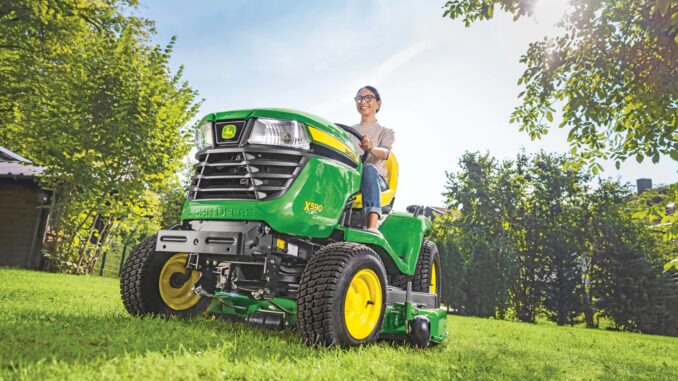
Introduction – John Deere LA135 lawn tractor
The John Deere LA135 is a mid‑range lawn tractor from the LA100 series, aimed at residential owners with medium to larger lawns who want a comfortable riding mower with a 42‑inch deck and a reliable twin‑cylinder engine. It is typically equipped with a Briggs & Stratton V‑twin around 22 hp and a hydrostatic transmission, making it suitable for regular weekly mowing, light hauling, and general yard work rather than heavy ground‑engaging tasks.
This guide is written for homeowners in the USA and Canada who want to keep a John Deere LA135 running reliably, with a focus on symptom‑based troubleshooting, realistic DIY repair jobs, and maintenance that prevents repeat failures. You’ll find parts information, pointers to diagrams and manuals, simple fitting steps for common components, and an extended FAQ for typical LA135 problems.
General overview of the John Deere LA135
The John Deere LA135 sits in the LA100 lawn tractor lineup and shares many components with the LA125, LA145 and related models, so a lot of parts and procedures are familiar across the range. It uses a gasoline V‑twin engine, a 42‑inch mid‑mount mower deck, belt‑driven blades, and a hydrostatic transaxle for infinitely variable forward and reverse speed via a foot pedal.
Key systems on the John Deere LA135 to think about for service and repair are:
-
Engine and fuel system – V‑twin engine, carburetor, fuel pump, fuel filter, and ignition system
-
Mower system – 42″ deck, blades, spindle assemblies, deck belt, idlers and tensioning hardware
-
Drive system – hydrostatic transmission, drive belt, pulleys, and rear axles
-
Electrical and safety system – battery, charging system, ignition switch, safety interlock switches, PTO switch and wiring
Common service parts owners frequently buy for the LA135 include:
-
Engine oil filter (e.g. AM125424 in many kits)
-
Fuel filter (e.g. GY20709 or in‑line filters such as AM116304)
-
Air filter and pre‑cleaner (e.g. GY21056 / MIU11286 plus pre‑cleaner LG273638S)
-
Spark plugs (e.g. M78543, one per cylinder)
-
Mower deck belt for 42″ deck (e.g. GX20072 package)
-
Traction drive belt (e.g. GX20006)
-
42″ mower blades – standard/mulching blades (e.g. GX22151 or packaged sets like AM141033 / AM141034 / GY20850)
-
Battery for 100‑series tractors (e.g. TY25878)
-
Headlight bulbs, ignition switch, keys, fuel cap, and mulch cover kits
Troubleshooting approach for a John Deere LA135
When troubleshooting a John Deere LA135, always start from the symptom the owner sees rather than guessing at a part. Think in terms of “what is it doing?” – won’t start, runs rough, leaves uncut strips – then walk through the system that likely causes that behavior.
For the LA135, the main symptom categories are:
-
Starting issues – engine will not crank or will crank but won’t fire
-
Running issues – surging, stalling, loss of power under load
-
Cut quality problems – uneven cut, scalping, missed strips, poor mulching or bagging
-
Vibration and noise – deck vibration, rattles, knocking sounds
-
Overheating and leaks – oil or fuel leaks, burning smells, engine running hot
-
Transmission and drive – tractor won’t move, jerky drive, one wheel not pulling
-
Electrical and safety – dead battery, intermittent power, PTO won’t engage, safety switches stopping operation
Each section below focuses on what you’ll likely see, why it matters, and the basic checks you can realistically do at home before deciding whether it’s a DIY repair or dealer‑level work.
Emergency and immediate repair needs on a John Deere LA135
Certain problems on a John Deere LA135 need immediate attention because they affect safe operation or can cause rapid, expensive damage if the tractor is used again before being fixed. These are the “stop now” issues: no brakes, obvious fuel leaks, severe vibration, overheating, or any failure of the safety systems.
John Deere LA135 starting issues
When a John Deere LA135 will not start, you may see a completely dead tractor (no dash lights, no crank), or you may have cranking without the engine firing. That usually points to battery/connection issues, safety interlocks, or simple fuel/ignition problems.
Common causes:
-
Discharged or failing battery
-
Corroded or loose battery terminals and ground connections
-
Faulty safety switches (seat, brake, PTO, neutral) or PTO left engaged
-
Fuel turned off, clogged fuel filter or old fuel
-
Failed spark plug(s) or ignition coil problems
Basic checks and steps:
-
Verify the PTO switch is off, park brake engaged and you are seated properly.
-
Check battery connections for tightness and clean off any corrosion with a wire brush.
-
Test battery voltage with a meter or try another known‑good battery.
-
Inspect the fuel level, fuel shut‑off (if fitted) and replace a visibly old or clogged fuel filter.
-
Remove and inspect spark plugs; clean or replace them if fouled, cracked, or worn.
John Deere LA135 cut‑quality problems
Cut‑quality issues on the John Deere LA135 show up as uneven cutting height, uncut strips between passes, scalping on bumps, or poor mulching/bagging performance. These usually indicate blade, deck, or ground speed problems.
Common causes:
-
Dull, bent or mismatched blades
-
Deck not level side‑to‑side or front‑to‑back
-
Wrong cutting height setting or mowing too fast for conditions
-
Clogged deck underside or bagging system
-
Incorrect deck belt tension or slipping belt
Basic checks and steps:
-
Safely remove key, wait for all movement to stop, and inspect the blades for wear or damage.
-
Check deck level using a deck leveling gauge and follow the manual’s height recommendations.
-
Clean the underside of the deck and discharge chute to improve airflow.
-
Slow down ground speed and overlap passes slightly to help eliminate strips.
-
Inspect deck belt condition and tension; replace if cracked, glazed or stretched.
John Deere LA135 vibration and noise problems
Excessive vibration or new noises on a John Deere LA135 are a red flag, especially if they appear suddenly. Severe deck vibration can strip blade bolts, damage spindle bearings, and loosen hardware around the frame.
Common causes:
-
Bent blades from hitting rocks or stumps
-
Blade not centered or incorrectly installed
-
Worn or failing spindle bearings
-
Loose deck mounting hardware or idler pulleys
-
Foreign objects caught in the deck or around pulleys
Basic checks and steps:
-
Stop the tractor immediately if vibration increases suddenly; don’t keep mowing.
-
Inspect blades for bends, missing chunks, or loose fasteners and replace if in doubt.
-
Spin each blade/spindle by hand with the tractor off; feel for roughness or grinding.
-
Check deck mounting bolts, hangers and idlers for looseness and retighten as needed.
-
Remove any sticks, stones or debris from the deck and belt area before restarting.
John Deere LA135 overheating and leak issues
Overheating and fluid leaks on a John Deere LA135 show up as burning smells, smoke, oil spots under the tractor, or fuel odor around the engine or tank. Continued operation in this state can result in engine damage or fire risk.
Common causes:
-
Clogged cooling fins or debris packed around the engine
-
Low engine oil level or old oil no longer protecting properly
-
Damaged fuel lines, loose clamps or leaking fuel filter
-
Cracked engine gaskets or seals
Basic checks and steps:
-
Stop the tractor, remove the key, and let the engine cool before inspecting.
-
Check oil level and top up or change if it’s low or very dirty.
-
Clean grass and debris from engine cooling fins, shrouds, and around the muffler.
-
Inspect fuel lines, filter and tank connections for wet spots or cracks; replace faulty parts.
-
If leaks seem internal (e.g. blown head gasket), consult a dealer before further use.
John Deere LA135 transmission and drive problems
Transmission or drive issues on a John Deere LA135 often appear as poor pull, the tractor not moving when the pedal is pressed, or only one wheel driving. Hydrostatic drive problems can quickly worsen if the drive belt is slipping or off.
Common causes:
-
Worn, broken or derailed traction drive belt
-
Parking brake left on or linkage not releasing fully
-
Low transaxle oil (where serviceable) or internal hydrostatic failure
-
Axle/key damage on a rear wheel
Basic checks and steps:
-
Confirm the parking brake is fully released when trying to drive.
-
Inspect the traction drive belt route and condition from engine pulley to transaxle.
-
Clean debris from belt area and verify idlers are in place and free‑moving.
-
Check rear wheel hubs for damage or missing keys if a wheel spins independently.
-
If drive is weak despite a good belt, seek dealer diagnosis of the hydrostatic unit.
John Deere LA135 electrical and safety system issues
Electrical and safety problems on a John Deere LA135 can cause intermittent starting, the PTO not engaging, or sudden engine shut‑off when you release the brake or leave the seat. These are often simple switch or wiring faults, but they can be time‑consuming to trace.
Common causes:
-
Failing battery or charging system
-
Worn ignition switch or loose connectors
-
Faulty seat, brake, PTO or reverse safety switch
-
Damaged wiring or poor grounds
Basic checks and steps:
-
Test battery voltage and charging output; replace a failing battery promptly.
-
Inspect the ignition switch connector for bent pins or corrosion.
-
Wiggle seat and brake pedals while observing behavior; intermittent cut‑out often points to switches.
-
Check visible wiring under the seat and around the frame for abrasion or broken insulation.
-
Replace obviously faulty switches, but use a dealer if you are not comfortable working on wiring.
DIY or dealer? Repair decision guide for the John Deere LA135
On a John Deere LA135, the dividing line between DIY and dealer work generally sits between bolt‑on maintenance tasks and internal mechanical or electrical diagnosis. If a job involves replacing an external service part with hand tools and limited disassembly, it’s usually realistic for a careful homeowner; anything that opens up the engine, transmission, or requires specialized testing equipment is typically dealer territory.
Good DIY jobs:
-
Oil and filter changes
-
Air and fuel filter replacement
-
Spark plug replacement and basic tune‑up
-
Mower blade changes and deck belt replacement
-
Battery replacement and simple electrical checks
-
Deck cleaning and leveling, minor linkage adjustments
Advanced DIY or dealer jobs:
-
Carburetor rebuilds and detailed fuel system diagnosis
-
Internal engine repair (head gaskets, internal seals, valve work)
-
Hydrostatic transmission disassembly or replacement
-
Complex wiring harness troubleshooting and safety circuit diagnosis
-
Spindle or bearing replacement where pullers or presses are required
Skill level guide:
-
Beginner: Oil change, air filter, spark plug replacement, blade removal for sharpening, battery swap.
-
Intermediate: Deck belt replacement, deck removal and leveling, fuel filter changes, basic switch replacement.
-
Advanced: Carb cleaning/rebuild, spindle/bearing replacement, major electrical diagnosis, transmission replacement.
John Deere LA135 parts information and OEM vs aftermarket
Before ordering parts for your John Deere LA135, always gather the correct identification details. That ensures belts and filters actually fit, and that serial‑specific changes in components are taken into account.
Information you should record:
-
Full model name: “John Deere LA135” (and LA135 SE if applicable).
-
Product Identification Number (PIN) from the tractor ID tag.
-
Engine model and serial from the Briggs & Stratton data plate on the engine.
-
Deck size and type: typically 42″ mower deck for LA135.
Common John Deere LA135 service parts table
Below is a representative parts list for typical LA135 service and repair jobs (always cross‑check against your PIN and deck type before purchase):
OEM vs aftermarket guidance:
-
Use OEM parts for belts, safety‑critical components (brakes, steering, safety switches), and fit‑sensitive parts like deck spindles, pulleys and structural hardware.
-
Quality aftermarket parts can be fine for oil and air filters, spark plugs, blades and batteries as long as they are clearly listed as compatible with “John Deere LA135” and cross‑reference the OEM numbers.
-
Avoid no‑name belts and electrical parts; they may fit poorly or fail early, leading to more downtime.
Where to find John Deere LA135 parts diagrams and manuals
You’ll usually need parts diagrams and manuals at least once during the life of your John Deere LA135. They are invaluable for belt routing, fastener locations, and confirming you’re ordering the correct components.
Recommended sources:
-
John Deere LA135 Owner Support page – the official support hub often provides operator’s manual links, maintenance information and connections to parts catalogs:
https://shop.deere.com/us/ownersupport/LA135 -
John Deere Technical Publications / manuals search – lets you search for the LA100 series technical and service manuals (look for TM103419 covering LA105–LA175 series):
https://www.deere.com/en/technical-publications/ -
John Deere Parts (JDParts) / online parts catalog – official illustrated parts diagrams for the LA135 mower deck, frame, steering, engine‑related components and more:
https://partscatalog.deere.com -
Third‑party Deere‑focused parts sites with LA135 pages – for example, Green Farm Parts has a LA135 maintenance guide and parts list:
https://greenfarmparts.com/john-deere-la135-lawn-tractor-maintenance-guide/
Use the operator’s manual for safety and general operating guidance, the technical manual for in‑depth repair procedures, and the online parts catalog for exploded diagrams and part number confirmation.
How to locate John Deere LA135 model, serial and engine numbers
Model, serial and engine numbers are essential for ordering correct parts and interpreting technical manuals. John Deere often made small running changes within a series, so the PIN helps identify exactly which variation you own.
To find them on a John Deere LA135:
-
Locate the tractor model and PIN plate – typically on the tractor frame under the seat or on the right‑hand frame rail, showing “LA135” and a longer serial/PIN string.
-
Clean any dirt or grass from the plate and write down the full PIN exactly as shown.
-
Identify the mower deck model/size – look for a decal or stamped plate on the deck shell or near the discharge chute indicating a 42″ deck and any deck code.
-
Find the engine model and serial – on Briggs & Stratton V‑twin engines, look for a stamped or sticker plate on the engine shroud or near the blower housing.
-
Keep these numbers in a dedicated maintenance notebook or photo album so you can refer to them when ordering parts online or at a dealer counter.
Buying John Deere LA135 parts online and in stores
A simple strategy for buying parts for your John Deere LA135 is to combine online convenience for routine consumables with dealer support for complex components. Always cross‑check OEM numbers and your PIN before ordering.
Options:
-
Online: Use OEM part numbers from diagrams/manuals and buy through reputable sites like the official John Deere shop or established aftermarket suppliers such as Green Farm Parts, ensuring listings explicitly mention “LA135”.
-
Dealer counter: The best choice for serial‑specific items (e.g. transmission parts, harness sections, or updated components) and for help with belt routing or recall information.
-
Retail/lawn & garden stores: Suitable for generic consumables (oil, grease, some filters and batteries) if packaging clearly lists compatibility with “John Deere LA135” or the relevant OEM numbers.
John Deere LA135 – step‑by‑step fitting guides for common parts
For the John Deere LA135, there are a handful of jobs that give the biggest reliability boost with relatively simple tools. Below are owner‑friendly procedures for popular DIY tasks.
Changing engine oil and filter on a John Deere LA135
An oil and filter change helps protect the V‑twin engine from wear and sludge build‑up.
-
Park the tractor on level ground, disengage PTO, set brake, stop the engine and remove the key.
-
Place a drain pan under the engine drain point, open the drain valve or remove the plug and let the warm oil drain completely.
-
Remove the old oil filter with an appropriate filter wrench; wipe the sealing surface clean.
-
Lightly oil the gasket on the new filter (e.g. AM125424) and install it snugly by hand.
-
Close the drain, refill with the recommended oil grade and quantity, then start the engine, check for leaks and recheck oil level.
Replacing the air filter on a John Deere LA135
A clean air filter improves performance and reduces engine wear.
-
Stop the tractor, remove the key and allow the engine to cool.
-
Open the hood and locate the air cleaner assembly on the top or side of the engine.
-
Release the air cleaner cover clips or screws and remove the cover.
-
Take out the old filter cartridge and pre‑cleaner; clean any dust from the housing with a dry cloth.
-
Install the new pre‑cleaner (if used) and new cartridge (e.g. GY21056/MIU11286), then refit the cover securely.
Changing spark plugs on a John Deere LA135
Fresh spark plugs help with starting and smooth running.
-
With the engine cool and key removed, locate both spark plugs on the V‑twin engine (one per cylinder).
-
Pull each plug wire boot straight off, avoiding damage to the wire.
-
Use a proper spark plug socket, extension and ratchet to remove each old plug.
-
Check gap on the new plugs (e.g. M78543) to the specification in the operator’s manual, adjust if necessary.
-
Thread each new plug in by hand, then tighten with the socket to the recommended torque and refit the plug wires firmly.
Replacing the 42″ deck belt on a John Deere LA135
A fresh deck belt restores blade speed and cut quality.
-
Park on level ground, disengage PTO, set brake, shut off the engine and remove the key.
-
Lower the mower deck fully and, if necessary, remove the deck from the tractor following the operator’s manual steps.
-
Note the routing of the existing belt around the PTO pulley, idlers and blade pulleys; take a photo if possible.
-
Remove belt guards and carefully slip the old belt off each pulley and out of the deck.
-
Route the new belt (e.g. GX20072) exactly as per diagram, reinstall belt guards and check that idlers move freely and the belt tracks correctly before mowing.
Maintenance to prevent John Deere LA135 problems recurring
Most common LA135 problems are either caused or worsened by neglected maintenance. A simple, consistent routine significantly reduces starting issues, deck failures and premature wear.
Focus areas:
-
Starting reliability – keep the battery charged, terminals clean, and replace spark plugs and fuel filter at recommended intervals.
-
Cut quality – sharpen or replace blades regularly, clean the deck underside, and keep the deck belt and spindle bearings in good condition.
-
Overheating and fire prevention – clean grass and debris from the engine, muffler area and deck regularly; maintain oil level and quality.
-
Drive performance – inspect and replace the traction drive belt when worn, keep debris out of belt areas, and avoid overloading the tractor.
-
Electrical reliability – periodically check safety switches, ignition switch and visible wiring for wear, corrosion or looseness.
John Deere LA135 maintenance schedule and year‑round checklist
Use the LA135 maintenance chart in the official manual as your baseline, but organize tasks into time‑based groups so they are easier to remember. The timings below reflect typical 100‑series recommendations; always confirm the exact intervals in your operator’s manual.
Daily / before each use
-
Check engine oil level, topping up if needed.
-
Walk around to look for leaks and loose components.
-
Inspect tires for obvious low pressure or damage.
-
Verify safety systems (brake, PTO, seat switch) feel normal.
After around 8 hours of use
-
Clean grass clippings from the deck top and underside.
-
Brush debris from engine cooling fins and air intake areas.
-
Check blades visually for damage after hitting any hard object.
Every 25 hours
-
Inspect and, if needed, tighten deck and frame hardware.
-
Check deck and drive belts for cracks or glazing.
-
Lubricate specified pivot points and spindles where recommended.
Every 50 hours or yearly
-
Change engine oil and oil filter.
-
Replace or clean the air filter and pre‑cleaner as necessary.
-
Inspect spark plugs, cleaning or replacing them if worn.
-
Check and adjust deck level and cutting height.
Every 200 hours (or as specified)
-
Replace spark plugs regardless of condition.
-
Replace fuel filter.
-
Perform a deeper inspection of deck spindles, bearings and idlers; replace any rough or noisy components.
Seasonal checklist for a John Deere LA135
Spring/pre‑season:
-
Fully service engine (oil, filter, air filter, fuel filter as needed).
-
Install sharpened or new blades; verify deck level.
-
Charge battery and check tire pressures.
Mid‑season:
-
Reinspect belts, blades and deck cleanliness.
-
Clean cooling fins and engine shrouds.
-
Address any minor leaks or electrical quirks before they become major.
Fall/end‑of‑season:
-
Perform an oil change if hours are near the interval.
-
Clean tractor thoroughly, including deck underside and engine area.
-
Stabilize fuel or drain tank and carburetor if storing for winter.
-
Store battery properly, off the tractor if the machine is stored in an unheated area.
John Deere LA135 – repair, upgrade, or replace?
As the John Deere LA135 ages, there comes a point where you must decide whether to keep repairing, invest in upgrades, or replace the tractor entirely. The decision depends on overall condition, cost of upcoming repairs, and whether its capabilities still match your property.
Repair if:
-
Problems are limited to wear parts (belts, blades, filters, battery, minor electrical items).
-
Frame, deck shell and transmission are still sound.
-
The total cost of repair is clearly lower than replacing the tractor.
Upgrade if:
-
The tractor is basically solid but you want better cut quality (e.g. upgraded blades or mulching kit).
-
You can improve reliability with a higher‑quality battery, better seat, or improved tires.
-
You want added attachments (bagger, mulch cover, cart) to increase utility.
Replace if:
-
The deck shell is badly rusted or structurally compromised.
-
The hydrostatic transmission or engine needs major internal repair costing a large fraction of a new machine.
-
Your property size or terrain has changed and the LA135 can no longer meet your needs.
Expanded troubleshooting FAQ – John Deere LA135
1. Why will my John Deere LA135 not start?
If your LA135 will not start, begin by separating “no crank” from “cranks but won’t fire.” No crank usually points to a dead battery, corroded terminals, or safety switches preventing the starter from engaging. Cranks‑but‑no‑start commonly involves fuel issues (empty tank, old fuel, clogged filter) or ignition problems such as worn spark plugs. Confirm the PTO is off, brake is set and you are seated, then check battery voltage, clean terminals and inspect the fuel and ignition components before moving on to deeper diagnosis.
2. Why does my John Deere LA135 crank slowly?
Slow cranking on a LA135 typically indicates a weak battery or high resistance in the starting circuit. Cold temperatures, old batteries and corroded connections all reduce available current to the starter motor. Clean the battery posts and cable ends thoroughly, check the ground connection to the frame, and test battery voltage under load. If voltage drops significantly while cranking, replace the battery; if the battery is good, consider inspecting the starter motor and cables.
3. Why does my John Deere LA135 only click when I turn the key?
A clicking sound from the solenoid when you turn the key usually means the solenoid is energizing but there isn’t enough power to spin the starter. This can be caused by a failing battery, loose or corroded cables, or a weak solenoid that doesn’t pass current properly. Verify that battery voltage is adequate, tighten all cable connections, and inspect the solenoid terminals for corrosion. If the battery and connections are solid, replacing the solenoid may solve the issue.
4. Why does my John Deere LA135 start then stall?
If the LA135 starts and then stalls shortly afterwards, suspect fuel delivery or safety interlock issues. A partially clogged fuel filter or restricted fuel line can cause the engine to starve and shut off. Alternatively, a faulty seat or brake switch can cut ignition when vibrations begin or when you shift position. Make sure the PTO is off, verify seat switch wiring is intact, and replace a dirty fuel filter. If the problem persists, consider checking carburetor cleanliness and float operation.
5. Why does my John Deere LA135 run rough or surge?
Rough running or surging on a LA135 is often due to contaminated fuel, a dirty carburetor, or restricted air flow. Old fuel with water or varnish can cause inconsistent combustion, while clogged jets in the carburetor make the engine hunt for a steady speed. Replace the fuel with fresh gasoline, install a new fuel filter and check the air filter for clogging. For persistent surging, a careful carburetor cleaning or rebuild is usually needed, which many owners treat as an advanced DIY or dealer job.
6. Why does my John Deere LA135 lose power under load?
Power loss under load typically comes from poor fuel or air supply, worn spark plugs, or a slipping deck or drive belt. On hills or thick grass, a tired engine or restricted fuel flow becomes obvious as bogging and slowing. Check and replace air and fuel filters, confirm you’re using fresh fuel, and inspect spark plugs for wear. Also ensure that deck and drive belts aren’t slipping; glazed belts reduce blade speed and can make the tractor feel weaker than it actually is.
7. Why is my John Deere LA135 hard to start when hot?
A LA135 that is only hard to start when hot may be experiencing heat‑related vapor lock or marginal ignition components. Fuel lines routed near hot surfaces can develop vapor bubbles, and coils or plugs close to failure sometimes only show problems when warm. Inspect routing of fuel hoses and ensure heat shields are in place. Replacing aging spark plugs and, if necessary, the ignition coil can improve hot starting. Letting the engine cool for a few minutes before attempting a restart can also help in the short term.
8. Why does my John Deere LA135 battery keep dying?
Repeated dead batteries on a John Deere LA135 often suggest either a parasitic draw or a charging system fault. Leaving accessories on, corroded connections, or a failing voltage regulator can prevent proper recharging. Use a meter to check charging voltage at the battery with the engine running; it should rise above resting voltage. Clean and secure all connections, inspect the alternator/charging coil, and replace the regulator if charging is low. Also consider battery age, as older units naturally hold less charge.
9. Why does my John Deere LA135 give an uneven cut?
Uneven cut on a LA135 usually means the deck is not level, blades are dull or bent, or tire pressures are inconsistent. If one side of the deck is lower, it will scalp or leave deeper tracks compared to the other. Check and correct tire pressures to the recommended values, then use a deck leveling gauge or ruler to set the deck height evenly side‑to‑side. Inspect blades for straightness and sharpness, replacing any that are damaged. Regular deck cleaning also prevents buildup that can affect cut quality.
10. Why does my John Deere LA135 leave strips of uncut grass?
Strips between passes are often a sign of blade overlap issues, worn blades or mowing too fast. If blades are short due to excessive sharpening or incorrect blade type, they may not overlap as designed. Confirm you’re using the correct OEM‑spec blades and that they’re installed facing the correct direction. Slow down ground speed and overlap passes slightly. If strips persist, inspect the deck belt for slipping or routing errors that might cause one blade to spin slower than the other.
11. Why is my John Deere LA135 scalping the lawn?
Scalping occurs when the deck rides too low over bumps or uneven ground. On a John Deere LA135, this can come from a low cutting height setting, misadjusted deck wheels, or mowing at high speed over rough terrain. Raise the cutting height and adjust anti‑scalp wheels according to the manual, ensuring they contact the ground lightly on uneven areas. Slow down in bumpy sections and avoid mowing at the lowest deck setting unless the lawn is very smooth.
12. Why does my John Deere LA135 clog and stop discharging grass?
Clogging at the discharge chute or bagger is usually the result of mowing wet grass, a dirty deck underside, or dull blades that tear rather than cut. Clean the underside of the deck thoroughly, paying special attention to the discharge area and baffles. Sharpen or replace blades to improve airflow and cut quality, and mow when grass is dry whenever possible. Slowing ground speed and raising cutting height slightly also reduces clogging tendency.
13. Why does my John Deere LA135 vibrate when the blades are on?
Blade‑engaged vibration on a LA135 indicates an imbalance somewhere in the rotating deck assembly. Common culprits are bent blades, uneven blade installation, or failing spindle bearings. Remove and inspect each blade for damage, and ensure both blades are matched and installed correctly. Spin each spindle by hand to feel for rough bearings. Replace any bent blades and worn bearings, and make sure belt routing and tension are correct to avoid hammering the deck with shock loads.
14. Why does my John Deere LA135 make a grinding noise from the deck?
Grinding noises from the deck usually mean a bearing or pulley is failing. As spindle bearings wear, they may make grinding or rumbling sounds and eventually seize. Idler pulleys can also fail and drag noisily. With the tractor off and key removed, spin each pulley and spindle and listen for rough or gritty rotation. Any component that does not spin smoothly should be replaced. Avoid using the mower until grinding noises are resolved to prevent further damage.
15. Why does my John Deere LA135 smell like burning rubber?
A burning rubber smell often points to a slipping or misrouted belt. On the LA135, both the deck belt and traction drive belt can generate heat and odor if they are rubbing against guards or frozen pulleys. Stop the tractor immediately, disengage PTO and inspect belt routing, tensioners and pulley condition. Replace belts that are glazed or cracked and ensure guards and guides are correctly installed. Running with a slipping belt risks more damage and potential fire.
16. Why is my John Deere LA135 leaking fuel?
Fuel leaks on a John Deere LA135 are serious and require immediate attention. Typical sources include cracked fuel hoses, loose clamps, a damaged fuel filter housing or tank fittings. As soon as you smell fuel or see wet spots, stop and let the tractor cool. Inspect the fuel system from tank to carburetor, replacing any suspect components. Never operate the tractor with a known fuel leak; if you’re unsure of your ability to repair it safely, involve a dealer.
17. Why is my John Deere LA135 leaking oil?
Oil leaks may appear under the engine or near the transmission on a LA135. Minor seepage around gaskets or seals can be manageable, but significant leaks endanger engine health and create fire hazards. Check the oil filter seal, drain plug and any external lines first, tightening or replacing as needed. Clean the area thoroughly and observe where fresh oil appears. If the leak seems internal (e.g. crank seal, head gasket), consider professional repair, as opening the engine is an advanced task.
18. Why does my John Deere LA135 overheat?
Overheating on a LA135 usually stems from blocked cooling fins, low oil level, or heavy load in hot conditions. Grass and debris can pack around the engine shroud and prevent proper air cooling. Clean the fins and shrouds carefully, ensuring air passages are clear. Check and correct oil level, and avoid prolonged heavy mowing on very hot days. If overheating persists even after cleaning and proper lubrication, have a dealer check for internal issues such as head gasket problems.
19. Why won’t my John Deere LA135 move forward or reverse?
If the LA135 engine runs but the tractor won’t move, first verify that the parking brake is fully released and the freewheel control (if fitted) is not engaged for pushing. A broken, slipped or severely worn traction drive belt is a common cause. Inspect belt routing from the engine pulley to the transaxle; replace a failed belt and ensure idlers and guides are intact. If the belt is good and controls are correctly set, you may be facing internal hydrostatic or axle issues that require dealer service.
20. Why does my John Deere LA135 hesitate or jerk while driving?
Jerky drive behavior on a LA135 often comes from a slipping drive belt, contaminated transaxle or air trapped in hydraulic systems. Debris caught around pulleys can cause intermittent belt engagement. Clean the belt path thoroughly, check belt condition and tension, and avoid sudden speed changes. For persistent issues, consult the service manual; hydrostatic problems may require fluid changes or professional work depending on whether the unit is sealed or serviceable.
21. Why does my John Deere LA135 pull to one side?
A LA135 that consistently pulls to one side can indicate uneven tire pressure, misadjusted deck, or problems with one rear wheel/axle. Start by setting all tire pressures to manual specs, then test drive on flat ground. If it still pulls, inspect steering linkages and front axle components for wear. Check rear wheels for hub key integrity; a slipping key can make one wheel behave differently. Address any mechanical looseness; steering and drive components are safety‑critical.
22. Why won’t the blades engage on my John Deere LA135?
When the blades won’t engage on a LA135, look at the PTO system and safety circuits. For electric PTO clutches, a bad PTO switch, blown fuse, wiring fault or failed clutch can prevent activation. Ensure the engine is running, PTO switch is functioning, and safety requirements (seat, brake, etc.) are met. Check fuses and inspect wiring to the PTO clutch. If power is reaching the clutch but it doesn’t respond, replacement of the clutch may be necessary.
23. Why do the blades on my John Deere LA135 turn slowly?
Slow blade rotation is usually a symptom of a slipping deck belt or failing PTO clutch. If grass isn’t being thrown properly and blades seem sluggish, inspect the deck belt for wear, correct routing and tension. Clean the deck and belt area, removing any clippings or debris around pulleys. Verify that engine speed is at full throttle when mowing; running at low RPM reduces blade speed. If the belt and engine speed are correct, have the PTO clutch evaluated.
24. Why does my John Deere LA135 shut off when I release the brake?
On the LA135, the safety system requires certain conditions before the tractor will keep running when the brake is released. If it shuts down immediately, suspect a brake or seat safety switch that isn’t seeing the correct signal. Ensure you are seated properly and that the seat switch wiring is intact. Check the brake switch and linkage for damage or misadjustment. If switches are faulty, they can often be replaced by a competent owner, but never bypass safety circuits permanently.
25. Why does my John Deere LA135 shut off when I try to reverse with the blades on?
Many John Deere tractors, including the LA135, incorporate a Reverse Implement Option (RIO) or similar safety logic to prevent mowing in reverse unless a specific procedure is followed. If you simply press reverse with blades on, the system may shut the engine down. Consult your operator’s manual for the correct sequence to mow in reverse, typically involving pressing or holding a RIO button. Never defeat this safety feature, as it helps prevent accidents.
26. Why are the lights not working on my John Deere LA135?
If the headlights on a LA135 no longer work, start by checking the bulbs themselves for failure. If both bulbs are out, inspect the wiring and light switch for damage, and check any relevant fuses. Replace bulbs (e.g. AD2062R) with correct OEM types, and make sure connectors are clean and seated. If power is not reaching the lights despite good bulbs, the problem may be in the harness or switch and may require further electrical testing.
27. What maintenance does my John Deere LA135 need each season?
Seasonal maintenance for a LA135 includes checking and often changing engine oil, cleaning or replacing air and fuel filters, inspecting belts and blades, and cleaning the deck and cooling fins. At the start of the season, perform a more complete service and install sharpened blades. Mid‑season, focus on cleaning and visual inspections, correcting minor issues. At the end of the season, clean thoroughly, stabilize fuel or drain the system, and consider an oil change before storage.
28. How often should I change the oil on my John Deere LA135?
Oil change intervals for a LA135 typically follow 50‑hour or annual guidelines for 100‑series tractors, but always check your manual for the exact recommendation. If you mow in dusty or hot conditions or run long continuous sessions, you may want to change oil more frequently. Using the correct grade and changing both oil and filter together provides the best protection. Many homeowners adopt a simple “once per season” minimum, even if hours are lower.
29. How often should I replace the blades on my John Deere LA135?
Blade replacement frequency depends heavily on lawn size, soil conditions and how often you hit debris. On a LA135, blades should be inspected at least every 25 hours of mowing. If blades are dull, chipped, bent or have lost significant length from repeated sharpening, replace them promptly. Sharp, correctly sized blades are critical for good cut quality and reduced strain on the engine and deck.
30. What kind of fuel should I use in my John Deere LA135?
Use fresh unleaded gasoline of the octane rating specified in your LA135 manual, usually regular grade is adequate. Avoid fuel that has sat for more than a couple of months, as it can form varnish and absorb moisture. If you must store fuel, use a stabilizer and keep it in a sealed container. Ethanol‑blended fuels are common but can affect rubber components over time; storing the tractor with stabilized fuel and keeping filters up to date helps mitigate issues.
31. Can I mulch with my John Deere LA135?
Yes, the LA135 can mulch effectively when equipped with the correct mulching blades and mulch cover kit. Installing a mulching blade kit (such as AM141033) and a compatible mulch plug allows the deck to recirculate clippings and cut them finely. For best results, avoid mowing very tall or wet grass, keep blades sharp, and mow more frequently so clippings are small. Always verify compatibility of kits with the 42″ LA135 deck before purchase.
32. Can I tow a cart or small attachments with my John Deere LA135?
The LA135 can tow light yard carts, spreaders and similar attachments within its rated towing capacity. Check your manual for maximum recommended tongue weight and overall towing load. Use common sense: avoid steep slopes, heavy loads, or towing items beyond what the hydrostatic drive can handle. Ensure the hitch and attachment are properly secured and that braking distance is sufficient when towing.
33. How do I improve traction on my John Deere LA135?
To improve traction on a LA135, especially on slopes or damp grass, consider tire upgrades and ballast. Installing more aggressive tread rear tires or adding wheel weights can help. Using tire chains in winter or very slippery conditions is another option, as long as they are compatible with your tire size. Always stay within the tractor’s safety limits; if you regularly work on steep slopes, a different machine may be safer.
34. How do I store my John Deere LA135 over winter?
Winter storage of a LA135 should focus on protecting the fuel system, battery and metal surfaces. Clean the tractor thoroughly, change oil if needed, and either drain fuel or add stabilizer and run the engine briefly to distribute treated fuel. Disconnect the battery and store it in a cool, dry place, ideally on a maintainer. Keep the tractor in a sheltered area to reduce rust and rodent damage, and cover it with a breathable cover rather than airtight plastic.
35. Where can I get John Deere LA135 parts and support?
You can obtain LA135 parts and support from official John Deere dealers, the John Deere online shop and established aftermarket suppliers. Use your model and PIN to ensure correct parts. Start with the LA135 owner support page, technical publications search and parts catalog, then supplement with specialist sites offering LA135‑specific maintenance kits and components. Combining these sources gives you access to diagrams, manuals and parts for almost any repair you’ll encounter.