
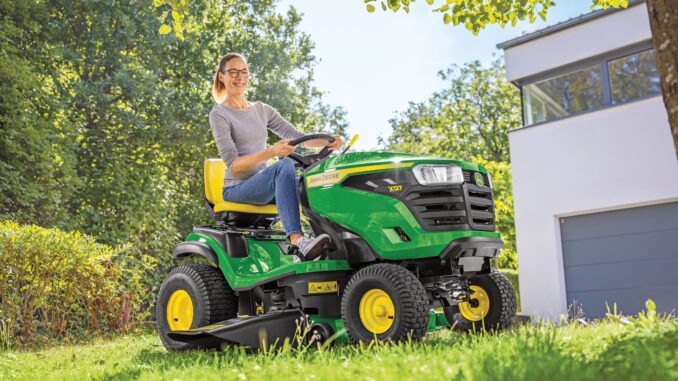
Introduction to the John Deere LX255
The John Deere LX255 is a lawn tractor built for residential users who need a step up from basic lawn mowers, with a heavier frame and more capable mowing system for medium to larger home lawns. It is part of the LX lawn tractor series and is typically fitted with a mid‑mount mower deck suited to regular grass cutting rather than heavy brush work.
This John Deere LX255 repair guide covers the key systems on the tractor, a symptom‑first troubleshooting approach, DIY versus dealer boundaries, common parts and part numbers, where to find diagrams and manuals, and a large owner‑focused FAQ. The goal is to help USA and Canada homeowners maintain and repair their LX255 safely and confidently.
John Deere LX255 model overview
The John Deere LX255 sits in the LX lawn tractor family as a mid‑range residential unit, positioned above basic entry‑level mowers but below heavier garden tractors with ground‑engaging capability. It is designed primarily for lawn maintenance rather than towing heavy implements or doing loader work.
Key systems on the John Deere LX255 include the engine and fuel system, the mower deck and blades, the belt‑driven drive system, and a 12‑volt electrical system with safety interlocks. Owners mainly interact with the engine ignition and fuel, deck height and engagement, the transmission and drive controls, and basic electrics such as lights and safety switches.
Common service parts and consumables for the LX255 include:
-
Engine oil and oil filter
-
Fuel filter and fuel cap
-
Air filter and pre‑cleaner
-
Spark plug(s)
-
Mower blades (deck‑specific)
-
Mower deck drive belt and primary drive belt
-
Battery and common fuses
-
Headlight bulbs and basic electrical switches
These are the parts most often replaced during routine maintenance and basic repairs.
Troubleshooting approach for a John Deere LX255
With the John Deere LX255, always start troubleshooting from the symptom the owner actually sees, not from a suspected part. Ask “what is it doing (or not doing)?” and then trace that symptom through the relevant system.
For this tractor, the main symptom categories are:
-
Starting issues (won’t crank, won’t start, hard starting)
-
Running issues (stalling, surging, poor power)
-
Cut quality problems (uneven cut, scalping, stragglers)
-
Vibration and noise (deck shake, rattles, squeals)
-
Overheating and leaks (smell of burning, oil or fuel leaks)
-
Transmission and drive problems (won’t move, weak drive, jerky)
-
Electrical and safety switch issues (dead tractor, no crank, PTO won’t engage)
Within each category, work from simple, safe checks first (fuel, battery, obvious damage) before diving into deeper mechanical or electrical diagnosis.
Emergency and immediate repair needs on a John Deere LX255
Some problems on the LX255 must be treated as “stop now” issues because they affect safety or can quickly damage expensive parts. If you see or hear any of these symptoms, shut the tractor down, park on level ground, and investigate before using it again.
John Deere LX255 starting issues
Starting problems are rarely “emergencies”, but they can indicate deeper electrical or fuel issues that need attention before you chase more complex faults. A typical scenario is turning the key and getting nothing, or getting cranking but no actual start.
Common causes:
-
Battery discharged or failing
-
Loose or corroded battery terminals and ground connections
-
Faulty seat, brake or PTO safety switch preventing cranking or ignition
-
Fuel shut‑off closed or blocked fuel filter
-
Old, stale fuel or water contamination in the tank
Basic checks and steps:
-
Verify the parking brake is on and the PTO is disengaged, and sit firmly on the seat.
-
Check battery connections for corrosion and tightness; clean and retighten if needed.
-
Use a multimeter or test light to confirm battery voltage is healthy before cranking.
-
Inspect the fuel shut‑off and fuel filter for blockage; replace the filter if dirty.
-
If the tractor cranks but won’t start, consider draining old fuel and refilling with fresh fuel.
John Deere LX255 cut‑quality problems
Cut‑quality problems are not an immediate safety emergency, but running with badly damaged blades or an out‑of‑level deck can stress belts and spindle bearings and create an unsafe cutting environment.
Common causes:
-
Dull, bent or chipped mower blades
-
Deck not level side‑to‑side or front‑to‑back
-
Incorrect deck height setting for lawn conditions
-
Build‑up of grass under the deck restricting airflow and discharge
-
Wrong blade type for the deck (bagging vs mulching vs standard)
Basic checks and steps:
-
Park on level ground, lower the deck fully and remove the key before inspecting.
-
Check blades visually for damage and excessive wear; replace if bent or severely dull.
-
Measure deck height at each corner to confirm level; adjust per the operator’s manual.
-
Clean the underside of the deck to remove built‑up debris and clumps.
-
Verify you are using the correct blade type and deck size for the LX255.
John Deere LX255 vibration and noise
New vibration, grinding, rattling or squealing from the mower deck or under the tractor should be treated as urgent. Vibration often signals failing bearings, loose hardware or a belt problem. Operating the LX255 in this state can cause spindle, pulley or belt failure.
Common causes:
-
Bent blades or blades installed incorrectly
-
Worn or failing deck spindle bearings
-
Loose deck hardware or missing bolts
-
Damaged or misrouted deck belt rubbing on guards or pulleys
-
Foreign object caught in the deck or around pulleys
Basic checks and steps:
-
Stop PTO, shut off the engine and wait for all movement to stop before inspection.
-
Check blades and pulleys for obvious bends, cracks or misalignment.
-
Spin each blade by hand (engine off) to feel for rough or tight bearings.
-
Inspect the deck belt for fraying, glazing or misrouting; correct routing as per diagram.
-
Tighten loose hardware and replace damaged parts before using the deck again.
John Deere LX255 overheating and leaks
Overheating, burning smells or visible fuel/oil leaks are true “stop immediately” issues on the LX255, as they can lead to fire or engine damage. Any sign of smoke or dripping fluid needs investigation.
Common causes:
-
Blocked cooling fins or engine shrouds packed with grass and debris
-
Oil leaks from filter, drain plug or seals
-
Fuel leaks from cracked lines, loose clamps or a damaged fuel tank
-
Overfilled engine oil causing smoking and fouling
-
Running with clogged air filter and poor cooling airflow
Basic checks and steps:
-
Shut down the tractor and let the engine cool before handling components.
-
Inspect under the hood and around the engine for oil or fuel residue.
-
Clean cooling fins and remove debris around the engine and muffler.
-
Check oil level and correct if overfilled or underfilled.
-
Replace cracked fuel lines and leaky filters immediately and test for further leaks.
John Deere LX255 transmission and drive problems
Drive problems that cause the LX255 to move unpredictably or fail to hold on slopes are safety issues. If the tractor will not move, jerks, or loses drive on inclines, avoid using it near drop‑offs or obstacles until you diagnose the fault.
Common causes:
-
Transmission oil low or contaminated (on serviceable transmissions)
-
Drive belt worn, stretched or slipping
-
Idler pulleys seized or misaligned
-
Linkage issues with forward/reverse controls
-
Overloading the tractor beyond its intended use (steep slopes, heavy loads)
Basic checks and steps:
-
Confirm the parking brake is fully released and the freewheel control (if fitted) is correctly set.
-
Inspect the primary drive belt for wear and tension.
-
Check linkages for binding and ensure forward/reverse pedals or levers move freely.
-
On models with serviceable transmissions, inspect oil level as specified in the manual.
-
Avoid steep slopes and heavy towing until drive performance is restored.
John Deere LX255 electrical and safety switch problems
Electrical faults that prevent starting or PTO engagement are common on the LX255 because the safety system relies on several interlock switches. They are not usually dangerous on their own, but bypassed or mis‑diagnosed switches can compromise safety.
Common causes:
-
Faulty seat switch or brake switch
-
PTO switch or PTO safety interlock failure
-
Blown fuses or corroded fuse contacts
-
Poor ground connections or damaged wiring near moving parts
Basic checks and steps:
-
Confirm normal operating positions: brake on, PTO off, correct seat pressure.
-
Check fuses and replace any blown units with correct ratings.
-
Inspect visible wiring for chafing, breaks or loose connectors.
-
Wiggle safety switch connectors gently to see if intermittent contact is the issue.
-
Do not bypass safety switches; replace faulty components properly.
John Deere LX255 DIY or dealer repair decision guide
On the John Deere LX255, the line between DIY and dealer work typically falls between routine maintenance/basic bolt‑on parts and deeper engine, transmission or electrical diagnosis. Homeowners in the USA and Canada can comfortably handle regular service items and straightforward mechanical jobs with basic tools, but complex internal repairs are best left to a dealer.
Good DIY jobs for a John Deere LX255:
-
Oil and filter changes
-
Fuel and air filter replacement
-
Spark plug replacement and basic ignition checks
-
Battery replacement and terminal cleaning
-
Mower blade replacement and deck leveling
-
Mower deck belt replacement (if you’re methodical and patient)
Advanced DIY or dealer jobs for a John Deere LX255:
-
Internal engine work (valve adjustment, head gasket, internal components)
-
Transmission repair or replacement
-
Major electrical diagnostics with wiring harness faults
-
Steering and front axle rebuilds
-
Spindle rebuilds if bearings are pressed in and require special tools
Skill level guide for John Deere LX255 owners:
-
Beginner: Oil changes, air filter replacement, blade inspection and simple adjustments.
-
Intermediate: Deck belt changes, blade replacement, drive belt inspection and minor electrical checks.
-
Advanced: Engine or transmission work, in‑depth electrical diagnostics, structural repairs.
Parts needed for a John Deere LX255 and what information to gather
Before ordering parts for your John Deere LX255, gather the exact model designation, your Product Identification Number (PIN), and details of your deck size. Some parts are PIN‑specific or vary by deck width, so this information ensures you get the correct fit.
You should have:
-
Full model name: John Deere LX255
-
Tractor PIN or serial number (usually on the tractor frame)
-
Mower deck size (commonly a mid‑mount deck; confirm width from your operator’s manual)
-
Engine brand and model (helpful for cross‑referencing spark plugs and filters)
Key John Deere LX255 service parts
Below is a typical set of high‑value service and repair parts for the John Deere LX255. Always cross‑check numbers against your operator’s manual or a parts diagram before ordering, as some items vary by serial range and deck size.
For safety‑critical and fit‑sensitive parts on the John Deere LX255 (belts, safety switches, steering components), OEM parts are strongly recommended. For consumables such as oil, some filters, spark plugs and batteries, quality aftermarket parts can be acceptable if they are cross‑referenced specifically to the LX255 and its engine.
John Deere LX255 parts diagrams and service manuals
Accurate parts diagrams and manuals are essential when you work on a John Deere LX255. They help you identify correct part numbers, routing of belts and wiring, and the official repair procedures.
Useful online sources include:
-
John Deere “Manuals and Training” page – search for “LX255” and select operator’s and technical publications.
-
John Deere parts catalog (JDParts) – provides exploded diagrams and part numbers for the tractor and mower deck.
-
John Deere LX series technical manual (TM1754) – a workshop‑level manual covering the LX255 and related models.
-
A reputable John Deere parts retailer with an LX255 page, such as Green Farm Parts or similar.
Use:
-
The operator’s manual for safety, basic maintenance intervals and operating procedures.
-
The technical manual for detailed step‑by‑step repair, torque specs and deeper troubleshooting.
-
The parts catalog or retailer diagrams to confirm belt routes, spindle assemblies and exact part numbers.
How to locate John Deere LX255 model, serial and engine numbers
Model and serial numbers matter because John Deere often changes details within a series, and parts can differ between PIN ranges. Without these numbers, you risk ordering incorrect parts or following slightly wrong procedures.
To find identification numbers on a John Deere LX255:
-
Locate the main model and PIN plate on the tractor frame, typically near the rear or under the seat area; clean the plate so it is readable.
-
Note the full model designation “LX255” and the PIN/serial number exactly as printed.
-
For the mower deck, look for a decal or plate on the deck shell; this often lists deck size and a deck model number.
-
Under the hood or on the engine block, find the engine manufacturer’s label (e.g. model and type code) for cross‑referencing plugs and filters.
-
Keep these numbers recorded in a notebook or on your phone for future parts orders and dealer support.
Buying John Deere LX255 parts online and locally
A smart parts strategy for the John Deere LX255 is to use a mix of online sources and local support, depending on the complexity of the item. Simple consumables can come from retail stores if clearly labeled for the LX255, while complex, serial‑specific parts usually require OEM or dealer involvement.
Online:
-
Use official John Deere sites for manuals and core OEM parts, and cross‑check item numbers before ordering.
-
Use model‑specific parts retailers that clearly list the LX255 and show diagrams, and always enter your PIN if the site supports it.
Dealer counter:
-
Ideal for transmission parts, steering components, safety switches and any serial‑specific or hard‑to‑identify items.
-
The dealer can verify fit with your PIN and help with parts supersessions and updates.
Retail stores:
-
Suitable for basic consumables such as oil, grease, spark plugs and sometimes batteries or generic filters, as long as packaging lists compatibility with the LX255 or its engine.
Include at least two concrete URLs in your bookmarks for the LX255:
-
John Deere Manuals & Training page – for operator and technical manuals.
-
A trusted parts retailer or your local Deere dealer’s online portal – for diagrams and ordering.
Fitting guide: common John Deere LX255 DIY jobs
The following step‑by‑step guides cover typical home‑owner DIY tasks that deliver big improvements in reliability and cut quality on the John Deere LX255. Always park on level ground, engage the parking brake, remove the key and disconnect the battery when working near moving parts.
Changing the engine oil and filter on a John Deere LX255
Regular oil and filter changes keep the LX255 engine healthy and reduce wear.
-
Run the engine for a few minutes to warm the oil, then park on level ground and shut down.
-
Place a suitable drain pan under the drain point and open the oil drain to empty the old oil.
-
Remove the old oil filter, clean the mounting surface and lightly oil the seal of the new filter.
-
Install the new filter hand‑tight, then snug according to the instructions on the filter.
-
Close the drain, refill with the recommended grade and quantity of engine oil, and check level with the dipstick.
Replacing the fuel filter on a John Deere LX255
Fuel filter replacement helps with starting reliability and smooth running.
-
Shut off the engine, remove the key and clamp the fuel line upstream if necessary to reduce spillage.
-
Locate the in‑line fuel filter, noting the flow direction arrows if present.
-
Loosen the hose clamps and remove the old filter from the fuel lines.
-
Install the new filter in the same orientation, sliding the fuel lines on fully and tightening clamps.
-
Remove any temporary clamp, check for leaks, then start the tractor and verify smooth operation.
Fitting new mower blades on a John Deere LX255
Fresh blades improve cut quality and reduce strain on the deck and belts.
-
Lower the deck to its lowest setting, shut the tractor off, remove the key and disconnect the battery.
-
Depending on your setup, either remove the deck or access the blades from underneath using appropriate supports.
-
Use a correct‑size socket to loosen the blade bolts while holding the blade securely with a block of wood.
-
Install new blades oriented correctly (cutting edge facing the direction of rotation), and torque bolts as per the manual.
-
Spin each blade by hand to ensure free movement, then reconnect the battery and test the cut on a small area.
Replacing the mower deck belt on a John Deere LX255
A fresh deck belt restores reliable blade drive and reduces slipping and noise.
-
Park the LX255 on level ground, lower the deck and shut off the engine; remove the key.
-
Release deck belt tension by moving the belt tensioning arm or spring as described in the manual.
-
Note the belt routing carefully or take photos, then remove the old belt from pulleys and guides.
-
Route the new belt according to the parts diagram, ensuring it sits correctly in each pulley and under any belt guides.
-
Reapply tension, check clearances and spin pulleys by hand before starting the tractor and engaging the PTO briefly to verify correct operation.
Maintenance to prevent John Deere LX255 problems
Regular maintenance is the key to avoiding many of the common issues LX255 owners report. Most starting, running and cut‑quality problems can be prevented by keeping filters, belts and blades in good condition and by cleaning debris from critical areas.
Focus areas:
-
Starting reliability: Maintain battery health, clean terminals, and replace fuel and air filters on schedule.
-
Cut quality: Keep blades sharp, deck level, and the underside of the deck clean.
-
Overheating prevention: Clean cooling fins, engine shrouds and the area around the muffler; check oil level and leaks.
-
Drive performance: Inspect and replace worn drive belts, keep linkages lubricated, and follow any transmission oil recommendations.
-
Electrical reliability: Inspect wiring for chafing, protect connectors from corrosion, and avoid bypassing safety switches.
John Deere LX255 maintenance schedule and year‑round checklist
The John Deere LX255 maintenance schedule is based on hour intervals and seasonal patterns. Always refer to your operator’s manual for exact tasks and intervals, but the following structure mirrors typical LX lawn tractor charts.
Daily / before each use
-
Check engine oil level and top up if necessary.
-
Walk around the tractor, looking for leaks, loose components or obvious damage.
-
Inspect tires for proper inflation and visible cuts or bulges.
-
Ensure the mower deck is clear of debris and there are no foreign objects.
After approximately 8 hours of use
-
Clean grass and debris from the mower deck and around the engine cooling area.
-
Inspect belts visually for glazing or fraying.
-
Check steering and brake function for any changes in response.
Every 25 hours
-
Change engine oil (if specified for your operating conditions).
-
Grease steering and deck pivot points where fittings are provided.
-
Inspect the air filter and clean or replace the pre‑cleaner as needed.
Every 50 hours or yearly
-
Replace the engine oil and filter if not already done.
-
Check and adjust deck level and pitch.
-
Inspect battery terminals, clean corrosion and check state of charge.
-
Inspect drive belt and deck belt and replace if wear is significant.
Every 200 hours (or as specified)
-
Replace the fuel filter.
-
Replace the primary air filter element.
-
On serviceable transmissions, check and change transmission oil per the manual.
Seasonal checklist for John Deere LX255
Spring (pre‑season):
-
Perform an oil and filter change.
-
Inspect and sharpen or replace blades.
-
Check belts, battery and basic electrics.
Mid‑season:
-
Clean the deck thoroughly and check belt tension.
-
Inspect spindle bearings and pulleys for noise or play.
Fall / end of season:
-
Clean the tractor and deck fully, including under the deck.
-
Stabilise fuel or drain the tank if storing for winter.
-
Store the LX255 under cover, with battery maintained or disconnected.
John Deere LX255: repair, upgrade or replace?
For most homeowners, the John Deere LX255 is worth repairing as long as the frame and major drivetrain are sound, and the tractor meets your lawn size and terrain needs. Upgrades are sensible when they improve reliability and usability, while replacement becomes attractive when repair costs approach the value of the tractor or when your needs have outgrown what the LX255 was designed to do.
Repair if:
-
Engine and transmission are fundamentally healthy but require normal maintenance.
-
Problems are limited to belts, blades, filters, minor wiring or basic steering wear.
-
You are attached to the tractor and it still suits your lawn and terrain.
Upgrade if:
-
You want better cut quality via improved blades or a mulch kit.
-
You need improved lighting or a better seat for comfort.
-
You are adding small attachments within the LX255’s capabilities (carts, spreaders).
Replace if:
-
The frame is cracked or badly rusted, or the transmission is failing.
-
Repair costs for engine or transmission exceed the realistic value of the tractor.
-
Your property or needs now require a heavier garden tractor or compact utility tractor.
Expanded John Deere LX255 troubleshooting FAQ
1. Why will my John Deere LX255 not start at all?
If the LX255 will not crank or respond when you turn the key, the issue is usually battery, wiring or safety‑switch related rather than fuel. Start by confirming the battery has charge and that both positive and ground connections are tight and clean. Then check that you are sitting on the seat, the parking brake is set and the PTO is off, as safety interlock switches will prevent starting if these conditions are not met. If you still get nothing, inspect fuses and visible wiring near the seat and brake areas for damage or loose plugs.
2. Why does my John Deere LX255 crank but not fire?
Cranking without firing suggests fuel or ignition problems rather than pure electrical issues. Old or contaminated fuel, a clogged fuel filter or a closed fuel shut‑off valve can all stop fuel from reaching the engine. Check that the fuel is fresh, the filter is clean and the shut‑off is open, then confirm the spark plug is in good condition with a solid spark. If the engine still refuses to start, inspect the air filter for severe blockage and consult the manual for more detailed engine‑specific checks.
3. Why does my John Deere LX255 start but then stall after a few seconds?
If the LX255 starts and then dies, you may have partial fuel blockage or a problem with the carburetor. A restricted fuel filter or dirty carburetor can allow a brief run before starving the engine. Check the fuel filter and replace it if suspect, and ensure the fuel tank vent is not blocked, which can cause vacuum lock. If simple checks fail, a carburetor cleaning or rebuild may be needed, and many owners choose to have a dealer handle that job.
4. Why is my John Deere LX255 hard to start when cold?
Hard cold starts usually point to marginal battery condition, poor fuel, or a combination of dirty filters and weak ignition components. Ensure the battery is strong and fully charged, and use fresh fuel especially after storage periods. Replace the air and fuel filters if they are overdue, and install new spark plugs if they have not been changed for several seasons. Following the recommended choke and throttle procedures in the operator’s manual also makes a significant difference.
5. Why does my John Deere LX255 lose power while mowing?
Loss of power under load is often caused by dirty filters, old fuel or restricted airflow. A clogged air filter or debris around the cooling fins can cause the engine to struggle as it warms up. Check and clean or replace the air filter, remove debris from the engine area, and confirm that the fuel filter is not restricting flow. If the engine itself is sound but power still drops, consider blade and deck issues; dull blades or an over‑low cut height can overload the engine.
6. Why is my John Deere LX255 surging at idle?
Engine surging at idle is typically linked to carburetor issues, vacuum leaks or fuel quality problems. On the LX255, small blockages in the idle circuit or jets can make the engine hunt up and down. Use fresh fuel, add a quality fuel system cleaner if appropriate, and check for obvious vacuum leaks at hoses. If the surging persists, careful carburetor cleaning or professionally performed adjustment may be required.
7. Why does my John Deere LX255 cut unevenly?
Uneven cutting usually comes from a deck that is out of level, damaged blades, or tire pressure differences. First confirm tire pressures are even on all four wheels to avoid leaning. Then check the mower deck level side‑to‑side and front‑to‑back, adjusting per the specifications in the manual. Inspect the blades for bends, chips or uneven wear and replace them as needed; a single bent blade will make one side of the deck cut lower or higher than the other.
8. Why does my John Deere LX255 leave uncut strips of grass?
Uncut strips or “stragglers” often mean the blades are dull, incorrectly installed or the deck is dirty. Make sure all blades are correctly oriented and tightened, and that their cutting edges are reasonably sharp. Clean built‑up grass and debris from the underside of the deck to restore airflow and correct discharge. Also double‑check you are running an appropriate ground speed; going too fast can overwhelm the deck’s ability to lift and cut grass properly.
9. Why is my John Deere LX255 scalping the lawn?
Scalping happens when the deck is too low, the anti‑scalp wheels are not set correctly, or your lawn is uneven. Raise the deck height one or two positions and test again, and adjust gauge wheels to carry more of the deck’s weight over bumps. Check your mowing pattern to avoid running across sharp dips or hummocks at low cut height. If the issue persists, consider leveling the deck more precisely and addressing high spots in the lawn.
10. Why does my John Deere LX255 mower deck vibrate badly?
Strong deck vibration is a warning sign, usually caused by bent blades, failing spindle bearings or loose hardware. Inspect the blades and replace any that are bent or out of balance. With the engine off, spin each blade by hand and listen for grinding or tight spots that indicate bad bearings. Tighten deck bolts and check pulleys and belt routing for misalignment; if bearings are failing, plan a spindle repair or replacement before continued use.
11. Why is my John Deere LX255 making a squealing noise when I engage the PTO?
A squeal when engaging the PTO often comes from a slipping or misaligned belt or from a seized pulley. Check the deck belt for glazing, cracks or fraying, and make sure it is routed correctly around all pulleys and guides. Confirm that idler pulleys spin freely and do not bind. If the belt is worn or tension is incorrect, replace it and adjust according to the manual to prevent further noise and potential belt failure.
12. Why does my John Deere LX255 smell like burning rubber or hot metal?
Burning smells usually signal overheating belts, hot engine components or debris contacting the muffler. Inspect the belt system for signs of heat damage and ensure belts are not rubbing on covers or guides. Check the engine area for packed grass or leaves near the muffler and remove them. Also verify oil level and look for leaks that could drip onto hot surfaces; do not continue using the tractor until the source of the smell is found.
13. Why is my John Deere LX255 leaking fuel?
Fuel leaks are dangerous and must be addressed at once. Common sources include cracked fuel lines, loose clamps, a damaged filter or a faulty fuel tank seam. With the tractor off and cool, inspect the entire fuel path from tank to carburetor, looking for wet spots. Replace any suspect hoses and fittings, and ensure the filter is seated properly. Do not operate the LX255 until the leak is fully resolved.
14. Why is my John Deere LX255 leaking oil under the engine?
Oil leaks often come from the filter seal, drain plug or gaskets, especially after maintenance. Confirm the oil filter is tight and that its seal is undamaged and properly seated. Check the drain plug and any drain extensions for tightness and signs of damaged threads or washers. If leaks continue after these checks, clean the area and watch carefully to identify the exact source, then consult the technical manual or dealer for gasket or seal replacement.
15. Why won’t my John Deere LX255 move forward or backward?
If the LX255 will not move, check the basics: parking brake release, freewheel lever (if fitted), and drive belt condition. A broken or slipped primary drive belt is a common cause and can be visually confirmed. Also check transmission controls to ensure they are moving properly and not stuck or disconnected. On units with serviceable transmissions, low or contaminated oil can contribute to drive issues and should be checked according to the manual.
16. Why does my John Deere LX255 struggle on hills?
Struggling on hills can be normal to a degree for a residential lawn tractor, but severe loss of drive suggests belt or transmission issues. Inspect the drive belt for wear and proper tension, and avoid overloading the tractor with steep slopes beyond what is recommended. Check tire condition and inflation, as poor traction can mimic a drive problem. If the transmission itself is failing or overheating, dealer diagnosis is recommended.
17. Why does my John Deere LX255 jerk or lurch when driving?
Jerky movement may come from inconsistent belt tension, sticky linkages or transmission problems. Ensure forward and reverse controls move smoothly and return as expected. Inspect idler pulleys and belt routing for binding or misalignment that could cause sudden engagement or release. If mechanical checks look normal and the jerking persists, internal transmission issues may be present, and professional evaluation is advisable.
18. Why won’t the mower deck on my John Deere LX255 engage?
A deck that will not engage can be caused by electrical and mechanical issues. First, check that the PTO switch is working and that the safety conditions (seat, brake, PTO logic) are met. Then inspect the PTO clutch wiring and fuses. Mechanically, make sure the deck belt is correctly installed and that nothing is preventing the clutch from engaging. If the PTO clutch itself fails, replacement is usually a dealer‑level or advanced DIY job.
19. Why do the lights on my John Deere LX255 not work?
Non‑functioning lights are usually due to blown bulbs, poor connections or a blown fuse. Confirm that the correct fuse controlling the lighting circuit is intact. Inspect the bulb sockets and wiring for corrosion and damage, and replace bulbs with compatible units. If power is reaching the lights but they still do not function, check for poor grounds and repair as needed.
20. Why does my John Deere LX255 battery keep going flat?
A battery that regularly discharges may be failing due to age, or the charging system may be underperforming. Test the battery with a proper load test and replace it if it cannot hold charge. With a new or known‑good battery, measure charging voltage at the battery terminals with the engine running; low reading indicates alternator or regulator issues. Also check for parasitic drains, such as accessories wired directly to the battery.
21. How often should I change the oil on my John Deere LX255?
For most homeowners, changing the LX255 engine oil every season or around 50 hours of operation is a good baseline, with more frequent changes under heavy or dusty use. Follow the specific hourly intervals in your operator’s manual for your operating conditions. Always replace the oil filter at least every other oil change, and more frequently if the manual stipulates.
22. How often should I replace the air filter on my John Deere LX255?
Air filter replacement on the LX255 depends heavily on dust levels and mowing conditions. Inspect the filter at regular intervals (for example every 25 hours) and replace it when it shows significant dirt or restriction rather than waiting for a fixed time. Always use the correct filter element and pre‑cleaner as specified for your engine model.
23. What type of oil should I use in my John Deere LX255 engine?
Use the oil grade recommended in your operator’s manual, which typically varies with ambient temperature. Many LX‑series owners use high‑quality 10W‑30 designed for small engines, but you should confirm the exact recommendation for your engine. Avoid mixing grades and always check oil level after changes or top‑ups.
24. How do I sharpen or replace blades on my John Deere LX255 safely?
To service blades safely, ensure the tractor is off, the key removed and the battery disconnected. Use a secure method to access the blades, either by removing the deck or using proper supports. When sharpening, maintain the original blade angle and balance both ends to avoid vibration. If blades are bent or badly worn, replacement is safer and more effective than re‑sharpening.
25. Can I mulch with my John Deere LX255, and what do I need?
Mulching is possible if your LX255 deck is compatible and you install the appropriate mulch kit and blades. A mulch kit typically includes a discharge block‑off and specific blade profile to enhance recutting. Check your deck model and width for kit availability and follow installation instructions closely. Adjust your mowing practices to avoid cutting very tall or wet grass when mulching.
26. What should I check on my John Deere LX255 before each mowing session?
Before each mowing session, check fuel level, engine oil level and tire pressures. Look for loose parts, leaks or debris around the engine and deck. Confirm that safety switches appear to operate normally and that the deck area is clear of objects. This quick inspection helps catch developing problems early.
27. How should I store my John Deere LX255 over winter?
For off‑season storage, clean the tractor thoroughly, including under the deck, and address any leaks or damage first. Either use fresh fuel with stabilizer or drain the tank and run the engine dry of fuel. Change the oil if due, and either maintain the battery on a smart charger or disconnect it. Store the LX255 under cover to protect from weather and rodents, ideally off bare soil or grass.
28. Why does my John Deere LX255 blow fuses repeatedly?
Repeated fuse failures indicate a short or overload in the affected circuit. Identify which fuse is blowing and check all wiring, switches and components on that circuit for damage or incorrect modifications. Look for chafed insulation where harnesses pass near moving parts or sharp edges. Replace damaged wiring and components rather than installing larger fuses, which could allow further damage or fire.
29. Can I tow with my John Deere LX255, and what are the limits?
The LX255 can tow small yard carts and light attachments, but it is not a heavy‑duty garden tractor. Check the operator’s manual for maximum recommended towing weight and avoid steep slopes or heavy loads that strain the transmission. Use proper hitch points and avoid jerking or sudden movements while pulling loads.
30. When should I involve a dealer for John Deere LX255 repairs?
Involve a dealer when problems involve internal engine or transmission components, complex electrical faults, or safety system issues you cannot diagnose. Also seek dealer help if repeated DIY attempts have not resolved a persistent issue. Providing your model, PIN, and a clear description of symptoms helps the dealer respond efficiently.
31. How can I get an official John Deere LX255 operator’s manual and technical manual?
You can obtain manuals through the official John Deere “Manuals and Training” website by searching for “LX255” and selecting operator and technical publications. Alternatively, your local John Deere dealer can supply printed or digital copies. Having both manuals gives you operating, maintenance and workshop‑level guidance for the tractor.
32. How do I read John Deere LX255 parts diagrams correctly?
Parts diagrams show exploded views of assemblies, each annotated with item numbers that correspond to part numbers. Study the overall view to understand how components fit together, then follow the item numbers to the list below the diagram. Pay attention to notes about serial breaks or alternative parts, and verify quantities before ordering.
33. Is it safe to bypass safety switches on my John Deere LX255?
Bypassing safety switches is not recommended and can be dangerous. Safety interlocks are designed to prevent accidental movement or blade engagement in unsafe conditions. If a switch fails, replace it with the correct part rather than bypassing it. Operating without proper safety systems can lead to serious injury and may affect liability and warranty.
34. How can I improve comfort and usability on my John Deere LX255?
Comfort upgrades may include a better seat, steering wheel knob, or improved lighting. Ensure any seat upgrade is compatible with the LX255 mounting and safety switch design. LED or improved lights should be wired correctly and fused appropriately. Simple additions like a cup holder or small tool caddy can also improve usability without affecting safety.
35. What regular records should I keep for my John Deere LX255?
Keep a log of maintenance and repairs, including dates, hours, parts used and any issues noted. Record your PIN, deck model, and engine details at the front of the log for quick reference. This record helps with troubleshooting, resale value and communication with dealers or parts suppliers.