
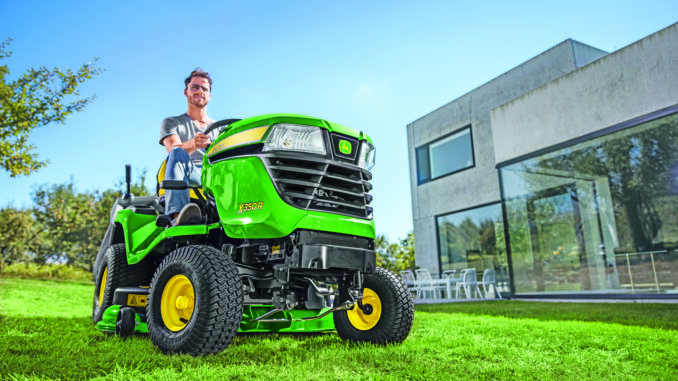
The John Deere LX176 is a residential lawn tractor from Deere’s LX 100 Series, built from 1991 to 1998 with a 14 HP Kawasaki single-cylinder gasoline engine and hydrostatic transmission, making it a good fit for home lawn mowing, light towing, and seasonal yard work rather than heavy ground-engaging jobs. This guide is written for USA and Canada owners who need a practical, symptom-first reference covering repairs, maintenance, parts lookup, manuals, and realistic DIY limits for the John Deere LX176.
For most owners, the LX176 is now an older machine, so the biggest reliability gains usually come from staying ahead of wear items such as belts, filters, blades, battery, switches, and deck components instead of waiting for a complete failure. The sections below focus on what owners actually see first—hard starting, weak mowing performance, vibration, drive complaints, and electrical faults—then link those symptoms back to the systems most likely to need attention.
John Deere LX176 model overview
The John Deere LX176 sits in Deere’s LX lawn tractor range and is the hydrostatic version positioned between nearby LX-series homeowner models rather than a modern heavy-duty garden tractor. Factory information compiled by TractorData lists it as a two-wheel-drive lawn tractor with manual steering, mechanical band brakes, an electric PTO clutch, and available 38-inch, 44-inch, and 48-inch mid-mount mower decks.
In practical terms, that means the LX176 is best for routine mowing on established lawns where smooth hydrostatic speed control matters more than raw towing or slope performance. Owners should think of the machine as four main systems: engine and fuel delivery, mower deck and PTO drive, hydrostatic drive system, and the electrical/safety interlock system that controls starting and blade engagement.
Common John Deere LX176 service parts
These are some of the service and repair parts commonly listed for the LX176 by Deere-focused parts suppliers, and they are the ones owners most often end up replacing during routine maintenance or age-related repairs.
-
Engine oil filter: AM107423.
-
Engine oil: Turf-Gard 10W30 TY22076.
-
Foam air filter: M74285.
-
Paper air filter: M97211.
-
Spark plug: M802138.
-
Inline fuel filter: AM116304 or packaged equivalent GY20709.
-
Primary belt: M110312 or M77988 depending on deck/application, so confirm by serial and deck setup before ordering.
-
Secondary deck belt options listed for LX176 applications include M115776, M154958, and M82462, which again makes deck identification essential.
-
Traction drive belt: M110978.
-
Standard blade: M115495; other blade styles listed include M82408 low lift, M135589 high lift, and mulch/bagging options.
-
Ignition switch: AM120105.
-
Battery: TY25878 or TY258788.
-
Headlight bulb: AM106153.
John Deere LX176 troubleshooting approach
Diagnosis on an LX176 should start with the symptom the owner can verify, not with random parts replacement. A mower that will not crank, a deck that cuts unevenly, or a tractor that suddenly loses drive each points to a different system, and starting with the visible symptom usually saves both money and time.
The main symptom groups for this model are:
-
Starting issues, including no crank, slow crank, or crank-but-won’t-start complaints.
-
Running issues, such as surging, stalling, smoke, or weak power under load.
-
Cut-quality problems, including uneven cut, uncut strips, clumping, or poor discharge.
-
Vibration and noise from the engine, deck, blades, idlers, or chassis.
-
Overheating, burning smells, or visible leaks around the engine or fuel system.
-
Transmission or drive complaints, especially weak hydro response or belt-related movement loss.
-
Electrical and safety-switch faults affecting cranking, PTO operation, or lighting.
Emergency John Deere LX176 repairs
Some LX176 problems need immediate attention because they create a safety risk or can quickly damage expensive parts. A cracked fuel line, severe blade vibration, slipping belt that is already smoking, or a safety-switch bypass issue should move to the top of the repair list before the tractor is used again.
John Deere LX176 starting issues
When an LX176 does not crank or starts only intermittently, the problem often sits in the battery, ignition switch, wiring, or the seat/brake/PTO interlock chain rather than inside the engine itself. Ignoring these faults can leave the tractor stranded or lead owners to misdiagnose a simple electrical issue as a major engine problem.
Common causes
-
Weak or failed 12-volt battery.
-
Corroded battery terminals or bad ground connection.
-
Faulty ignition switch AM120105.
-
PTO left engaged or brake/clutch interlock not satisfied.
-
Failed seat, brake, or PTO safety switch.
-
Dirty spark plug or restricted air/fuel supply if the engine cranks but will not fire.
Basic checks
-
Confirm the PTO is off and the brake/clutch procedure matches the operator instructions.
-
Check battery cable tightness and corrosion first, then battery condition.
-
Inspect the ignition switch, key action, and visible wiring at the switch and solenoid.
-
If the engine cranks, inspect the spark plug, fuel filter, and air filter before assuming internal engine trouble.
John Deere LX176 cut-quality problems
Poor cut quality usually shows up as uneven height, ragged grass tips, clumping, or strips of missed grass, and on an LX176 these complaints are often linked to blade condition, deck cleanliness, belt wear, or tire pressure rather than a major deck failure. Running the tractor with a worn deck belt or bent blade can also create vibration that damages spindle bearings over time.
Common causes
-
Dull, bent, or incorrect blades.
-
Wrong blade style for discharge, mulching, or bagging setup.
-
Deck packed with wet grass debris.
-
Uneven tire pressure affecting deck pitch and side-to-side height.
-
Worn or slipping primary/secondary deck belt.
-
Damaged gauge wheels or deck rollers.
Basic checks
-
Clean the underside of the deck and chute area with the engine off and spark plug disconnected.
-
Check tire pressures and deck level before replacing parts.
-
Inspect blade edges, blade straightness, and hardware tightness.
-
Inspect the deck belts for glazing, cracks, fraying, or obvious looseness.
John Deere LX176 vibration and noise
A vibrating LX176 should not be used until the source is found because blade, spindle, idler, or pulley problems can escalate quickly. Strong vibration may start with something simple such as a bent blade, but it can also point to failing bearings or loose hardware that can damage the mower deck or PTO components.
Common causes
-
Bent, cracked, or unbalanced blade.
-
Blade bolt loose or blade installed incorrectly.
-
Worn spindle bearings or idler bearings.
-
Damaged pulley or belt separating under load.
-
Debris wrapped around spindle shafts or pulleys.
Basic checks
-
Stop using the mower immediately if vibration becomes sudden or severe.
-
Remove and inspect blades for bends, cracks, and balance issues.
-
Spin pulleys and spindles by hand with the belt removed to feel for roughness.
-
Replace damaged belts and hardware before mowing again.
Overheating and leak concerns on the John Deere LX176
Heat-related trouble on an older LX176 often comes from restricted cooling airflow, old oil, fuel seepage, or debris packed around the engine and deck. These issues matter because overheated engines lose power, fuel leaks raise fire risk, and oil leaks can turn into low-oil engine damage if ignored.
Common causes
-
Low or degraded engine oil.
-
Clogged cooling fins or debris around engine shrouds.
-
Dirty air filter causing rich running and power loss.
-
Leaking fuel line, filter, or cap area.
-
Exhaust area packed with dry debris.
Basic checks
-
Check oil level before every use and top up as needed.
-
Inspect the engine compartment for grass buildup, especially near cooling areas and muffler.
-
Replace dirty air and fuel filters if service history is unknown.
-
Do not operate the tractor until any active fuel leak is repaired.
John Deere LX176 transmission and drive problems
Because the LX176 uses hydrostatic drive, owners usually notice problems as weak movement, delayed response, belt slip, or complete loss of travel rather than classic manual-gear complaints. On older machines, external belt wear and linkage issues are more realistic first checks than assuming the hydro unit itself has failed.
Common causes
-
Worn traction drive belt M110978.
-
Belt contamination from oil or debris.
-
Linkage adjustment or pedal return issues.
-
Brake drag or seized wheel issue.
-
Internal hydro wear on very high-hour or neglected machines.
Basic checks
-
Inspect the traction drive belt for wear, glazing, and tension issues.
-
Check for obvious brake drag or a wheel that does not rotate freely when safely raised.
-
Inspect external linkage and pedal return movement for binding.
-
If the belt and linkage are sound but the tractor still barely moves, move the job into advanced diagnosis.
Electrical problems on the John Deere LX176
Electrical faults on the LX176 often show up as intermittent cranking, PTO clutch problems, dead lights, or nuisance shutdowns that feel random to the owner. The key is to inspect the simple items first because corroded connections and aging switches are common on older residential tractors.
Common causes
-
Battery or charging issue in the 12-volt system.
-
Corroded terminals or poor grounds.
-
Ignition switch failure.
-
Faulty safety switch or damaged wiring at the seat or PTO circuit.
-
Burned headlight bulb AM106153.
Basic checks
-
Start with battery voltage and clean cable connections.
-
Verify whether the problem affects cranking, PTO, lights, or charging only.
-
Inspect visible wiring near the battery, ignition switch, and under-seat area.
-
Replace obvious wear items before chasing deeper harness problems.
DIY or dealer guide
For the LX176, the normal line is simple: routine maintenance, blade and belt work, and basic electrical diagnosis are realistic DIY jobs, while hydrostatic transmission diagnosis, internal engine work, and difficult electrical tracing are usually better handled by an experienced technician.
Good DIY jobs
-
Engine oil and filter service.
-
Air filter, fuel filter, and spark plug replacement.
-
Blade inspection, sharpening, and replacement.
-
Deck cleaning, leveling checks, and tire-pressure correction.
-
Battery replacement and terminal cleaning.
-
Visible belt replacement when routing is confirmed by the parts diagram.
Advanced DIY or dealer jobs
-
Hydrostatic drive diagnosis beyond simple belt and linkage inspection.
-
Spindle, idler, or PTO clutch replacement when seized hardware or alignment issues are involved.
-
Carburetor rebuilding, governor adjustment, or compression-related engine diagnosis.
-
Safety-circuit electrical tracing when the fault is intermittent and not obvious at the switch level.
Skill guide
-
Beginner: filters, spark plug, battery, deck cleaning, visual belt inspection.
-
Intermediate: blade replacement, deck leveling, belt replacement, switch replacement, basic multimeter checks.
-
Advanced: spindle work, PTO clutch diagnosis, carburetor service, hydro drive diagnosis, wiring fault tracing.
John Deere LX176 parts needed before ordering
Before ordering LX176 parts, gather the full model name, the tractor product identification or serial number, the engine model and serial from the engine itself, and the mower deck size because Deere lists multiple deck widths and more than one belt or blade option for this tractor family. Skipping that step is one of the main reasons owners end up with the wrong belt, wrong blade lift profile, or the wrong switch harness.
OEM parts are the safer choice for belts, ignition/safety components, and fit-sensitive deck parts because belt length, width, and pulley compatibility matter on older Deere tractors. Aftermarket parts can be reasonable for filters, spark plugs, blades, and batteries if the seller clearly cross-references the exact OEM number and deck configuration.
John Deere LX176 diagrams and manuals
The best sources for LX176 diagrams and manuals are Deere’s own parts and support pages, the Deere technical publications system referenced by TractorData, the archived operator’s manual listing, and a Deere-focused maintenance page that already groups several high-frequency service parts.
-
John Deere lawn mower parts and catalog tools — useful for official parts catalog access, maintenance support, and Deere’s guidance on where to find model and engine numbers.
-
Archived John Deere operator’s manual listing for LX172/LX176/LX178/LX186 — useful as a locator for the operator manual family covering the LX176.
-
TractorData John Deere LX176 reference page — useful for production years, tractor configuration, deck options, serial-number location, and the technical publication numbers it references.
-
Green Farm Parts John Deere LX176 maintenance guide — useful for common service part numbers and frequently purchased repair items.
How to locate John Deere LX176 serial and engine numbers
These numbers matter because Deere changed manuals over time, the LX176 used multiple deck options, and engine-specific parts can differ from tractor chassis parts. The fastest way to avoid ordering mistakes is to record all identification numbers before opening any parts page.
-
Check the rear of the tractor above the hitch area for the LX176 serial-number decal; TractorData identifies that as the serial-number location.
-
Record the exact model designation from the identification tag, not just “LX series.”
-
Inspect the engine itself for its model and serial information because Deere notes that engine numbers are found directly on the engine.
-
Confirm the mower deck width fitted to the tractor—38-inch, 44-inch, or 48-inch—before ordering belts or blades.
-
Keep those numbers with your manual or parts log so future reorders match the same configuration.
Buying John Deere LX176 parts online and in stores
A good buying strategy for an older LX176 is to use official Deere references first, identify the OEM number, and only then compare price and availability online or at a local dealer. That approach is especially important for belts, deck parts, and electrical items because the tractor can be confused with nearby LX models.
-
Online: verify the OEM number, deck size, and serial-sensitive fit notes before checkout; Deere’s official parts portal is the safest starting point.
-
Dealer counter: best for serial-specific parts, switch issues, belt routing questions, and discontinued part substitutions.
-
Retail stores: acceptable for oil, spark plugs, batteries, and some filters if the packaging clearly cross-references the OEM number and application.
Useful starting points:
John Deere LX176 fitting guide for common parts
The most useful DIY jobs on an LX176 are the routine repairs that directly improve starting, running, and cut quality. Always park on level ground, remove the key, and disconnect the spark plug wire before working around blades, belts, or the deck.
Replacing the air filter on a John Deere LX176
A fresh air filter helps with hard starting, rich running, and power loss under mowing load.
-
Raise the hood and make sure the engine is cool before opening the air cleaner housing.
-
Remove the old paper element and foam pre-filter.
-
Clean loose dirt from the housing so debris does not fall into the intake.
-
Install the correct foam filter M74285 and paper element M97211 if both are due.
-
Refit the cover carefully so it seals evenly.
Replacing the John Deere LX176 fuel filter
Fuel-filter replacement is a high-value job when the engine surges, starves for fuel, or has been sitting with old gasoline.
-
Shut off fuel flow if your setup allows it, or clamp the line gently before removing the old inline filter.
-
Note the direction of fuel flow on the old filter before removal.
-
Install the replacement filter AM116304 or the packaged equivalent GY20709 in the same direction.
-
Secure the line clamps and inspect for leaks before restarting.
-
Start the engine and verify that fuel is moving cleanly through the filter without seepage.
Changing the spark plug on a John Deere LX176
Spark-plug service often improves difficult starting, rough idle, and misfire complaints on older gasoline tractors.
-
Disconnect the spark plug wire and clear dirt from around the plug first.
-
Remove the old plug and compare it to the replacement M802138.
-
Check the new plug gap to the specification in the correct operator or engine manual before installation.
-
Thread the new plug in by hand first to avoid cross-threading.
-
Tighten correctly, reinstall the plug wire, and test start the tractor.
Replacing blades on the John Deere LX176
Blade replacement or sharpening directly affects cut quality, discharge performance, and vibration.
-
Disable ignition by removing the key and disconnecting the spark plug wire.
-
Raise and secure access to the deck safely, then remove each blade with the correct tool.
-
Inspect blades for bends or cracks; replace rather than sharpen if damage is visible.
-
Install the correct blade set for your deck and intended use, such as standard M115495 or a high-lift alternative where appropriate.
-
Tighten hardware properly and verify that both blades rotate freely before mowing.
Replacing a John Deere LX176 deck belt
Deck-belt replacement is one of the most common repairs when blades stop, discharge weakens, or the deck squeals under load.
-
Confirm the exact deck size and belt number before removal because several belt numbers are listed for LX176 applications.
-
Photograph the old routing or use the parts diagram before taking the belt off.
-
Remove belt guards as needed and release belt tension from the idler path.
-
Install the replacement belt on all pulleys in the correct orientation and make sure it seats fully in pulley grooves.
-
Spin the system by hand, refit guards, and test PTO engagement briefly before returning to mowing.
Maintenance to prevent John Deere LX176 problems
Routine maintenance prevents most recurring LX176 issues because the tractor’s common faults usually start as neglected wear items rather than sudden major failures. On an older homeowner tractor, simple habits such as keeping the deck clean, changing filters on time, and inspecting belts early do more for reliability than reactive repairs after a breakdown.
Focus areas:
-
Starting reliability: keep the battery charged, terminals clean, and the spark plug and filters in serviceable condition.
-
Cut quality: sharpen or replace blades, keep tire pressures even, and remove deck buildup regularly.
-
Fire and overheating prevention: clear dry grass from the engine, muffler, and deck area, and correct any fuel leak immediately.
-
Drive performance: inspect the traction belt and linkage before weak movement becomes a no-drive complaint.
-
Electrical reliability: protect terminals from corrosion and replace worn switches before they become intermittent.
John Deere LX176 maintenance schedule
The most reliable maintenance baseline for the LX176 comes from the service intervals listed on Deere-focused maintenance references: oil filter at every 5/50/250 hours, engine oil at 5/50/150/250 hours, grease as needed, plus regular inspection of blades, belts, spark plug, air filter, and fuel filter. Deere’s current mower-maintenance guidance also stresses checking oil before use, servicing the air filter, spark plug, blades, belts, and deck on a routine schedule.
Daily / before each use
-
Check engine oil level and add oil if required.
-
Inspect for fuel leaks, loose parts, and obvious belt or blade damage.
-
Check the deck and engine area for grass buildup and fire-risk debris.
-
Verify tire condition and general safe operation controls.
After 5 hours / initial service
-
Change engine oil after the initial break-in interval listed by the maintenance guide.
-
Inspect the oil filter, belts, and fasteners for early seepage or loosening.
-
Recheck blade hardware and deck condition after early use.
Every 25 hours
-
Inspect and clean the air-filter system more often in dusty mowing conditions.
-
Clean the deck underside and inspect blades for sharpness and balance.
-
Inspect battery terminals and visible electrical connections for corrosion.
Every 50 hours or yearly
-
Change engine oil and replace the oil filter AM107423.
-
Inspect or replace the spark plug as needed.
-
Inspect belts, pulleys, and idlers for cracks, wear, or noise.
-
Check fuel filter condition and replace if flow is restricted or age is unknown.
Every 150 to 250 hours
-
Change engine oil again at the 150-hour point listed in the maintenance guide and replace the oil filter again at the 250-hour point where applicable.
-
Review traction-belt, deck-belt, blade, battery, and switch condition closely because many age-related failures show up by this stage.
-
Inspect the machine for larger wear items such as spindle roughness, steering play, or chronic wiring issues.
Seasonal checklist
-
Spring: oil service if due, battery check, air and fuel filter inspection, sharpen blades, clean deck thoroughly.
-
Mid-season: inspect belts, clean cooling areas, check tire pressures, and correct any cut-quality complaint early.
-
Fall or storage season: clean the tractor fully, stabilize fuel or drain as appropriate, remove debris, and address leaks before parking it long term.
Repair, upgrade, or replace the John Deere LX176?
The LX176 is worth repairing when the chassis, deck shell, and engine fundamentals are still sound, because many common failures are routine wear items and parts support is still reasonably traceable through Deere references and specialist suppliers. Replacement becomes more sensible when the tractor needs several major systems at once—such as hydro work, major deck rebuilding, and electrical repairs—especially if the machine’s overall condition is poor.
Repair if
-
The problem is limited to maintenance parts, belts, blades, battery, switches, or fuel/air service items.
-
The engine starts and runs well once basic service is caught up.
-
The deck shell, frame, and steering are still structurally sound.
Upgrade if
-
You mainly want better mulching, bagging, or discharge performance and can solve it with the right blade type or mulch kit rather than replacing the tractor.
-
You need better reliability from an aging ignition, battery, or lighting setup and the rest of the machine is sound.
-
Your current problem is really a maintenance backlog, not a fatal design limitation.
Replace if
-
The tractor has weak drive, heavy deck wear, major engine problems, and electrical faults at the same time.
-
Parts costs approach the value of a cleaner used replacement machine.
-
The machine no longer fits your property size or mowing workload.
John Deere LX176 troubleshooting FAQ
1. Why will my John Deere LX176 not start?
The first split is whether the engine will not crank at all or whether it cranks but does not fire. No-crank faults usually point to the battery, terminals, ignition switch, or safety interlocks, while crank-no-start complaints push you toward spark, fuel delivery, or air-filter checks. On an LX176, age-related electrical issues are common enough that battery and switch checks should come before deeper engine diagnosis.
2. Why does my John Deere LX176 crank slowly?
Slow cranking usually means weak battery output, high cable resistance, or poor ground connection rather than a sudden internal engine seizure. Check terminal corrosion, cable tightness, and battery condition first. If those are sound and cranking is still weak, the starter circuit needs closer testing.
3. Why does my John Deere LX176 crank but not fire?
Start with the fuel filter, spark plug, and air-filter system because they are common service items on this model. Old fuel, a plugged inline filter, or a fouled plug can all give a crank-no-start symptom. If routine service items are good, move on to spark and fuel-delivery testing instead of guessing.
4. Why does my John Deere LX176 stall after a few minutes?
That pattern often points to restricted fuel flow, venting trouble, or ignition weakness that shows up once the engine warms. A partially blocked fuel filter is a realistic first check on an older LX176. Heat and debris around the engine can also contribute to power loss and shutdown.
5. Why is my John Deere LX176 running rough?
Rough running usually comes from tune-up neglect, dirty filters, stale fuel, or spark-plug issues before it comes from internal engine damage. Replace overdue service items and confirm the engine is breathing and fueling correctly. If roughness remains, carburetion or compression testing becomes the next step.
6. Why does my John Deere LX176 surge at idle or mowing speed?
Surging often means the engine is not getting stable fuel flow or the mixture is inconsistent. On an LX176, start with fresh fuel, the inline filter, and the air-filter assembly before moving deeper. If the tractor has been stored for a long period, carburetor cleaning may be needed.
7. Why does my John Deere LX176 lose power in tall grass?
Tall or wet grass raises deck load sharply, so weak blades, deck buildup, and worn belts become more obvious. Check whether the blades are sharp and correct for your deck setup, then inspect the deck belt for slip. A dirty air filter can also reduce engine power under load.
8. Why is my John Deere LX176 smoking?
Smoke color matters, but in general you should first check the oil level, air filter, and whether debris is causing the engine to run hot. Overfilling oil or running with a dirty filter can trigger visible exhaust issues. Persistent smoke after basic service can point to deeper engine wear.
9. Why won’t my John Deere LX176 battery stay charged?
The LX176 uses a 12-volt electrical system with flywheel alternator charging, so repeat battery failure can be caused by the battery itself, bad cable connections, or a charging-system fault. Clean and tighten the cables before condemning the charging system. If a good battery still goes flat, charging output and parasitic drain need testing.
10. Why do the headlights on my John Deere LX176 not work?
Start with the bulb because AM106153 is listed as the replacement headlight bulb for this model family. After that, inspect visible wiring, switch function, and battery condition. Lighting problems on older tractors are often simpler than they first appear.
11. Why does my John Deere LX176 cut unevenly?
Uneven cut is usually caused by tire-pressure differences, deck-level problems, worn blades, or a dirty deck rather than by a major transmission or engine fault. Correct the basics first: tire pressure, deck cleanliness, and blade condition. Only then move on to checking deck hardware or spindle wear.
12. Why does my John Deere LX176 leave strips of uncut grass?
This usually means the blades are dull, the deck is loaded with debris, ground speed is too high for conditions, or airflow under the deck is poor. Blade style also matters because Deere lists several blade options for LX176 decks. Matching the blade type to the deck and mowing setup often improves results quickly.
13. Why is my John Deere LX176 cutting with ragged grass tips?
Ragged tips are a classic sign of dull blades. Remove the blades and inspect for edge wear, bends, or balance issues. Re-sharpening helps if the blade is sound, but cracked or badly bent blades should be replaced.
14. Why does my John Deere LX176 deck clog?
Deck clogging is more common in wet, overgrown grass and when the underside of the deck already has heavy buildup. Dull blades and weak belt-driven blade speed also reduce discharge performance. Clean the deck fully and inspect belts and blades before changing more expensive parts.
15. Why do the blades on my John Deere LX176 not engage properly?
Because the LX176 uses an electric PTO clutch, blade-engagement complaints can involve the PTO switch, wiring, clutch circuit, or the deck belt path after the clutch turns. First decide whether the clutch is failing to engage or whether the belt system is slipping after engagement. That symptom split usually narrows the diagnosis quickly.
16. Why does my John Deere LX176 throw the belt?
A belt that jumps off usually points to wrong routing, worn idlers, pulley misalignment, damaged belt guides, or an incorrect belt length. Since multiple belt numbers are listed for LX176 applications, always confirm the exact deck and OEM number first. Running the wrong belt can create repeat failures even if everything else looks fine.
17. Why does my John Deere LX176 deck belt squeal?
Squealing usually means slip, glazing, contamination, or a seized pulley bearing. Inspect the belt surface and pulley rotation before replacing parts at random. If the belt is oil-soaked or badly polished, replacement is usually the better fix.
18. Why is my John Deere LX176 vibrating when mowing?
Mowing vibration usually comes from the rotating deck system first: bent blades, unbalanced blades, spindle wear, wrapped debris, or pulley trouble. Stop mowing and inspect the deck before the vibration damages more parts. Continuing to use the tractor in that condition can turn a blade issue into a spindle or deck problem.
19. Why does my John Deere LX176 make a knocking or rattling sound?
The location of the noise matters. A rattle from the deck area may be loose hardware, bad idlers, or blade trouble, while engine-area knocking needs much more caution. Always rule out external loose parts before assuming serious engine damage.
20. Why does my John Deere LX176 smell hot after mowing?
A hot smell often comes from slipping belts, packed grass around hot components, or overheating due to restricted airflow. Inspect the deck, muffler area, and belts immediately. Do not store the tractor with dry debris packed around the exhaust area.
21. Why is oil leaking from my John Deere LX176?
An oil leak should be taken seriously because low oil level can quickly create engine damage. Start by confirming whether the leak is engine oil and not fuel or general grime, then inspect around the filter, drain, and engine exterior. Clean surfaces first so you can trace the fresh leak accurately.
22. Why is fuel leaking on my John Deere LX176?
Do not keep using the tractor with an active fuel leak because it raises fire risk. Check the inline filter area, hoses, clamps, and fuel cap region first because those are practical owner-level fault points. Repair the leak before restarting the machine.
23. Why won’t my John Deere LX176 move or barely move?
Since the LX176 is hydrostatic, poor movement often begins with the traction drive belt or external linkage rather than an immediate internal hydro failure. Inspect belt condition, linkage movement, and any brake drag first. If the belt and linkage are good, further hydro diagnosis becomes a more advanced job.
24. Why does my John Deere LX176 lose drive uphill?
Uphill weakness may indicate a worn traction belt, linkage issues, brake drag, or hydro wear that only becomes obvious under load. Start with the external drive system because that is cheaper and easier to verify. If the tractor is otherwise well serviced and still fades badly on hills, the transmission side needs deeper evaluation.
25. Why does my John Deere LX176 jerk when I change speed?
Jerky response often points to linkage wear, sticky control movement, or belt-related drive inconsistency. Inspect the pedal and linkage for smooth travel before assuming major internal hydro damage. On an older mower, a simple external bind is common.
26. Why does my John Deere LX176 shut off when I leave the seat?
That usually means the seat safety system is doing its job or the tractor is interpreting an unsafe condition through the interlock circuit. If shutdowns happen unpredictably, inspect the seat switch and related wiring for wear or looseness. Do not bypass safety switches as a permanent fix.
27. Why won’t my John Deere LX176 PTO engage?
On this model, PTO trouble can involve the switch, wiring, safety circuit, battery condition, or the electric clutch itself. Check the easy items first: battery state, switch function, and whether the interlocks are satisfied. Then determine whether power is reaching the clutch before replacing expensive parts.
28. Why does my John Deere LX176 keep blowing fuses or acting intermittently?
Intermittent electrical faults often come from rubbed wiring, moisture, corroded connectors, or failing switches. Because the LX176 is an older tractor, wiring age alone can be a factor. Inspect the harness where it flexes near moving parts and under the seat before digging deeper.
29. How often should I service my John Deere LX176?
Use the maintenance guide as the baseline: check oil before each use, change engine oil at the listed intervals, replace the oil filter at the listed service points, and inspect filters, blades, and belts routinely. The Green Farm Parts guide specifically lists oil at 5/50/150/250 hours and oil filter at 5/50/250 hours for the LX176. Dust, heat, and heavy mowing conditions justify shorter intervals.
30. Which oil filter fits a John Deere LX176?
The LX176 maintenance guide lists AM107423 as the engine oil filter. It is smart to confirm that number against your exact engine information before ordering, especially on an older tractor that may have had engine-related changes over time. Using the correct filter matters for fit and sealing.
31. Which spark plug fits a John Deere LX176?
The service-parts list for the LX176 identifies spark plug M802138. Before installation, confirm the plug specification and gap in the correct operator or engine documentation for your machine. That extra check helps avoid mismatch problems from generic online listings.
32. Which fuel filter fits a John Deere LX176?
The common inline fuel filter listed for the LX176 is AM116304, and Green Farm Parts also lists packaged equivalent GY20709. Either way, verify hose size and application before ordering. Fuel-system parts are simple to replace, but only if the direction of flow and fit are correct.
33. What deck sizes were available on the John Deere LX176?
TractorData lists 38-inch, 44-inch, and 48-inch mid-mount mower decks for the LX176. That matters because blades and belts can differ significantly by deck. Always identify the fitted deck before purchasing cutting parts.
34. Where is the serial number on a John Deere LX176?
TractorData places the serial-number decal on the rear of the tractor above the hitch. Deere also notes more generally that the model and serial information are on the machine identification tag, while engine numbers are located on the engine itself. Record both before ordering any part that may be serial-sensitive.
35. Is the John Deere LX176 worth fixing today?
Often yes, if the tractor mainly needs wear items and the engine, deck shell, and hydro drive are still fundamentally sound. It becomes harder to justify when multiple expensive systems need work at once or when rust and structural wear are already severe. For many owners, the right answer depends less on age alone and more on whether the current problems are routine-service issues or major-system failures.