
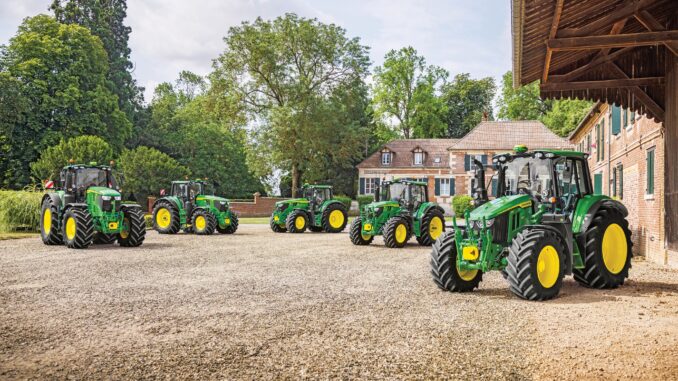
The term John Deere Horicon usually points owners to machines and attachments built at John Deere’s Horicon Works in Wisconsin rather than to a single consumer model, which means repair success starts with identifying the exact machine, deck, attachment, and serial number before ordering parts or following any procedure. John Deere directs owners to its manuals and training hub for operator, technical, and parts publications, and to its parts portal for equipment-specific parts lookup and maintenance information.
For homeowner and DIY users in the USA and Canada, this guide is built as a practical symptom-first reference for finding the right John Deere Horicon parts, diagrams, and manuals, deciding what is realistic to repair at home, and avoiding mistakes caused by ordering against the wrong serial range. John Deere’s official resources specifically support manual lookup, parts catalog access, quick reference maintenance information, and dealer-supported diagnostics for more advanced work.
John Deere Horicon model overview
“Horicon” is most often a factory designation found on ID plates and in older and newer John Deere literature, especially on lawn and garden equipment, riding mowers, and certain attachments produced at Horicon Works in Wisconsin. Deere’s own materials reference Horicon Works in the context of the company’s lawn and garden manufacturing history, while official parts and publications systems are organized around the exact machine model rather than the factory name alone.
In practical terms, owners searching for a John Deere Horicon repair guide are usually trying to fix a riding mower, lawn tractor, garden tractor attachment, or related residential equipment that carries a Horicon-built identification prefix. Because Deere manuals and parts support are model-specific, the most important first step is confirming the actual equipment designation on the tag before treating “Horicon” as the model name.
General overview of the John Deere Horicon equipment family
John Deere Horicon-built equipment commonly falls into the residential lawn and garden category, where the main systems owners deal with are the engine and fuel system, mower or attachment drive components, electrical and safety interlock circuits, steering and chassis items, and belts, blades, or driven accessories depending on the machine. Deere’s parts and support portals are designed around these service areas, with manuals, quick reference guides, and parts lookup tied to the exact model and serial information.
Common service parts on Horicon-built tractors and mower attachments often include engine air filters, fuel filters, spark plugs, mower drive belts, deck belts, blades, battery-related electrical parts, seat or PTO safety switches, and attachment wear items. For snow or front-mounted attachments shown in Deere parts literature tied to Horicon Works, owners also commonly encounter shear bolts, skid shoes, scraper edges, chains, and gearbox-related consumables, but exact part numbers depend entirely on the model and serial range.
John Deere Horicon troubleshooting approach
Diagnosis should start with the symptom the owner actually sees: no-start, weak cranking, rough running, uneven mowing, belt slip, vibration, attachment stoppage, or safety-switch shutdown. Deere’s support ecosystem separates operator guidance, quick reference maintenance information, parts lookup, and dealer-level diagnostics, which is a useful framework for deciding whether the problem is simple service, a parts replacement, or something requiring technical support.
For most Horicon-built homeowner equipment, the main symptom groups are:
-
Starting issues, such as no crank, slow crank, or starts then stalls.
-
Running issues, such as surging, poor throttle response, smoke, or power loss.
-
Cut-quality or attachment-performance issues, such as poor mowing, poor discharge, or weak snow throwing.
-
Vibration and noise, especially from blades, pulleys, belts, bearings, augers, or driveline parts.
-
Overheating and leak issues, including packed debris, oil seepage, and fuel-system problems.
-
Transmission, traction, or drive issues on tractors and riding mowers.
-
Electrical and safety-switch faults affecting PTO engagement or starting circuits.
Emergency John Deere Horicon repair needs
Some faults need immediate attention because they create a safety hazard or can quickly damage expensive components. Deere emphasizes safe operation and proper use of operator and technical publications, and that matters most when a machine has severe vibration, fuel leakage, electrical shorting, or a failed rotating or drive component.
1. Starting issues
A no-start or hard-start problem becomes urgent when repeated cranking overheats the starter, drains the battery, or tempts the owner to bypass safety systems. On Horicon-built tractors, common causes include a weak battery, poor cable connections, bad fuel, a plugged air filter, fouled spark plug, or an open safety-interlock circuit affecting the start path.
Common causes:
-
Discharged or failing battery.
-
Corroded battery cables or poor ground.
-
Stale fuel or restricted fuel delivery.
-
Dirty air filter or fouled spark plug.
-
Seat, brake, PTO, or neutral safety switch fault.
Basic owner checks:
-
Confirm PTO is off, brake is applied, and the machine is in the correct start position.
-
Inspect battery terminals for corrosion and verify tight cable connections.
-
Replace stale fuel if the machine has been sitting.
-
Check and service the air filter and spark plug if due.
-
Stop and move to dealer-level diagnosis if the wiring harness heats up, fuses blow repeatedly, or the starter only clicks after basic checks.
2. John Deere Horicon cut-quality problems
Poor mowing, ragged cutting, clumping, or weak discharge usually means a blade, belt, deck-leveling, or buildup problem rather than an engine failure. If the owner keeps mowing with a slipping belt, bent blade, or packed deck shell, the problem can spread into spindle, pulley, and belt damage.
Common causes:
-
Dull, bent, or unbalanced blades.
-
Worn or stretched deck belt.
-
Deck packed with grass buildup.
-
Incorrect deck leveling.
-
Low engine speed under load.
Basic owner checks:
-
Clean the underside of the deck with the engine off and key removed.
-
Inspect blades for damage, edge condition, and tight mounting.
-
Check belt routing and pulley condition against the correct parts diagram.
-
Verify tire pressures before checking deck level.
-
Stop using the deck if vibration starts immediately after blade contact with an object.
3. John Deere Horicon vibration and noise
Sudden vibration is one of the clearest stop-now symptoms because it can point to a bent blade, damaged spindle, failing pulley, loose engine hardware, or attachment imbalance. Continuing to run the machine can turn a simple blade replacement into spindle housing, deck shell, or crankshaft damage.
Common causes:
-
Bent or unbalanced blade.
-
Worn spindle bearings.
-
Belt damage or pulley wobble.
-
Loose mounting hardware.
-
Attachment driveline imbalance.
Basic owner checks:
-
Shut down immediately and inspect for obvious blade or attachment damage.
-
Spin pulleys and spindles by hand only with ignition disabled and the machine secured.
-
Check belt condition for fraying, glazing, or missing chunks.
-
Tighten visible mounting hardware to specification from the correct manual.
-
Use dealer service if vibration remains after blade and belt inspection.
4. Overheating and leaks
Heat buildup and leaks matter because residential Deere tractors and riders often work in dusty, debris-heavy conditions that clog cooling areas and increase fire risk. Oil or fuel leaks should be fixed quickly, especially where leaking fluid can reach hot engine surfaces or belts.
Common causes:
-
Grass and debris packed around cooling fins or screens.
-
Low engine oil.
-
Fuel line seepage or cracked hoses.
-
Dirty air intake path.
-
Oil leaks from seals, drain fittings, or filters.
Basic owner checks:
-
Clean exterior cooling areas and remove dry debris.
-
Check engine oil level before further use.
-
Inspect visible fuel lines and clamps.
-
Replace damaged filters or hoses with the exact correct part.
-
Do not operate the machine if raw fuel leakage is present.
5. John Deere Horicon transmission or drive problems
If the machine loses traction, will not move, slips on hills, or changes speed unpredictably, the cause may be as simple as a worn drive belt or as serious as internal hydrostatic or transaxle issues. This is a high-priority category because belt fragments, overheating, or repeated slipping can damage pulleys and transmission-related components.
Common causes:
-
Worn or slipping drive belt.
-
Idler or tensioner problems.
-
Linkage adjustment issues.
-
Low traction from tire or brake drag problems.
-
Internal transaxle wear on older units.
Basic owner checks:
-
Inspect the drive belt and idlers with the engine off.
-
Confirm the freewheel or transmission bypass control is fully engaged for operation.
-
Check for dragging brakes or seized wheel components.
-
Compare belt routing with the proper parts diagram.
-
Move to dealer diagnosis if the machine still will not drive after belt and linkage checks.
6. John Deere Horicon electrical problems
Electrical faults are common on older homeowner equipment because vibration, moisture, and corrosion affect connectors, switches, fuses, and grounds over time. Deere’s support tools include operator publications for basic checks and Customer Service ADVISOR for more advanced diagnostics, which is a sign that electrical troubleshooting quickly becomes more specialized once simple tests are exhausted.
Common causes:
-
Corroded connectors or grounds.
-
Failed seat, PTO, brake, or neutral switch.
-
Blown fuse from shorted wiring.
-
Weak battery or charging issue.
-
Damaged harness insulation.
Basic owner checks:
-
Start with battery state and terminal condition.
-
Inspect visible fuses and replace only with the correct rating.
-
Check safety-switch operation one circuit at a time.
-
Look for rubbed-through wires near moving parts.
-
Stop DIY work if bypassing or probing the circuit could defeat safety functions.
DIY or dealer?
With John Deere Horicon-built homeowner equipment, the usual DIY line is routine service, wear parts, and clearly visible bolt-on components, while dealer or advanced DIY work starts when diagnosis requires electrical tracing, hydrostatic transmission work, engine internals, or serial-number-sensitive adjustments. Deere’s own support structure reflects that split by offering operator manuals, quick reference guides, and parts lookup for owners, while reserving deeper diagnostic capability for Customer Service ADVISOR and dealer support.
Good DIY jobs
-
Air filter, pre-cleaner, and fuel filter replacement.
-
Spark plug service.
-
Blade removal and replacement.
-
Deck belt replacement when routing is confirmed.
-
Battery replacement and terminal cleaning.
-
Skid shoe, shear bolt, and scraper-edge replacement on compatible attachments.
Advanced DIY or dealer jobs
-
Carburetor or EFI diagnosis beyond basic fuel checks.
-
Charging-system fault tracing.
-
Harness repair and safety-switch circuit diagnosis.
-
Hydrostatic transmission or transaxle repairs.
-
Spindle housing replacement if shafts or housings are damaged.
-
Gearbox or chaincase repairs on snow or front-mounted attachments.
Skill level guide
-
Beginner: filters, spark plugs, battery service, blade inspection, deck cleaning.
-
Intermediate: deck belt replacement, switch replacement, deck leveling, pulley replacement.
-
Advanced: electrical diagnosis, spindle rebuilds, engine teardown, hydrostatic or gearbox repairs.
Parts for John Deere Horicon: what you need first
Before ordering any John Deere Horicon repair parts, collect the full model designation, the product identification number or serial number from the machine tag, and the engine model and serial if the equipment is a tractor or rider. Deere’s official parts and manual systems are centered on exact equipment identification, and older Horicon-built machines can have important serial-break changes that make a visual match unreliable.
The most practical rule is simple: never order belts, blades, switches, electrical parts, or attachment driveline parts from the word “Horicon” alone. Use “Horicon” only as a clue to factory origin, then verify the actual machine model and serial range in the Deere publications or parts catalog before buying.
John Deere Horicon parts table
Because “Horicon” is a factory reference rather than one single retail model, the table below focuses on the parts categories owners most often need and the identification details required before an OEM number can be confirmed in Deere’s official catalog.
OEM versus aftermarket guidance is fairly consistent for this category of equipment. OEM parts are the safer choice for belts, safety switches, fit-sensitive deck or drive items, and anything tied to a serial break, while quality aftermarket parts are usually acceptable for common consumables such as some filters, spark plugs, batteries, and standard blades if the cross-reference is exact.
John Deere Horicon manuals and diagrams
The best starting points for manuals and diagrams are Deere’s official publications portal and official parts portal. Deere states that owners can download, view, and purchase operator manuals, technical manuals, and parts catalogs online, and the parts site is built for equipment-specific parts lookup and maintenance support.
Useful sources:
-
John Deere Manuals & Training — for operator manuals, technical manuals, parts catalogs, quick reference materials, and Customer Service ADVISOR access points.
-
John Deere Parts — for equipment-specific parts lookup, maintenance parts, and dealer-linked ordering paths.
-
Shop.Deere.com / parts portal access — useful when the exact model has been identified and the owner is ready to cross-check part numbers.
-
Deere dealer parts counter — best when the machine has missing tags, serial-range ambiguity, or several running changes that make online ordering risky.
How to locate John Deere Horicon numbers
These numbers matter because Deere manuals, parts diagrams, and many repair decisions depend on the exact machine identity, not just the factory where it was built. Older Horicon-built equipment often carries model and serial information on a machine tag, while engine information is commonly separate and must also be recorded for ignition, air, and fuel service parts.
-
Find the machine identification tag or plate on the tractor frame, body, or attachment housing.
-
Record the full model designation exactly as shown, including letters and number prefixes.
-
Record the serial number or PIN exactly, including all characters.
-
Find the engine model, type, and serial on the engine label or shroud if the machine is a tractor or rider.
-
Match all of that information against Deere’s manuals or parts portal before ordering.
Buying John Deere Horicon parts
The smartest buying strategy is to identify the machine first, verify the parts diagram second, and order only after confirming the serial range and deck or attachment version. Deere’s official systems are set up for that workflow, and it is the best way to avoid buying the wrong belt, switch, blade, or attachment hardware.
-
Online: use Deere’s official parts resources when you already have the exact model and serial details, and compare every fit-sensitive item against the diagram first. Start here: deere.com/en/parts-and-service/parts/.
-
Dealer counter: use this for serial-specific items, missing tags, electrical parts, and anything safety-related. Deere’s manuals and training page also points owners back to dealer-supported support tools for advanced needs.
-
Retail stores: acceptable for common consumables such as some spark plugs, batteries, and filters, but only if the packaging clearly cross-references the exact machine or engine model. Do not use retail shelf matching for belts or safety switches unless the cross-reference is exact.
Step-by-step John Deere Horicon fitting guide
The best DIY repairs on Horicon-built homeowner equipment are the jobs that solve common symptoms without opening up major assemblies. The exact torque values and procedures still depend on the correct model manual, but the following fitting guide matches the kind of maintenance Deere supports through owner manuals and quick reference materials.
Replace the air filter
A dirty air filter can cause hard starting, rich running, black smoke, and power loss.
-
Park safely, remove the key, and let the engine cool.
-
Open the air cleaner housing and remove the old filter and pre-cleaner.
-
Wipe dust from the housing without pushing dirt into the intake.
-
Install the correct replacement parts matched to the engine model.
-
Refit the cover carefully so the seal seats evenly.
Change the spark plug
Spark plug service helps with hard starting, misfire, and rough running.
-
Disconnect the spark plug lead.
-
Remove the old plug with the correct socket.
-
Check condition for fouling, oiling, or heavy wear that may indicate another problem.
-
Set the replacement plug gap only if the engine specification requires it.
-
Install and tighten to the manual specification, then reconnect the lead.
Replace mower blades
Fresh, straight blades restore cut quality and reduce vibration.
-
Disable ignition and secure the machine so the deck cannot move unexpectedly.
-
Remove the blade hardware and note blade orientation.
-
Inspect the spindle area for damage before installing new blades.
-
Fit matched blades for the exact deck width and system.
-
Tighten hardware to the specification in the correct operator or technical manual.
Replace a deck belt
A worn deck belt causes poor cutting, weak discharge, squeal, and intermittent blade drive.
-
Confirm the exact deck model and obtain the proper routing diagram.
-
Lower the deck and remove guards as needed for access.
-
Release belt tension carefully and remove the worn belt.
-
Inspect idlers and pulleys before fitting the new belt.
-
Route the belt exactly as shown in the diagram and verify full seating in every pulley groove.
-
Refit guards and test engagement at low risk before returning to normal use.
John Deere Horicon maintenance prevention
Regular maintenance prevents most of the expensive faults owners blame on “bad parts,” especially on older Horicon-built tractors and attachments. Deere’s support pages emphasize operator manuals, quick reference guides, maintenance parts access, and DIY maintenance videos, all of which point to the same idea: small scheduled service tasks prevent larger repair bills.
Focus areas:
-
Starting reliability: keep the battery charged, fuel fresh, and ignition and air-intake parts serviced.
-
Cut or throw quality: keep blades, belts, skid-contact parts, and housings in good condition, and clear buildup regularly.
-
Fire and overheating prevention: remove dry grass and debris from engine and deck areas, and fix fuel leaks immediately.
-
Drive performance: inspect drive belts, idlers, and linkage before they fail in use.
-
Electrical reliability: protect terminals and connectors from corrosion and replace damaged switches before they create intermittent faults.
John Deere Horicon maintenance schedule
The exact schedule depends on the specific Horicon-built machine, but Deere makes operator manuals, quick reference guides, and maintenance support available precisely because service intervals must be matched to the exact unit. Use the following owner-friendly checklist as a framework, then confirm the final interval details in the correct Deere publication for the exact model.
Daily or before each use
-
Check engine oil level on tractors and riders.
-
Inspect for loose hardware, leaks, and visible belt damage.
-
Clear grass, debris, or packed material from critical areas.
-
Confirm safety systems and controls operate normally.
Every 25 hours
-
Inspect or clean the air filter system, depending on conditions and model.
-
Check blade condition, deck cleanliness, and belt wear.
-
Inspect battery terminals and visible wiring.
Every 50 hours or yearly
-
Replace engine oil and filter if the exact machine schedule calls for it.
-
Replace spark plug and fuel filter where specified by the engine or machine manual.
-
Inspect deck leveling, pulley condition, and idlers.
Seasonal checklist
-
Spring or preseason: inspect battery condition, belts, blades, filters, and tires before the first heavy use.
-
Mid-season: remove buildup, inspect belts and blades again, and correct vibration early.
-
End of season: clean thoroughly, stabilize or drain fuel as required by the engine guidance, and store the machine dry.
Repair, upgrade, or replace?
For Horicon-built residential Deere equipment, repair usually makes sense when the machine is structurally sound, parts remain available, and the fault is limited to normal service or wear components. Upgrade when attachments, mowing width, traction, or owner comfort no longer match the property, and replace when repeated electrical, engine, deck-shell, or transmission failures start stacking into a bill that exceeds the value of a dependable homeowner machine.
Repair if…
-
The problem is a belt, blade, filter, switch, battery, or other straightforward wear part.
-
The machine starts, steers, and drives normally apart from one repair area.
-
OEM or exact-fit replacement parts are still easy to identify in Deere’s support system.
Upgrade if…
-
The machine still runs but the deck width, traction, or attachment setup no longer suits the property.
-
You are repeatedly pushing a light-duty unit into heavier work than it was designed for.
-
You want better owner support through newer quick-reference and parts availability channels.
Replace if…
-
The frame, deck shell, transmission, and engine all show wear at the same time.
-
The identification tag is missing and the machine cannot be reliably matched to parts.
-
The repair requires repeated trial-and-error ordering because the model history is too uncertain.
John Deere Horicon troubleshooting FAQ
1. Why will my John Deere Horicon not start?
Most no-start complaints on Horicon-built Deere equipment come down to battery condition, poor cable connections, stale fuel, a dirty air filter, spark plug problems, or an open safety-switch circuit. Start by checking PTO position, brake position, battery terminals, fuel freshness, and visible switch operation before moving deeper into the wiring.
2. Why does my John Deere Horicon click but not crank?
A click with no crank usually points to a weak battery, bad ground, corroded battery terminals, a failing solenoid, or starter resistance. Check cable tightness and battery condition first because those are more common than major starter failure on homeowner equipment.
3. Why does my John Deere Horicon start and then die?
This often suggests stale fuel, restricted fuel flow, a clogged air filter, or a safety-related issue depending on when it stalls. If it starts briefly on fresh fuel and spark but will not stay running, move next to fuel delivery and interlock checks.
4. Why is my John Deere Horicon running rough?
Rough running usually means fuel quality problems, ignition issues, restricted intake airflow, or overdue service items such as the spark plug and filter. Check basic maintenance first before assuming the carburetor or ignition module has failed.
5. Why does my John Deere Horicon surge at idle?
Surging at idle can result from fuel restriction, intake-side contamination, governor response issues, or stale fuel after storage. Basic fuel refresh and filter or air-cleaner service are the first owner-level steps before advanced diagnosis.
6. Why is my John Deere Horicon losing power while mowing?
Loss of power under load often comes from a dirty deck, dull blades, a worn deck belt, restricted airflow, or engine service items that are overdue. Heavy buildup under the deck can overload the machine even when the engine itself is healthy.
7. Why does my John Deere Horicon cut unevenly?
Uneven cutting usually comes from wrong tire pressure, incorrect deck level, dull or mismatched blades, or bent blade hardware after impact. Always correct tire pressure before re-leveling the deck, because tire height changes deck pitch.
8. Why does the John Deere Horicon leave strips of uncut grass?
This is usually caused by dull blades, low blade speed from belt slip, mowing too fast for conditions, or deck buildup that disrupts airflow. Inspect the belt and clean the deck before replacing more expensive parts.
9. Why is the John Deere Horicon vibrating badly?
Bad vibration is a stop-now symptom because it may mean a bent blade, loose pulley, failing spindle, or damaged attachment component. Continuing to operate the machine can turn a small repair into a much larger one.
10. Why does my John Deere Horicon squeal when I engage the deck?
A squeal at engagement usually means belt glazing, weak belt tension, pulley wear, or a bearing beginning to fail. Inspect belt condition and pulley alignment before assuming the deck itself needs major work.
11. Why does the John Deere Horicon throw a belt repeatedly?
Repeated belt loss usually points to the wrong belt, incorrect routing, a bent keeper, pulley misalignment, bearing play, or an impact-damaged deck component. Always verify the exact belt against the parts diagram before trying another replacement.
12. Why are my John Deere Horicon blades not engaging properly?
Poor engagement can come from a worn deck belt, PTO switch issues, clutch problems on equipped machines, or safety-switch interruption. Start with the easy visual checks before replacing electrical components.
13. Why is my John Deere Horicon battery not charging?
Charging complaints are commonly caused by poor cable condition, connector corrosion, a weak battery, or a charging-system fault that needs meter-based testing. Once simple cable and battery checks are done, this usually shifts into advanced DIY or dealer territory.
14. Why do the safety switches keep stopping my John Deere Horicon?
Seat, brake, PTO, and neutral circuits are designed to stop unsafe operation, so repeated shutdown usually means one switch is out of adjustment, failing intermittently, or connected through corroded terminals. Diagnose them one circuit at a time rather than bypassing them.
15. Why won’t my John Deere Horicon move forward or backward?
This can be as simple as a disengaged freewheel control or a worn drive belt, but it can also indicate linkage or transmission trouble. Check the external controls and belt system before assuming internal hydrostatic failure.
16. Why does my John Deere Horicon lose drive on hills?
Loss of hill performance often reflects belt slip, traction limits, brake drag, or wear in the drive system. The first check is always the belt and idler condition because they are common wear points on residential machines.
17. Why is my John Deere Horicon steering hard?
Heavy steering may come from low tire pressure, dry or worn steering components, spindle friction, or front-end damage from impact. Check tires and visible linkage first before dismantling steering assemblies.
18. Why does my John Deere Horicon overheat?
Overheating often starts with packed cooling areas, debris around the engine, low oil, or intake restriction. These are exactly the sort of problems regular cleaning and inspection are meant to prevent.
19. Why is there oil leaking from my John Deere Horicon?
Oil leaks can come from drain fittings, filter sealing surfaces, crankcase seals, or age-hardened gaskets depending on the machine. Clean the area first so you can identify the true source before ordering parts.
20. Why does my John Deere Horicon smell like fuel?
A fuel smell can mean stale fuel venting, seepage at a hose or clamp, or a more serious leak near the tank or carburetor area. Do not keep operating the machine until visible fuel leakage has been ruled out.
21. Where do I find the John Deere Horicon model number?
Look for the identification tag or plate on the tractor frame, body, or attachment housing and copy the full model exactly as shown. The factory reference to Horicon is not enough on its own to identify the correct parts.
22. Where do I find the engine number on a John Deere Horicon tractor?
The engine model and serial are typically shown on an engine label or stamped plate on the engine itself. Record those numbers before buying spark, air, or fuel-system service parts because engine variations matter.
23. Can I order John Deere Horicon parts online?
Yes, but only after confirming the exact machine model, serial range, and any deck or attachment version. Deere’s official parts resources are designed for model-specific lookup, not for ordering against the Horicon name alone.
24. Should I buy OEM John Deere Horicon belts?
Usually yes, because belts are highly fit-sensitive and small length or profile differences can cause poor engagement, slip, or repeated belt loss. This is one category where OEM is often worth the extra cost.
25. Are aftermarket John Deere Horicon filters okay?
Aftermarket filters can be acceptable if they cross-reference exactly to the correct machine or engine specification. The risk is lower than with belts or safety switches, but only exact matching is safe.
26. Why does my John Deere Horicon keep blowing fuses?
Repeated fuse failure usually points to a shorted wire, rubbed harness, water intrusion, or a failed electrical component pulling too much current. Replace the fuse with the correct rating and inspect the harness instead of fitting a larger fuse.
27. Why does the PTO on my John Deere Horicon not stay on?
A PTO that drops out may be affected by switch faults, clutch issues, belt drag, or a safety-circuit interruption tied to operator position or brake status. Check the simple interlock causes first before assuming clutch failure.
28. How often should I service a John Deere Horicon machine?
Service intervals depend on the exact model, but Deere provides operator manuals and quick reference guidance so owners can match maintenance to the correct machine. Use the machine-specific chart rather than relying on generic internet advice.
29. Where can I get John Deere Horicon diagrams and manuals?
The official Deere Manuals & Training page is the best place to access operator manuals, technical manuals, and parts catalogs, while the Deere parts portal is best for equipment-specific parts diagrams and maintenance parts lookup. Those two resources cover most homeowner needs before dealer intervention is necessary.
30. When should a John Deere Horicon repair go to a dealer?
Dealer support is the safer route when the repair involves serial-number uncertainty, engine internals, charging-system diagnosis, complex electrical issues, hydrostatic transmission work, or anything that affects safety systems. Deere’s own support structure separates owner maintenance information from deeper diagnostic capability for that reason.
31. Why is my John Deere Horicon attachment clogging or performing poorly?
On compatible attachments, poor performance usually comes from wear parts, buildup, wrong adjustment, or using the attachment outside the conditions it was set up for. Start with the correct parts diagram and adjustment information for that attachment rather than guessing from a similar-looking unit.
32. Why did a shear bolt break on my John Deere Horicon attachment?
A broken shear bolt often means the attachment hit a hidden obstruction or ingested packed material beyond its designed load. Replace it only with the exact specified size and grade, because the wrong bolt can either fail too easily or stop protecting the driveline.
33. Why are John Deere Horicon parts so hard to identify?
The confusion usually comes from treating Horicon as the model when it is often just the factory designation. Once the actual equipment model and serial are identified, Deere’s official manuals and parts systems become much easier to use.
34. Can I use one John Deere Horicon manual for all Horicon-built machines?
No, because Deere manuals are model-specific and often serial-range-specific. Even machines built in the same factory can use different belts, switches, blades, and procedures.
35. What is the best first step before repairing any John Deere Horicon machine?
Find the exact machine model, serial or PIN, and engine details, then pull the correct Deere manual and parts diagram before buying anything. That one step prevents most DIY ordering mistakes and saves time on diagnosis.