
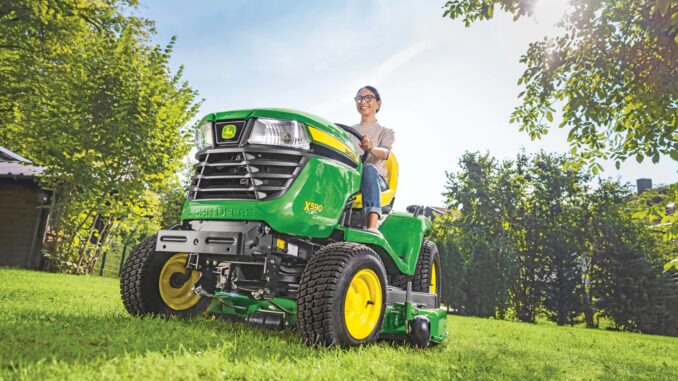
Introduction – John Deere F935 front mower overview
The John Deere F935 is a diesel‑powered, out‑front commercial mower designed for large lawns, estates, and light commercial grounds care rather than small suburban yards. Its front‑mounted mower deck and hydrostatic drive give excellent visibility and maneuverability around trees, beds, and obstacles, while the rear engine and heavy frame make it a stable, long‑lived machine when maintained properly.
This tractorsby.com guide walks homeowners and DIY users through repair, troubleshooting, and maintenance on the John Deere F935, with a practical focus on parts, diagrams, and manuals. You will find symptom‑based troubleshooting, clear DIY vs dealer boundaries, parts information, and a detailed FAQ so you can keep an older F935 working reliably without guesswork.
General overview of the John Deere F935
The John Deere F935 sits in the F900‑series front mower lineup and is the diesel model in the range, typically equipped with a front rotary deck around 60″ (5 ft) cutting width. It uses a liquid‑cooled diesel engine driving a hydrostatic transmission, with hydraulic power used for deck lift and power steering on most machines.
Key systems you will work with on a John Deere F935 include:
-
Engine and fuel system (diesel engine, fuel tank, filters, injectors, glow plugs)
-
Cooling system (radiator, fan, hoses, coolant)
-
Mower deck system (front deck, blades, spindles, deck belt, tensioners)
-
Drive system (hydrostatic transmission, drive motor, axle, tires)
-
Hydraulic system (hydraulic pump, valves, hoses, deck lift)
-
Electrical system and safety switches (battery, charging, key switch, PTO, seat and park switches)
Typical common service parts that F935 owners actually buy include:
-
Engine oil filter and fuel filter
-
Air filter elements (primary and safety)
-
Deck drive belt and PTO belt
-
Mower blades and spindle hardware
-
Glow plugs and engine belts
-
Battery and main fuses
-
Hydraulic filters and hoses
John Deere F935 troubleshooting approach
Troubleshooting a John Deere F935 should always start from the symptom the owner sees, not from a guess about the failed part. Begin with a clear description of what the machine is doing (or not doing), then work systematically through basic checks before assuming a major component failure.
For the F935, the main symptom categories are:
-
Starting issues (won’t crank, won’t start, hard cold start)
-
Running issues (stalling, low power, smoking, surging)
-
Cut‑quality problems (uneven cut, scalping, stragglers, poor dispersion)
-
Vibration and noise (deck vibration, rattles, whining)
-
Overheating and leaks (engine temp high, coolant or oil leaks, hydraulic leaks)
-
Transmission and drive problems (won’t move, jerky drive, weak on hills)
-
Electrical and safety switch issues (PTO won’t engage, interlocks preventing start)
In each section below, start with basic visual and safety checks: fluids, filters, obvious damage, belt condition, loose connections. Many persistent F935 problems come down to neglected filters, lack of lubrication, or simple wiring issues rather than catastrophic failures.
Emergency and immediate repair needs on a John Deere F935
Some F935 problems must be handled immediately because they either stop safe operation or quickly damage expensive components. If your machine shows any of the symptoms below, treat them as “stop and diagnose now” issues, not “finish today’s mowing and look later.”
Starting issues – John Deere F935 won’t crank or start
When a John Deere F935 will not crank or will crank but not start, you will see silence at the key or extended cranking with no fire and possibly white smoke from unburned diesel. This matters because repeated cranking overheats the starter and indicates either a fuel supply or safety switch problem that can leave you stranded.
Common causes:
-
Dead or weak battery
-
Faulty safety switches (seat, PTO, park brake)
-
Glow plugs not heating on cold start
-
Air in fuel system after filter change or fuel run‑out
-
Blocked fuel filter or water in fuel
Basic owner checks:
-
Verify the parking brake is fully set and PTO switch is off.
-
Check battery condition, terminals, and ground cable for corrosion.
-
Turn key to “on” and confirm glow plug indicator works; allow proper pre‑heat.
-
Inspect fuel level and confirm any recent filter change was bled correctly.
-
Try starting with seat firmly occupied; wiggle key and PTO switch to detect intermittent contacts.
Cut‑quality problems – John Deere F935 deck issues
Cut‑quality issues show as uneven grass height, scalping on slopes, uncut strips between passes, or clumping. Poor cut quality not only looks bad, but it often signals dull blades, improper deck level, or deck belt problems that can worsen into spindle or belt failures.
Common causes:
-
Dull, nicked, or incorrect blades
-
Deck not level side‑to‑side or front‑to‑back
-
Deck belt slipping, worn, or misrouted
-
Deck packed with debris, restricting airflow
-
Ground speed too fast for conditions
Basic owner checks:
-
Inspect blades for sharpness, correct type, and damage.
-
Check deck level and adjust lift links as needed.
-
Inspect deck belt for cracks, glazing, and proper tension.
-
Clean underside of deck and discharge area thoroughly.
-
Slow down ground speed and overlap passes slightly.
Vibration and noise on the John Deere F935
Vibration or unusual noise on a John Deere F935 usually shows up when the deck is engaged: shaking in the seat, rattling from the deck, or whining from hydraulics. Left unchecked, vibration damages bearings and mounts and can lead to blade or spindle failure.
Common causes:
-
Bent blade or unbalanced set of blades
-
Worn deck spindle bearings
-
Loose deck hardware or shields
-
Foreign objects lodged in deck
-
Hydraulic pump or drive issues (whine or chatter)
Basic owner checks:
-
Disengage PTO immediately if vibration suddenly increases.
-
Inspect blades and spindle shafts for bends and damage.
-
Check all deck bolts, guards, and belt covers for tightness.
-
Look for twine, wire, or debris wrapped around spindles.
-
Listen to hydraulic system with deck up/down; note any changes in noise.
Overheating and fluid leaks – John Deere F935 cooling and hydraulics
Overheating or visible leaks on a John Deere F935 are serious because the diesel engine and hydraulic system are costly to repair if run low on fluid or too hot. Watch for temperature gauge movement, warning lights, smell of hot coolant or oil, or visible puddles.
Common causes:
-
Radiator plugged with grass and debris
-
Low coolant level or old coolant
-
Loose or damaged hoses and clamps
-
Hydraulic leaks at hoses, fittings, or cylinders
-
Engine oil leaks around filters or gaskets
Basic owner checks:
-
Stop mowing and let engine idle to cool; never remove a hot radiator cap.
-
Inspect radiator screen and fins; clean with air, not high‑pressure water.
-
Check coolant level in reservoir once cool and top up as specified.
-
Look for damp or oily areas around hydraulic hoses and pump.
-
Inspect engine oil filter and drain plug for signs of leakage.
Transmission and drive problems on the John Deere F935
Drive issues present as the F935 being slow to move, jerky, losing power on hills, or not moving at all even though the engine runs. Hydrostatic drive problems need prompt attention to avoid internal damage to the pump and motor.
Common causes:
-
Low hydraulic/hydrostatic oil level
-
Wrong hydraulic fluid type used
-
Air in system after service
-
Worn drive components or weak pump
-
Parking brake dragging or misadjusted
Basic owner checks:
-
Confirm parking brake is fully released when driving.
-
Check hydrostatic/hydraulic fluid level per the operator’s manual.
-
Verify the correct fluid specification was used at last service.
-
Inspect for leaks that could have lowered fluid level.
-
Test forward and reverse response in a safe, open area and note symptoms.
Electrical problems and safety switches on the John Deere F935
Electrical and safety switch faults show as intermittent starting, PTO that will not engage, or the engine stopping when you try to operate the deck. Because safety interlocks prevent unsafe operation, bypassing them is not recommended; instead, diagnose and repair them correctly.
Common causes:
-
Worn key switch or corroded contacts
-
Faulty seat switch, park switch, or PTO switch
-
Loose ground connections
-
Blown fuses or fail‑safe relays
-
Damaged wiring near moving parts
Basic owner checks:
-
Inspect battery cables and main ground points for corrosion and tightness.
-
Move the seat while watching for engine cut‑out; suspect seat switch if intermittent.
-
Operate PTO switch firmly; note if the deck tries to engage and stops.
-
Check fuses with the key off and replace only with correct rating.
-
Visually inspect harnesses around the deck, frame, and steering for chafing.
DIY or dealer? Repair decision guide for the John Deere F935
On the John Deere F935, the line between sensible DIY and dealer work usually falls between routine service/bolt‑on parts and deeper engine/hydraulic diagnostics. Owners with basic tools can confidently handle filters, belts, and blades, while pump, injector, or internal transmission repairs should go to a dealer or specialist.
Good DIY jobs on a John Deere F935:
-
Engine oil and filter changes
-
Fuel and air filter replacement
-
Blade removal, sharpening, and replacement
-
Deck belt replacement and basic deck adjustments
-
Battery replacement and cleaning terminals
-
Greasing all fittings and general lubrication
Advanced DIY or dealer jobs:
-
Injector, pump, or internal engine work
-
Hydraulic pump, motor, or valve repairs
-
Transmission/hydrostatic teardown or major drive repairs
-
Complex wiring diagnosis, relay testing, and safety circuit fault‑finding
-
Steering system repairs beyond basic linkage and tie rod adjustments
Skill level guide:
-
Beginner: Oil changes, air filter, greasing, blade removal with correct safety.
-
Intermediate: Deck belt replacement, safety switch replacement, basic wiring repairs, battery and starter work.
-
Advanced: Hydraulic diagnostics, diesel fuel system bleeding and component replacement, internal transmission work, in‑frame engine repairs.
Parts needed for a John Deere F935 – OEM vs aftermarket and key information
Before ordering parts for your John Deere F935, gather the exact identification details. This model has different serial number ranges, and some parts (especially electrical and hydraulic) vary by serial. Correct ID prevents ordering parts that will not fit.
Information to have ready:
-
Full model name: John Deere F935 Front Mower
-
Product Identification Number (PIN) from the tractor frame
-
Engine model and serial (on the diesel engine plate)
-
Deck size and type fitted (e.g. 60″ front rotary deck, rear‑discharge vs side‑discharge)
-
Any known serial breaks from the operator’s manual for PTO or hydraulic components
Key John Deere F935 service and repair parts
Below is a sample table of typical service parts many F935 owners will need. Always cross‑check part numbers against your PIN, engine, and deck configuration.
OEM vs aftermarket guidance:
-
Use OEM parts for belts, safety switches, hydraulic filters, and any fit‑sensitive or safety‑critical components.
-
Aftermarket can be acceptable for oil and air filters, batteries, and even blades if a reputable brand clearly cross‑references your John Deere F935 model and deck size.
-
For critical engine and hydraulic items (glow plugs, injectors, hydraulic hoses), default to OEM or high‑quality equivalents from known suppliers.
Where to find John Deere F935 parts diagrams and service manuals
Good diagrams and manuals save hours of guessing. For the John Deere F935, a few key online resources are worth bookmarking:
-
John Deere official Operator’s Manual – accessible via the John Deere Technical Publications site by searching “F935.” This manual covers daily operation, safety, basic maintenance intervals, and identification of controls.
-
John Deere Parts Catalog / JDParts – Deere’s online parts catalog lets you enter “F935” and your PIN to view exploded diagrams of the mower, deck, hydraulics, and electrical systems, along with current part numbers.
-
Deere Technical Manuals (TM‑1350 / TM‑1487) – paid PDFs or printed manuals that cover detailed service procedures, wiring diagrams, diagnostics, and specifications for F900‑series front mowers including the F935.
-
Reputable parts retailers – several Deere‑focused parts sites maintain model‑specific pages for the F935 with common filters, belts, and blades; use these for quick ordering once you have confirmed OEM numbers.
Use the operator’s manual first for safe procedures and basic adjustments, then the parts catalog diagrams when you are disassembling and ordering parts, and a technical manual if you plan deeper diagnostics or electrical/hydraulic work.
How to locate model, serial and engine numbers on a John Deere F935
Correct numbers are essential for ordering parts that match your specific F935 configuration. Serial breaks affect PTO components, electrical systems, and some hydraulic parts, so never rely only on “F935” without the PIN.
To find the key IDs:
-
Locate the Product Identification Number plate on the main frame, typically on the right‑hand side of the tractor frame or near the rear of the unit.
-
Clean the plate carefully with a rag to read the full F935 model designation and PIN.
-
Find the engine data plate on the side of the diesel engine block or rocker cover; note the engine model, serial, and any spec codes.
-
Look for deck identification tags on the mower deck itself, usually on top of the shell or near the discharge area; note deck width and style.
-
Write all numbers in your maintenance log or a notebook so you have them handy whenever ordering or consulting diagrams.
Buying John Deere F935 parts online and in physical stores
A simple strategy is to identify exact OEM numbers first, then decide where to buy based on price and support. Online sources offer convenience, while local Deere dealers provide expertise for complex, PIN‑specific parts.
Online:
-
Use OEM numbers from the parts catalog or operator’s manual when searching.
-
Confirm that listings explicitly mention “John Deere F935” and your deck size.
-
For hydraulic or electrical parts, check that the seller supports returns if a serial break difference appears.
Dealer counter:
-
Best for hydraulic components, serial‑specific switches, and any part where fit is unclear.
-
Bring your PIN, engine info, and, ideally, a photo of the part to avoid confusion.
-
Dealers can confirm superseded part numbers and advise on fluid specifications.
Retail stores:
-
Suitable for universal items like batteries, some filters, grease, and basic hardware.
-
Only buy consumables if packaging clearly lists compatibility with John Deere or cross‑reference tables match your F935’s requirements.
Step‑by‑step fitting guide – common John Deere F935 DIY jobs
The following jobs are high‑impact and realistic for a F935 owner with basic tools. Always work on a cool machine, use chocks, and secure the mower on level ground.
Changing the engine oil and filter on a John Deere F935
Fresh oil and a new filter are vital for long engine life.
-
Park the F935 on level ground, set the parking brake, and shut off the engine.
-
Allow the engine to cool, then remove the engine oil drain plug and drain oil into a suitable container.
-
Remove the old oil filter and clean the mounting surface; lightly oil the gasket on the new filter.
-
Install the new filter by hand until the gasket contacts, then tighten per the filter instructions.
-
Refit the drain plug with a new washer if required, fill with the recommended oil grade to the proper capacity, and check for leaks.
-
Run the engine briefly, shut it down, and recheck oil level; top up if necessary.
Replacing the fuel filter on a John Deere F935
A clean fuel filter reduces hard starting and power loss.
-
Switch off the engine and allow it to cool; close any fuel shut‑off if fitted.
-
Place a container beneath the filter to catch fuel and remove the old filter element.
-
Install the new filter or element, ensuring all seals are seated correctly.
-
Open the fuel supply and, if required, bleed the system by using bleed screws or priming until fuel flows without bubbles.
-
Start the engine and watch for leaks; re‑tighten fittings as needed.
Changing the air filter elements on a John Deere F935
Proper airflow prevents black smoke and power loss.
-
Open the air cleaner housing, typically mounted near the engine.
-
Remove the outer (primary) air filter and inspect the inner safety element.
-
Replace both elements if the primary is very dirty or if the safety element shows any contamination.
-
Clean the housing with a dry cloth and avoid blowing dust into the intake.
-
Reassemble and make sure latches and seals are tight.
Replacing mower blades on a John Deere F935 deck
Sharp blades are key for good cut quality.
-
Lower the deck fully, shut off the engine, remove the key, and block the deck securely.
-
Use a suitable socket and breaker bar to remove blade bolts while holding the blades safely with a block of wood.
-
Inspect blades; replace with matching F935 deck blades or sharpen to manufacturer specifications if reusing.
-
Fit blades in the correct orientation (cutting edge facing rotation) and torque bolts to the specified value.
-
Rotate blades by hand to ensure clearances are correct and no guards contact them.
Replacing the deck drive belt on a John Deere F935
A sound belt prevents slippage and poor cut quality.
-
With engine off and key removed, lower and secure the deck.
-
Remove belt guards and note the routing of the existing belt.
-
Release belt tensioner spring or mechanism and remove the old belt.
-
Fit the new belt following the original routing around pulleys.
-
Re‑engage the tensioner and ensure belt tension is firm but not excessive.
-
Reinstall guards, then test deck engagement at idle and listen for abnormal noise.
Maintenance to prevent recurring John Deere F935 problems
Regular maintenance is the most effective way to avoid repeated issues on an older F935. Many “mystery” faults turn out to be clogged filters, neglected lubrication, or poor cooling system care.
Focus areas:
-
Starting reliability: Keep the battery healthy, terminals clean, and fuel system bled after any filter change. Maintain glow plugs and ensure safety switches function.
-
Cut quality: Maintain sharp blades, correct deck level, and clean deck undersides. Replace belts before they fail and check spindle bearings.
-
Fire and overheating prevention: Clear grass from around the engine, muffler, radiator, and hydraulic components; keep coolant fresh and radiators clean.
-
Drive performance: Maintain proper hydraulic fluid levels and specifications, watch for leaks, and grease driveline components according to the chart.
-
Electrical reliability: Periodically inspect harnesses for chafing, secure connectors, and protect wiring from debris and moisture.
John Deere F935 maintenance schedule and year‑round checklist
Use this as a practical owner adaptation of the official maintenance chart. Always confirm exact intervals in your operator’s manual and adjust for heavy use.
Daily / before each use
-
Check engine oil level and top up if needed.
-
Walk around the F935 to inspect tires, deck, and visible leaks.
-
Verify safety guards and shields are in place.
-
Check fuel level and look for water in any fuel sight glass.
-
Ensure radiator screen is clear of grass and debris.
After 8–10 hours (or end of day, for heavy use)
-
Grease key fittings on deck spindles and steering pivots.
-
Clean the mower deck and remove packed grass.
-
Inspect blades for major damage and belt for wear.
-
Check hydraulic fluid level and look for fresh leaks.
Every 25 hours
-
Inspect air cleaner primary element; clean or replace as required.
-
Check battery terminals and cables; clean if corroded.
-
Verify deck level and adjust links if cut height is uneven.
-
Inspect safety switches and interlock operation (seat, PTO, park brake).
Every 50 hours or yearly (whichever comes first for typical homeowner use)
-
Change engine oil and replace oil filter.
-
Grease all fittings according to lubrication chart, including front axle and steering.
-
Inspect radiator and cooling system hoses, clamps, and overflow bottle.
-
Check hydrostatic/hydraulic fluid level and condition; top up with specified fluid.
Every 100–200 hours (or every second season for light use)
-
Replace fuel filter and bleed fuel system.
-
Replace primary air filter and inspect safety element.
-
Replace hydraulic filter if specified at this interval for your serial range.
-
Inspect and adjust parking brake and drive linkage.
Seasonal checklist – John Deere F935 (spring, mid‑season, fall)
Spring (pre‑season):
-
Full service: oil, filters, greasing, and blade sharpening or replacement.
-
Clean and flush radiator and screen; check coolant condition.
-
Test all safety systems, PTO, and deck lift before first mowing session.
Mid‑season:
-
Recheck blades and belts; replace if cut quality declines.
-
Inspect tires for wear and maintain correct pressure.
-
Clean deck and cooling system more often during dusty, dry periods.
Fall (end‑of‑season or before storage):
-
Clean machine thoroughly, including deck and engine bay.
-
Change oil and filters if approaching interval; stabilize fuel and top tank.
-
Store under cover, disconnect battery if necessary, and note any repairs needed before spring.
John Deere F935 – repair, upgrade, or replace?
Older F935 mowers can be worth keeping because their build quality and out‑front design remain very useful, but you need to balance repair costs against deck, engine, and hydraulic condition. In general, structural integrity and engine health guide the “repair vs replace” decision.
Repair if:
-
Engine starts well, with good compression and no major smoke.
-
Hydrostatic drive is strong and consistent.
-
Most problems are filters, belts, blades, hoses, or switches.
-
Deck shell is solid without severe rust through.
Upgrade if:
-
You want better cut quality via new blades, updated deck components, or a different deck type.
-
You can improve lighting, seat comfort, or controls without major structural changes.
-
Adding accessories (mulching kits, different tires) will extend usefulness of the F935.
Replace if:
-
Engine has serious internal problems (low compression, heavy smoke) and overhaul costs are high.
-
Hydrostatic system is failing and parts costs rival a newer mower.
-
Frame or deck are heavily rusted or cracked.
-
Safety systems cannot be brought up to reliable condition.
Expanded troubleshooting FAQ – John Deere F935
Below are 30+ practical FAQs for John Deere F935 owners. Use them as quick references when diagnosing specific symptoms.
1. Why will my John Deere F935 not start at all?
If the F935 is completely dead at the key, first suspect the battery, main fuse, or ground connection. Check that the battery terminals are tight and clean, then inspect the main fuse and ground strap to the frame. Also confirm the seat switch and park brake switch are working, as a failed safety circuit can prevent cranking. If the key switch feels loose or intermittent, it may need replacement.
2. Why does my John Deere F935 crank but not fire?
Cranking without starting usually points to fuel supply or glow plug issues. Make sure there is sufficient clean diesel in the tank, and check whether the glow plug indicator illuminates during pre‑heat. If you recently changed the fuel filter or ran out of fuel, air in the system must be bled before the engine will start reliably. Blocked fuel filters or water contamination can also cause this symptom.
3. Why is my John Deere F935 hard to start when cold?
Diesel engines rely on glow plugs and proper compression for cold starts. If your F935 is cranking a long time in cold weather, check that the glow plug light comes on and that you allow enough pre‑heat time. Worn glow plugs or weak battery voltage can reduce pre‑heat effectiveness. Also make sure the correct oil viscosity is used for the season and that fuel is suitable for winter conditions.
4. Why does my John Deere F935 start but then stall?
Stalling after start often points to fuel starvation or air leaks. Inspect the fuel filter and lines for restrictions or cracks, and check that the fuel cap vent is not blocked. Air entering the fuel system through loose connections can cause the engine to start briefly and then die. Dirty fuel or water contamination may also clog filters quickly and lead to stalling under load.
5. Why is my John Deere F935 losing power on hills?
Loss of power on hills can be due to both engine and hydrostatic issues. First, ensure the engine is delivering full power by checking filters, exhaust blockage, and fuel quality. Then verify hydraulic fluid level and condition; low or incorrect fluid can weaken drive performance. Excessive load, such as mowing too fast or cutting very tall grass, will also make the machine feel weak on slopes.
6. Why does my John Deere F935 smoke heavily?
Excessive black smoke suggests poor combustion due to restricted air or too much fuel. Check air filters and intake for clogs and inspect injectors if problems persist. Blue smoke indicates oil burning, possibly from worn rings or valve guides. White smoke may show unburned fuel during cold starts or issues with compression. Persistent heavy smoke requires deeper engine diagnosis and may justify dealer involvement.
7. Why does the PTO on my John Deere F935 not engage?
If the PTO will not engage, start with safety and electrical checks. Confirm the seat switch, park brake, and PTO switch are all functioning and that the wiring to the PTO clutch or solenoid is intact. Check fuses and relays tied to the PTO circuit. Mechanical issues such as worn PTO clutch or damaged linkage can also prevent engagement, but electrical interlock problems are more common.
8. Why does my John Deere F935 PTO engage then drop out?
PTO that engages briefly and then stops usually points to a safety switch being triggered. A worn seat switch may cut out when you shift position, or a park brake switch could be misadjusted. Vibration can also expose loose wiring or connectors in the PTO circuit. Inspect switches and wiring, and test operation carefully while seated firmly with proper park brake status.
9. Why is the cut uneven on my John Deere F935?
Uneven cutting often results from an out‑of‑level deck or dull blades. Verify deck level front‑to‑back and side‑to‑side according to the manual. Inspect blades for wear and ensure they match in type and length. Tire pressure differences can also affect deck tilt and cut height. Adjust deck links and correct any blade or tire issues before assuming a spindle problem.
10. Why does my John Deere F935 leave uncut strips of grass?
Uncut strips between passes usually mean blades are not overlapping properly or there is a problem with one deck spindle. Check that all blades are installed correctly and that the deck width matches your mowing pattern. A bent or incorrect blade can leave a narrow strip. Also verify that the deck belt is routed correctly and that all pulleys are turning when the PTO is engaged.
11. Why is my John Deere F935 scalping in spots?
Scalping shows when deck wheels or rollers are not set properly and the deck runs too low on uneven ground. Raise the cut height and make sure anti‑scalp wheels are adjusted to follow the terrain. Driving too fast over humps or dips can also cause scalping. If the deck is severely mis‑leveled, adjust the lift links and check tire pressures to restore proper deck attitude.
12. Why is the discharge poor on my John Deere F935 deck?
Poor discharge or clumping of grass is often due to dull blades, low engine speed, or a clogged deck. Clean the underside of the deck thoroughly, removing packed grass. Make sure blades are sharp and the engine is running at full governed speed when mowing. Wet, tall grass naturally tends to clump; mow more frequently or reduce ground speed in such conditions.
13. Why does my John Deere F935 deck vibrate badly?
Deck vibration usually comes from bent blades, damaged spindles, or worn bearings. Remove and inspect each blade for bending; replace as needed. Spin spindles by hand to check smoothness and listen for grinding. Ensure all hardware is tight and that the deck belt is not excessively worn or misrouted. If vibration remains, spindle bearing replacement may be required.
14. Why do I hear rattling noises under my John Deere F935 deck?
Rattling under the deck can be caused by loose shields, belt guards, or debris. Inspect all guards and covers, tightening any loose hardware. Look for broken pieces of blades or foreign objects trapped inside the deck. Check for worn pulleys that allow the belt to slap. Removing debris and securing hardware usually resolves minor rattles.
15. Why does my John Deere F935 hydrostatic drive whine?
Hydrostatic whine often indicates high load, low fluid, or aerated oil. Confirm the correct hydraulic fluid level and specification, and inspect for leaks that might introduce air. A certain amount of whine under load is normal, especially at high throttle and ground speed, but sudden increases in noise should be investigated. Old or contaminated fluid should be replaced according to the service schedule.
16. Why does my John Deere F935 not move even though the engine runs?
If the F935 will not move, verify that the parking brake is fully released and that any free‑wheel or tow valves are correctly positioned. Check hydraulic fluid level and look for broken drive linkages. A failed hydrostatic pump or motor can cause loss of drive, but this is less common than simple linkage or fluid problems. Avoid revving the engine and forcing the drive if movement is lost; diagnose first.
17. Why does my John Deere F935 jerk when I move the drive lever?
Jerky motion often points to air in the hydraulic system, sticky linkage, or worn components. Inspect drive linkage for binding or improper adjustment. Check fluid level and change fluid and filter if due, allowing the system to purge air. Uneven tire pressures or poor traction can also feel like jerky movement on slopes or soft ground.
18. Why is my John Deere F935 overheating?
Overheating can be caused by clogged radiator screens, low coolant, or heavy load in hot weather. Clean the radiator, screens, and surrounding shrouds carefully, and check coolant level once the engine is cool. Make sure the fan and belts are operating correctly. Running at reduced load until you resolve cooling issues is wise to avoid engine damage.
19. Why is coolant leaking from my John Deere F935?
Coolant leaks typically come from hoses, clamps, radiator seams, or the water pump. Inspect all visible hoses for cracks or bulges and tighten hose clamps. Look for damp areas on the radiator or around the water pump. If you find dried coolant tracks, they can point to old leaks. Address leaks promptly and refill with the recommended coolant mixture.
20. Why is hydraulic oil leaking on my John Deere F935?
Hydraulic leaks often occur at hose ends, fittings, or cylinders. Clean suspected areas, then run the machine briefly to see fresh leakage points. Do not ignore small leaks; they reduce fluid level over time and can cause system damage. Replace hoses showing cracks or damage, and tighten fittings carefully without overtightening.
21. Why does my John Deere F935 battery keep going flat?
Repeated battery discharge points to either a charging system fault or parasitic drain. Check the alternator output with a meter if available, or have a shop test it. Inspect and clean battery terminals and ensure the belt driving the alternator is intact and properly tensioned. Leaving lights or accessories on can drain the battery; confirm all switches are off when parked.
22. Why do the lights on my John Deere F935 not work?
If lights fail, start with bulbs and fuses. Inspect bulbs for filament breakage and replace as needed. Check the fuse protecting the lighting circuit and wiring between switch and lights. Corrosion at connectors and grounds is common on older machines; cleaning and securing grounds often restores function.
23. Why does my John Deere F935 engine sound rough or knock?
Rough running or knocking can result from poor fuel, injection issues, or mechanical wear. Make sure fresh, clean diesel is being used. Change fuel filters and check for water contamination. Persistent knocking may reflect timing or internal engine problems, which should be inspected by a professional. Avoid high loads if an abnormal knock is present.
24. Why does my John Deere F935 vibrate more when the deck is raised?
If vibration increases when the deck is raised, look at hydraulic flow and deck linkage. A misadjusted or binding lift system can transmit vibration through the frame. Worn bushings or pins in the lift arms can also cause shake. Check for uneven load on the lift system and inspect hydraulic hoses for contact with moving parts.
25. Why are my John Deere F935 blades wearing out quickly?
Rapid blade wear often indicates sandy soil, frequent contact with hard objects, or poor steel quality. Avoid hitting rocks and roots and mow at correct height. Use blades specified for your deck, and balance them after sharpening. Extremely abrasive conditions may simply require more frequent blade changes.
26. Why does the deck belt on my John Deere F935 keep slipping or squealing?
Slipping or squealing belts usually mean low tension, contamination, or misrouting. Check tensioner operation and ensure the belt is correctly routed around all pulleys. Remove any oil or grease from belt surfaces. Replace belts that are glazed, cracked, or stretched, and inspect pulleys for misalignment.
27. Why do the safety switches on my John Deere F935 seem overly sensitive?
Safety switches may feel sensitive if they are worn, misadjusted, or damaged. Seat switches that have compressed cushions, or park brake switches that are out of position, can trigger unnecessary shutdowns. Adjust or replace switches as needed, and never bypass them; instead, restore proper operation to maintain safety.
28. How often should I change fluids on my John Deere F935?
Follow the intervals in the operator’s manual, but as a rough guide, change engine oil and filter every 50 hours or annually for homeowner use. Fuel filters and hydraulic filters should be changed every 100–200 hours or as specified for your serial range. Coolant changes are generally less frequent, such as every few years, depending on use and environment.
29. What type of fuel should I use in my John Deere F935?
Use clean diesel fuel from a reputable supplier, choosing a grade appropriate for your climate. In cold weather, ensure winterized diesel is used to prevent gelling. Avoid using old or contaminated fuel and keep the tank reasonably full to limit condensation and water buildup.
30. Which grease should I use on my John Deere F935?
A good quality multi‑purpose lithium‑based grease is typically recommended for most fittings. Consult your manual for any special grease requirements, such as high‑temperature or specific spec for certain components. Grease fittings at intervals outlined in the lubrication chart to minimize wear.
31. How do I store my John Deere F935 over winter?
To store the F935, clean it thoroughly, change oil if near interval, and stabilize fuel or drain if recommended. Park under cover and disconnect or maintain the battery to prevent discharge. Protect tires from prolonged sun exposure and note any repairs needed before next season. Cover the machine loosely to allow ventilation while keeping dust off.
32. Can I tow or push my John Deere F935 if it will not move?
Consult the operator’s manual for proper towing or free‑wheel procedures. Some hydrostatic systems require opening a bypass or tow valve to prevent damage. Never tow long distances at speed with the drive system engaged, as internal parts can be harmed. If in doubt, use a trailer or seek dealer advice.
33. How do I know if the hydraulic fluid on my John Deere F935 is still good?
Check fluid color and smell; dark, burnt‑smelling fluid is a sign it needs changing. Look for contamination or milky appearance indicating water intrusion. Follow change intervals and use only the specified fluid type. If hydraulic performance is poor, fresh fluid and filters may help before deeper diagnostics.
34. What should I keep in a basic John Deere F935 tool and parts kit?
For routine F935 ownership, keep a socket and wrench set, screwdrivers, pliers, a grease gun, and a multimeter. Stock common parts like oil and fuel filters, air elements, spare deck belt, and a set of blades. Keeping fuses and a few key switches on hand can also reduce downtime.
35. When should I call a dealer for my John Deere F935?
Call a dealer when issues involve internal engine or hydrostatic repairs, complex hydraulic failures, or persistent electrical faults you cannot isolate. If safety systems malfunction in ways you do not understand, professional help is wise. Also consult a dealer when major parts costs approach the value of the machine, to discuss repair vs replacement options.