
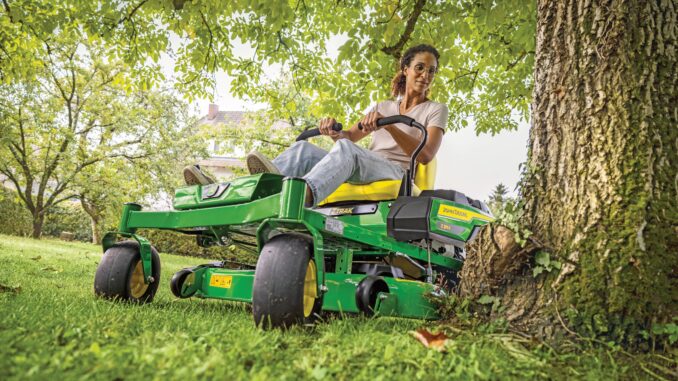
The John Deere Z925A is a commercial‑grade ZTrak zero‑turn mower built for heavy residential and light commercial use, and most owners can safely handle a large chunk of its routine service themselves. This guide walks you through realistic DIY repairs, parts, diagrams, maintenance schedules and FAQs for the Z925A so you can keep it cutting reliably all season.
John Deere Z925A model overview
The John Deere Z925A is part of the commercial ZTrak 900A series, typically fitted with a Kawasaki commercial V‑twin engine and a mid‑size commercial mower deck. It is designed for larger residential properties, acreages and commercial crews who need fast mowing, good cut quality and strong durability.
Compared with residential ZTrak models, the John Deere Z925A uses heavier‑duty hydrostatic drives, a more robust frame, larger fuel capacity and commercial‑spec spindles and deck hardware. Owners usually operate it several hours per week in tougher conditions, so staying ahead of maintenance on the engine, deck drive system, and hydraulics makes a noticeable difference in reliability and repair costs.
This guide focuses on practical service and repair topics: how to diagnose common symptoms, which jobs are realistic for DIY owners, which parts you are likely to replace, where to find diagrams and manuals, and how to keep the mower in good condition with a simple maintenance routine.
General overview of the John Deere Z925A ZTrak systems
On the John Deere Z925A, there are four major systems most owners will interact with:
-
Engine and fuel system – Kawasaki commercial V‑twin, carburetted fuel system, oil lubrication, air filtration and fuel filtration.
-
Mower deck system – PTO clutch, deck belt, blades, spindles, idlers, anti‑scalp wheels and deck lift hardware.
-
Drive system – dual hydrostatic transaxles, hydraulic pumps and wheel motors, drive hubs, control levers and parking brake.
-
Electrical and safety system – battery, starter, ignition, PTO switch, seat switch, parking brake switch and other interlocks.
Typical service parts you’ll see again and again on a John Deere Z925A include:
-
Engine oil and oil filter
-
Air filter (primary and sometimes inner safety element)
-
Fuel filter and fuel lines
-
Spark plugs
-
Deck drive belt and sometimes a secondary belt depending on deck size
-
Mower blades for the specific Z925A deck width (e.g. 54″ or 60″)
-
Grease fittings on spindles, front caster pivots and other chassis points
-
Battery and key safety switches (seat, PTO, parking brake)
-
Hydraulic oil and filter for the hydrostatic drive system
Getting familiar with these components and parts numbers will make it much easier to order the right parts quickly when something fails mid‑season.
Troubleshooting approach for a John Deere Z925A
On the John Deere Z925A, you’ll get the best results if you start every diagnosis from the symptom the owner can actually see or feel rather than jumping straight to a suspected part. Think in terms of “machine behavior” first:
-
Does it fail to start?
-
Does it start but run poorly?
-
Is the cut quality suddenly bad?
-
Does it vibrate more than usual?
-
Is something overheating, leaking or smelling like burnt rubber?
-
Has drive performance changed – slow, weak, jerky or noisy?
-
Do certain electrical functions (PTO, starting, safety switches) stop working?
Once you frame the problem by symptom, you can work through a simple checklist of likely causes. For most Z925A issues, there are only a small number of common root causes, and many of them are solvable by a careful homeowner using basic tools and sanity checks.
Typical symptom categories for a John Deere Z925A include:
-
Starting and no‑start issues
-
Running problems – loss of power, surging, stalling
-
Cut quality problems – uneven cut, streaks, scalping
-
Vibration and noise – blade vibration, deck noise, driveline noise
-
Overheating, leaks and burning smells
-
Drive and traction – weak drive, one side slow, hydrostatic noise
-
Electrical and safety switch issues – PTO won’t engage, machine dies when controls moved, intermittent shut‑off
The sections below take each of these and highlight the situations that need immediate attention versus issues you can handle after the current mowing job.
Emergency and immediate repair needs on a John Deere Z925A
Some John Deere Z925A problems can wait until the weekend; others should be addressed immediately because they can damage belts, spindles, hydraulics or pose a safety risk. Use this section as your “stop or keep going?” filter.
Starting issues on a John Deere Z925A
If the John Deere Z925A will not crank at all, cranks slowly, or cranks but never fires, you’re dealing with a starting or safety‑interlock issue. It matters because repeated cranking can drain the battery, overheat the starter, and, in some cases, mask underlying fuel or ignition problems.
Common causes:
-
Battery discharged or failing
-
Corroded battery terminals or poor ground connections
-
Faulty seat switch, parking brake switch or PTO switch preventing crank
-
Blown fuse or bad ignition switch
-
Fuel shut‑off closed or severe fuel delivery problem
Basic owner checks:
-
Verify control positions: parking brake set, PTO off, levers in neutral, operator on seat.
-
Inspect battery terminals and clean corrosion; confirm battery is charged.
-
Check fuses in the main fuse block for obvious failures.
-
Try starting while gently moving the control levers and PTO switch to see if a safety switch is intermittent.
-
If there is still no crank or no fire, stop and consider dealer diagnosis for electrical or ignition faults.
Cut‑quality problems on a John Deere Z925A
Cut‑quality issues on a John Deere Z925A show up as uneven cutting, scalping, ridges, uncut strips or frayed grass tips. Poor cut quality matters because it can indicate blade damage, deck mis‑level or spindle issues that worsen over time.
Common causes:
-
Dull, bent or incorrect blades
-
Deck not level left‑to‑right or set at the wrong pitch front‑to‑rear
-
Deck belt slipping so blades are not up to full speed
-
Anti‑scalp wheels set too high or missing
-
Mowing at excessive speed relative to conditions
Basic owner checks:
-
Inspect blades for sharpness, bends and correct part numbers for your deck width.
-
Check deck belt tension and condition; look for glazing, cracks or fraying.
-
Measure deck leveling and pitch using a simple leveling gauge or ruler.
-
Adjust tire pressures to factory spec so leveling measurements are accurate.
-
Slow mowing speed and raise the cutting height as a temporary fix until blades and leveling can be serviced.
Vibration and noise on a John Deere Z925A
Excess vibration or unusual noises from a John Deere Z925A often come from the deck, blades, spindles or engine mounts. High vibration should be treated as urgent because it can damage spindles, loosen hardware and quickly wear belts.
Common causes:
-
Blade out of balance, bent or improperly installed
-
Debris wrapped around blades or spindle shafts
-
Worn spindle bearings or idler pulleys
-
Loose deck hardware, engine mounting bolts or exhaust components
-
Foreign object impact causing hidden damage
Basic owner checks:
-
Shut the machine down, remove the key and inspect blades closely for bends or missing chunks.
-
Remove any string, wire or debris from the blade area and spindle shafts.
-
Spin each spindle by hand with the belt removed to feel for roughness or looseness.
-
Check deck and engine mounting bolts for tightness.
-
If vibration persists or a spindle feels loose, stop using the mower and arrange repair before resuming.
Overheating and leaks on a John Deere Z925A
Overheating, fuel odors, visible leaks or burning smells from a John Deere Z925A should never be ignored. Fuel or oil leaks can become fire risks, and overheated hydraulics or engines can suffer permanent damage.
Common causes:
-
Blocked engine cooling fins or screen
-
Low engine oil or hydraulic oil level
-
Fuel line cracking or loose hose clamps
-
Hydraulic hoses chafing and beginning to seep
-
Debris packed around exhaust or engine areas
Basic owner checks:
-
Inspect for wet areas around fuel tank, lines, filter and carb; tighten clamps and replace cracked parts.
-
Check engine oil level and condition and top up if necessary.
-
Clean debris from the engine cooling intake screen and cooling fins.
-
Inspect hydraulic hoses and connections for chafing spots and wetness.
-
If you smell fuel strongly or see active dripping, do not run the machine until the leak is fixed.
Transmission and drive problems on a John Deere Z925A
Drive issues on a John Deere Z925A show up as slow response, one side weaker than the other, jerky motion, whining noises or loss of drive after warm‑up. These are important because the hydrostatic drive system is expensive and sensitive to fluid condition and leaks.
Common causes:
-
Low hydraulic oil level or wrong fluid type
-
Air in the hydraulic system after service
-
Worn or failing wheel motors or pumps
-
Dragging parking brake or misadjusted linkage
-
Contaminated hydraulic filter or fluid
Basic owner checks:
-
Confirm parking brake is fully released and linkages move freely.
-
Check hydraulic oil level according to the operator’s manual.
-
Inspect for leaks at hoses, wheel motors and pump connections.
-
If drive was just serviced, follow the manual’s purge procedure to remove air.
-
Persistent weak drive or whining after checks is usually a dealer‑level hydraulic diagnosis.
Electrical and safety problems on a John Deere Z925A
Electrical and safety‑switch problems on a John Deere Z925A often cause intermittent starting, sudden shut‑off when controls are moved, or PTO no‑engage. Treat them seriously because bypassing or ignoring safety interlocks can lead to injury.
Common causes:
-
Failing seat, PTO or brake switch
-
Loose wiring connectors under the seat or in the control panel
-
Weak battery causing voltage drop under load
-
Corroded ground connections
-
Faulty ignition or PTO relay/switch
Basic owner checks:
-
Inspect visible wiring harnesses for loose connectors and obvious damage.
-
Wiggle seat and control levers gently while the engine is running to see if motion causes shut‑off.
-
Clean battery terminals and inspect ground straps to the frame.
-
Try operating the PTO with the engine at full RPM and listen for clutch engagement.
-
If safety switches appear intermittent, have them tested and replaced rather than bypassing them.
DIY or dealer? John Deere Z925A repair decision guide
On a John Deere Z925A, the realistic line between homeowner work and dealer work runs between routine mechanical service and internal hydraulic or major engine repairs. Most owners can manage filters, fluids, blades, belts, simple electrical diagnostics and safety switch replacements; internal engine teardown, hydrostatic pump or wheel motor replacement, and complex wiring diagnosis are best handled by a John Deere dealer or experienced technician.
Good DIY jobs on a John Deere Z925A:
-
Engine oil and filter changes
-
Air and fuel filter replacement
-
Spark plug replacement
-
Blade removal, sharpening and replacement
-
Deck belt replacement and basic deck leveling
-
Greasing spindles, front casters and chassis points
-
Battery replacement and simple safety switch swaps
Advanced DIY or dealer jobs:
-
Carburettor or fuel system overhaul
-
Hydrostatic fluid and filter replacement and purging
-
Hydro pump or wheel motor replacement
-
Complex electrical diagnosis beyond simple switch checks
-
Frame or structural repairs after impact damage
Skill level guide:
-
Beginner: Oil changes, air filter, fuel filter, blade replacements, greasing, battery swaps.
-
Intermediate: Deck belt changes, deck leveling, safety switch replacements, basic hydrostatic service following the manual.
-
Advanced: Internal engine work, hydraulic pump/motor replacement, deep electrical troubleshooting, welding or structural repair.
Parts needed for a John Deere Z925A, OEM vs aftermarket
Before you order parts for a John Deere Z925A, collect the key information:
-
Full model designation, including deck size (e.g. Z925A ZTrak, 54″ or 60″ deck).
-
Product Identification Number (PIN), usually on the frame; this locks down the configuration and production year.
-
Engine model and serial number (on Kawasaki engine label).
-
Any attachments or special options fitted, such as mulching kits or specific tire packages.
John Deere Z925A service parts reference
Use the following table as a practical starting point. Always confirm against your PIN and engine serial in official parts catalogs before buying:
For the John Deere Z925A, OEM parts are recommended for:
-
Belts (deck and drive)
-
Hydraulic components and filters
-
Safety‑critical parts (safety switches, steering and brake hardware)
-
Fit‑sensitive parts such as PTO clutches and spindles
Quality aftermarket parts can be acceptable for:
-
Engine oil and filters, if they cross‑reference safely with Kawasaki specs
-
Blades, provided they match length, hole pattern and lift profile
-
Batteries, as long as CCA and dimensions match or exceed OEM spec
When in doubt, cross‑reference the OEM part number from a John Deere parts diagram to any aftermarket listing and avoid “universal” parts that do not specifically call out the Z925A or Z900A series.
Where to find John Deere Z925A parts diagrams and manuals
There are several key online sources that make supporting a John Deere Z925A much easier:
-
John Deere Z925A owner support page – use the official Deere owner support entry for Z925A to access the operator’s manual, quick‑reference PDF and maintenance information.
-
Official operator’s manual – covers safety, controls, basic maintenance intervals and instructions for common service tasks such as oil changes, filter replacements and deck adjustments.
-
Technical manual (Z910A/Z920A/Z925A series) – the full technical manual provides detailed diagnostics, repair procedures, wiring diagrams and hydraulic information suitable for advanced DIY or dealer‑level work.
-
Online parts catalogs and Deere‑focused parts sites – sites that offer a Z925A model‑specific page let you browse exploded diagrams for the frame, engine, deck, hydraulics and electrical components, and pull correct part numbers before ordering.
Use the operator’s manual for day‑to‑day maintenance and safety information, and rely on the technical manual and online parts diagrams whenever you step into deeper repairs or need to verify part numbers for your specific PIN.
How to locate model, serial and engine numbers on a John Deere Z925A
Model and serial information matters because John Deere has multiple configurations of the Z925A over its production run, and different engine, deck and hydraulic options require different parts. Having the correct PIN and engine serial prevents ordering the wrong belts, filters or hydraulic components.
Finding identification numbers:
-
Locate the product identification plate on the Z925A frame, usually near the right‑hand side or rear of the machine, with the model and PIN stamped or printed.
-
Clean the plate gently with a cloth to read the PIN; write it down exactly, including any prefixes.
-
Find the engine data label on the Kawasaki V‑twin, typically on the engine shroud or block; note the model and serial number.
-
Identify your deck size by measuring the cutting width or confirming the deck label; note whether you have mulching or high‑lift blades.
-
Keep these details in a dedicated maintenance record so you can quickly reference them when ordering parts or consulting manuals.
Buying John Deere Z925A parts online and in stores
For the John Deere Z925A, a simple buying strategy saves time and reduces mistakes:
-
Online: Use OEM part numbers from the official parts catalog or trusted John Deere parts sites, and double‑check that listings explicitly mention Z925A or the Z900A series. Always verify deck size and engine type in the listing.
-
Dealer counter: Ideal for complicated parts, hydraulic components, and anything dependent on PIN, such as updated part supersessions. Bring your PIN and engine serial to the dealer.
-
Retail stores: Good for common consumables like oil, generic filters that clearly list compatible Kawasaki engines, batteries and grease, but avoid universal belts or blades unless they specifically call out the Z925A’s deck size.
Typical URLs you might use when supporting a Z925A include the official John Deere owner support page for Z925A, an online Deere technical publications store for the Z925A technical manual, and a reputable John Deere parts retailer that offers a dedicated Z925A parts and maintenance guide.
Step‑by‑step fitting guide: John Deere Z925A common jobs
Below are practical step‑by‑step instructions for several high‑impact DIY jobs on the John Deere Z925A. Adjust steps slightly for your exact engine and deck configuration.
Changing engine oil and filter on a John Deere Z925A
Regular oil and filter changes keep the Kawasaki engine on your John Deere Z925A running cool and well‑lubricated.
-
Park the mower on level ground, set the parking brake, shut off the engine and remove the key.
-
Allow the engine to cool, then open the engine compartment and locate the oil drain and filter.
-
Place a suitable drain pan under the drain, open the drain valve or plug, and let the oil fully drain.
-
Remove the old oil filter, lightly oil the gasket on the new filter, and install it snugly by hand.
-
Close the drain, refill with the correct amount of fresh oil to the recommended grade, then start the engine briefly and check for leaks and correct oil level.
Replacing the air filter on a John Deere Z925A
Replacing the air filter on a John Deere Z925A ensures the engine breathes clean air and maintains power.
-
With the engine off and key removed, open the air filter housing on the Kawasaki engine.
-
Remove the primary air filter element (and inner safety element if fitted), noting orientation.
-
Inspect the housing for dust or debris and clean carefully without blowing dirt into the intake.
-
Install the new primary filter (and new safety element if required), making sure the seals seat properly.
-
Close the housing firmly and check that all clamps and latches are secure.
Changing the deck belt on a John Deere Z925A
The deck belt on a John Deere Z925A drives the blades and is a common wear item.
-
Lower the deck to its lowest position, shut off the mower and pull the key.
-
Remove any belt guards or covers to expose the deck belt and routing.
-
Release belt tension using the deck idler spring or tensioner as described in the operator’s manual.
-
Slip the old belt off the PTO pulley and around the spindles and idlers, noting routing.
-
Install the new belt along the same path, re‑engage the tensioner or spring, then refit belt guards and check that the belt tracks correctly during a brief test run.
Replacing blades on a John Deere Z925A
Sharp blades are critical for cut quality on a John Deere Z925A.
-
Safely raise the front of the mower or use ramps rated for the Z925A; set the parking brake and remove the key.
-
Use a block of wood to prevent the blade from turning, then remove the blade bolt with the correct socket or wrench.
-
Inspect each blade; replace bent or damaged blades with new ones matched to your deck width and hole pattern.
-
Install new or sharpened blades with the cutting edge facing the correct direction, torque the blade bolts to specification.
-
Lower the mower and test cut in a safe area, listening for abnormal vibration and checking cut quality.
Maintenance to prevent John Deere Z925A problems
Preventative maintenance on a John Deere Z925A dramatically reduces breakdowns, especially under commercial‑style use. Focus on a few key areas:
-
Starting reliability – maintain battery charge, clean terminals, inspect safety switches regularly.
-
Cut quality – keep blades sharp, decks clean and belts properly tensioned; check leveling and pitch at least once per season.
-
Fire and overheating prevention – clean engine cooling fins and screens, remove debris from deck and engine compartments, and fix leaks promptly.
-
Drive performance – maintain hydraulic oil and filters according to intervals, watch for early signs of drive weakness or noise.
-
Electrical reliability – periodically check fuses, wiring connections and ground points; replace failing switches instead of bypassing them.
John Deere Z925A maintenance schedule and year‑round checklist
Base your John Deere Z925A maintenance routine on the official schedule, then adapt to your hours of use and operating conditions.
Daily / before each use
-
Walk‑around visual inspection for leaks, damage and loose hardware.
-
Check engine oil level and top up if needed.
-
Inspect tires for proper inflation and obvious cuts or damage.
-
Clear debris from deck, engine screen and cooling fins.
-
Verify safety controls and interlocks function correctly before mowing.
After 8–10 hours of operation
-
Grease key fittings on spindles, front caster pivot points and other recommended chassis locations.
-
Inspect deck belt and idlers for wear and alignment.
-
Check blade condition and cut quality; sharpen or replace as needed.
-
Clean the engine compartment of dust and debris buildup.
Every 25 hours
-
Inspect and clean or replace the air filter primary element if operating in dusty conditions.
-
Check battery terminals and electrical connections for corrosion.
-
Inspect hydraulic hoses and fittings for early signs of wear or seepage.
-
Verify deck leveling and adjust if cut quality has drifted.
Every 50 hours or yearly (whichever comes first)
-
Change engine oil and replace the oil filter.
-
Replace fuel filter and inspect fuel lines and clamps.
-
Perform a more thorough deck inspection, including spindle play checks and hardware tightening.
-
Check alignment and adjustment of control levers and parking brake linkage.
Every 200 hours (or according to manual)
-
Replace hydraulic oil filter and fluid if specified for the Z925A configuration.
-
Perform a complete inspection of the drive system (wheel motors, pumps, hoses).
-
Inspect steering and control linkages for wear and adjust or replace as needed.
-
Check all safety switches and wiring harnesses for wear, corrosion or intermittent behavior.
Seasonal checklist for a John Deere Z925A
Spring / preseason:
-
Perform oil and filter changes if not done at end of previous season.
-
Fit new blades or sharpen current ones.
-
Confirm battery health and charge.
-
Check tire pressures and deck leveling.
Mid‑season:
-
Inspect belts, blades and hydraulics; address any deteriorating symptoms early.
-
Re‑grease spindles and chassis points.
-
Clean engine cooling system thoroughly.
Fall / end‑of‑season:
-
Clean the mower thoroughly, remove packed debris and wash the deck.
-
Stabilize fuel or drain as recommended by the manual.
-
Store with battery maintained (disconnect or trickle charger if appropriate).
-
Make a list of parts to replace over winter (belts, blades, filters) ready for next season.
John Deere Z925A – repair, upgrade or replace?
For the John Deere Z925A, the decision to repair, upgrade or replace comes down to hours, overall condition, and the cost of major components. A well‑maintained Z925A with a sound frame and hydraulics is often worth ongoing repair and targeted upgrades, while a heavily worn unit with repeated hydraulic or structural issues may be cheaper to replace in the long run.
Repair if:
-
Problems are limited to consumable parts (blades, belts, filters, batteries, simple switches).
-
The engine and hydraulics are fundamentally healthy with good compression and drive performance.
-
The frame, deck shell and main structure are intact without severe rust or cracks.
Upgrade if:
-
You want better cut quality via blade choice or mulching kits.
-
You need improved comfort (seat upgrades) or lighting for low‑light work.
-
You’re adding small features such as improved anti‑scalp wheels or updated safety switches.
Replace if:
-
The Z925A has major hydraulic or engine failures and quoted repairs exceed the mower’s remaining value.
-
The frame or deck has extensive rust or cracks needing major structural work.
-
Your property or commercial workload has grown beyond the Z925A’s productive capacity, making a higher‑spec ZTrak more cost‑effective.
Expanded troubleshooting FAQ – John Deere Z925A (30+ questions)
1. Why will my John Deere Z925A not start?
A Z925A that will not start usually has either an electrical/safety‑interlock problem or a fuel/ignition issue. Begin by checking that the parking brake is set, PTO is off, control levers are in neutral and you are seated properly. If there is no crank, inspect the battery, fuses and visible safety switches; if it cranks but will not fire, focus on fuel delivery and spark.
2. Why does my John Deere Z925A crank but not fire?
If the engine cranks strongly but does not fire, it may not be getting fuel or spark. Check that there is fresh fuel in the tank, inspect the fuel filter and lines for blockages and verify the choke and throttle are set correctly. If fuel delivery looks normal, inspect spark plugs and ignition components, and consider dealer diagnosis if simple checks do not restore starting.
3. Why will my John Deere Z925A start only with choke?
When a Z925A only starts with full choke, it suggests a lean condition or carburettor/fuel restriction. The most common causes are partially clogged jets, dirty fuel, or an air leak. Check the air filter and fuel filter, ensure there are no cracked fuel lines, and consider a proper carburettor cleaning or rebuild if symptoms persist.
4. Why does my John Deere Z925A stall after a few minutes of mowing?
Stalling after a few minutes often points to fuel delivery problems or overheating. Look for restricted fuel flow from a clogged filter, venting issues in the fuel cap, or debris in the carburettor. Also check engine cooling fins and screens; overheating can cause power loss and stalling over time.
5. Why does my John Deere Z925A lose power on slopes?
Power loss on slopes may be normal to a point, but excessive loss indicates issues with fuel pickup, engine tune or hydraulic performance. Ensure the fuel level is adequate so the pickup remains submerged on inclines, check the air and fuel filters, and verify hydraulic oil level. Persistent power loss on slopes may require inspection of engine compression or hydraulic components.
6. Why is the cut uneven on my John Deere Z925A?
Uneven cut usually comes from deck leveling problems, blade condition or tire pressures. Verify that tire pressures match the specification, then measure deck height side‑to‑side and front‑to‑rear. Replace or sharpen blades as needed and adjust deck leveling to restore a consistent cut.
7. Why is my John Deere Z925A leaving uncut strips of grass?
Uncut strips can indicate a missing or incorrectly installed blade, incorrect blade length or a severely dull blade. Inspect all blades to ensure they match the correct part number for your deck and are installed in the correct orientation. Check deck belt tension so blades are turning at full speed and verify the deck is not clogged with debris.
8. Why does my John Deere Z925A scalp my lawn?
Scalping is usually caused by too low deck setting, uneven ground, or misadjusted anti‑scalp wheels. Raise the cutting height, adjust the anti‑scalp wheels so they contact the ground on uneven terrain, and ensure the deck is level. Avoid mowing at high speed over rough ground to reduce scalping.
9. Why are there clumps behind my John Deere Z925A?
Clumping behind a Z925A typically stems from mowing wet or overgrown grass, dull blades, or a clogged deck. Use sharp blades, slow down in heavy growth, and mow when the grass is dry whenever possible. Cleaning the underside of the deck also helps improve discharge and reduce clumps.
10. Why does my John Deere Z925A vibrate heavily at full throttle?
Heavy vibration at full throttle usually points to a bent or out‑of‑balance blade or a failing spindle or idler. Inspect blades for damage and replace any that are bent or missing chunks. Spin spindles by hand (with the belt off) and feel for roughness; a noisy or loose spindle will require repair or replacement.
11. Why do I hear a grinding noise from the deck on my Z925A?
Grinding noises from the deck often indicate a failing spindle bearing, foreign object contact, or damaged idler bearings. Stop the mower immediately, inspect the deck for foreign objects, and check spindles and idlers. Replace any components that feel rough, loose or have obvious damage.
12. Why does my John Deere Z925A deck belt keep coming off?
A deck belt that repeatedly comes off may be routed incorrectly, operating with worn idlers or tensioners, or running with misaligned pulleys. Check the belt routing against the parts diagram, inspect idlers and tensioner springs, and confirm pulleys are not bent. Replacing worn components usually restores belt tracking.
13. Why does the deck belt squeal or smell burnt on my Z925A?
Squealing or burning smells from the deck belt reflect slippage or binding. Check for debris wrapped around spindles or pulleys, ensure the belt tensioner functions properly, and inspect the belt for glazing or cracking. A badly glazed or cracked belt should be replaced.
14. Why is my John Deere Z925A engine overheating?
Overheating generally results from blocked cooling fins or screens, low oil level, overloading or operating in extreme conditions without maintenance. Clean the engine cooling intake and fins, check oil level, and reduce workload or mowing speed if needed. Persistent overheating may call for inspection of internal engine components.
15. Why is there oil leaking underneath my John Deere Z925A?
Oil leaks can come from the engine crankcase, oil filter, drain plug, hydraulic components or gearboxes. Identify whether the leaking fluid is engine oil, hydraulic fluid or another type by colour and smell. Tighten loose fittings and, if necessary, replace seals or gaskets according to the manual.
16. Why do I smell fuel when running my John Deere Z925A?
A strong fuel smell suggests leaks in fuel lines, fittings, the fuel filter or tank connections. Inspect the entire fuel path for wet spots, cracks or loose clamps. Fix any leak immediately; running with fuel leaks is unsafe and can risk fire.
17. Why does my John Deere Z925A drive slowly on one side?
Slow drive on one side frequently indicates a hydraulic issue or control linkage misadjustment. Check the hydraulic oil level and look for leaks at the slower side’s wheel motor. Inspect and adjust control linkage as per the manual. If the issue persists, a hydraulic component on that side may need professional diagnosis.
18. Why does my John Deere Z925A jerk or surge when driving?
Jerky or surging drive might be caused by air in the hydraulic system, contaminated fluid, or linkage problems. If the system was recently serviced, follow the purge procedure. Check fluid condition and linkage adjustments; if driveline behaviour does not improve, seek hydraulic specialist support.
19. Why will my John Deere Z925A not move at all?
A Z925A that will not move may have an engaged parking brake, hydrostatic bypass lever engaged, extremely low hydraulic fluid, or serious driveline damage. Confirm the parking brake is fully released and any bypass levers are in the operating position. If drive remains absent, do not force movement; have the hydraulic system inspected.
20. Why will the PTO not engage on my John Deere Z925A?
PTO non‑engagement can be due to a faulty PTO switch, bad clutch, safety interlock preventing engagement, or low voltage. Check that you are seated, brake and levers are in correct positions, and engine is at full RPM. Inspect the PTO switch and wiring; if the clutch doesn’t click when energised, it may need replacement.
21. Why does my John Deere Z925A shut off when I release the parking brake?
If the engine dies when you release the parking brake, the brake switch or associated wiring may be faulty or misadjusted, triggering an interlock. Inspect the brake switch, linkage and wiring for damage or misalignment. Replace or adjust the switch rather than bypassing it to maintain safety.
22. Why does my John Deere Z925A die when I move the control levers?
Sudden shut‑off when moving control levers often indicates a safety switch related to those levers or the seat. Ensure you maintain firm contact with the seat and move levers smoothly. If the problem returns, inspect lever‑related switches and seat switch connections, and replace faulty components.
23. Why is my John Deere Z925A battery always going flat?
Repeat battery discharge can result from leaving the key on, a weak battery, corroded terminals or a charging system fault. Make sure the key is fully off after use, clean terminals, and test the battery with a load tester. If the battery is healthy but still drains, have the charging system checked.
24. Which oil should I use in my John Deere Z925A engine?
For most Z925A Kawasaki engines, a high‑quality 10W‑30 suitable for small air‑cooled engines is recommended, often branded as Turf‑Gard or equivalent. Confirm the exact grade and capacity in your operator’s manual. Avoid mixing different viscosity oils without a full change.
25. How often should I change the oil on my John Deere Z925A?
Oil change intervals vary with use, but many Z925A schedules call for an initial change after early break‑in hours, then regular changes at about 50‑hour intervals or yearly. Heavy commercial use or extreme conditions may justify more frequent changes; always follow the official chart.
26. How often should I change the air filter on my John Deere Z925A?
Air filter change intervals depend heavily on dust conditions. In moderate residential use, inspection at every 25 hours and replacement as needed is common. In dusty commercial settings, you may need more frequent inspection and replacement; never run with a visibly dirty filter.
27. How often should I grease the spindles on my John Deere Z925A?
Many Z925A spindles and chassis fittings should be greased every 8–25 hours depending on duty cycle and conditions. Check your operator’s manual for specific grease points and intervals, and increase frequency if operating in abrasive dust or sand.
28. What blades should I use on my John Deere Z925A?
Use blades that match the deck width, hole pattern and lift profile specified for your Z925A deck. John Deere OEM blades are a safe choice, while quality aftermarket blades can be used if they specify compatibility with the Z925A and your deck size. Choose high‑lift blades for bagging or side discharge and mulching blades if you run a mulching kit.
29. How tight should the deck belt be on my John Deere Z925A?
Deck belt tension is set by the deck’s tensioner system rather than by manual adjustment of belt length. When installed correctly, the belt should run without slipping but not be over‑tight. Follow the operator’s manual and parts diagram for proper routing and tensioning; avoid improvising extra tension as it can damage bearings.
30. How do I level the deck on my John Deere Z925A?
Leveling the deck involves setting the correct height front‑to‑rear and side‑to‑side while tires are at proper pressure. Use a deck leveling gauge or ruler to measure blade tip heights on both sides and front vs rear, then adjust deck hangers and linkages until readings match the specification. Recheck cut quality after adjustments.
31. Which hydraulic fluid does my John Deere Z925A use?
Hydraulic fluid type can vary by production run and configuration, so always check the operator’s or technical manual for your PIN. Using the wrong fluid can harm the hydrostatic system. Stick to the recommended fluid and filter type, and avoid mixing brands without confirming compatibility.
32. How often should I service the hydraulic system on my John Deere Z925A?
Hydraulic service intervals depend on hours and usage, but many commercial mowers call for filter and fluid changes around 200 hours or as specified. If you push the Z925A hard under commercial workloads, staying close to the recommended interval is important. Any sign of hydraulic performance loss or contamination should prompt earlier service.
33. Can I use aftermarket filters on my John Deere Z925A?
You can use aftermarket filters if they are high quality and specifically cross‑reference with the OEM part numbers for your Z925A engine and hydraulics. However, many owners prefer OEM filters for hydraulic parts to reduce risk. For engine oil and air filters, reputable aftermarket brands with correct part numbers are generally acceptable.
34. Why does my John Deere Z925A tick or knock at idle?
Ticking or knocking at idle can be normal to a degree, but pronounced noise may signal low oil, valve issues, or internal wear. Check oil level and condition first. If noise persists, especially under load, have the engine inspected; continuing to run with knocking can worsen internal damage.
35. How can I extend the life of my John Deere Z925A?
To extend the life of a John Deere Z925A, adhere closely to maintenance intervals, keep filters and fluids fresh, maintain sharp blades and proper belt tension, and address early warning symptoms quickly rather than waiting for failures. Store the mower clean and dry, protect it from corrosive environments, and keep records of service so you can plan future repairs and upgrades.