
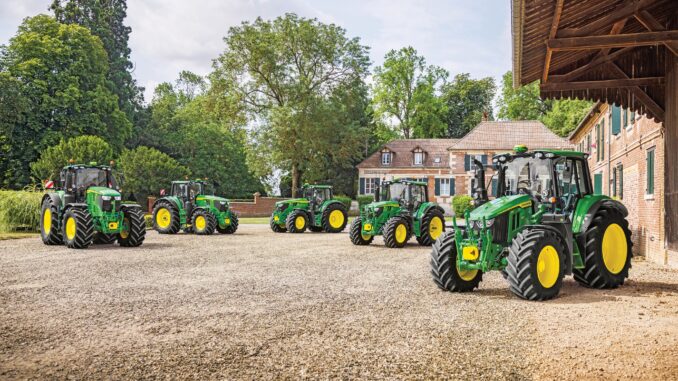
Introduction – John Deere 1 Series overview
The John Deere 1 Series family covers compact utility tractors such as the 1023E and 1025R that are designed for homeowners and small-acreage properties. These tractors combine a small footprint with true three‑point hitch capability, front loader options, and mid‑mount mower decks, making them a step up from typical lawn tractors in power and versatility.
This John Deere 1 Series Service and Repair Guide is written for owners in the USA and Canada who handle routine maintenance and basic repairs themselves. It walks through symptom‑based troubleshooting, DIY vs dealer decisions, essential service parts and diagrams, and a detailed FAQ so you can keep your tractor reliable year‑round.
General overview of the John Deere 1 Series
In the John Deere lineup, the 1 Series sits at the entry level of the compact utility tractor range, above lawn and garden tractors but below larger 3 and 4 Series machines. Typical models in this family use liquid‑cooled diesel engines, hydrostatic transmissions, and support front loaders, rear implements, and mid‑mount mower decks.
Key systems on a John Deere 1 Series tractor include:
-
Engine and fuel system (diesel engine, fuel filter, injectors, glow plugs)
-
Mower system (mid‑mount mower deck, blades, deck drive belt, lift linkage)
-
Drive system (hydrostatic transmission, axles, differential, 4WD components where fitted)
-
Hydraulic system (implement hydraulics, steering, loader circuits)
-
Electrical system (battery, alternator, safety switches, glow plug relay, fuses)
Common John Deere 1 Series service parts owners regularly buy include:
-
Engine oil filter (e.g. John Deere M806418 or model‑specific equivalent)
-
Fuel filter element
-
Hydraulic filter and transmission filter
-
Engine air filter primary and secondary elements
-
Mower deck blades for the specific deck size (e.g. 54″ or 60″ AutoConnect deck)
-
Mower deck drive belt and PTO belt
-
Glow plugs for diesel start assistance
-
Battery (group size and cold‑cranking amps suited to the 1 Series)
-
Various safety switches (seat, PTO, brake) and fuses
Always confirm part numbers against your exact model and serial number, as numbers differ between 1023E, 1025R and other 1 Series variants.
John Deere 1 Series troubleshooting approach
Troubleshooting on a John Deere 1 Series should always start with the symptom the owner sees, not the part you think is bad. Begin with a clear description: what the tractor does or does not do, when it happens, and what changed recently (fuel, attachments, storage).
Typical symptom categories for John Deere 1 Series tractors include:
-
Starting issues (won’t crank, cranks but won’t fire, hard cold starting)
-
Running issues (stalling, low power, surging, smoke)
-
Cut quality problems (uneven cut, scalping, poor discharge with mower deck)
-
Vibration and noise (deck vibration, driveline noises, loader or hydraulic chatter)
-
Overheating and leaks (engine temperature, coolant, hydraulic or fuel leaks)
-
Transmission and drive problems (won’t move, weak drive, unusual noises)
-
Electrical and safety‑switch problems (no crank, dead dash, PTO won’t engage)
Use these categories to narrow down your checks before you start changing parts.
Emergency and immediate repair needs on John Deere 1 Series
Some problems on a John Deere 1 Series tractor need immediate attention because they affect safety or can quickly damage expensive components. If any of the issues below appear, stop using the tractor until basic checks are complete or a dealer has inspected it.
John Deere 1 Series starting issues – urgent checks
These look like the tractor not cranking at all, cranking slowly, or cranking normally but refusing to start, especially in cold weather. Hard starting is often a warning that fuel, electrical, or glow plug problems need attention before you rely on the tractor for heavier work.
Common causes:
-
Battery discharged, weak, or with corroded terminals
-
Safety switches not made (seat, PTO, range selector, brake pedal)
-
Faulty key switch or starter solenoid
-
Fuel supply issues (plugged fuel filter, air in lines, water in fuel)
-
Glow plug or pre‑heat circuit faults in cold conditions
Basic owner checks:
-
Verify the battery voltage, clean terminals, and check ground connections.
-
Confirm all safety interlocks: PTO off, brake pedal firmly pressed, range selector in neutral, operator seated.
-
Check fuse panel for blown fuses related to starting and engine controls.
-
Inspect the fuel filter for obvious contamination and ensure the fuel shutoff is open.
-
Use proper cold‑weather starting technique, including glow plug pre‑heat where applicable.
John Deere 1 Series cut‑quality problems
Cut‑quality issues appear when using a mid‑mount mower deck: uneven cut, uncut strips, scalping, or poor discharge. While they may not be “emergency” in a safety sense, they can quickly ruin turf and indicate belt or deck problems.
Common causes:
-
Dull or damaged mower blades
-
Incorrect deck level or height setting
-
Deck drive belt worn, slipping, or off pulleys
-
Build‑up under the deck reducing airflow
-
Mower deck anti‑scalp wheels not set correctly
Basic owner checks:
-
Inspect blades for sharpness, damage, or bends and replace or sharpen as needed.
-
Check deck level side‑to‑side and front‑to‑back against the operator’s manual specifications.
-
Inspect the deck belt routing, tension and condition; replace if cracked or glazed.
-
Clean out packed grass under the deck to restore airflow and discharge.
-
Adjust anti‑scalp wheels based on mowing height and terrain.
John Deere 1 Series vibration and noise
Excessive vibration or new noises from the tractor, mower deck, or loader should be treated promptly. Running with severe vibration can damage bearings, belts, and mounting hardware.
Common causes:
-
Bent mower blades or unbalanced sets
-
Deck belt damaged with a missing chunk or splice
-
Loose deck hardware, pulleys, or spindle assemblies
-
Foreign objects caught in the deck or driveline
-
Drive shaft or PTO shaft issues on front attachments
Basic owner checks:
-
Stop the tractor, disengage PTO, and inspect blades and hardware for damage.
-
Spin pulleys by hand (engine off) to check for rough bearings and wobble.
-
Confirm all deck mounting points, pins, and brackets are secure.
-
Look for sticks, stones or debris inside the deck shell or around the driveline.
-
If vibration persists, remove the deck or attachment and test individually to isolate the source.
John Deere 1 Series overheating and leaks
Overheating, coolant loss, fuel leaks, and hydraulic leaks can become major failures very quickly. Any fluid leak or rising temperature gauge deserves immediate attention and, if severe, dealer inspection.
Common causes:
-
Low coolant level or blocked radiator/heat exchanger fins
-
Hydraulic hose damage, loose fittings or failing seals
-
Engine oil leaks around filters, drain plugs or gaskets
-
Fuel lines chafed or connections loose
-
Blocked screens around the engine compartment reducing airflow
Basic owner checks:
-
Verify coolant level when the engine is cool and inspect radiator and screens for debris.
-
Look for visible fluid leaks under the tractor after parking on a clean surface.
-
Check hydraulic hoses and fittings for wet spots or abrasion.
-
Inspect oil filter and drain plug for tightness and correct sealing after recent service.
-
Stop using the tractor if temperature remains high or leaks grow, and consult a dealer.
John Deere 1 Series transmission and drive problems
Transmission or drive problems appear as poor movement, jerky operation, or total loss of drive. Because the hydrostatic transmission and axles are expensive, avoid continued use if symptoms are severe.
Common causes:
-
Low hydraulic/transmission fluid level or wrong fluid type
-
Parking brake engaged or partially on
-
Range selector not fully in gear
-
Internal hydrostatic pump/motor issues
-
Axle or differential problems, especially after impact or towing abuse
Basic owner checks:
-
Confirm the parking brake is fully released and that nothing is obstructing the pedals.
-
Check the transmission range selector is firmly in the selected range.
-
Inspect the transmission/hydraulic fluid level and look for leaks around the case.
-
Note whether the problem occurs in both forward and reverse and in all ranges.
-
If fluid level, linkages and brake checks are OK but drive remains weak or noisy, stop and consult a dealer.
John Deere 1 Series electrical and safety problems
Electrical and safety‑switch issues often show up as “dead tractor” symptoms: no crank, dead lights, PTO not engaging, or intermittent cut‑off when you move or turn. While many checks are DIY, the wiring itself can be time‑consuming to diagnose.
Common causes:
-
Weak battery or failing alternator
-
Loose or corroded battery and ground connections
-
Faulty safety switches or broken wiring at high‑movement points
-
Blown fuses or poor fuse‑block connections
-
Ignition switch or PTO switch failure
Basic owner checks:
-
Measure battery voltage and clean all terminals and grounds.
-
Test whether lights and accessories work to gauge overall electrical health.
-
Check fuses and swap any suspect ones with known good replacements.
-
Inspect wiring looms at the seat, brake, PTO, and range selector for damage.
-
If electrical faults are intermittent or complex, consider dealer diagnostics.
DIY or dealer? John Deere 1 Series repair decision guide
On a John Deere 1 Series, the line between DIY and dealer work usually falls between external bolt‑on parts and internal powertrain or hydraulic repairs. Routine service and straightforward bolt‑on component replacement are realistic for most owners; internal transmission repairs, hydraulic system diagnostics and control module issues are best left to a dealer.
Good DIY jobs:
-
Engine oil and filter changes
-
Fuel and air filter replacement
-
Mower blades and deck belt replacement
-
Battery replacement and basic electrical checks
-
Greasing pivot points and loader pins
-
Cleaning radiator screens and checking fluid levels
Advanced DIY or dealer jobs:
-
Internal hydrostatic transmission repairs or replacements
-
Complex hydraulic leak tracing and component replacement
-
Diesel fuel‑system diagnostics (injectors, high‑pressure components)
-
Steering system internal repairs
-
Control module or wiring‑loom replacement and programming
Skill level guide:
-
Beginner: Routine servicing (oil, filters, blades), cleaning, greasing, battery checks.
-
Intermediate: Deck removal and installation, loader removal, belt routing, safety‑switch diagnosis.
-
Advanced: Hydraulic or transmission internal work, injector or pump replacement, advanced electrical diagnostics.
Parts information for John Deere 1 Series owners
Before ordering parts for your John Deere 1 Series tractor, you need accurate machine information. This ensures you receive the right belt, filter, hydraulic component or electrical part.
Gather:
-
Full model name (e.g. John Deere 1023E, 1025R, etc.)
-
Product Identification Number (PIN) / serial number from the tractor
-
Engine model and serial (diesel engine plate or sticker)
-
Deck size and type (e.g. 54″ AutoConnect, 60″ AutoConnect)
-
Information on front loader or attachments (model numbers) when ordering attachment parts
Key John Deere 1 Series service parts
Use this table as a starting point and always cross‑check numbers against your serial range and region, as John Deere updates part numbers and options.
For belts, safety‑critical components and parts that must fit precisely, OEM parts are strongly recommended. For items such as filters, blades and batteries, reputable aftermarket alternatives can be used as long as they are cross‑referenced correctly to your exact John Deere 1 Series model and serial.
Where to find John Deere 1 Series parts diagrams and manuals
Good diagrams and manuals are the backbone of successful DIY work. For John Deere 1 Series tractors, use a combination of official Deere publications and trusted parts sites.
Useful sources:
-
John Deere Manuals and Training – official operator’s manuals, quick‑reference guides and technical publications for compact utility tractors.
-
John Deere parts catalog (often branded JDParts) – exploded diagrams and part numbers for your specific 1 Series model and serial range.
-
John Deere Technical Publications – downloadable service manuals and technical guides for more in‑depth repair information.
-
A reputable Deere‑focused parts site with a dedicated John Deere 1 Series or specific model page, offering diagrams and OEM/cross‑referenced aftermarket parts.
Use the operator’s manual for routine maintenance intervals and basic adjustments, the parts catalog for exploded‑view diagrams and part numbers, and technical publications or dealer resources for complex diagnostics and repairs.
Locating model, serial and engine numbers on John Deere 1 Series
Model and serial numbers matter because John Deere often changes part numbers, suppliers and specifications across production years. Always work from your tractor’s identification plates rather than assuming parts will match by model name alone.
Follow these steps:
-
Find the tractor PIN plate, usually on the tractor frame near the front right side or under the operator platform.
-
Record the full model designation (e.g. 1023E, 1025R) and the serial/PIN exactly as stamped.
-
Locate the engine identification label or plate on the side of the diesel engine block or rocker cover, and note the engine model and serial.
-
Identify your mower deck model and width from the deck label or sticker on the deck shell.
-
Record attachment model numbers for any front loaders, snowblowers or other implements connected to your John Deere 1 Series.
Keep these numbers in your maintenance log or with your manuals so you can reference them quickly when ordering parts.
Buying John Deere 1 Series parts online and in stores
A good parts strategy saves both time and money. For John Deere 1 Series owners, combine online ordering with local dealer support.
Online:
-
Use OEM part numbers from the parts catalog, and confirm that the listing matches your model and serial range.
-
Be careful with PIN‑sensitive parts (hydraulic components, transmission parts, control modules), as they may differ within the same model line.
Dealer counter:
-
Best for complex diagnostics, PIN‑specific components, and hydraulic or electronic parts where technical advice is important.
-
Bring your PIN, engine serial and detailed description of the problem or the part you’re replacing.
Retail stores:
-
Acceptable for common consumables such as engine oil, grease, generic batteries, and sometimes blades or filters, as long as the packaging clearly lists John Deere 1 Series or your exact model.
Popular starting points include the official John Deere website for manuals and parts lookup, as well as well‑known equipment parts retailers that offer model‑specific pages and search by PIN or model name.
John Deere 1 Series fitting guides for common DIY parts
For most owners, a few key DIY jobs on the John Deere 1 Series deliver big reliability and performance gains. Below are simple step‑by‑step guides for popular tasks.
Changing the engine oil and filter on a John Deere 1 Series
Regular engine oil changes protect the diesel engine from wear and help with easier starting and smoother running.
-
Park the tractor on level ground, lower all implements, stop the engine and allow it to cool.
-
Place a drain pan under the oil drain plug, remove the plug and allow oil to drain fully.
-
Remove the old oil filter, wipe the mounting surface clean, and lightly oil the gasket on the new filter.
-
Install the new filter hand‑tight, then snug according to the filter instructions.
-
Reinstall the drain plug, fill with the recommended oil type and quantity, then start and check for leaks.
Replacing the engine air filter on a John Deere 1 Series
A clean air filter maintains power and reduces smoke or rough running under load.
-
Shut off the engine and open the hood or access panel to reach the air cleaner housing.
-
Release the latches or clamps on the housing and remove the cover.
-
Pull out the primary air filter element, inspecting for dirt, damage or moisture.
-
Install the new element, ensuring proper seating and orientation; replace the secondary element if specified.
-
Re‑fit the cover, latch securely and check for a good seal all around.
Changing mower blades on a John Deere 1 Series mid‑mount deck
Sharp blades restore cut quality and reduce strain on the deck belt and spindle drive system.
-
Park on level ground, lower the deck, shut off the tractor and remove the key.
-
Use appropriate supports or a safe lifting method to access the underside of the deck.
-
Lock each blade in place using a block of wood, then remove the retaining bolt or nut.
-
Install new blades with correct orientation (cutting edge facing direction of rotation) and tighten to specified torque.
-
Check that all blades spin freely and that hardware is secure before lowering and using the deck.
Replacing a mower deck drive belt on a John Deere 1 Series
A fresh deck belt prevents slippage, improves cut quality and reduces noise.
-
Lower the deck and remove it from the tractor following the operator’s manual.
-
Note the belt routing around pulleys and idlers or take a reference photo.
-
Release belt tension via the tensioner or idler spring, then remove the old belt.
-
Route the new belt according to the diagram, ensuring it sits properly in each pulley groove.
-
Re‑apply tension, check for alignment and contact, then reinstall the deck on the tractor and test engagement.
Maintenance to prevent John Deere 1 Series problems
Most common failures on a John Deere 1 Series can be reduced or avoided with regular, targeted maintenance. Focus on keeping filters clean, fluids fresh, moving parts lubricated and safety systems functioning.
Key focus areas:
-
Starting reliability: Maintain battery charge, clean terminals, replace fuel and air filters at recommended intervals, and use quality diesel fuel.
-
Cut quality: Sharpen or replace blades regularly, keep the deck clean, and monitor belt condition and tension.
-
Overheating and fire prevention: Clean radiator screens, remove debris from engine and deck areas, and check for leaks or seeping fluids.
-
Drive performance: Maintain correct transmission/hydraulic fluid level and quality, and avoid overloading or overheating the hydrostatic system.
-
Electrical reliability: Inspect wiring for chafing, keep connections dry and tight, and replace safety switches when they become intermittent.
John Deere 1 Series maintenance schedule and year‑round checklist
Always base your maintenance schedule on the official chart for your specific John Deere 1 Series model, but the following pattern closely matches typical recommendations for compact utility tractors.
Daily / before each use
-
Check engine oil level and look for visible leaks.
-
Verify fuel level and drain any water separators if fitted.
-
Inspect tire pressures and visible damage.
-
Check that lights, indicators and safety interlocks function correctly.
-
Make a quick walk‑around for loose hardware or leaks.
After approximately 8 hours of operation
-
Grease key pivot points, including front loader pins, steering components and drive shaft joints if applicable.
-
Clean radiator screens and air intake screens.
-
Inspect the mower deck for debris build‑up and loose components.
Every 25 hours
-
Check engine air filter condition; clean or replace as specified.
-
Inspect belts (mower deck and PTO) for wear and cracking.
-
Verify transmission/hydraulic fluid level and inspect for leaks.
Every 50 hours or yearly
-
Change engine oil and replace the oil filter.
-
Check battery terminals and wiring connections; clean and tighten as needed.
-
Grease all fittings listed in the operator’s manual.
-
Inspect brake and steering system linkages and operation.
Every 200 hours (or as specified for your John Deere 1 Series)
-
Replace fuel filter elements.
-
Replace hydraulic and transmission filters.
-
Inspect and possibly replace coolant based on age and condition.
-
Perform a detailed inspection of the driveline, axles and hydraulic hoses.
Seasonal checklist – John Deere 1 Series
Spring:
-
Complete an annual service (oil, filters, grease points).
-
Check mower deck blades, belt and level before first mowing.
-
Inspect battery and electrical system after winter storage.
Mid‑season:
-
Recheck blade sharpness and deck cleanliness.
-
Inspect loader and attachment mounting hardware.
-
Confirm cooling system performance during hot weather use.
Fall / end‑of‑season:
-
Clean the tractor thoroughly, especially the deck and engine compartment.
-
Change engine oil if hours are close to the recommended interval.
-
Stabilize fuel or prepare for winter diesel use.
-
Store the tractor under cover if possible, and disconnect battery if specified.
John Deere 1 Series – repair, upgrade or replace?
On a John Deere 1 Series, most issues can be repaired cost‑effectively because these tractors are built as long‑term assets. However, there are times when upgrades or replacement make more sense than repeated repairs.
Repair if:
-
The tractor is fundamentally sound, with isolated failures (filters, belts, blades, switches, minor leaks).
-
Powertrain and hydraulics are healthy but accessories or consumables need attention.
-
The cost of repair is significantly less than upgrading to a higher‑series machine.
Upgrade if:
-
You frequently run out of capacity for loader work, mowing area or implement power.
-
You need additional features (cab, more hydraulic ports, stronger front axle) not easily retrofitted.
-
Attachments you plan to use are better matched to higher‑series tractors.
Replace if:
-
The tractor has major powertrain or structural damage and repair costs approach the value of the machine.
-
Safety‑critical systems are severely compromised and you prefer a newer design.
-
Your property size or workload has outgrown what the John Deere 1 Series can realistically handle, even with upgrades.
Expanded troubleshooting FAQ – John Deere 1 Series
1. Why will my John Deere 1 Series not start?
A John Deere 1 Series that will not start usually suffers from battery, safety‑switch, fuel or glow plug issues. Begin by checking battery voltage and making sure all safety interlocks are satisfied. Inspect fuses and verify that the fuel shutoff is open and the filter is not clogged. In cold weather, confirm that the glow plug pre‑heat is working and use the recommended starting procedure.
2. Why does my John Deere 1 Series crank but not fire?
If the tractor cranks strongly but does not fire, suspect fuel delivery or engine compression issues. Check for air in the fuel lines, clogged filter elements or water contamination. Make sure you are using fresh, season‑appropriate diesel fuel. If starting remains difficult after fuel system checks, consult a dealer for compression and injector testing.
3. Why does my John Deere 1 Series only click when I turn the key?
Clicking at the starter without cranking usually indicates low voltage at the starter or a failing solenoid. Inspect battery terminals, ground connections and the main cables to the starter. Measure battery voltage under load. If voltage and connections are good, the starter solenoid or starter motor itself may need replacement.
4. Why does my John Deere 1 Series start but then stall?
Starting and then stalling commonly point to restricted fuel flow or a failing fuel shutoff system. Check fuel filter condition and the presence of air bubbles in transparent lines or sight areas. Ensure the fuel cap vent is not blocked. If the tractor consistently stalls after a short period, have the fuel shutoff solenoid and related wiring checked.
5. Why is my John Deere 1 Series hard to start in cold weather?
Diesel engines depend on glow plugs, correct fuel and good compression for cold starts. Verify the glow plug indicator and listen for the relay. Use winter‑grade diesel or appropriate additives. Make sure the battery has adequate cold‑cranking amps. If glow plugs and fuel are correct but starting is still poor, have the compression and glow plugs tested.
6. Why does my John Deere 1 Series smoke excessively on start‑up?
Some smoke at start‑up can be normal, but excessive smoke may indicate poor fuel burn, worn injectors or low compression. Confirm that the air filter is clean and that fuel quality is good. Observe the color of smoke: white can suggest unburned fuel, blue can suggest oil burning, and black can suggest over‑fueling. Persistent heavy smoke warrants dealer diagnosis.
7. Why does my John Deere 1 Series lose power under load?
Power loss under load often comes from restricted fuel or air flow, dirty filters, or drivetrain issues. Check and replace fuel and air filters as needed. Inspect the radiator and screens for blockages causing overheating and de‑rating. Verify that the hydrostatic transmission is full of clean fluid. If power remains low, have engine and transmission pressures checked.
8. Why does my John Deere 1 Series surge or hunt at idle?
Surging at idle can be caused by fuel delivery problems or governor issues. Ensure the fuel system is free of air and that filters are clean. Check for inconsistent fuel supply due to blocked tank vents. If the surging continues, consult a dealer for governor and injection pump adjustment.
9. Why does my John Deere 1 Series mid‑mount deck cut unevenly?
Uneven cutting usually comes from mis‑leveled decks, worn blades or incorrect tire pressures. Check deck level side‑to‑side and adjust according to the operator’s manual. Inspect blades for damage or dull edges and replace or sharpen as needed. Confirm tire pressures are equal, as variations can tilt the deck and affect cut height.
10. Why is my John Deere 1 Series leaving uncut strips?
Uncut strips between passes suggest blade overlap or deck level issues. Make sure all blades are installed correctly and that none are bent or shorter replacements. Confirm the deck is square to the tractor and that belt tension is sufficient to keep all spindles turning at full speed. Adjust overlapping passes slightly until the problem disappears.
11. Why is my John Deere 1 Series scalping the lawn?
Scalping occurs when the deck is too low or the anti‑scalp wheels are not set correctly for uneven terrain. Raise the cutting height and adjust anti‑scalp wheels so they roll just above the turf on uneven areas. Avoid mowing at high speed over rough ground. If scalping persists, re‑check deck level and suspension settings.
12. Why does my John Deere 1 Series deck clog with grass?
Clogging often results from wet grass, dull blades or a dirty deck shell. Try mowing when grass is dry and at appropriate height. Clean out built‑up material under the deck regularly. Sharpen blades to ensure they cut cleanly rather than tearing and packing. If the deck still clogs, check belt speed and PTO engagement for proper operation.
13. Why is my John Deere 1 Series deck noisy or rattling?
Deck noise or rattling usually points to loose hardware, worn spindle bearings or belt issues. Inspect all mounting bolts, pulley nuts and spindle housings. Rotate pulleys by hand to feel for roughness. Check the belt for missing sections or severe wear. Replace worn components promptly to avoid further damage.
14. Why does my John Deere 1 Series vibrate when mowing?
Vibration during mowing is often caused by bent or unbalanced blades, or loose deck components. Remove and inspect blades for damage; replace them if they are bent or severely worn. Ensure blades are matched and balanced as a set. Tighten deck hardware and inspect spindle shafts for run‑out.
15. Why won’t the PTO engage on my John Deere 1 Series?
If the PTO will not engage, check for electrical and safety‑switch issues first. Verify that the operator is seated, the brake is set as required, and all safety interlocks are satisfied. Inspect the PTO switch and related fuses. If the PTO engages electrically but the deck or attachment does not turn, check belt routing, shear devices and mechanical couplings.
16. Why does my John Deere 1 Series PTO disengage by itself?
Automatic PTO disengagement can be caused by safety system triggers or loose connections. Check seat and operator‑presence switches for intermittent operation. Verify wiring to the PTO switch and control module. Inspect belt and driveline components to ensure there is no mechanical binding causing overload and trips.
17. Why will my John Deere 1 Series not move when I press the pedal?
If the tractor will not move, first confirm the parking brake is fully released and the range selector is in a drive position. Check transmission/hydraulic fluid level and look for leaks. Inspect the forward/reverse pedal linkage for damage or disconnection. If everything appears correct but there is still no movement, hydrostatic components may need dealer inspection.
18. Why is my John Deere 1 Series slow or weak in drive?
Weak drive can be caused by low fluid, worn hydrostatic components or partially applied brakes. Make sure fluid level and type are correct and change filters as specified. Check for dragging brakes or other obstructions. If performance remains weak, have the hydrostatic system pressures checked by a dealer.
19. Why does my John Deere 1 Series make whining noises from the transmission?
Hydrostatic transmissions often make some noise, but excessive whining under load can indicate low fluid, incorrect fluid or filter issues. Confirm fluid level and type and replace filters at recommended intervals. Avoid prolonged operation at high load in low range. If noises remain loud, seek professional diagnosis.
20. Why is my John Deere 1 Series steering heavy or inconsistent?
Heavy steering may result from low hydraulic fluid, air in the steering circuit or mechanical issues with steering components. Check fluid level and scan hoses for leaks. Inspect tie rods, steering linkages and front axle joints for wear. Lubricate as specified. If steering remains poor, the steering valve or pump may require dealer service.
21. Why is my John Deere 1 Series overheating?
Overheating is commonly due to blocked radiator fins, dirty screens or low coolant. Clean screens and radiator fins regularly, especially when mowing in dusty conditions. Check coolant level and condition. Verify fan operation. If overheating occurs despite clean cooling components and proper coolant, have the thermostat and water pump checked.
22. Why is my John Deere 1 Series leaking hydraulic fluid?
Hydraulic leaks are usually visible as oil spots under the tractor or wet hoses and fittings. Inspect hose surfaces for abrasion and cracks. Tighten fittings carefully, but avoid overtightening. Replace damaged hoses promptly. If leaks are coming from pump or valve bodies, dealer repairs are recommended.
23. Why is my John Deere 1 Series losing coolant?
Coolant loss may be caused by hose leaks, radiator damage or internal engine problems. Look for dried coolant staining around hose connections and radiator seams. Check the water pump area for leaks. If coolant disappears with no visible external leak, consult a dealer for pressure testing and internal leak diagnosis.
24. Why is there fuel smell around my John Deere 1 Series?
Persistent fuel smell can mean small leaks or seepage in fuel lines, connections or the tank. Inspect all lines and fittings for dampness. Tighten clamps and replace hardened hoses. Check the fuel cap and vent for proper sealing. Address fuel smells promptly to reduce fire risk.
25. Why are my John Deere 1 Series lights or electrical system dead?
A dead electrical system often comes from a blown main fuse, bad battery or poor ground connections. Check main and accessory fuses, test battery voltage, and inspect cables for corrosion. Clean terminals, apply dielectric grease where appropriate and retest. If power remains absent, have the ignition switch and main harness checked.
26. Why do safety switches on my John Deere 1 Series keep causing shutdowns?
Intermittent safety‑switch shutdowns typically result from worn or misadjusted switches at seat, PTO or brake pedals. Inspect each switch for secure mounting and evident wear. Adjust or replace switches as needed. Keep connectors clean and protected from moisture.
27. How often should I change oil on my John Deere 1 Series?
Check your operator’s manual, but many 1 Series tractors recommend engine oil and filter changes every 50 hours or at least once per year under typical homeowner use. More frequent changes may be appropriate under heavy or dusty conditions. Always use the specified oil type and viscosity.
28. How often should I change filters on my John Deere 1 Series?
Engine oil filters usually change with oil at 50‑hour intervals, while fuel and hydraulic filters often change around 200 hours or as specified. Air filters should be inspected regularly, cleaned if allowed and replaced when dirty or damaged. Follow the maintenance chart for your exact model.
29. What is the best way to store my John Deere 1 Series over winter?
For winter storage, clean the tractor thoroughly, change oil if due, and make sure fuel is stabilized or appropriate for winter diesel use. Disconnect the battery or use a maintainer. Store under cover if possible and protect the mower deck and attachments from moisture.
30. Why does my John Deere 1 Series battery keep going flat?
Batteries go flat from age, parasitic drain or insufficient charging. Ensure that all lights and accessories are off when the tractor is parked. Check charging voltage from the alternator while running. If the battery is several years old, replacement may be due. Persistent drain without obvious cause may require dealer electrical testing.
31. How can I improve starting reliability on my John Deere 1 Series?
To improve starting reliability, keep the battery in good condition, maintain clean terminal connections and replace filters on schedule. Use quality diesel fuel and observe proper glow plug pre‑heat times. Avoid repeated short runs that never warm the engine fully.
32. How can I get a better cut from my John Deere 1 Series mower deck?
For better cut quality, sharpen blades regularly, maintain correct deck level and keep the deck clean. Mow at the recommended ground speed and cutting height for your turf. Replace belts when worn and ensure PTO engagement is smooth and full.
33. Which jobs on a John Deere 1 Series are realistic DIY for homeowners?
Most homeowners can handle oil and filter changes, blade replacement, belt replacement, deck removal and installation, battery service and basic electrical and safety‑switch checks. More complex hydraulic or transmission work should generally be reserved for experienced mechanics or dealers.
34. Where should I buy parts for my John Deere 1 Series?
Start with official John Deere parts catalog entries for correct numbers, then purchase through a John Deere dealer or a trusted online parts supplier. Use aftermarket parts mainly for consumables like filters and blades, ensuring they cross‑reference to your model and serial. For PIN‑specific or critical components, use OEM.
35. When should I consider replacing my John Deere 1 Series instead of repairing it?
Consider replacement when major powertrain or structural damage exists, and repair costs approach or exceed the value of the tractor. Also consider replacement if your property size or workload has outgrown what a 1 Series tractor can comfortably handle, even after thoughtful upgrades.