
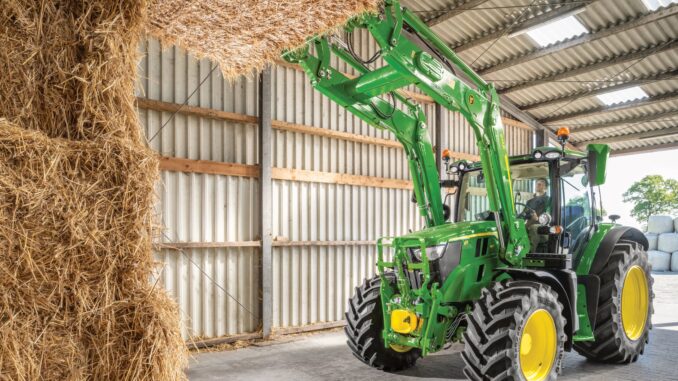
The John Deere 4300 is a compact utility tractor aimed at property owners, estate users, and light commercial operators who need more capability than a lawn tractor but still want a machine that is manageable for home and acreage work. It uses a 3-cylinder Yanmar diesel engine rated at 32.2 gross horsepower, with independent PTO and multiple transmission options depending on the tractor’s build.
For owners in the USA and Canada, this guide focuses on the issues that matter most in real-world use: hard starting, poor running, hydraulic and transmission concerns, PTO problems, overheating, electrical faults, routine maintenance, and knowing when a repair is realistic at home versus better left to a dealer. Official Deere documentation for this family also confirms the core service schedule, fluid capacities, and common maintenance parts that owners need most often.
General overview of the John Deere 4300
The John Deere 4300 sits in Deere’s 4000 Compact Utility Tractor line alongside the 4200 and 4400, and the operator’s manual covers those three closely related models together. In 4300 form, the tractor uses a Yanmar 3TNE84 diesel engine, 12-volt electrical system, open-center hydraulics, category 1 three-point hitch, and an independent rear PTO rated at 540 rpm.
Depending on version, the John Deere 4300 was available with 9×3 SyncShift, 12×12 SyncReverser, or hydrostatic transmission layouts, with 2WD or MFWD options depending on the transmission and configuration. Deere lists 37.9 L fuel capacity, 4.3 L crankcase-with-filter capacity, 24 L transmission/hydraulic capacity for gear models, and 26 L for hydrostatic models.
The main systems owners usually deal with are:
-
Engine and fuel system: diesel fuel filter, air filters, glow/air-heater starting aid, cooling system, injector-related running issues.
-
Drive and hydraulic system: transmission oil, hydraulic filter, suction screen, front axle oil on MFWD models, steering and hitch hydraulics.
-
Electrical system: battery, alternator, starting circuit, fuses, safety/start interlock faults, corroded grounds.
-
PTO and attachment operation: rear PTO engagement, hydraulic response, three-point lift issues, driveline loading from mower, tiller, or other implements.
Common service parts owners frequently buy for this model include:
-
Engine oil filter: M806419.
-
Hydraulic oil filter: LVA10419.
-
Fuel filter: MIU804763 or M801101 depending on reference source, so cross-check by serial/PIN before ordering.
-
Primary air filter: M131802.
-
Secondary air filter: M131803.
-
Full maintenance filter pack for 4200/4300/4400: LVA21198.
John Deere 4300 troubleshooting approach
The best way to diagnose a John Deere 4300 is to start with the symptom the owner actually sees, not the part they think has failed. On a compact diesel tractor, one bad battery connection, restricted fuel supply, dirty radiator screen, or low hydraulic oil level can create several secondary symptoms that look more serious than they are.
The main symptom groups on the John Deere 4300 are:
-
Starting issues.
-
Running and power-loss issues.
-
Hydraulic or transmission/drive problems.
-
PTO or three-point hitch problems.
-
Vibration, noise, or driveline complaints.
-
Overheating, coolant loss, or oil leaks.
-
Electrical faults and charging problems.
John Deere 4300 emergency and immediate repair needs
Some faults on the John Deere 4300 need attention right away because they affect safe operation or can damage expensive systems quickly. That is especially true for loss of steering assist, overheating, hydraulic leaks under pressure, severe driveline noise, brake issues, and charging or starting faults that leave the machine stranded in the wrong place.
John Deere 4300 starting issues
If the tractor cranks slowly, clicks, or will not fire, stop before repeated long cranking overheats the starter or drains the battery. Deere lists a 12-volt system with 500 CCA battery specification and a diesel air-heater starting aid, so weak voltage and poor electrical connections are common first checks.
Common causes:
-
Weak battery or poor terminal connection.
-
Bad ground strap or corroded cable ends.
-
Faulty starter relay, solenoid, or starter.
-
Fuel restriction or air in fuel supply.
-
Cold-weather starting issues or failed heater circuit.
-
Safety interlock or neutral/clutch range-position issue.
Basic checks:
-
Confirm battery voltage and clean both terminals and ground points.
-
Make sure the range/PTO/clutch conditions required for starting are fully met.
-
Check fuel level, sediment bowl condition, and visible fuel contamination.
-
Look for slow crank versus normal crank-no-start, because those point to different faults.
-
If cranking is strong but it still will not start, move next to fuel delivery and air intake checks.
John Deere 4300 running issues
If the engine starts but runs rough, smokes, lacks power, or stalls under load, the problem is often fuel supply, dirty air filtration, overdue service, or injector-related wear rather than a catastrophic engine failure. Deere’s service schedule specifically calls for fuel system, air filter, cooling, and oil service checks at regular intervals because neglect in those areas is what most often creates owner complaints.
Common causes:
-
Dirty fuel filter or water/sediment contamination.
-
Restricted primary or secondary air filter.
-
Old engine oil and overdue maintenance.
-
Injector or valve-clearance issues.
-
Low-quality or stale diesel fuel.
-
Cooling restriction causing heat-related power loss.
Basic checks:
-
Inspect and, if due, replace the fuel filter and air filters.
-
Drain water or sediment if contamination is present.
-
Check for black smoke, white smoke, or blue smoke patterns.
-
Inspect radiator screen and cooling fins for blockage.
-
If rough running continues after filters and fuel checks, dealer-level injector diagnosis may be justified.
John Deere 4300 vibration and noise
New vibration or grinding noise should be treated seriously because it can come from rotating driveline components, loose wheel hardware, PTO shafts, worn U-joints, damaged implement gearboxes, or internal transmission issues. Deere also notes wheel hardware torque checks during break-in, which is a reminder that loose hardware should never be ignored.
Common causes:
-
Loose wheels or lug hardware.
-
Worn PTO shaft joints or implement driveline faults.
-
Bent attachment driveline parts.
-
Worn bearings in an implement or front axle area.
-
Transmission or clutch-related internal wear.
-
Engine mounting or exhaust-related looseness.
Basic checks:
-
Stop use and identify whether the noise appears only in motion, only under PTO load, or even at idle.
-
Inspect wheels, axle areas, and visible driveline hardware.
-
Disconnect the implement if safe and retest the tractor alone.
-
Check PTO shields and shaft guards for contact noise.
-
Escalate immediately if the sound is metallic, rhythmic, or load-sensitive.
John Deere 4300 overheating and leaks
Overheating on the John Deere 4300 can damage the engine quickly, and hydraulic leaks can become both a fire hazard and a contamination problem. Deere’s routine maintenance schedule specifically includes checking coolant level, cleaning screens, and cleaning radiator cooling fins because blocked airflow is a very common cause of heat trouble.
Common causes:
-
Plugged grille, side screens, or radiator cooling screen.
-
Dirty radiator fins.
-
Low coolant level.
-
Loose hose clamps or aged coolant hoses.
-
Hydraulic hose seepage or damaged fittings.
-
Overloaded operation in hot conditions.
Basic checks:
-
Let the tractor cool completely before opening anything.
-
Check coolant level and look for visible hose seepage.
-
Clean the front screens and radiator area carefully.
-
Look underneath for engine oil, coolant, diesel, or hydraulic fluid traces.
-
Repair leaks before extended operation, especially pressurized hydraulic leaks.
John Deere 4300 transmission and drive problems
Drive complaints on this tractor often show up as weak movement, delayed response, slipping under load, poor hydro feel, hard shifting, or MFWD issues. Deere’s schedule emphasizes transmission oil level, filter changes, and suction-screen cleaning because fluid condition is central to both hydrostatic and hydraulic system performance.
Common causes:
-
Low or contaminated transmission/hydraulic oil.
-
Plugged hydraulic oil filter.
-
Dirty transmission suction screen.
-
Linkage adjustment issues.
-
Internal hydrostatic wear or clutch/transmission faults.
-
Front axle oil neglect on MFWD models.
Basic checks:
-
Verify the correct fluid level with the tractor on level ground.
-
Confirm whether the machine is a gear, SyncReverser, or hydrostatic version before ordering parts.
-
Check for service history on oil, filter, and suction screen.
-
Inspect linkages for free movement and obvious looseness.
-
If the tractor loses motion after warm-up, internal wear becomes more likely.
John Deere 4300 electrical problems
Electrical problems can look random on an older compact tractor, but many trace back to corrosion, weak battery performance, poor grounds, charging issues, or safety/start circuit faults. Deere lists a 40-amp alternator as standard, with a 55-amp high-capacity option, so low charging voltage is a meaningful test point.
Common causes:
-
Weak battery.
-
Dirty terminals and grounds.
-
Failed alternator or regulator issue.
-
Blown fuse or damaged wiring.
-
Safety switch or ignition switch fault.
-
Starter relay/solenoid problems.
Basic checks:
-
Check battery voltage at rest and while cranking.
-
Inspect and clean chassis grounds.
-
Verify charging voltage with engine running.
-
Inspect fuses and visible harness sections.
-
Trace one symptom at a time rather than replacing multiple electrical parts blindly.
DIY or dealer? John Deere 4300 repair decision guide
The John Deere 4300 is very owner-serviceable for routine maintenance and a fair number of basic repairs, but the line is usually crossed when diagnosis needs hydraulic pressure testing, fuel-injection expertise, clutch splitting, transmission internal work, or electrical tracing deep inside the harness. For most owners, filters, fluids, screens, battery work, belts, hoses, and visible linkage issues are realistic DIY jobs, while injector work, hydrostatic internals, clutch/transmission teardown, and complex hydraulic faults are better dealer territory.
Good DIY jobs on a John Deere 4300
-
Engine oil and oil filter service.
-
Fuel filter replacement.
-
Primary and secondary air filter inspection/replacement.
-
Cleaning radiator screens, fins, and debris traps.
-
Battery replacement and terminal cleaning.
-
Hydraulic oil/filter service when the procedure, fluid spec, and cleanliness standards are understood.
Advanced DIY or dealer jobs on a John Deere 4300
-
Transmission suction screen service if access is awkward and contamination is suspected.
-
PTO clutch diagnosis.
-
Hydraulic pressure testing and internal hydraulic troubleshooting.
-
Injector service and valve clearance adjustment, which Deere flags as dealer-level items at 500 hours.
-
Clutch, SyncReverser, or hydrostatic internal repairs.
-
Front axle internal repairs on MFWD machines.
Skill level guide
-
Beginner: engine oil/filter, air filter, battery cleaning, screen cleaning, visual leak checks.
-
Intermediate: fuel filter, hydraulic filter, fluid changes, suction screen service, hose replacement, electrical testing with a meter.
-
Advanced: hydraulic diagnosis, PTO issues, transmission linkage adjustment, axle and driveline repair, injector-related fault finding.
John Deere 4300 parts needed, OEM vs aftermarket, and what information you need
Before ordering John Deere 4300 parts, collect the full model name, the tractor Product Identification Number, the engine model information, and the exact transmission or drive configuration. That matters because Deere grouped the 4200/4300/4400 family together in many references, while some service parts and procedures vary by model and by transmission type.
You should also confirm whether the tractor is 2WD or MFWD, and whether it is SyncShift, SyncReverser, or hydrostatic. Deere’s quick-reference guide and filter-pack listings are helpful, but even Deere-sourced references show fuel-filter variation between MIU804763 and M801101 across different documents, so PIN-based confirmation is the safest approach before purchase.
OEM versus aftermarket guidance:
-
Use OEM for hydraulic filters, fit-sensitive filters, and anything safety-critical or serial-sensitive.
-
Good aftermarket options can be acceptable for some air filters, batteries, and routine consumables if the cross-reference is exact and from a reputable supplier.
-
For older tractors, avoid “looks about right” buying, because one wrong filter, seal, or hydraulic part can create a much bigger repair.
John Deere 4300 manuals, diagrams, and parts lookup sources
The most useful place to start is the official John Deere operator’s manual for the 4200/4300/4400 series, which covers operation, identification, troubleshooting, service intervals, capacities, and routine service guidance. Deere’s quick-reference guide for 4000 series compact utility tractors is also valuable because it lists common maintenance part numbers and intervals in a fast, owner-friendly format.
Useful sources:
-
Official operator’s manual for identification, service intervals, and specifications.
-
Official specifications page for engine, fluids, capacities, PTO, and transmission details.
-
John Deere compact utility tractor quick-reference guides for maintenance part numbers and intervals.
-
Jacks Small Engines 4300 parts diagrams for exploded assemblies and component lookup.
-
John Deere Technical Publications / TM1677 references for deeper repair information; TM1677 is widely referenced for the 4200/4300/4400 family.
How to locate John Deere 4300 model, serial, and engine numbers
These numbers matter because Deere parts lookup, service bulletins, and fitment confirmation often depend on the exact machine identity rather than the model badge alone. That is especially important on older compact tractors where drivetrain choice and production range can change the right part number.
Steps:
-
Find the tractor identification tag and record the full model and Product Identification Number exactly as stamped.
-
Photograph the tag before cleaning or ordering parts so digits are not misread.
-
Record the engine model and engine serial directly from the engine itself, since engine service items can reference engine-specific information. Deere’s parts guidance notes that engine numbers are found on the engine.
-
Note whether the tractor is 2WD or MFWD and whether it has SyncShift, SyncReverser, or hydrostatic transmission.
-
Keep that information with your parts list so online and dealer orders can be checked accurately.
Buying John Deere 4300 parts online and in physical stores
The smartest buying strategy is to identify the part from an official diagram or Deere maintenance guide first, then cross-check the number against your exact machine configuration before spending money. That reduces the risk of ordering the wrong hydraulic, fuel, or drivetrain part for a tractor family with multiple variants.
Best sources:
-
Online: Shop.Deere.com, JDParts, and model pages such as Jacks Small Engines 4300 diagrams.
-
Dealer counter: best for serial-specific hydraulic, transmission, axle, PTO, and electrical parts.
-
Retail stores: acceptable for clearly cross-referenced batteries, fluids, and some filters, but only when the packaging specifically matches the 4300 application and spec.
Step-by-step fitting guide for common John Deere 4300 parts
These are four of the highest-value DIY jobs on the John Deere 4300 because they solve many no-start, poor-running, overheating, and hydraulic-performance complaints before deeper repairs are needed. Deere’s official service interval material supports these items as routine maintenance points.
Change the John Deere 4300 engine oil and oil filter
This service protects the Yanmar diesel and is due after the first 50 hours, then every 200 hours according to Deere’s service intervals for this family.
-
Warm the engine briefly, then park safely on level ground and shut it down.
-
Drain the engine oil into a suitable container.
-
Remove the old oil filter and install the new filter, such as M806419, after lubricating the gasket lightly with clean oil.
-
Refill with the correct oil to the proper level; Deere lists 4.3 L crankcase-with-filter capacity for the 4300.
-
Start the tractor, check for leaks, shut down, and recheck the oil level.
Replace the John Deere 4300 fuel filter
A restricted fuel filter can cause hard starting, rough running, weak power, or stalling under load. Deere lists the fuel filter as a 500-hour maintenance item in its quick-reference material for this model family.
-
Shut off the tractor and clean around the filter area before opening the fuel system.
-
Remove the old filter carefully and catch any diesel spill.
-
Install the replacement filter using the correct OEM number confirmed for your tractor.
-
Reassemble and follow normal bleeding or self-bleeding procedure as applicable; Deere lists direct injection with self-bleeding fuel delivery in the specs.
-
Start and inspect for leaks or air-related stumbling.
Replace the John Deere 4300 air filters
Dirty air filters can reduce power, increase smoke, and worsen starting and fuel economy. Deere lists M131802 as the primary air filter and M131803 as the secondary element for the 4200/4300/4400 family.
-
Open the air cleaner housing and remove the primary element first.
-
Inspect the housing for dust buildup and wipe it clean without forcing debris inward.
-
Replace the primary element and inspect the secondary element carefully; replace it if dirty or damaged.
-
Make sure all clamps and intake hoses seal properly.
-
Reset any restriction indication and monitor performance afterward.
Change the John Deere 4300 hydraulic oil filter
Weak hydraulics, noisy hydraulic operation, and poor drive response can sometimes be tied to overdue hydraulic filter service. Deere lists the hydraulic oil filter and service timing clearly in its quick-reference materials.
-
Park safely, lower implements, and relieve hydraulic load before service.
-
Clean the filter area thoroughly so dirt does not enter the system.
-
Remove the old hydraulic filter and install the correct replacement, typically LVA10419 after confirming fit.
-
Top up or replace hydraulic/transmission oil with the correct spec fluid; Deere lists Low Viscosity HY-GARD for transmission and front axle lubrication.
-
Start the tractor, cycle hydraulics gently, and recheck for leaks and proper oil level.
Maintenance to prevent John Deere 4300 problems reoccurring
Most recurring John Deere 4300 problems are maintenance-related rather than design-related, especially on tractors that now have age, unknown service history, or mixed seasonal use. Deere’s official intervals focus heavily on oil, filters, cooling cleanliness, hydraulic servicing, and front axle checks because neglect in those areas is what most often leads to avoidable repairs.
Focus areas:
-
Starting reliability: keep the battery strong, terminals clean, and fuel system free of contamination.
-
Running quality: stay on top of fuel filter, engine oil, and air filter service.
-
Overheating prevention: clean grille, side screens, radiator cooling screen, and cooling fins regularly.
-
Drive performance: monitor transmission/hydraulic oil level and do not delay filter changes.
-
Electrical reliability: protect connectors, grounds, and charging performance from corrosion and vibration.
John Deere 4300 maintenance schedule and year-round checklist
The official Deere service chart for the 4200/4300/4400 family gives a solid structure for routine maintenance on the John Deere 4300. The key intervals include daily/10-hour checks, first 50-hour break-in work, 200-hour service, 400-hour hydraulic suction-screen and oil work, and 500-hour fuel/air/front axle/injector-related items.
Daily / before each use on the John Deere 4300
-
Check transmission oil level.
-
Check air filter dust unloading valve and air restriction indicator.
-
Check radiator coolant level.
-
Check fuel filter sediment bowl.
-
Check and clean grille, side screens, and radiator cooling screen.
After first 50 hours on the John Deere 4300
-
Change engine oil and filter.
-
Check transmission oil level.
-
Hydro models: change transmission oil and filter, and clean transmission suction screen.
-
Check alternator belt tension, hoses, clamps, and loose or damaged parts.
-
MFWD models: check front axle oil level.
Every 200 hours on the John Deere 4300
-
Change engine oil and filter.
-
Change transmission oil and oil filter.
-
Clean fuel filter sediment bowl.
-
Inspect alternator belt and tension.
-
Clean radiator cooling fins and lubricate grease fittings.
Every 400 hours on the John Deere 4300
-
Change transmission oil and filter.
-
Clean transmission suction screen.
Every 500 hours on the John Deere 4300
-
Lubricate tractor grease fittings.
-
Check primary air filter element.
-
Check transmission oil level and intake hoses/clamps.
-
MFWD models: change front axle oil.
-
Inspect fuel injectors and adjust valve clearance through a dealer.
Seasonal checklist for the John Deere 4300
-
Spring: change overdue fluids and filters, inspect battery condition, and clean all cooling surfaces.
-
Mid-season: inspect belts, hoses, tire pressures, and hydraulic leaks, and clean screens more often in dusty mowing or loader conditions.
-
Fall or pre-storage: clean thoroughly, correct leaks, service fuel filtration if due, and prepare battery/cooling system for the off-season.
Repair, upgrade, or replace the John Deere 4300?
For many owners, the John Deere 4300 is still worth repairing because it is a true compact utility tractor with strong parts support, official maintenance documentation, and a straightforward service layout for many routine jobs. The tipping point usually comes when the tractor needs major transmission, hydraulic, front axle, or injector-related work on top of general wear, especially if it also has loader, PTO, and electrical issues at the same time.
Repair if:
-
The problem is limited to filters, fluids, hoses, battery, charging, cooling, or minor hydraulic leaks.
-
Compression, transmission function, and PTO operation are otherwise good.
-
The tractor has a known service history and solid overall structure.
Upgrade if:
-
You need more lift, loader capacity, operator comfort, or a newer hydrostatic platform.
-
You are using larger attachments than the 4300 was meant to handle comfortably.
-
Repeated downtime is hurting property or small-business use.
Replace if:
-
The tractor has major internal transmission or hydraulic failure plus other age-related issues.
-
Parts and labor exceed the value of a healthier compact tractor.
-
Safety, driveline, and engine problems are all present together.
John Deere 4300 troubleshooting FAQ
1. Why will my John Deere 4300 not start?
Start with the basics: battery condition, cable cleanliness, ground connections, fuel supply, and safety/start conditions. The 4300 uses a 12-volt system and diesel starting aid, so weak cranking voltage and poor cable connections are very common causes before deeper fuel-system faults are considered.
2. Why does my John Deere 4300 crank but not fire?
If the engine cranks normally but does not start, look at fuel delivery, sediment contamination, restricted filters, or air in the fuel system. Strong cranking usually shifts suspicion away from the battery and more toward fuel, heater-assist, or engine-side issues.
3. Why is my John Deere 4300 hard to start when cold?
Cold-weather diesel starting often gets worse when battery output drops, cables corrode, or the starting-aid circuit is not working properly. Dirty fuel, marginal compression, and overdue maintenance can make the same problem more noticeable in winter.
4. Why does my John Deere 4300 start and then stall?
That pattern often points to restricted fuel flow, contamination in the fuel system, or air entering the supply side. A partially plugged fuel filter can let the tractor fire briefly and then starve it as demand increases.
5. Why is my John Deere 4300 running rough?
Rough running is commonly tied to old fuel, a dirty fuel filter, restricted air intake, or injector-related issues. Because Deere’s official schedule emphasizes air and fuel service, those are the first areas to check before assuming major engine damage.
6. Why does my John Deere 4300 blow black smoke?
Black smoke usually means the engine is getting too much fuel for the amount of air available, or it is being overloaded. Dirty air filters, restricted intake path, and heavy implement loading are common causes.
7. Why does my John Deere 4300 lose power under load?
Loss of power under load often points to clogged filters, poor fuel quality, restricted airflow, or heat buildup. It can also happen when hydraulic or PTO loads are too high for the task and the engine is being pulled below its working range.
8. Why is my John Deere 4300 overheating?
Blocked grille screens, dirty radiator fins, low coolant, or hose/clamp issues are common causes. Deere specifically calls for frequent cooling-system checks and screen cleaning, which shows how important airflow cleanliness is on this platform.
9. Why is coolant disappearing from my John Deere 4300?
Coolant loss may come from loose clamps, hose seepage, radiator issues, or a more serious internal engine problem. Start with visible external leaks before jumping to worst-case conclusions.
10. Why is my John Deere 4300 leaking hydraulic oil?
Hydraulic leaks usually come from hoses, fittings, seals, or filter-area seepage rather than immediate pump failure. Even a small leak matters because low oil can affect steering, hitch response, and transmission/hydro performance.
11. Why is my John Deere 4300 moving weakly or slowly?
Low transmission/hydraulic oil, a restricted filter, contaminated fluid, or overdue suction-screen service are common reasons. The official maintenance schedule treats these as core service items because poor fluid condition affects several systems at once.
12. Why does my John Deere 4300 hydrostatic transmission feel weak?
On hydro models, weak response often starts with fluid level, fluid condition, filter restriction, or linkage issues. If performance drops more after warm-up, internal wear becomes more likely and dealer diagnosis may be needed.
13. Why is my John Deere 4300 hard to shift?
Hard shifting on gear or SyncReverser tractors can come from linkage issues, clutch-related wear, or incorrect operating technique under load. Start with linkage and adjustment checks before assuming internal transmission damage.
14. Why does my John Deere 4300 not go into gear smoothly?
Drag in the clutch system, worn linkage, or internal wear can all contribute. If the tractor creeps, grinds, or resists gear engagement repeatedly, the repair may move beyond normal DIY.
15. Why is the John Deere 4300 PTO not working?
Check PTO engagement controls, driveline condition, and whether the fault is tractor-side or implement-side. If the engine runs normally but the implement does not, isolate the attachment before assuming a tractor PTO failure.
16. Why will my John Deere 4300 three-point hitch not lift?
Low hydraulic oil, filter restriction, contamination, or internal hydraulic issues are common causes. Since the tractor uses an open-center hydraulic system, oil condition and flow quality matter a great deal.
17. Why does the John Deere 4300 hitch lift slowly?
Slow lift response often points to low oil, dirty hydraulic filter, or wear in hydraulic components. Start with service history and fluid checks before deeper hydraulic testing.
18. Why is my John Deere 4300 battery always dead?
Frequent dead batteries can mean an old battery, parasitic drain, corroded connections, or poor charging output. The 4300 uses a 40-amp alternator as standard, so charging voltage should be tested rather than guessed.
19. Why is the John Deere 4300 not charging?
A failed alternator, loose belt, bad connection, or poor ground can all stop charging. Deere’s maintenance schedule includes alternator belt inspection and tension checks, so that should be part of the diagnostic routine.
20. Why does my John Deere 4300 click but not crank?
A clicking sound usually means low voltage, weak cable connection, bad solenoid contact, or starter trouble. Begin at the battery and grounds before replacing the starter.
21. Why is my John Deere 4300 vibrating badly?
Severe vibration can come from wheels, driveline parts, PTO shafts, implements, or loose hardware. Stop using the machine until the source is identified, especially if the vibration changes with ground speed or PTO engagement.
22. Why does my John Deere 4300 make a grinding noise?
Grinding often suggests rotating metal parts contacting where they should not, which can be driveline, gearbox, transmission, or PTO related. A load-sensitive grinding noise should be treated as urgent.
23. Why is there a whining sound from my John Deere 4300 hydraulics?
Hydraulic whine can appear when fluid is low, filters are restricted, or the system is aerated or overloaded. Check oil level and filter condition first, because those are the simplest and most common causes.
24. Why is the front axle on my John Deere 4300 noisy?
On MFWD models, front axle noise can be linked to low or old axle oil, wear in axle components, or driveline stress from use on unsuitable surfaces. Deere lists front axle oil checks and 500-hour changes on MFWD machines for a reason.
25. How often should I change oil on a John Deere 4300?
Deere’s service chart calls for engine oil and filter change after the first 50 hours and then every 200 hours. If the tractor sees dusty, heavy, or infrequent-use conditions, many owners choose to service sooner rather than later.
26. How often should I change the hydraulic filter on a John Deere 4300?
Deere’s quick-reference materials show hydraulic filter service after the initial 50 hours and then at later scheduled intervals tied to hydraulic/transmission service. Always match the interval to your exact model/version and check the official chart before ordering.
27. How often should I replace the fuel filter on a John Deere 4300?
The Deere quick-reference guide lists the fuel filter as a 500-hour replacement item for the 4200/4300/4400 family. Replace it sooner if contaminated fuel, water, or poor running symptoms appear.
28. What oil does a John Deere 4300 use?
The specifications page lists John Deere Plus-50 SAE 15W-40 or TORQ-GARD SUPREME SAE 5W-30 as recommended engine oils. Fluid choice should still match climate and current Deere guidance for your region and use.
29. What hydraulic oil does a John Deere 4300 use?
Deere lists Low Viscosity HY-GARD (JDM J20D) for the transmission oil and front axle gear oil in the official specifications. Using the correct spec matters because the transmission and hydraulic system depend on the oil’s flow characteristics.
30. How much engine oil does a John Deere 4300 hold?
The official specifications list 4.3 L, or 4.5 qt, crankcase capacity with filter for the 4300. Fill to spec, then verify on the dipstick rather than relying only on a measured jug.
31. How much fuel does a John Deere 4300 hold?
The 4300 fuel tank capacity is listed at 37.9 L, or 10.0 gal, in the official specifications. That is useful for maintenance planning and for estimating work time between fills.
32. What is the John Deere 4300 horsepower?
The official specs list 32.2 gross horsepower for the John Deere 4300, with PTO horsepower varying by transmission type. Deere shows 27.0 PTO hp for 4300 SST/SRT versions and 25.5 PTO hp for 4300 HST versions.
33. Where can I find John Deere 4300 parts diagrams?
A practical combination is Deere’s own parts and manuals ecosystem plus a model-specific diagram page such as Jacks Small Engines for exploded views. Those diagrams are especially helpful when checking seals, housings, and assembly order before buying.
34. Where can I get a John Deere 4300 service manual?
The operator’s manual is the first stop for routine service and specifications, while the deeper repair manual commonly referenced for this family is TM1677 covering the 4200/4300/4400 compact utility tractors. For serious internal repairs, a proper technical manual is far more useful than a generic aftermarket summary.
35. Is the John Deere 4300 a good DIY tractor to maintain?
Yes, for routine service it is a very workable tractor for an owner with basic tools and reasonable mechanical habits. Filters, fluids, battery work, cooling cleanup, and many simple repairs are realistic, while hydraulic internals, injector work, and major transmission repairs are where dealer support usually makes more sense.
Troubleshooting common Yanmar 3TNE84 engine issues
The Yanmar 3TNE84 is generally very durable, and most problems owners see are classic small-diesel issues: fuel delivery, cold-start performance, overheating, and wear in injectors/valve gear or cooling components rather than catastrophic block failure.
Below is a symptom‑first, DIY‑oriented troubleshooting guide you can adapt or reuse alongside your 4300 content.
What the Yanmar 3TNE84 is and why issues show up
The 3TNE84 is a three‑cylinder, direct‑injection Yanmar diesel widely used in compact tractors and industrial equipment, where it runs at relatively high specific output for its size. Common issues over time align with typical small diesel patterns: difficult starting (especially in cold conditions), fuel contamination, clogged filters, air in the fuel system, and cooling‑system neglect that leads to overheating.
Because it is a mechanical, compression‑ignition engine, anything that reduces compression seal (valves, rings), injector spray quality, or clean fuel/air delivery will show up as hard starting, smoke, rough running, or power loss rather than simple “won’t spark” faults like a gasoline engine.
Main symptom categories on a Yanmar 3TNE84
Think in terms of what the owner sees:
-
Starting issues: hard starting, long cranking, no‑start, worse in cold.
-
Running issues: rough idle, misfire, smoke, low power, surging.
-
Overheating and coolant problems: hot running, coolant loss, temperature spikes.
-
Oil and blow‑by issues: high oil consumption, oily residue, blue smoke.
-
Noise and vibration: knocking, rattling, abnormal vibration from mounts or internal wear.
Below, each section stays close to “what you see / likely causes / safe checks,” which you can easily map into individual H3’s in a tractor‑specific article.
Hard starting or no‑start (especially when cold)
Yanmar‑based engines very often struggle to start cleanly when fuel quality is poor, filters are clogged, or there is air in the fuel system, and cold weather magnifies those weaknesses.
Likely causes:
-
Weak battery or slow cranking speed (diesel needs high cranking rpm).
-
Old or poor‑quality diesel, water or sludge in tank.
-
Clogged primary/secondary fuel filters or restricted pickup.
-
Air in fuel lines after filter changes or low‑tank running.
-
Faulty glow/air‑heater or cold‑start aid where fitted.
-
Loss of compression from worn rings or valve issues on higher‑hour engines.
Basic DIY checks:
-
Verify the battery is fully charged and terminals are clean and tight; slow cranking is a red flag.
-
Confirm there is plenty of clean fuel in the tank (well above the sludge layer) and that the fuel shut‑off is open.
-
Replace the primary and secondary fuel filters rather than just “checking” them, then bleed the system properly to remove air.
-
Test the cold‑start/heater circuit (power supply and element) if cold performance is much worse than warm.
-
If cranking is strong, fuel is fresh/clean, filters are new, and it still refuses to start, suspect compression, injector condition, or valve sealing and move toward a professional compression and leak‑down check.
Rough running, misfire, or power loss
When a small Yanmar runs but feels weak, surges, smokes, or hunts at certain RPMs, the cause is usually in the fuel/air path or injector spray quality, not the underlying block. Common diesel best‑practice sources point first to filters, air restriction, contaminated fuel, and injector issues.
Likely causes:
-
Partially clogged fuel filters or lines reducing flow under load.
-
Air leaks on the suction side of the fuel system (loose banjo washers, cracked hoses).
-
Dirty or worn injectors causing poor atomization.
-
Blocked air filter or intake manifold restricting airflow.
-
Exhaust restriction or exhaust elbow corrosion which is a known Yanmar weakness in some applications.
-
Early internal wear (rings/valves) leading to low effective compression, often coupled with starting trouble.
Basic DIY checks:
-
Replace fuel filters and bleed thoroughly if power loss or surging is present.
-
Inspect fuel lines, banjo fittings, and washers for dampness or looseness that might let air in on the suction side.
-
Remove and inspect/replace the air filter; clean the intake path and check for collapsed hoses.
-
Listen for one cylinder not contributing (distinct rhythmic miss) and, if suspected, plan injector testing or professional cleaning.
-
If issues persist, consider injector pop‑testing and a compression check through a diesel shop, as Yanmar failures in the field often involve injector wear and valve‑seat problems after many hours.
Overheating, coolant leaks, and temperature instability
Overheating is one of the most damaging problems for any Yanmar, and many “mystery” failures trace back to neglected cooling systems: clogged strainers/heat exchangers in marine use, blocked radiators, failing water pumps, or thermostat issues.
Likely causes:
-
Low coolant level or incorrect coolant mix.
-
External leaks at hoses, clamps, water pump, or thermostat housing.
-
Failing water pump (worn impeller or bearings) causing poor circulation.
-
Blocked radiator, heat exchanger, or raw‑water strainer on marine setups.
-
Thermostat stuck closed or not opening fully.
Basic DIY checks:
-
Let the engine cool, then check coolant level and look for obvious leaks or white/green deposits around pumps and hose joints.
-
Inspect belts that drive the coolant pump for tension and condition; slipping belts reduce flow.
-
Clean radiator fins or, on indirect‑cooled/marine variants, clear raw‑water strainers and check intakes for blockage.
-
Watch temperature behavior under load; rapid spikes suggest flow problems, while slow creep may suggest restricted cooling surfaces.
-
If coolant leaks from the pump weep hole or there is wobble/noise at the pump, plan a pump replacement rather than continued use.
Oil consumption, smoke, and blow‑by
More advanced wear or specific failure modes show up as smoke types and oil use, and some Yanmar owners report top‑end issues like valve‑seat corrosion and ring wear leading to harder starts and blow‑by.
Likely causes:
-
Blue smoke and rising oil consumption: worn piston rings, glazed bores, or valve‑stem sealing problems.
-
White smoke at start that clears: cold combustion, weak compression, or injector spray quality; if persistent, suspect coolant entry.
-
Heavy black smoke under load: overfuelling, restricted air intake, or overloaded engine.
-
Excess crankcase fumes or oil mist at breather: ring blow‑by.
Basic DIY checks:
-
Track oil use over time and verify you are not overfilling (which can mimic “usage”).
-
Note smoke color and conditions (cold start only, under load, or constant).
-
Confirm air intake and exhaust are clean and unrestricted before assuming internal damage.
-
If blow‑by and oil use are rising together, plan a compression test and, where justified, a top‑end inspection (valves, seats, rings) through a diesel specialist. Yanmar‑specific analyses have documented compression‑related issues where valve seats and rings are at fault.
Noise, vibration, and mechanical distress
Abnormal noise on a 3TNE84 can be as simple as loose mounts or accessories or as serious as bearing or piston damage; troubleshooting starts with isolating whether the noise follows RPM, load, or an accessory circuit.
Likely causes:
-
Loose or failing engine mounts causing vibration under load.
-
Misaligned or overloaded driveline (in tractors, PTO or hydrostatic input; in marine, shaft/prop).
-
Worn accessory bearings (water pump, alternator) squealing or grinding.
-
Internal knock or rattle from worn bearings, piston slap, or failing rod big‑ends.
Basic DIY checks:
-
Inspect and, if needed, tighten or replace engine mounts; vibration transmitted into the frame can feel worse than it is.
-
Temporarily decouple external loads (PTO, hydraulic pumps, marine gearbox/prop) to see if the noise is engine‑internal or external.
-
Listen for speed‑dependent knocks that rise with RPM; these suggest internal problems and should be escalated quickly.
-
Check accessory pulleys and bearings for play or noise when rotated by hand.
-
If in doubt, shut down early and seek a diesel specialist; running a noisy engine to failure can turn a top‑end job into a full rebuild.
When to stop DIY and call a specialist
For Yanmar 3TNE84 owners, the usual DIY line is:
-
Safe DIY: filters, basic bleeding, oil and coolant service, belt checks, cleaning intakes/strain ers/heat exchangers, simple electrical tests.
-
Specialist recommended: injector pop‑testing, compression/leak‑down, internal cooling‑passage cleaning, water‑pump replacement on tight installations, and any work involving pistons, rings, bearings, or valve‑train machining.
If you like, a next step could be a reusable “Yanmar 3TNE84 troubleshooting” section block you can drop into each 4300/other‑tractor article, with tractor‑specific pointers above and this engine core below.
How to bleed the fuel system on a John Deere 4300
On a John Deere 4300 with the Yanmar 3TNE84, the fuel system is designed to be largely self‑bleeding, but after a filter change, running out of fuel, or opening lines you may still need to manually bleed at the filter and sometimes at the injection pump/injector lines.
Below is a safe, owner‑level procedure you can adapt directly into your 4300/3TNE84 guides.
Safety and preparation
-
Work in a well‑ventilated area with no open flames.
-
Diesel under pressure can penetrate skin; avoid loosening high‑pressure injector fittings while cranking and follow the standard high‑pressure fuel safety warning used in Deere manuals.
-
Have rags and a suitable container ready to catch spilled fuel.
Step 1 – Check fuel supply and shut‑off
-
Fill the tank well above the pickup so you are not trying to bleed with minimal head height; this is specifically recommended by experienced 4300/4500 owners when self‑bleeding.
-
Make sure the fuel shut‑off valve at the tank or sediment bowl (if fitted) is fully open.
-
Visually inspect fuel lines from the tank to the filter for cracks or loose fittings that could draw air on the suction side.
Step 2 – Bleed at the fuel filter with the hand primer
The 4300 family uses a filter head with a built‑in hand priming pump and a bleed screw, similar to Deere’s described “rotary pump” bleed process where you pump until a clear, bubble‑free stream appears.
-
Locate the fuel filter/water separator assembly under the hood; identify:
-
The drain at the bottom (for water).
-
The bleed screw on or near the top of the filter head.
-
The hand priming pump (a plunger or button on top of the housing).
-
-
If water contamination is suspected or the bowl has not been drained in a long time, briefly open the bottom drain to let dirty fuel/water out until clean fuel flows, then close it.
-
Loosen the bleed screw on the filter head one or two turns; do not remove it completely.
-
Operate the hand priming pump repeatedly:
-
Pump until fuel flows out of the bleed screw in a steady, bubble‑free stream.
-
On many Deere diesels this can take 10–20 firm strokes; owners often find the plunger gets noticeably harder when the system is full.
-
-
Tighten the bleed screw while still operating the primer lightly to keep fuel moving, then give the primer a few more strokes until it feels firm.
At this point, many John Deere 4300 machines will self‑bleed the remaining small amount of air through the return line and start after some extended cranking, because users report these tractors as “self‑bleeding” once the filter is full and the supply side is solid.
Step 3 – Try starting and evaluate
-
Crank the engine for a few seconds and see if it tries to fire.
-
If it starts and then dies, or runs very roughly and then stalls, repeat the filter‑head priming and give it another attempt; multiple priming/starting cycles are sometimes required after a full drain‑down.
-
Avoid long, continuous cranking to protect the starter and battery; use short, spaced attempts.
Step 4 – Bleed further downstream only if necessary
If the 4300 still will not start after properly bleeding the filter and priming:
-
On many mechanical‑injection Yanmar/Deere setups, the official guidance is to continue bleeding at the injection pump bleed screws and, only as a last step, at injector lines.
-
However, experienced Deere/Yanmar mechanics caution against randomly loosening fittings on the injection pump itself; if you need to crack lines, do it at the injector‑line nuts rather than pump outlets, and only slightly, to avoid damaging the pump.
A cautious extended bleeding approach (if you are comfortable and understand the risks):
-
With the fuel system primed at the filter, slightly loosen one injector line nut at the injector end (about a quarter‑turn), keeping clear of any potential spray.
-
Crank the engine; when you see fuel pulsing and then flowing without air spurts from that fitting, tighten the nut and stop cranking.
-
Repeat for one or two cylinders if necessary, but do not crank continuously; let the starter cool between attempts.
-
Try starting again with all lines tightened.
If you are not comfortable loosening injector lines, or if the engine still refuses to start cleanly after proper supply‑side bleeding and multiple prime/start cycles, the safer choice is to stop and have a diesel tech inspect it—persistent no‑start at that point suggests a separate compression, timing, or injector issue rather than simple air.
Quick checklist you can drop into a guide
-
Confirm fuel level is high and shut‑off valve is open.
-
Inspect lines for leaks between tank and filter.
-
Drain water from filter bowl if needed.
-
Loosen filter bleed screw and pump hand primer until clear, bubble‑free fuel flows; then tighten.
-
Crank in short bursts; repeat priming if it starts then dies.
-
Only if still no‑start, consider carefully cracking injector‑line nuts, or move to dealer‑level diagnosis.