
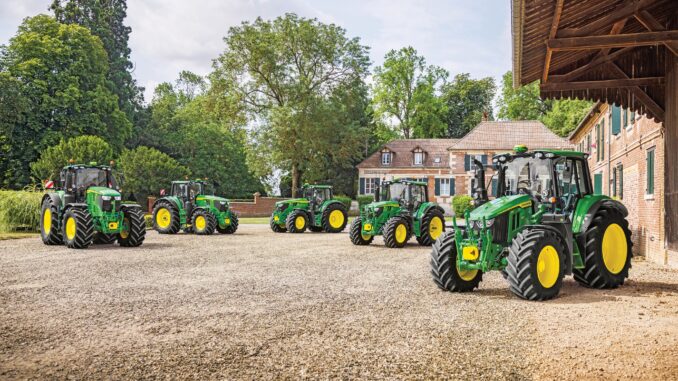
John Deere 4 Series compact tractors sit in the mid‑range of the Deere lineup and are designed for homeowners, small acreage owners, and light commercial users who need more than a lawn tractor but less than a full‑size ag machine. This guide focuses on practical repair, troubleshooting and maintenance you can realistically do yourself, plus when to stop and hand the job to a dealer.
And See
Introduction to the John Deere 4 Series
The John Deere 4 Series covers compact utility tractors such as the 4044M/R, 4052M/R and 4066M/R, typically equipped with diesel engines, hydrostatic or PowrReverser transmissions, and options for mid‑mount mower decks, loaders and rear implements. These machines bridge the gap between residential lawn equipment and true farm tractors, handling mowing, loader work, grading, light tillage and snow removal.
In this John Deere 4 Series Service and Repair Guide: Parts, Diagrams, you’ll find symptom‑based troubleshooting, DIY repair boundaries, parts information, fitting steps for common jobs, maintenance schedules and an expanded FAQ. The goal is to help a typical homeowner in the USA & Canada keep a 4 Series running safely without needing to be a professional mechanic.
John Deere 4 Series overview and key systems
Within the Deere compact tractor line up, the 4 Series sits above the 1 Series and 3 Series sub‑compacts and below the larger 5 Series ag tractors. They offer more weight, hydraulic capacity and implement capability than the smaller models, but still remain manageable for acreage owners and advanced DIY users.
On a John Deere 4 Series tractor, the main systems you’ll deal with are:
-
Engine and fuel system (diesel, high‑pressure common‑rail on newer units)
-
Cooling system (radiator, fan, coolant hoses, thermostat)
-
Drive system (hydrostatic or gear/PowrReverser transmission, axles, 4WD front axle)
-
PTO and hydraulics (rear and mid PTO, selective control valves, loader hydraulics)
-
Mower system (if fitted with a mid‑mount mower deck – spindles, blades, belts)
-
Electrical system (battery, alternator, fuses, relays, safety switches, control modules)
For day‑to‑day ownership, common service parts you’ll encounter include engine oil filters, fuel filters (primary and secondary), hydraulic filters, air filters, mower deck belts, PTO belts, mower blades, spark plugs for older gasoline variants, batteries, light bulbs, and typical wear items such as loader bushings and front axle seals.
Troubleshooting approach for John Deere 4 Series
Owners usually notice symptoms first – strange noises, poor starting, lost power or warning lights – long before they know which part is failing. Effective troubleshooting starts with a clear description of what the machine is doing (or not doing), under what conditions, and whether any recent work or changes were made.
For John Deere 4 Series tractors, the main symptom categories are:
-
Starting issues (no crank, slow crank, cranks but won’t start)
-
Running issues (power loss, stalling, smoke, rough running)
-
Cut quality problems (with mid‑mount deck fitted)
-
Vibration and noise (from engine, driveline, mower deck or loader)
-
Overheating and fluid leaks (engine coolant, hydraulic oil, fuel)
-
Transmission and drive issues (won’t move, jerky drive, 4WD problems)
-
Electrical and safety switch problems (interlocks, lights, fuses, error codes)
The rest of this guide is organized around these categories, so you can quickly jump to what you’re experiencing and work through logical checks.
Emergency and immediate repair needs on John Deere 4 Series
Some problems can be monitored and scheduled, while others require immediate attention because they affect safety or risk major damage. With John Deere 4 Series tractors, anything involving steering, brakes, major leaks, overheating or serious drive problems should be treated as urgent.
Starting issues on John Deere 4 Series
This looks like the tractor refusing to crank, cranking very slowly, or cranking but failing to fire when it normally would. It matters because repeated unsuccessful starts can drain and damage the battery, overheat the starter, and leave you stranded when you need the machine.
Common causes:
-
Weak or failing battery
-
Poor battery connections or ground cable issues
-
Faulty safety switches (seat, PTO, range selector, park brake)
-
Fuel starvation due to clogged fuel filter or air in fuel lines
-
Glow plug or intake heater faults in cold weather
Basic checks and steps:
-
Verify that the PTO is off, the range selector is in neutral and the park brake is set.
-
Check battery terminals for corrosion and tightness; clean and retighten if needed.
-
Try the work lights or another load to see if the battery is weak.
-
Inspect fuel filter condition and check for water or contamination in the separator.
-
In cold conditions, ensure the glow plug/intake heater indicator functions before cranking.
Cut‑quality problems on John Deere 4 Series with mower deck
When fitted with a mid‑mount mower deck, owners often notice uneven cutting, scalping, uncut strips or clumping. This matters because poor cut quality wastes time, can damage turf, and often signals underlying deck or blade issues.
Common causes:
-
Dull, dinged or bent blades
-
Deck not leveled side‑to‑side or front‑to‑rear
-
Incorrect tire pressures changing cutting height
-
Worn deck spindles or bent spindle shafts
-
Mower deck belt slipping or worn
Basic checks and steps:
-
Inspect blades for sharpness and straightness; replace if damaged.
-
Check tire pressures against the operator’s manual and adjust.
-
Verify deck height settings and level the deck using the prescribed adjustment points.
-
Inspect deck belt for cracks, glazing or looseness; replace if worn.
-
Spin spindles by hand (engine off) and feel for roughness or play.
Vibration and noise on John Deere 4 Series
This appears as abnormal shaking, rattling, grinding or whining from the engine, driveline, mid‑PTO or deck, sometimes only at certain speeds or during specific tasks. It matters because vibration often points to loose hardware, failing bearings or misaligned components that can escalate to expensive repairs.
Common causes:
-
Loose wheel or loader hardware
-
Damaged universal joints or driveline components
-
Worn or failing mower deck bearings and pulleys
-
Engine or transmission mounting bolt issues
-
Cavitation or aeration in hydraulic system
Basic checks and steps:
-
Visually inspect wheels, loader brackets and ballast for loose fasteners.
-
Check mower deck pulleys and spindles for play or noise when rotated.
-
Listen for changes in pitch when engaging or disengaging PTO to isolate the source.
-
Inspect driveline guards and shafts for obvious damage or misalignment.
-
Temporarily remove the deck or disconnect the implement to see if the vibration disappears.
Overheating and leaks on John Deere 4 Series
Overheating shows up as temperature warning lights or gauges climbing into the red, venting coolant, or loss of power. Leaks might be coolant, hydraulic fluid, fuel or engine oil under the tractor. These issues are urgent because running hot or low on fluids can quickly cause permanent engine or hydraulic damage.
Common causes:
-
Clogged radiator or screens with dust, chaff or grass
-
Low coolant level or air in cooling system
-
Stuck thermostat or failing water pump
-
Damaged hoses, clamps or fittings
-
Hydraulic leaks at hoses, couplers or seals
Basic checks and steps:
-
Stop work immediately and idle the engine down; do not open a hot radiator cap.
-
Clean radiator fins, side screens and intake areas using low‑pressure air or water.
-
Check coolant reservoir level once cool; top up with correct mix if low.
-
Inspect visible hoses and joints for wetness or staining that indicates leaks.
-
If overheating recurs quickly after cleaning, arrange dealer diagnosis.
Transmission and drive problems on John Deere 4 Series
Drive faults include the tractor refusing to move, moving slowly despite high throttle, surging or jerking, or losing 4WD function. These matter because drive failures can be dangerous on slopes, around obstacles, or while transporting loads.
Common causes:
-
Range selector not fully engaged
-
Low hydraulic or transmission oil
-
Clogged transmission/hydraulic filters
-
Damaged hydrostatic pedal linkages
-
4WD engagement mechanism or front axle faults
Basic checks and steps:
-
Confirm the range selector is in gear, not between detents.
-
Check transmission/hydraulic oil level with the correct procedure.
-
Inspect for obvious leaks and top up only with the recommended fluid.
-
Observe pedal linkage movement while someone presses the pedals (engine off).
-
If drive is intermittent or accompanied by grinding or clunks, stop and seek dealer help.
Electrical problems on John Deere 4 Series
Electrical issues show up as dead dash displays, intermittent warning lights, blown fuses, non‑functioning lights, or refusal to crank despite a healthy battery. They matter because safety interlocks, indicators and lights are critical for safe operation.
Common causes:
-
Blown fuses or poor relay connections
-
Damaged wiring near moving parts or heat sources
-
Faulty seat, PTO or neutral safety switches
-
Corroded ground points
-
Battery or alternator failure
Basic checks and steps:
-
Inspect fuse panel and replace any blown fuses with correct ratings.
-
Wiggle major harness plugs gently and look for obvious loose or damaged connectors.
-
Test basic lighting and accessory functions to gauge overall system health.
-
Check visible grounds for corrosion, clean and retighten as needed.
-
If safety switches are suspected, use the manual’s diagnostics rather than bypassing them.
DIY or dealer? John Deere 4 Series repair decision guide
On John Deere 4 Series tractors, the practical DIY line is usually drawn at routine maintenance and straightforward bolt‑on jobs. Anything involving internal engine or transmission work, complex diagnostics or programming should typically go to a dealer or experienced independent shop.
Good DIY jobs:
-
Engine oil and filter changes
-
Fuel and air filter replacement
-
Greasing loader and chassis points
-
Mower deck blade and belt changes
-
Battery replacement and light bulb swaps
-
Basic hydraulic hose replacement where access is clear
Advanced DIY or dealer jobs:
-
Internal engine repairs, injector replacement and high‑pressure fuel work
-
Transmission and differential internal repairs
-
Hydraulic pump replacement and system flushing
-
Electronic control module diagnosis and replacement
-
Front axle rebuilds and complex 4WD faults
Skill level guide:
-
Beginner: Oil changes, air filter checks, basic greasing, battery care.
-
Intermediate: Fuel filter changes, deck removal and blade service, simple hydraulic hose replacement.
-
Advanced: Internal engine/transmission work, complex hydraulic diagnostics, electronic troubleshooting.
John Deere 4 Series parts information and OEM vs aftermarket
Before ordering parts for any John Deere 4 Series tractor, gather accurate identification details. Full model name and configuration matter, as do serial numbers and deck sizes.
You should have:
-
Full model name (e.g. 4044M, 4044R, 4052R, 4066M)
-
Tractor Product Identification Number (PIN)
-
Engine model and serial (especially for engine‑specific parts)
-
Deck size and type if using a mid‑mount mower (e.g. 60″ or 72″ deck)
-
Any loader or implement model numbers (e.g. 400E, 440R loader)
Below is an example parts table to illustrate the type of service items owners commonly buy; always verify specific numbers for your tractor and deck combination.
As a general rule, use OEM parts for belts, safety‑critical items (like brakes, steering, safety switches), and fit‑sensitive pieces such as hydraulic filters and seals. Good‑quality aftermarket parts can be acceptable for engine oil and air filters, mower blades and batteries, provided they cross‑reference correctly to your specific model and serial number.
Where to find John Deere 4 Series parts diagrams and manuals
Accurate parts diagrams and service information make John Deere 4 Series maintenance far safer and easier. Key resources include:
-
Official John Deere operator’s manual: Available via the John Deere “Manuals and Training” section; search your exact model (e.g. “4044M Operator’s Manual”). This covers safety, controls, regular maintenance and basic troubleshooting.
-
JDParts or Deere online parts catalog: Lets you enter your model and PIN, browse diagrams and identify OEM part numbers before ordering.
-
John Deere Technical Publications: Paid access to technical (service) manuals and diagnostic guides for deeper repairs.
-
Reputable Deere‑focused parts sites: Many aftermarket suppliers maintain model‑specific pages where you can browse compatible filters, belts and blades once you know your OEM part numbers.
Always cross‑check any third‑party listing against your operator’s manual or Deere’s official parts catalog to avoid ordering incorrect parts.
How to locate John Deere 4 Series model, serial and engine numbers
Correct model and serial numbers ensure that parts, manuals and diagrams match your specific tractor configuration. Over the life of the John Deere 4 Series range, minor changes and revisions mean PIN‑specific parts are sometimes required.
Follow these steps:
-
Locate the tractor PIN plate, typically on the tractor frame near the front right side or under the cab/ROPS area; wipe clean if dirty.
-
Note the full model designation from the hood decals and the PIN from the metal plate or sticker.
-
For the engine serial, look for a tag or stamping on the engine block or valve cover area; you may need a flashlight.
-
If you have a mid‑mount mower deck, find the deck model and serial tag on the deck shell, near a corner or guard.
-
Record these numbers in a notebook or phone; keep photos handy when visiting a dealer or ordering online.
Buying John Deere 4 Series parts online and in stores
A simple parts‑buying strategy can save time and prevent returns. Start online to identify OEM numbers, then decide where to buy based on urgency and complexity.
-
Online: Use the official John Deere parts catalog and trusted suppliers to check OEM numbers, verify compatibility with your PIN, and order common filters, belts and blades. Many sites let you search by model and show diagrams.
-
Dealer counter: Best for complex or serial‑specific components, hydraulic hoses made to order, or when you need advice on superseded part numbers and kits.
-
Retail stores: Suitable for generic consumables (engine oil, grease, some filters and batteries) as long as packaging clearly lists compatibility with your John Deere 4 Series model.
Useful URLs to bookmark include the John Deere US Parts & Service portal, the official Manuals and Training page, and a couple of trusted aftermarket suppliers that clearly show OEM cross‑references.
Fitting guide: common John Deere 4 Series DIY jobs
The John Deere 4 Series Service and Repair Guide is most useful when it translates parts and diagrams into practical fitting steps. Below are several high‑impact jobs most owners can manage.
Changing the engine oil and filter on John Deere 4 Series
Oil changes help protect the diesel engine from wear and sludge buildup.
-
Park on level ground, set the park brake and shut down the engine.
-
Allow the engine to cool, then place a suitable drain pan under the oil drain plug.
-
Remove the drain plug and let the oil fully drain; replace the plug with a new washer if required.
-
Spin off the old oil filter, lightly oil the gasket on the new filter, and install it hand‑tight.
-
Refill with the recommended oil grade and capacity, then start the engine and check for leaks.
-
Shut down and recheck the oil level, topping up as needed.
Replacing fuel filters on John Deere 4 Series
Clean fuel filters prevent starting and running issues caused by restriction or contamination.
-
Park safely, shut the engine down and close any fuel shutoff valves if fitted.
-
Place rags or a small pan under the fuel filter housing to catch drips.
-
Remove the old filter(s) following the manual’s sequence; note any seals or O‑rings.
-
Install new filters, lubricate seals as recommended, and ensure correct orientation.
-
Use the priming pump or bleed procedures from the manual to remove air from the system.
-
Start the engine and let it run briefly to confirm smooth operation and no leaks.
Changing mower blades on John Deere 4 Series mid‑mount decks
Sharp blades are essential for good cut quality.
-
Lower the deck, shut off the engine and remove the key; consider removing the deck for easier access if recommended.
-
Secure the deck and use appropriate lifting or support methods; never rely solely on the tractor lift.
-
Use the correct socket and a breaker bar or impact wrench to loosen blade bolts.
-
Remove blades, inspect spindles and washers, and install new blades in the correct orientation (cutting edge forward).
-
Torque blade bolts to the specification in the manual.
-
Spin blades by hand to check for interference before returning the deck to service.
Replacing a mower deck drive belt on John Deere 4 Series
A fresh belt stops slipping, improves cutting and reduces heat.
-
Lower the deck, shut the tractor off and disengage PTO.
-
Remove belt guards or shields as needed to access the full belt path.
-
Note the routing of the old belt (take a photo) and release tension using the idler mechanism.
-
Remove the old belt, inspecting pulleys and idlers for wear or rough bearings.
-
Install the new belt according to the routing diagram; re‑apply tension within specified limits.
-
Refit all guards, then test by engaging PTO at low engine speed to check belt tracking.
Maintenance to prevent recurring John Deere 4 Series problems
Regular maintenance on John Deere 4 Series tractors prevents most common failures and dramatically improves reliability, comfort and safety. Instead of waiting for symptoms, focus on a few key areas as part of your routine.
Key focus areas:
-
Starting reliability: Keep the battery charged, terminals clean, fuel filters fresh and glow plug/intake heater systems functional.
-
Cut quality: Maintain sharp blades, correct deck level, healthy deck belts and proper tire pressures.
-
Fire and overheating prevention: Clean radiator fins and screens, remove debris from engine and deck areas, and keep coolant levels correct.
-
Drive performance: Check and maintain transmission/hydraulic fluid level and condition, and keep filters changed on schedule.
-
Electrical reliability: Inspect wiring for damage, keep grounds clean, and replace failing switches before they cause intermittent faults.
John Deere 4 Series maintenance schedule and year‑round checklist
While the exact intervals vary slightly by model and configuration, most John Deere 4 Series tractors follow a similar pattern of daily, hourly and seasonal checks. Always cross‑check with your specific operator’s manual, but use the outline below as a working framework.
Daily / before each use
-
Walk‑around inspection for leaks, loose hardware and visible damage.
-
Check engine oil level and coolant level where sight or overflow tank is provided.
-
Inspect tires for damage and approximate inflation; adjust pressure periodically.
-
Verify lights and safety switches work as expected.
-
Clean major debris from grille, radiator screens and around the muffler or deck.
After approximately 8 hours of operation
-
Grease major pivots and loader pins according to the lubrication chart.
-
Inspect mower deck (if fitted) for debris buildup and belt condition.
-
Check for loose hydraulic couplers and minor seepage at hoses.
Every 25 hours
-
Inspect and clean or replace the engine air filter as recommended.
-
Check front axle and steering linkage for play or unusual wear.
-
Inspect battery hold‑downs and cables for corrosion.
-
Recheck tire pressures more accurately using a gauge.
Every 50 hours or yearly
-
Change engine oil and filter (or at intervals specified in your manual).
-
Grease all driveline and chassis points listed on the lubrication chart.
-
Check and clean fuel pre‑filter or separator, draining any water.
-
Inspect brake and clutch (if equipped) function and linkage.
Every 200 hours (or as specified)
-
Replace fuel filters according to the maintenance chart.
-
Replace hydraulic/transmission filters and check fluid condition.
-
Inspect and service front axle lubrication and seals.
-
Perform deeper deck service (bearings, spindle play, belt inspection).
Seasonal checklist (pre‑season, mid‑season, end‑of‑season)
For mowing and general property work:
-
Pre‑season: Full inspection, fluid checks, sharpen/replace blades, verify battery condition and safety systems.
-
Mid‑season: Confirm maintenance items aren’t overdue, re‑sharpen blades, clean radiator and deck thoroughly.
-
End‑of‑season: Perform overdue fluid and filter changes, clean tractor thoroughly, stabilize fuel or drain per manual, and store under cover.
For snow removal (if using a front snowblower or blade):
-
Pre‑season: Mount implements, test hydraulics and electrical connections, inspect driveline, scraper edges and skid shoes.
-
In‑season: Clear packed snow from moving parts, check fasteners regularly.
-
End‑of‑season: Remove implements, clean thoroughly, touch up paint, lubricate pivot points and store in a dry location.
John Deere 4 Series: repair, upgrade or replace?
Deciding whether to repair, upgrade or replace a John Deere 4 Series tractor depends on its age, hours, condition and the type of failure. These machines are built for long service, so many issues are worth repairing, but there are limits.
Repair if:
-
The tractor has moderate hours and otherwise solid structure and drivetrain.
-
Faults are limited to wear items (filters, belts, blades, hoses, bearings).
-
The cost of repair is significantly less than a replacement machine.
Upgrade if:
-
You need better lighting, additional rear hydraulics, or more effective tires for your terrain.
-
You’re adding a loader, mid‑mount deck or snow equipment to expand capability.
-
Operator comfort and productivity would improve with accessories like better seats or joystick controls.
Replace if:
-
The tractor has severe engine or transmission damage and repair costs approach a large fraction of replacement.
-
The frame or major structures are compromised by damage or corrosion.
-
Your property or business needs have outgrown the capability of the current 4 Series.
Expanded troubleshooting FAQ – John Deere 4 Series
1. Why will my John Deere 4 Series not start?
Non‑starting often comes down to a weak battery, poor electrical connections or fuel system issues. Begin by ensuring the PTO is off, range selector is in neutral and park brake set, then inspect the battery terminals for corrosion and tightness. Check that the glow plug/intake heater indicator functions in cold weather, and verify that fuel filters are not clogged. If the tractor still cranks but refuses to fire, it may need air bleeding from the fuel system or dealer diagnostics on the injection system.
2. Why does my John Deere 4 Series crank slowly?
Slow cranking usually points to low battery charge, aged battery, or high resistance in cables and connections. Test the battery with a load tester if available or have it checked at a parts store. Clean terminals and ground points, and inspect cables for internal corrosion or damage. If cranking stays sluggish with a known good battery, the starter motor or internal engine drag may require professional inspection.
3. Why does my John Deere 4 Series shut off while working?
Unexpected shutdowns typically stem from fuel starvation, overheating or safety switch activation. Check that fuel levels are adequate and filters are fresh, and inspect cooling components for blocked radiators or low coolant. Safety switches on the seat, PTO and park brake can also interrupt operation if misadjusted or worn. If shutdowns are accompanied by warning lights, refer to the operator’s manual error codes or use dealer diagnostics.
4. Why does my John Deere 4 Series blow black smoke?
Black smoke indicates incomplete combustion, often due to over‑fueling, restricted air intake or hard loading. Inspect and replace the air filter if dirty, and avoid lugging the engine at low RPM with heavy loads. Persistent black smoke may suggest injector or turbocharger issues on certain models, which are best checked by a dealer. Do not ignore heavy smoke, as it can signal efficiency loss and potential long‑term damage.
5. Why does my John Deere 4 Series blow white or bluish smoke?
White smoke at startup can be normal in cold weather but should clear quickly. Continuous white smoke may indicate coolant entering the combustion chambers, while bluish smoke suggests oil burning. Check coolant levels, oil levels and look for signs of mixing. These symptoms can be early warnings of internal engine problems such as head gasket failure or worn rings, and typically warrant professional diagnosis.
6. Why does my John Deere 4 Series lose power on hills?
Power loss on slopes often reflects fuel or air filter restriction, low engine RPM for the load, or transmission issues. Ensure the filters are within service life and that you’re using an appropriate gear or hydrostatic range for terrain. If the tractor bogs with unusual noises or warning lights, stop and inspect for driveline problems. Persistent power loss may require dealer assessment of the engine and transmission.
7. Why is the hydrostatic drive jerky on my John Deere 4 Series?
A jerky hydrostatic drive can result from low or incorrect hydraulic/transmission oil, air in the system, or worn pedal linkages. Check fluid level and type against the operator’s manual, and inspect filter service intervals. Examine the pedal linkage for stiffness, binding or loose bushings. If the drive remains rough, internal hydrostatic components or control valves may need professional attention.
8. Why will my John Deere 4 Series not move even though the engine runs?
If the engine runs but the tractor won’t move, first verify the range selector is correctly engaged and the park brake is released. Check for warning lights or codes indicating transmission issues. Examine hydraulic/transmission oil level and look for obvious leaks. If there is no movement in any range and PTO still functions, internal transmission or driveline faults are likely and should be handled by a dealer.
9. Why does 4WD not engage on my John Deere 4 Series?
Non‑engaging 4WD may be due to linkage misadjustment, electrical switch problems (on electro‑hydraulic systems), or mechanical failure in the front axle. Inspect the engagement lever or switch and linkage for damage. Check for fuses or indicators that relate to 4WD operation. If you hear grinding or feel binding, stop and have the axle inspected to avoid further damage.
10. Why is the steering heavy on my John Deere 4 Series?
Heavy steering suggests low hydraulic pressure, front tire issues or mechanical binding. Start by checking front tire pressures and condition. Inspect the hydraulic fluid level and look for leaks around steering components. Mechanical wear or damage in the steering linkage and front axle pivot points can also cause stiffness and should be serviced promptly.
11. Why is my John Deere 4 Series overheating?
Overheating is usually caused by blocked radiator fins, dirty screens, low coolant, or failing components like the thermostat or water pump. Clean the radiator and screens thoroughly, ensuring airflow is unobstructed. Once the tractor cools, check coolant levels and top up if necessary with the correct mix. Repeated overheating after cleaning suggests deeper faults that a dealer should diagnose.
12. Why is there coolant leaking from my John Deere 4 Series?
Coolant leaks may originate from hoses, clamps, the radiator, water pump or frost plugs. Look for wet or stained areas around cooling components and under the tractor. Tighten hose clamps gently and replace cracked hoses promptly. Significant leaks or those at hard‑to‑reach locations often require professional repair, especially if they relate to core components.
13. Why do I see hydraulic oil under my John Deere 4 Series?
Hydraulic oil leaks commonly occur at hoses, fittings, couplers and seals. Identify whether the leak appears when certain functions are used (loader, 3‑point hitch) to narrow down the source. Clean the area, then operate hydraulics briefly to see fresh oil traces. Simple hose or fitting replacements can be DIY, but large leaks and internal seal failures are best left to a dealer.
14. Why does my John Deere 4 Series mower deck cut unevenly?
Uneven cutting usually comes from dull blades, deck mis‑leveling, incorrect tire pressures, or bent deck components. Verify that blades are sharp and properly installed, then level the deck side‑to‑side and front‑to‑rear as per manual instructions. Check tire pressures and adjust to spec. If the deck shell or hangers are bent, professional straightening or replacement may be needed.
15. Why does my John Deere 4 Series leave uncut strips?
Uncut strips often indicate blade overlap issues, missing blades, or belt problems that prevent one spindle from turning correctly. Inspect all blades and confirm they overlap as designed. Check belt routing and tension to make sure all spindles are driven. If a spindle shaft is bent or a bearing seized, replace that spindle assembly.
16. Why is my John Deere 4 Series mower deck scalping the lawn?
Scalping occurs when the deck rides too low or the terrain unevenness isn’t matched by deck height settings. Raise the deck slightly and confirm the anti‑scalp wheels are adjusted correctly for your lawn conditions. Ensure tire pressures are correct and that the deck suspension isn’t binding or misadjusted. On very uneven ground, slower speeds and higher cutting height reduce scalping.
17. Why is there excessive vibration from my John Deere 4 Series mower deck?
Deck vibration usually indicates bent blades, worn spindle bearings, imbalance, or loose hardware. Inspect blades for bends and replace if needed. Check spindle bearings for play, roughness or noise when rotated by hand. Tighten all blade and deck mounting bolts to the specified torque. If vibration persists, consider professional balancing or further inspection.
18. Why does the mower belt keep coming off my John Deere 4 Series deck?
Belts that jump off pulleys are commonly caused by incorrect routing, worn or misaligned pulleys, or inadequate tension. Compare your belt routing to the diagram and adjust tension correctly. Inspect pulleys for alignment and bearing condition, replacing any that wobble. If mounts or guards are bent, straighten or replace them to maintain proper belt path.
19. Why is the PTO difficult to engage on my John Deere 4 Series?
A hard‑to‑engage PTO may result from clutch misadjustment (on manual PTO systems), mechanical linkage issues, or internal PTO clutch problems. Check any external linkage for smooth operation and proper adjustment. Listen for abnormal noises when engaging PTO at low idle. Internal clutch and gear issues are not generally DIY and should be serviced by a dealer.
20. Why does my John Deere 4 Series battery keep going flat?
Chronic battery discharge can stem from age, parasitic drains, or charging system failures. Confirm the battery is sized correctly and within its expected lifespan. Test alternator output and inspect belts for slip. If the battery discharges while parked, have a shop test for parasitic draw. Always store the tractor with the key off and consider a maintenance charger for long idle periods.
21. Why do the lights on my John Deere 4 Series not work?
Non‑functioning lights typically trace to blown fuses, bad bulbs, or wiring issues. Check the relevant fuse in the panel, then inspect bulbs and replace as necessary. Examine wiring in exposed areas for chafing or broken insulation. If multiple lights fail together, suspect a shared ground or connector rather than individual bulbs.
22. Why does my John Deere 4 Series show error codes on the dash?
Error codes indicate the control system has detected abnormal conditions in sensors or circuits. Refer to your operator’s manual for basic code meanings and initial checks. Simple issues like low fluid level or sensor connectors can sometimes be resolved by owners. Complex codes or repeated faults should be diagnosed with dealer‑level tools.
23. How often should I change engine oil on my John Deere 4 Series?
Engine oil change intervals are defined in the operator’s manual and typically fall around 50 hours or annually for many compact tractors, depending on usage and conditions. If you operate in dusty environments or heavy load situations, err toward the shorter interval. Always use oil meeting the specifications listed by John Deere.
24. How often should I change fuel filters on my John Deere 4 Series?
Fuel filter intervals are usually specified around 200 hours or as part of annual maintenance, but may need shortening if fuel quality is questionable. If you notice power loss or starting difficulty, check fuel filter service status. Always follow the recommended bleeding procedures after replacement.
25. How often should I change hydraulic/transmission filters on my John Deere 4 Series?
Hydraulic and transmission filter changes are generally at longer intervals, often beginning around 200 hours and then periodically depending on the model. Heavy loader use, dusty work or frequent implement changes may justify closer monitoring. Consult your operator’s manual for exact timing and fluid specifications.
26. How do I know which John Deere 4 Series deck belt to order?
Deck belts vary by deck size, model and sometimes by serial range. Identify your deck model and serial number from the deck tag, then look up the correct belt in the operator’s or parts manual. Avoid selecting belts by length alone, as routing and profile must match.
27. Can I use aftermarket filters on my John Deere 4 Series?
Good‑quality aftermarket filters that are properly cross‑referenced to your engine and tractor model can be acceptable for engine oil and air filters. However, for fuel and hydraulic/transmission filters, OEM is often safer due to their critical role and specific flow characteristics. Always follow manufacturer recommendations.
28. Can I run bio‑diesel in my John Deere 4 Series?
Many modern John Deere diesel engines can run limited blends of bio‑diesel, but the allowed percentage and requirements are specified in the operator’s manual. Using unapproved blends can affect fuel system durability and warranties. Always check the manual and use reputable fuel suppliers.
29. How should I store my John Deere 4 Series over winter?
For off‑season storage, clean the tractor thoroughly, complete overdue maintenance, and address any known faults. Stabilize fuel or follow manual guidance for storage, keep the battery charged or disconnected, and store under cover if possible. Cover exhaust and intake openings against rodents and moisture where appropriate.
30. Why is my John Deere 4 Series loader slow or weak?
Loader performance issues may be due to low hydraulic fluid, clogged filters, incorrect engine speed or internal hydraulic faults. Verify fluid level and filter status first. Operate at the recommended engine RPM for hydraulic work. If loader remains sluggish or jerky, have a dealer test hydraulic pressure and flow.
31. Why is my John Deere 4 Series three‑point hitch not lifting properly?
Weak or non‑responsive three‑point hitch operation can arise from hydraulic issues, incorrect position or draft control settings, or mechanical binding. Check fluid levels and filters, then verify that controls are set as described in the manual. Inspect linkage and lift arms for damage or obstruction. Persistent problems require hydraulic system diagnosis.
32. Why is my John Deere 4 Series making a grinding noise when moving?
Grinding under motion suggests driveline or transmission component problems, such as gear damage, axle faults or 4WD engagement issues. Stop using the tractor immediately to avoid further damage. Check for obvious external causes like debris caught in moving parts, but do not attempt internal repairs without proper knowledge; contact a dealer.
33. Why does my John Deere 4 Series engine hunt or surge at idle?
Surging at idle can be caused by fuel delivery irregularities, air in the system, or electronic governor control issues. Verify that fuel filters are fresh and the system is properly bled. If surging persists, electronic control and injection components may need professional diagnostics with Deere‑specific tools.
34. Why does my John Deere 4 Series smell like burning rubber or oil?
Burning odors often indicate slipping belts, leaks dripping onto hot surfaces, or debris contacting exhaust components. Inspect belts, pulleys and surrounding areas for heat damage or misalignment. Look for oil or hydraulic fluid near exhaust parts. Remove built‑up debris and resolve leaks promptly to reduce fire risk.
35. How do I keep my John Deere 4 Series reliable for the long term?
Reliability comes from consistent maintenance, clean operation and prompt attention to small issues before they grow. Follow the official maintenance chart, keep filters and fluids changed on schedule, and conduct regular walk‑around checks. Address unusual noises, leaks or warning lights early, and use high‑quality parts and fluids suited to your climate and workload.