
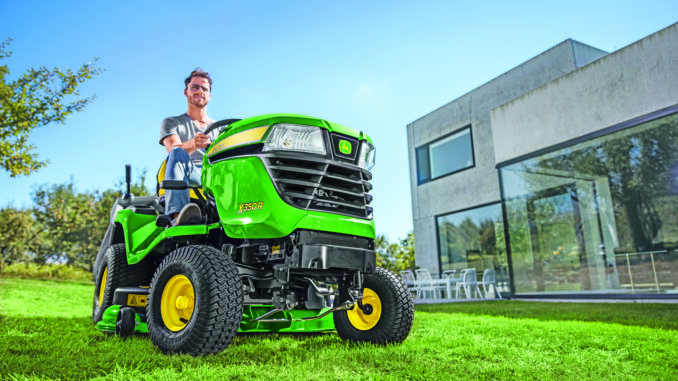
John Deere X570 model overview
The John Deere X570 is a premium Select Series lawn tractor built for homeowners who need more capability than a basic riding mower but do not need a commercial zero-turn. It uses a 24 hp Kawasaki V-twin gasoline engine, hydrostatic transmission, two-wheel drive, wet disc brakes, and was sold with 48-inch or 54-inch mower deck options.
For most owners, the John Deere X570 is used on larger residential lawns, uneven ground, and properties where traction, cut quality, and attachment compatibility matter more than the lowest purchase price. This guide covers John Deere X570 repair topics, common symptoms, maintenance points, parts, diagrams, manuals, and a detailed FAQ so owners can decide what is realistic to do at home and when dealer help makes more sense.
General overview of the John Deere X570
Within Deere’s lawn and garden lineup, the John Deere X570 sits in the X500 Select Series, above basic residential models and below heavier garden tractors aimed at more demanding ground-engaging work. Deere’s operator documentation groups it with the X570, X580, X584, and X590 tractors, which share many owner-service concepts but differ in steering, drive, and deck details depending on exact model and configuration.
The main systems owners deal with on the John Deere X570 are the engine and fuel system, mower drive system, hydrostatic drive system, and electrical/safety interlock system. Common service parts repeatedly listed for X570 maintenance and repairs include the AM125424 oil filter, AM116304 in-line fuel filter, M805853 spark plug, MIU12554 foam air element, MIU12555 paper air element, M169485 primary mower belt, M169486 or M169500 secondary mower belt depending on deck, M174585 traction drive belt, TY25876 battery, and AM133597 ignition switch.
John Deere X570 troubleshooting approach
The best way to diagnose John Deere X570 problems is to begin with what the owner actually sees: slow cranking, no start, rough running, weak mowing, poor striping, belt noise, loss of drive, or sudden blade shutdown. Starting from the symptom helps separate simple issues like a weak battery, dirty filter, or worn deck belt from larger problems involving the hydrostatic transmission, electrical circuits, or internal engine faults.
Most John Deere X570 troubleshooting falls into these categories:
-
Starting issues, such as no crank, slow crank, hard starting, or no start after storage
-
Running issues, such as surging, loss of power, smoke, or stalling under load
-
Cut-quality problems, such as uneven cut, uncut strips, clumping, or poor discharge
-
Vibration and noise, especially from blades, deck sheaves, idlers, and traction belt areas
-
Overheating and leaks, especially around engine cooling areas, oil service points, and hydro drive components
-
Transmission and drive complaints, including weak ground speed or intermittent movement
-
Electrical and safety-switch faults, especially when the tractor will not crank or the PTO quits unexpectedly
Emergency and John Deere X570 immediate repair needs
Some faults on the John Deere X570 need immediate attention because they create a safety issue or can damage expensive parts fast. Blade vibration, fuel leaks, smoking belts, repeated fuse blowing, overheated engine symptoms, and major loss of braking or drive should be treated as stop-use problems rather than “finish the yard first” problems.
John Deere X570 starting issues
A starting problem usually shows up as no crank, slow crank, or cranking without firing, and it matters because repeated failed starts can drain the battery, overheat wiring, and hide a simple interlock or fuel issue. On this series, parking brake, brake pedal, PTO position, and seat/safety logic all affect whether the tractor starts normally.
Common causes:
-
Weak or failing battery
-
Dirty or loose battery terminals
-
PTO left engaged
-
Brake/parking brake not set correctly
-
Faulty ignition switch or safety switch
-
Old fuel, plugged fuel filter, or fouled spark plug
Basic owner checks:
-
Set the parking brake and confirm PTO is off.
-
Check battery voltage and clean both cable ends.
-
Inspect the fuel level and fuel condition, especially after winter storage.
-
Check the AM116304 fuel filter and M805853 spark plugs if cranking is normal but it will not fire.
-
If the dash and interlocks behave oddly, inspect the ignition switch and safety switch operation before assuming the starter is bad.
John Deere X570 cut-quality problems
Poor cut quality usually appears as scalping, ragged tips, uncut strips, clumping, or one side cutting lower than the other, and it matters because owners often replace parts they do not need when the real problem is setup, blade condition, or mowing conditions. On the X570, deck height setting, blade condition, belt condition, deck cleanliness, and level all strongly affect cut quality.
Common causes:
-
Dull, bent, or incorrect blades
-
Wrong deck pitch or side-to-side leveling
-
Grass buildup under the deck
-
Worn primary or secondary mower belt
-
Mowing too fast for conditions
-
Engine not running at full mowing rpm
Basic owner checks:
-
Inspect blades for dull edges, bends, or mismatched part numbers.
-
Clean the underside of the deck and discharge area.
-
Check that the deck is level and the front pitch is correct using a deck leveling gauge if available.
-
Inspect the primary belt M169485 and the correct secondary belt for your deck size.
-
Mow at full throttle and reduce ground speed in heavy or damp grass.
John Deere X570 vibration and noise
Vibration on the John Deere X570 often feels like steering wheel shake, deck rumble, rattling, or belt squeal, and it matters because a small balance or belt problem can quickly damage spindle bearings, idlers, and pulleys. A blade strike or loose hardware should be treated seriously, especially if the vibration began suddenly.
Common causes:
-
Bent or unbalanced blade
-
Loose blade bolt or deck hardware
-
Worn spindle or idler bearing
-
Damaged belt or misrouted belt
-
Debris wrapped around sheaves
Basic owner checks:
-
Stop mowing immediately if vibration starts after striking something.
-
Inspect both or all three blades, depending on deck size, for bends or heavy wear.
-
Check blade bolt tightness and look for spindle play.
-
Inspect deck belts and idlers for glazing, cracking, or wobble.
-
Do not keep mowing with severe vibration, because spindle and deck damage gets expensive fast.
John Deere X570 overheating and leaks
Overheating usually shows up as reduced power, hot smell, smoke, or engine shutdown after running, and it matters because air-cooled engines depend on unobstructed cooling and correct oil condition. Fuel leaks and oil leaks also create fire risk and should never be ignored on a lawn tractor.
Common causes:
-
Dirty cooling fins or engine screen
-
Low or overdue engine oil
-
Old fuel or lean running condition
-
Oil filter or drain leak after service
-
Fuel line or filter seepage
Basic owner checks:
-
Let the tractor cool fully before inspecting anything near the muffler or engine shrouds.
-
Check engine oil level and filter sealing area.
-
Clean external cooling areas and remove packed grass from hot spots.
-
Inspect fuel lines and the in-line filter for dampness or cracking.
-
Any persistent smoke, repeated overheating, or active leak near the exhaust is a stop-use/dealer issue.
John Deere X570 transmission and drive problems
Drive complaints on the John Deere X570 usually mean weak forward motion, slow reverse, belt slip, or inconsistent response, and they matter because owners sometimes blame the transmission when the external drive belt or linkage is the actual problem. TractorData identifies the X570 as hydrostatic, and Deere-family hydro units in this class are sensitive to correct belt condition and clean service practices.
Common causes:
-
Worn traction drive belt M174585
-
Linkage misadjustment
-
Low traction due to slope, wet turf, or tire condition
-
Hydro service needs on higher-hour machines
-
Brake drag or mechanical binding
Basic owner checks:
-
Inspect the traction drive belt for cracks, glazing, and slip.
-
Confirm the parking brake is fully releasing.
-
Check for external linkage problems before assuming internal hydro failure.
-
Review service history if the tractor has high hours and declining drive performance.
-
Internal hydro problems are usually advanced DIY at best, and often dealer work.
John Deere X570 electrical problems
Electrical problems often show up as no crank, intermittent PTO shutdown, dead lights, or dash warnings that seem random, and they matter because safety interlocks are built into normal tractor operation. The X-series owner guidance and dealer videos both indicate the tractor’s brake, PTO, reverse logic, and display/switch behavior play a major role in startup and mowing operation.
Common causes:
-
Weak battery or poor ground
-
Failing ignition switch AM133597
-
Seat, brake, or PTO switch faults
-
Corroded terminals or blown fuse
-
Damaged wiring near moving parts
Basic owner checks:
-
Verify the exact symptom: no power, no crank, no PTO, or intermittent shutdown.
-
Test the battery first, because low voltage can mimic other faults.
-
Inspect the ignition switch, fuse area, and obvious connectors.
-
Check seat, brake, and PTO interlock behavior one at a time.
-
Wiring diagnosis beyond simple continuity checks is usually better handled with the Deere technical manual or a dealer.
DIY or dealer? John Deere X570 repair decision guide
The line on the John Deere X570 is usually simple: routine service, deck work, blade work, filter changes, battery replacement, and basic belt replacement are realistic DIY jobs for an owner with hand tools and safe lifting habits, while hydro diagnosis, internal engine work, advanced electrical tracing, and certain steering or transaxle repairs are better left to experienced technicians. The tractor is homeowner-friendly for maintenance, but it is still a premium machine with safety interlocks, belt routing, and deck systems that reward careful, model-specific work.
Good DIY jobs
-
Engine oil and filter change using AM125424 filter and the correct oil grade
-
Air filter and pre-cleaner service using MIU12554 and MIU12555
-
Spark plug replacement using M805853
-
Fuel filter replacement using AM116304
-
Blade inspection/replacement and deck cleaning
-
Mower belt replacement if you follow the deck routing carefully
Advanced DIY or dealer jobs
-
Hydro drive diagnosis beyond an external belt inspection
-
Repeated no-start faults involving interlock circuits and wiring
-
Spindle replacement when housings or pulleys are damaged
-
Internal engine repairs, governor issues, or persistent smoke
-
Steering, brake, or differential-related repairs requiring teardown
Skill level guide
-
Beginner: Battery, filters, spark plugs, blades, deck washout, basic inspections
-
Intermediate: Mower belt replacement, deck leveling, switch testing, traction belt inspection
-
Advanced: Electrical diagnosis with schematics, hydro service, spindle or major drive repairs
John Deere X570 parts needed, OEM vs aftermarket, and what information you need
Before ordering John Deere X570 parts, gather the full model name, Product Identification Number, engine model and serial, and the mower deck size because belt, blade, and some attachment parts differ between the 48-inch and 54-inch versions. This matters especially on X570 tractors because Deere owner support and aftermarket maintenance guides separate service parts and wear parts by deck configuration.
For the John Deere X570, OEM parts are usually the safest choice for belts, ignition/safety components, and fit-sensitive deck parts because routing, dimensions, and interlock behavior matter. Aftermarket parts can be reasonable for batteries, some filters, and some blades, but only when the cross-reference clearly matches the exact X570 deck size and tractor PIN range.
Where to find John Deere X570 diagrams and manuals
The best places to find John Deere X570 diagrams and manuals are Deere’s operator manual site, Deere owner support, Deere parts support, and a reputable Deere-focused parts seller with model-specific maintenance listings. Together, those sources help you confirm procedures, maintenance intervals, and part numbers before you buy or dismantle anything.
Useful links:
-
Official operator’s manual for X570/X580/X584/X590 — best for controls, maintenance procedures, safety, and owner-level servicing.
-
John Deere Owner Support: X570 — best starting point for owner support categories like maintenance, operator manual access, and parts navigation.
-
John Deere operator/manual portal via dealer — useful when locating official operator, technical, and parts publications.
-
Green Farm Parts X570 maintenance guide — useful for commonly purchased maintenance and wear parts, though owners should still verify by deck size and serial details.
How to locate John Deere X570 model, serial, and engine numbers
These numbers matter because the John Deere X570 can be configured with different deck sizes and related part-number changes, and engine parts should always be matched to the actual engine tag instead of the tractor decal alone. Deere’s operator literature emphasizes model-specific servicing, and aftermarket parts guides for X570 also split common parts by deck setup.
-
Park the John Deere X570 safely on level ground, remove the key, and let hot parts cool.
-
Find the tractor Product Identification Number tag on the tractor frame area listed in Deere identification guidance for the series, then record the full number exactly as shown.
-
Confirm the mower deck size by measuring or by reading the deck identification label, because 48-inch and 54-inch decks use different blades and some different belts.
-
Locate the engine model and serial tag on the Kawasaki engine shroud or engine label area and record both before ordering engine filters, plugs, or engine-specific parts.
-
Keep a photo of each tag on your phone so part ordering errors are less likely later.
Buying John Deere X570 parts online and in stores
The smartest John Deere X570 parts strategy is to identify the exact OEM number first, then compare dealer, Deere-owned, and reputable Deere-specialist sellers before buying. That approach cuts down on wrong-fit belt and blade orders, which are some of the most common owner mistakes on tractors with multiple deck options.
-
Online: Best for comparing OEM numbers, checking deck-specific listings, and ordering routine service parts once you confirm the X570 configuration.
-
Dealer counter: Best for PIN-sensitive parts, electrical items, and anything where Deere supersessions or serial breaks might apply.
-
Retail stores: Fine for common items like oil, batteries, or spark plugs only when the packaging clearly cross-references the exact X570 application.
Helpful URLs:
John Deere X570 fitting guide for common parts
These are the DIY jobs that solve a large share of everyday John Deere X570 owner complaints and are realistic for careful home mechanics. Always park safely, remove the key, let the engine cool, and disconnect the spark plug leads where appropriate before working around rotating parts.
How to replace the John Deere X570 air filter
A dirty air filter can cause power loss, rich running, and hard starting on the John Deere X570. The X570 maintenance parts listing identifies the foam pre-cleaner MIU12554 and paper element MIU12555 as regular service items.
-
Raise the hood and locate the air cleaner housing on the engine.
-
Remove the cover carefully so dirt does not fall into the intake.
-
Remove the foam and paper elements, then inspect for heavy dust, oiling, or damage.
-
Clean the housing, install the new MIU12554 and MIU12555 in the correct order, and reseal the cover properly.
-
Start the engine and confirm smooth idle and clean throttle response.
How to replace the John Deere X570 spark plugs
Spark plug service helps fix hard starting, misfires, and rough running. The commonly listed X570 spark plug is M805853, but owners should still verify against the engine tag before ordering in bulk.
-
Let the engine cool fully and remove the key.
-
Pull the plug boots carefully without yanking the leads.
-
Remove the old plugs and compare them for fouling, oil, or abnormal color that may indicate a larger engine issue.
-
Gap and install the new plugs to the engine specification in the manual, then refit the boots securely.
-
Restart the tractor and confirm clean starting and smooth running under throttle.
How to replace the John Deere X570 mower blades
Blade replacement restores cut quality and reduces vibration if the existing blades are bent or badly worn. The X570 uses different blade part numbers depending on whether it has the 48-inch or 54-inch deck.
-
Park safely, remove the key, and disable ignition by disconnecting spark plug leads.
-
Raise the deck or safely access the underside according to your lifting method and safety equipment.
-
Remove each blade, noting orientation and checking for spindle damage at the same time.
-
Install the correct replacement blades for your deck size, making sure each blade is oriented correctly.
-
Spin-check for interference, reconnect ignition, and test mow a small area for smooth operation.
How to replace the John Deere X570 mower drive belt
A worn mower belt can cause weak blade speed, squealing, poor cut quality, and intermittent discharge performance. Deere’s mower belt replacement instructions for 48-inch and 54-inch mower systems stress safe parking, shield removal, tension release, and careful belt routing.
-
Park safely, allow the muffler to cool, and lower the mower deck.
-
Remove the machine and rear deck shields as required for access.
-
Release belt tension, remove the old primary belt from the engine sheave and deck sheaves, and inspect idlers while you are there.
-
Install the new belt exactly in the pulley grooves and under the correct tension rod and guides.
-
Refit shields, reinstall or reposition the deck as needed, then test engagement at low risk before mowing normally.
Maintenance to prevent John Deere X570 problems returning
Regular maintenance matters more on the John Deere X570 than many owners realize because cut-quality complaints, no-start complaints, and belt failures are often maintenance drift rather than sudden random faults. Deere owner documentation and X570 parts guides both point to repeat-service items that directly affect reliability through the season.
Focus areas:
-
Starting reliability: Keep the battery charged, terminals clean, fuel fresh, and spark plugs/fuel filter current.
-
Cut quality: Keep blades sharp, deck clean, and belts inspected so blade speed stays up.
-
Fire and overheating prevention: Remove packed grass from cooling and muffler areas, and fix leaks immediately.
-
Drive performance: Inspect the traction belt and do not ignore weak or dragging operation.
-
Electrical reliability: Watch for intermittent safety-switch behavior and corrosion before it becomes a no-start complaint.
John Deere X570 maintenance schedule and yearly checklist
The official operator manual is the main source to follow for the John Deere X570, and aftermarket maintenance guides help identify the parts most commonly replaced at service intervals. Green Farm Parts lists X570 service items at 8-hour, 100-hour, and 200-hour intervals, while Deere owner documentation provides the model family’s operating and maintenance procedures.
Daily or before each use
-
Check engine oil level.
-
Check fuel level and inspect for obvious leaks.
-
Check tire condition and general safety condition of the tractor.
-
Clear grass and debris from deck, engine screen, and hot areas.
-
Inspect blades and shields visually before mowing.
After first 8 hours
-
Change engine oil and oil filter.
-
Recheck machine condition after early break-in use.
Every 25 hours
-
Lubricate points listed in the operator manual and inspect deck-related moving parts.
-
Check mower condition, belt wear, and hardware tightness if mowing regularly in dusty or rough conditions.
Every 50 hours or yearly
-
Inspect belts, idlers, blades, and deck level carefully.
-
Grease applicable chassis/deck points with the recommended grease.
-
Review battery condition and cable cleanliness.
Every 100 hours
-
Replace engine oil and filter AM125424.
-
Replace or inspect spark plugs M805853.
-
Replace fuel filter AM116304.
-
Replace foam and paper air elements MIU12554 and MIU12555 as needed for conditions.
Every 200 hours
-
Repeat major engine service items if hours accumulate quickly.
-
Replace air and fuel service items again as required by the maintenance listing.
-
Review drive-system service needs based on machine age and actual use.
Seasonal checklist
-
Spring: Change overdue fluids and filters, sharpen blades, inspect belts, and test battery performance before first heavy mowing.
-
Mid-season: Clean the deck thoroughly, inspect blade condition, and check for belt glazing or spindle noise.
-
Fall: Clean the tractor deeply, stabilize fuel or empty stale fuel as appropriate, and correct any issues before storage.
Repair, upgrade, or replace the John Deere X570?
For most owners, the John Deere X570 is worth repairing when the core tractor is sound because it is a higher-spec residential machine with stronger long-term value than many entry-level riders. Repair is usually sensible for normal wear items, while upgrade decisions depend on whether you want a different deck setup, mulch kit, or more capability for attachments rather than simply fixing a fault.
Repair if:
-
The issue is a belt, blade, battery, filter, switch, or routine service item.
-
The tractor starts and drives well overall but mowing quality has dropped.
-
The machine has been maintained and the frame, engine, and hydro are fundamentally sound.
Upgrade if:
-
You want different mowing performance through mulch kits or deck-related accessories.
-
You need attachment flexibility such as snow equipment or other supported accessories.
-
The tractor is sound, but your property needs have changed more than the machine’s condition has.
Replace if:
-
The John Deere X570 has major engine and hydro problems at the same time.
-
Repeated electrical and structural issues make repairs uneconomical.
-
The cost of multiple major repairs approaches the value of a better-fit replacement machine.
John Deere X570 troubleshooting FAQ
1. Why will my John Deere X570 not start?
A John Deere X570 no-start can be a no-crank problem or a crank-no-fire problem, and that distinction matters. Start by checking battery condition, cable corrosion, PTO position, and whether the brake or parking brake is set correctly, because the X-series uses safety logic that can block starting even when the engine itself is fine. If it cranks normally but will not fire, inspect the fuel filter, spark plugs, and fuel condition next.
2. Why does my John Deere X570 crank slowly?
Slow cranking usually points to a weak battery, poor terminal connection, or excessive starter load. Clean both terminals, check battery voltage, and make sure the ground connection is solid before replacing expensive parts. Many “bad starter” complaints on lawn tractors turn out to be battery or cable problems first.
3. Why does my John Deere X570 click but not crank?
A clicking sound usually means the solenoid is trying to work but current flow is weak or an interlock is still preventing proper start sequence. Battery condition, cable tightness, ignition switch condition, and brake/PTO interlock status are the first checks to make. If voltage is strong and the symptom persists, further electrical testing is needed.
4. Why does my John Deere X570 start and then stall?
If the X570 starts and dies shortly after, common causes include stale fuel, fuel starvation through a restricted AM116304 filter, or a developing ignition issue. It can also happen when an interlock behaves intermittently or when air flow is poor because filters are dirty. A symptom that appears only after warming up can point toward a more advanced electrical or engine issue.
5. Why is my John Deere X570 hard to start after winter?
Storage-related starting trouble is often caused by old fuel, reduced battery charge, and plugs or filters that were already near service time before winter. Fresh fuel, battery charging, and a quick inspection of the fuel filter and spark plugs solve many first-start-of-season complaints. It is also smart to clean cooling and engine areas before the first mow.
6. Why does my John Deere X570 run rough at idle?
Rough idle usually means fuel quality, air flow, or ignition quality is off. Check the air filter elements, spark plugs, and fuel condition first, because those are common service parts on the X570 and are straightforward to inspect. If roughness remains under all throttle conditions, deeper engine diagnosis may be required.
7. Why does my John Deere X570 lose power in thick grass?
Power loss under mowing load is commonly caused by dull blades, a slipping mower belt, clogged deck underside, or restricted air/fuel service parts. Full-throttle mowing with reduced ground speed is normal practice for better cut quality on this class of tractor. If the engine still struggles badly, inspect filters and plugs next.
8. Why is my John Deere X570 smoking?
Smoke can come from oil overfill, oil leak onto hot surfaces, debris packed near hot engine areas, or more serious internal engine trouble. Stop using the tractor until you identify whether the smoke is oil-related, grass/debris burning off, or a fuel issue. Active leaks near the muffler are an immediate repair priority.
9. Why is my John Deere X570 overheating?
The X570 uses an air-cooled engine, so blocked cooling fins, a dirty screen, and packed grass around the engine can raise operating temperature quickly. Low oil or poor maintenance can make the problem worse. Clean cooling areas and verify oil condition before assuming an internal engine problem.
10. Why does my John Deere X570 leave uncut strips?
Uncut strips usually come from dull blades, low blade speed, wrong overlap, or an issue with deck level. Worn primary or secondary mower belts can also reduce blade speed enough to show up as uneven cutting even when the engine sounds normal. Confirm blade condition and belt condition before changing deck settings blindly.
11. Why is my John Deere X570 cutting unevenly?
An uneven cut usually points to deck leveling or pitch, tire pressure difference, blade wear, or bent blades after impact. The problem often looks worse on one side of the tractor, which tempts owners to blame the deck shell before checking basic setup. Start with tire pressure, blade condition, and deck level.
12. Why does my John Deere X570 scalp the lawn?
Scalping happens when cut height is too low for the terrain, deck pitch is off, ground speed is too fast over uneven areas, or anti-scalp components are not doing their job. It is usually a setup problem before it is a hardware failure. Raising the cut slightly and checking deck level often helps first.
13. Why does wet grass make my John Deere X570 cut poorly?
Wet grass clumps more easily, sticks to the underside of the deck, and needs more blade energy for clean discharge. Even a healthy X570 can produce a poor finish in heavy wet growth if the deck is dirty or the blades are dull. Cleaning the deck and mowing slower at full engine speed helps.
14. Why does my John Deere X570 vibrate when the blades are engaged?
Vibration only when the PTO is on usually points toward the deck side of the machine rather than the engine or traction drive. Bent blades, worn spindle bearings, damaged pulleys, or a failing deck belt are common suspects. Stop using the machine until you inspect for impact damage, because continued mowing can damage spindles and deck hardware.
15. Why does my John Deere X570 vibrate all the time?
If vibration is present with PTO off and on, think more broadly about engine mounting, traction belt area, rotating drive components, or a severe blade/spindle problem that transmits through the tractor. Any vibration that started suddenly after striking an object deserves an immediate inspection. Do not keep mowing to “see if it clears up”.
16. Why does my John Deere X570 mower belt squeal?
A squealing mower belt usually means glazing, contamination, weak tension, or pulley/idler trouble. On the X570, proper routing and tension are essential, and Deere’s mower-belt procedure specifically highlights shield access, tension release, and correct belt placement under the guides. Replace worn belts and inspect idlers at the same time.
17. How do I know if the John Deere X570 primary mower belt is bad?
A bad primary mower belt often shows cracking, glazing, frayed edges, or repeated slipping under load. In use, you may notice weak cut quality, belt noise, or delayed blade spin-up. The commonly listed X570 primary mower belt is M169485, but always confirm against your deck and serial details.
18. How do I know if the John Deere X570 secondary mower belt is bad?
The secondary belt often shows similar symptoms to the primary belt, but it can be more deck-configuration-specific. Poor blade speed on one section of the deck, visible belt wear, and noise at engagement all suggest inspection time. X570 guides list M169486 or M169500 depending on deck setup, so verification matters before ordering.
19. Why do my John Deere X570 blades keep getting damaged?
Repeated blade damage usually means the tractor is mowing over hidden roots, stones, rough terrain, or debris, or the cut height is too low for the lawn surface. Blade issues can also repeat if a spindle is bent and keeps putting the blade out of alignment. Inspect the deck hardware and spindle area whenever a blade problem returns quickly.
20. What blades does a John Deere X570 use?
That depends on the mower deck size and whether you are running side-discharge or mulching setup. Common listings include M145476 for a 48-inch side-discharge setup, M143520 for a 54-inch side-discharge setup, and M177791 for a 54-inch mulching setup. Match blades to your exact deck, not just to the tractor model name.
21. Why does my John Deere X570 battery keep going flat?
Frequent battery discharge can come from age, poor charging, corroded cables, loose grounds, or short-run usage patterns that never replenish charge fully. It can also point to a charging or parasitic drain problem if the battery is known good. Test the battery before replacing switches or starters.
22. What battery does a John Deere X570 use?
Common X570 parts listings show battery TY25876, though owners should verify with the current serial/application information before ordering. Battery fitment can be straightforward, but terminal orientation and exact replacement type still matter. OEM or a well-matched premium aftermarket battery is usually fine here.
23. Why won’t the PTO stay engaged on my John Deere X570?
If the PTO drops out, suspect a safety interlock issue, seat switch behavior, wiring fault, or an electrical fault that only appears under vibration. The X-series operating system depends on normal switch logic, so intermittent switch faults can feel random to the owner. Check seat and brake behavior first, then inspect connectors and switch condition.
24. Why will my John Deere X570 not mow in reverse?
The X-series family uses reverse operating logic that requires the correct override procedure if the owner intends to mow while backing up. Deere-oriented owner guidance shows a reverse button/logic sequence rather than unrestricted reverse mowing by default. If reverse mowing stopped working unexpectedly, review the controls and switch behavior before assuming the PTO system failed.
25. Why does my John Deere X570 have weak forward drive?
Weak forward drive often points to a worn traction belt, brake drag, linkage problem, or hydro wear on a higher-hour machine. Many owners jump straight to “bad transmission,” but external drive issues are easier and cheaper to rule out first. Inspect the M174585 traction drive belt and release of the parking brake mechanism before deeper diagnosis.
26. Why does my John Deere X570 barely climb hills?
The X570 is two-wheel drive, so hill performance depends on traction, turf condition, tire condition, and hydro response. Wet grass, worn tires, or a weak external drive belt can all reduce climbing ability even if the engine feels normal. Steep-slope use that exceeds safe residential mowing practice should not be forced with more throttle.
27. Why does my John Deere X570 jerk or hesitate when driving?
Jerky movement can be caused by belt slip, linkage issues, brake drag, or hydro response problems rather than a simple engine issue. Check for smooth pedal operation, full brake release, and visible belt condition first. If the symptom persists after those checks, hydro-related diagnosis becomes more likely.
28. What engine is in the John Deere X570?
TractorData lists the X570 with a 24 hp, 726 cc Kawasaki two-cylinder gasoline engine. That engine size and V-twin layout are part of why the X570 sits above lighter residential riders in Deere’s lineup. Owners should still use the actual engine model and serial tag when ordering engine-specific parts.
29. How much fuel does a John Deere X570 hold?
TractorData lists the John Deere X570 fuel tank at 4.4 gallons, or about 16.7 liters. That is useful for planning mowing sessions and for judging whether long storage with old fuel may be contributing to hard-start complaints.
30. What mower decks fit the John Deere X570?
TractorData lists 48-inch and 54-inch mid-mount mower decks for the X570, along with compatible attachment options such as a snowblower. That deck-size difference is important because blade and belt part numbers change with deck configuration.
31. How often should I change oil on a John Deere X570?
The X570 maintenance listings show an early 8-hour service and recurring engine service intervals at 100 and 200 hours for common oil/filter items. The operator manual remains the primary reference, especially if use is dusty, hot, or unusually heavy. Many homeowners treat yearly oil and filter service as a minimum baseline even if hours are modest.
32. What oil filter does a John Deere X570 use?
A common X570 maintenance listing shows AM125424 as the engine oil filter. That is one of the most frequently purchased service parts for this model, but it is still good practice to verify against the engine information before ordering multiple items.
33. What air filter does a John Deere X570 use?
Common X570 maintenance listings show MIU12554 as the foam pre-cleaner and MIU12555 as the paper air element. If the tractor runs in dusty conditions, these parts may need inspection or replacement more often than a light-use suburban machine.
34. Should I buy OEM or aftermarket John Deere X570 parts?
For the X570, OEM is usually best for belts, ignition/safety components, and deck parts where fit and routing matter. Aftermarket can be acceptable for batteries, some filters, and some blades when the cross-reference is exact and the supplier is reputable. The risk with cheap aftermarket parts is not just lifespan but also poor fit that creates new problems.
35. Where can I find a John Deere X570 parts diagram or manual?
Start with Deere’s official operator manual page for the X570/X580/X584/X590 family and Deere’s X570 owner support page, then use a Deere-focused parts seller to cross-check common maintenance parts by deck size. That combination gives most homeowners enough information to service the tractor correctly and order the right wear parts.
Troubleshooting X570 hydrostatic transmission issues
John Deere X570 hydrostatic issues usually boil down to low/contaminated oil, air in the system, a worn traction belt or linkage problem, and only last to true internal pump/motor wear. Most generic HST failures across lawn tractors follow the same pattern: low fluid, clogged filter, air entrainment, worn seals, or internal pump damage, and they should be diagnosed in that order to avoid unnecessary teardown.
Typical X570 hydrostatic symptoms
Hydrostatic trouble on an X570 usually shows up as:
-
Tractor moves slowly or not at all under load
-
Jerky or inconsistent speed when you press the pedal
-
Weak drive only when warm, or only in one direction
-
Whining, grinding, or cavitation sounds from the transaxle area
-
Housing getting very hot compared with normal use
Hydrostatic specialists point out that sluggish drive, overheating, whining noise, and loss of power under load are classic signs of low or contaminated oil, air in the system, or charge-pump issues rather than “mystery” failures.
Fast triage: external vs internal problems
Before assuming the X570’s hydro unit itself is bad, split the checks into simple external items and deeper internal issues. Many “bad hydro” complaints resolve once fluid, filter, belt, and air problems are sorted, while internal wear (pump, motor, valves) is what truly justifies a rebuild or replacement.
External checks to do first:
-
Traction belt condition and tension (if the belt slips, the hydro cannot get full input)
-
Linkage and pedal travel (binding or misadjustment can fake a “weak transmission”)
-
Fluid level and condition, if your particular X570 transaxle is serviceable
-
Obvious external leaks, cracked hoses, or loose fittings
-
Wheels/axles for drag (brakes, bearings, or debris)
Internal issues tend to be suspected only after fluid, air, and belt checks are all ruled out and the unit still whines, overheats, or loses drive under load.
Step‑by‑step diagnostic sequence
This sequence mirrors how hydrostatic service guides suggest you work: start with the easiest, lowest-cost checks, and move toward more invasive testing only if those do not fix it.
-
Confirm the exact symptom pattern
-
Does it move fine cold but get weak hot?
-
Does it struggle only uphill or with the deck engaged?
-
Is the problem only forward, only reverse, or both?
-
Is there a whining or grinding noise from the transaxle area?
These patterns help distinguish belt or linkage issues from internal hydro wear.
-
-
Check traction belt and linkage
-
Inspect the ground‑drive belt for glazing, cracking, or contamination, and ensure it is properly tensioned.
-
Check that the parking brake fully releases and nothing is dragging on the transmission input pulley.
-
Confirm the pedal moves the control arm fully through its range without binding.
A slipping or misadjusted belt can mimic a failing hydro and is often cheaper to fix.
-
-
Check fluid level and condition (if serviceable)
-
Verify fluid is at the correct level per the X570 manual.
-
Examine color and smell: dark, burnt, milky, or metallic-flecked fluid suggests internal problems; clean fluid is amber/light brown.
-
Low fluid or contaminated oil is one of the most common root causes of HST failure, leading to cavitation, overheating, and rapid wear.
-
-
Inspect for external leaks
-
Look closely at seals, hoses, fittings, and the hydro housing for seepage or drips.
-
Even small leaks can draw in air and starve the pump, causing whining and weak drive under load.
-
-
Replace fluid and filter (if applicable)
-
Hydrostatic guides recommend changing fluid and filter at the manufacturer’s intervals and as a first repair step when symptoms appear.
-
Use the correct John Deere HST fluid (Hy‑Gard or Low‑Vis Hy‑Gard per the manual) and the specified filter, not generic ATF or unlisted oils.
-
-
Purge air from the systemAir in the hydro circuit can cause jerky movement, hesitation, and whining noise. A generic purge procedure recommended for garden tractor hydros is:
-
With the rear wheels safely off the ground and bypass lever engaged, run the engine at low rpm.
-
Slowly cycle the pedal forward and reverse 5–6 times.
-
Disengage the bypass and cycle forward and reverse another 5–6 times.
-
Stop, recheck fluid level, and repeat until movement becomes smooth and consistent.
-
-
Evaluate performance after service
-
Test both directions on flat ground and then up a moderate slope.
-
Monitor housing temperature and listen for whining or grinding.
-
If drive is now strong and smooth, the issue was likely fluid/air related; if not, internal problems are more likely.
-
When it’s likely an internal hydro failure
Hydrostatic experts note that once fluid level, filter, belt, air purge, and obvious leaks are addressed, any remaining symptoms are usually internal. Signs that the X570 transaxle itself is failing include:
-
Persistent whining or grinding even with fresh fluid
-
Strong drive when cold but rapid fade after warming up
-
No meaningful improvement after correct purging
-
Metallic particles in drained oil or on magnetic drain plugs
-
Severe loss of power under load despite a healthy engine and belts
Such symptoms align with pump/motor wear, charge pump issues, or valve plate damage, which require disassembly, precision measurement, and often specialized tooling to repair correctly. At that point, a professional rebuild or replacement transaxle is usually more cost‑effective than DIY internal work.
DIY vs dealer on X570 hydro problems
Generic hydrostatic troubleshooting guidance is clear that owners can safely handle fluid checks, filter replacement, external leak repair, belt replacement, and air purging with basic tools. These steps resolve many weak‑drive and jerky‑drive complaints across lawn tractors when done correctly.
However, once you reach the stage of pressure testing, valve block adjustment, or internal pump/motor repair, most sources recommend professional help to avoid further damage and downtime. For an X570, that usually means:
-
DIY‑friendly: Belt inspection/replacement, linkage checks, fluid and filter service (if listed as serviceable), and purge procedure.
-
Dealer or specialist: Internal hydro rebuild, charge‑pump diagnostics, or repeated failure after a proper fluid/filter change and purge.
How to purge air from K72 transaxle
Purging air from a K72 (Tuff Torq) transaxle follows the standard Tuff Torq hydrostatic air‑purge procedure: wheels off the ground, correct oil level, cycle forward/reverse with the bypass valve, then recheck oil. The factory air‑purging steps published for Tuff Torq hydrostatic transmissions are effectively the same regardless of specific K‑series model, including the K72 used on heavy garden tractors.
Safety and prep
-
Park on a level surface, set the parking brake, and chock the front wheels.
-
Jack up the rear of the tractor and support it securely so both rear wheels are off the ground.
-
Make sure the tractor cannot roll or fall during the procedure.
-
Verify you are using the correct K72 oil type and fill level per the OEM manual before purging.
K72 air‑purge procedure (on the tractor)
This is the standard hydrostatic air‑purging process as published by Tuff Torq and OEMs for these units:
-
Check oil levelConfirm the K72 oil is at the correct level before you start. Running low during purging will pull more air into the system.
-
Raise rear axle and start enginePlace the drive axle on jack stands with the rear wheels off the floor, then start the engine and let it idle at low speed.
-
Operate bypass (tow) valve while holding pedal
-
Depress and hold the forward pedal.
-
Open and close the bypass (tow) valve a few times.
-
Repeat the same operation in reverse: hold the reverse pedal and open/close the bypass a few times.
This step helps move trapped air through the circuit while minimizing load on the system.
-
-
Cycle forward and reverse with bypass closedWith the bypass valve in the normal “run” position, slowly depress the forward and reverse pedals in a back‑and‑forth motion for several cycles.
At this stage, the axle shafts or wheels may just begin to rotate slowly as air clears out. -
Increase speed after response beginsOnce the axle shafts start to move steadily, increase the engine speed to a higher idle or mid‑throttle.
Continue alternating forward and reverse pedal operation, simulating quick starts and stops, until response becomes smooth and consistent in both directions. -
Lower tractor and recheck operationShut off the engine, remove the jack stands, and lower the tractor so the wheels are back on the floor.
Restart the engine, drive the tractor forward and reverse on level ground, and confirm that response is strong and smooth with no excessive whining or jerking. -
Recheck and top off oilAfter purging and a short test drive, shut the engine off and recheck the K72 oil level once air has had time to rise out of the fluid. Top off to the correct level if needed.
When to stop and re‑evaluate
If, after a proper air purge, the K72 still has severe whining, weak drive, or fades quickly when hot, the issue is likely more than trapped air. Hydrostatic repair specialists note that persistent symptoms after purging typically point to low or contaminated fluid, clogged filtration, worn seals, or internal pump/motor wear that cannot be cured by bleeding alone.