
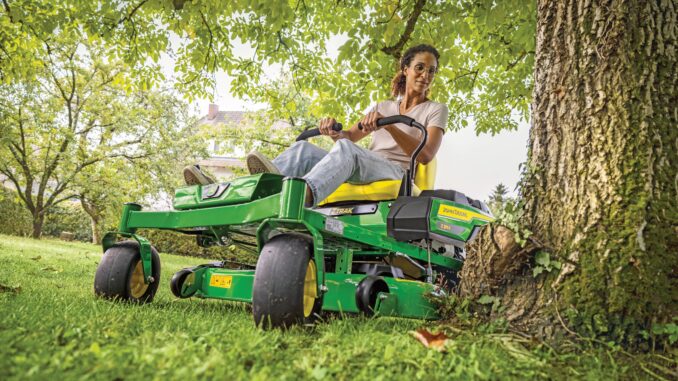
The John Deere Z520A is a residential/commercial estate‑series zero‑turn mower built for larger lawns where speed and cut quality matter. This guide walks you through troubleshooting, routine maintenance, common repairs, and parts information so you can keep your Z520A reliable and safe without guessing.
General overview of the John Deere Z520A
The John Deere Z520A is an Estate Series Z‑Trak zero‑turn mower designed for homeowners and acreage owners who want a fast, high‑capacity mower with a professional‑looking cut. It is typically equipped with a twin‑cylinder gasoline engine, hydrostatic drive transaxles, and a mid‑mount mower deck in the 48–54 inch range depending on configuration.
Key systems you will interact with most often are the engine and fuel system, mower deck and blades, hydrostatic drive, and electrical/safety interlock system. You will routinely deal with oil and filters, deck belts and idlers, blades, fuel filter, spark plugs, battery, and seat/OPC (operator presence) switches. On a Z‑trak like the Z520A, clean hydraulic cooling, proper belt routing, and sharp blades are critical for performance and long service life.
Common service parts owners regularly buy for the John Deere Z520A include:
-
Engine oil filter
-
Engine air filter and pre‑cleaner
-
Fuel filter
-
Spark plugs
-
Deck drive belt and sometimes a secondary spindle belt
-
Mower blades (high‑lift or mulch type)
-
Deck wheels/anti‑scalp rollers
-
Battery and various safety switches (seat, PTO, park brake)
Troubleshooting approach for a John Deere Z520A mower
Always start from the symptom you see or hear rather than jumping straight to a part. Ask: what changed last, what maintenance is overdue, and under what conditions the problem appears (cold/hot, slope, wet grass).
For a John Deere Z520A, the main symptom categories are:
-
Starting issues (no crank, slow crank, crank/no start)
-
Running issues (stalling, loss of power, surging, smoking)
-
Cut quality problems (stripes, uncut strips, scalping, clumping)
-
Vibration and noise (deck, engine, drivetrain)
-
Overheating and leaks (engine oil, fuel, hydraulics)
-
Transmission/drive issues (won’t move, weak on one side, jerky)
-
Electrical and safety switch issues (PTO won’t engage, intermittent shut‑off)
Work methodically: do quick visual and easy checks first (fuel level, battery terminals, belt on pulleys) before disassembling anything. When in doubt, stop and verify in the operator’s manual or technical diagrams rather than guessing.
Emergency and immediate repair needs on a John Deere Z520A
Some faults on the Z520A are inconvenient; others can quickly damage expensive components or create a safety risk. Anything involving loss of drive control, fuel leaks, major vibration, or a burning smell should be treated as “stop now and diagnose.”
Starting issues on the John Deere Z520A
When the Z520A will not crank or start at all, you are dead in the water and tempted to keep trying the key. Repeated attempts with a weak battery or poor connections can overheat wiring and the starter, so you should sort basics before cranking endlessly.
Common causes:
-
Discharged or failing battery
-
Loose, corroded, or damaged battery cables and ground points
-
Safety switches not satisfied (PTO switch on, control levers not in park, park brake off, seat switch fault)
-
Blown fuse or failed ignition switch
-
Faulty starter solenoid or starter motor
Basic owner checks:
-
Confirm the PTO is off, steering levers in the start/park position, and park brake fully engaged.
-
Check battery voltage with a multimeter if available or have it load‑tested; clean and tighten the terminals.
-
Inspect main fuses and look for damaged wiring or melted connectors near the battery and starter.
-
Wiggle the seat and PTO switches gently while trying to start to see if an intermittent switch responds.
-
If you only get a click or nothing after these checks, pause and consider a dealer visit to avoid further electrical damage.
Cut quality problems on the John Deere Z520A
Poor cut quality shows up as uneven height, missed strips, scalping, or clumping in normal conditions. Running the Z520A with badly worn blades or a sagging deck can stress spindles and belts.
Common causes:
-
Dull, bent, or mismatched blades
-
Wrong blade type for your deck or conditions (bagging vs mulching)
-
Deck out of level (side‑to‑side or front‑to‑rear)
-
Cutting too fast for grass height and thickness
-
Deck packed with grass and debris interfering with airflow
Basic owner checks:
-
Safely park, disable the engine, remove the key, and block the deck before inspecting underneath.
-
Inspect blades for nicks, bends, or differences in length/part number; replace as a set where needed.
-
Check that the deck is clean and that anti‑scalp wheels are at a sensible setting for your turf.
-
Measure deck level according to the manual and adjust side links or front hanger if it is off.
-
Slow your ground speed and avoid cutting more than about one‑third of grass height in a single pass.
Vibration and noise on a John Deere Z520A mower
Heavy vibration or unusual noise from a Z520A is a red flag: you can destroy belts, spindles, or even the engine if you ignore it. If you feel new vibration through the seat or levers, stop and investigate before finishing the lawn.
Common causes:
-
Bent or out‑of‑balance mower blades
-
Debris wrapped around spindles or jammed on top of the deck
-
Worn spindle bearings or idler pulleys
-
Loose engine or deck mounting bolts
-
Failing drive belt (missing chunks, flat‑spotted)
Basic owner checks:
-
Disengage PTO, shut down, remove key, and wait for all movement to stop.
-
Inspect blades for impacts (rocks, stumps) and check that all blade bolts are correctly tightened.
-
Spin pulleys and spindles by hand; feel for roughness, grinding, or wobble.
-
Look for belt damage or mis‑routing compared with the belt routing diagram under the seat or on the deck.
-
If vibration persists after obvious issues are corrected, have a dealer check spindle assemblies and engine mounting.
Overheating and fluid leaks on the John Deere Z520A
Overheating and fluid leaks are both safety and fire risks. Hot oil and fuel on a zero‑turn frame can ignite on mufflers or electrical components, so treat leaks urgently.
Common causes:
-
Engine oil leaks from filter, drain, or rocker covers
-
Fuel seepage from cracked fuel lines or loose clamps
-
Packed cooling fins on the engine or blocked air intake screen
-
Overfilled crankcase causing oil to blow into the air filter
-
Hydraulic oil weeping around transaxle seals or hoses
Basic owner checks:
-
Inspect around the oil filter, drain hose, and filler cap for fresh oil; tighten or reseat as needed.
-
Follow the fuel line from tank to carburetor/injection, checking for damp spots, cracks, or loose clamps.
-
Brush or blow debris out of the engine cooling fins and any screens around the engine and transaxles.
-
Check engine oil level and correct if above or below the recommended range.
-
Any significant fuel leak or hydraulic leak near drive components should be addressed by a dealer promptly.
Transmission and drive problems on a John Deere Z520A Z‑Trak
Drive issues on a Z520A show up as weak pulling power, one side slower than the other, or the mower refusing to move. Running with low or contaminated hydraulic oil can permanently damage the transaxles.
Common causes:
-
Transmission bypass valves left open after pushing the machine
-
Low hydraulic oil or wrong fluid type (on serviceable systems)
-
Air in the hydrostatic system after service
-
Damaged drive belt to the transaxles
-
Internal transaxle wear or failure
Basic owner checks:
-
Confirm the freewheel/bypass valves are fully closed according to decals or the operator’s manual.
-
Inspect the drive belt from engine to transaxles for damage, glazing, or incorrect routing.
-
Check fluid level and condition if your Z520A configuration has a serviceable hydro system.
-
Purge air from the hydros following the manual (wheels off the ground, engine running at low throttle, slowly cycling levers).
-
If one side remains weak or noisy, consult a dealer; internal hydro repairs are not DIY for most owners.
Electrical and safety switch issues on a John Deere Z520A
Modern Z‑Traks rely on multiple safety interlocks, so a single bad switch can shut you down or prevent PTO engagement. Bypassing switches is unsafe and not recommended on the Z520A.
Common causes:
-
Faulty seat switch or broken wiring under the seat pan
-
Worn PTO switch in the dash panel
-
Park brake or control lever switches misadjusted
-
Corroded ground connections or loose harness plugs
Basic owner checks:
-
Inspect the seat switch wiring for chafing and broken insulation; reseat any loose connectors.
-
Cycle the PTO switch several times and feel for a positive detent, then test PTO engagement.
-
Verify park brake and control levers are firmly in the required positions when starting or engaging PTO.
-
Clean and tighten the main ground cable and look for green/white corrosion on key connectors.
-
If safety interlock diagnosis gets complex, have a dealer test with the proper electrical schematics.
DIY or dealer? Repair decision guide for the John Deere Z520A
On a John Deere Z520A, most owners can confidently handle fluid and filter changes, blades, belts, and basic troubleshooting. Once you get into internal engine work, hydrostatic repairs, or complex electrical diagnostics, the risk of creating a bigger, more expensive problem rises sharply, so that is where a dealer or experienced technician is the better option.
Good DIY jobs on a Z520A:
-
Engine oil and filter changes
-
Air filter and fuel filter replacement
-
Spark plug inspection and replacement
-
Blade removal, sharpening, and replacement
-
Deck belt replacement and basic deck leveling
-
Battery replacement and cleaning battery terminals
-
Simple switch swaps when you can clearly access and identify the part
Advanced DIY or dealer jobs:
-
Internal engine repairs, carburetor rebuilds, valve adjustments
-
Hydrostatic transaxle repairs or replacement
-
Chasing intermittent electrical faults in the main harness
-
Frame or steering linkage repairs after impact damage
-
Hydraulic system flushing and bleeding beyond standard procedures
Skill level guide:
-
Beginner: Oil changes, air filter, blades (with care and proper lifting), battery maintenance.
-
Intermediate: Deck belt routing, deck leveling, fuel system diagnosis, switch replacement with wiring diagrams.
-
Advanced: Engine top‑end work, hydrostatic repair, in‑depth electrical troubleshooting, welding or frame alignment.
Parts needed for a John Deere Z520A: OEM vs aftermarket and key information
Before ordering any parts for your John Deere Z520A, collect the information the parts diagrams expect, otherwise you risk getting the wrong belt, blades, or filters.
You should have:
-
Full model designation: John Deere Z520A Z‑Trak
-
Product Identification Number (PIN), usually starting with letters followed by digits
-
Engine make and model (e.g. Briggs & Stratton, Kawasaki) and its own serial number stamp
-
Deck size and deck type (e.g. 48‑inch or 54‑inch, standard or mulch‑compatible setup)
Common John Deere Z520A service parts
Use this table as a pattern for organizing the parts you use most often. Always cross‑check OEM numbers against your PIN and engine model before buying.
For John Deere Z520A parts, OEM belts, safety‑critical parts, and fit‑sensitive items (PTO clutches, safety switches, deck wheels) are usually the safest choice. Filters, blades, and batteries can be sourced aftermarket if the supplier offers clear John Deere Z520A and engine cross‑references and has a good warranty.
Where to find John Deere Z520A parts diagrams and manuals
For a John Deere Z520A, your best information sources are:
-
Operator’s manual: The official manual covers safe operation, basic maintenance intervals, fluid specs, and simple adjustments. It is usually available as a free PDF from John Deere’s manuals section by searching your model.
-
Z520A parts catalog: The online interactive parts catalog shows exploded diagrams of the Z520A, including frame, engine accessories, deck, drive, and electrical systems. Use it to confirm belt routing and exact part numbers before ordering.
-
John Deere Technical Publications: The dedicated technical or service manual for the Z510A/Z520A Estate Series Z‑Trak goes much deeper into diagnostics and repair procedures. It is aimed at dealers but is valuable for advanced DIY owners willing to invest.
-
Reputable Deere‑focused parts sites: Many online parts retailers offer a model‑specific John Deere Z520A page where you can plug in your PIN, browse diagrams, and add parts directly to cart.
Use the operator’s manual for routine tasks like oil changes and deck leveling, and the technical manual or parts catalog when you need wiring diagrams, hydraulic schematics, or torque specifications.
How to locate model, serial and engine numbers on a Z520A
These numbers determine which parts fit your specific John Deere Z520A build. Deck size, engine variant, and running changes all affect part selection, so take a few minutes to record them in your maintenance notebook.
Follow these steps:
-
Park the Z520A on level ground, set the park brake, shut off the engine, and remove the key.
-
Locate the main product identification plate, usually on the frame below or near the seat, on the right‑hand side of the mower. The tag shows the model (Z520A) and PIN.
-
Find the deck identification decal on top or side of the mower deck; it indicates deck size and sometimes a separate deck serial number.
-
Look for the engine data tag on the engine shroud or valve cover. It lists the engine manufacturer, model, and serial.
-
Photograph all labels and store the images where you can reference them when ordering parts or filling in online diagrams.
Buying John Deere Z520A parts online and in local stores
A simple strategy saves time and returns. Use your PIN and OEM part numbers as your “truth” and then choose where to buy based on complexity and urgency.
-
Online: Ideal for routine consumables (filters, belts, blades, batteries) and for browsing diagrams to verify numbers. Always check that the listing explicitly mentions John Deere Z520A and your deck size.
-
Dealer counter: Best for complex, serial‑specific items such as wiring harness sections, hydrostatic parts, and any part where your mower’s build date matters. Bring your PIN and engine model.
-
Retail stores: Big‑box or farm stores can work for generic items like engine oil, grease, and sometimes blades or filters, but packaging or in‑store catalogs must clearly list compatibility with the John Deere Z520A or your engine model.
Useful starting points include the official John Deere parts site, your local dealer’s online portal, and a reputable aftermarket parts supplier that offers a John Deere Z520A‑specific page and clear cross‑reference charts.
Step‑by‑step fitting guide: common John Deere Z520A DIY jobs
These jobs deliver the biggest reliability and performance gains for typical Z520A owners and are realistic for DIY with basic tools. Always work on a cool machine, use wheel chocks, and remove the key before starting.
Changing engine oil and filter on a John Deere Z520A
Fresh oil and a new filter protect the engine from wear, especially under hot, dusty mowing conditions.
-
Warm the engine for a few minutes so the oil flows easily, then park on level ground, set the brake, and shut it off.
-
Locate the oil drain hose or drain plug, position a suitable drain pan, and open the drain to let the oil flow out completely.
-
While oil drains, remove the old oil filter with an appropriate filter wrench, taking care to catch any drips.
-
Wipe the filter mounting surface clean, lightly oil the gasket of the new filter, and install it hand‑tight until the gasket seats and then a further three‑quarters turn.
-
Close the drain, add the recommended quantity and grade of engine oil through the filler, then start the engine, check for leaks, and recheck the oil level after a few minutes.
Replacing the air filter on a John Deere Z520A
A clean air filter protects your engine from abrasive dust and restores power and fuel efficiency.
-
With the engine off and cool, open the air cleaner cover, usually secured by clips or knobs on the engine shroud.
-
Note the orientation of the existing filter and pre‑cleaner (if fitted), then carefully pull them straight out to avoid dumping dirt into the intake.
-
Wipe out the inside of the housing with a clean, dry cloth; do not blow compressed air directly into the intake.
-
Install the new filter and pre‑cleaner in the same orientation as the old ones, making sure they seat fully against the housing.
-
Refit the cover securely and check that the sealing surfaces are fully engaged.
Changing the fuel filter on a John Deere Z520A
Replacing the fuel filter helps prevent stalling, surging, and hard starting, especially if the mower sits over winter.
-
Shut off the engine, set the brake, and close the fuel shutoff valve if equipped, or clamp the fuel line upstream of the filter with a proper fuel line clamp.
-
Place a rag or small tray under the filter to catch any spilled fuel. Note the arrow on the filter showing fuel flow direction.
-
Use pliers to move the hose clamps away from the filter, then carefully twist and pull the fuel lines off each end of the old filter.
-
Install the new filter with the flow arrow pointing from the tank towards the engine, pushing the hoses fully onto the barbs.
-
Reposition the hose clamps, open the fuel valve, and check for leaks while starting and running the mower briefly.
Changing mower blades on a John Deere Z520A deck
Sharp, correct blades are essential for clean cut quality and reduced strain on the deck drive.
-
Park the Z520A on a flat surface, set the brake, remove the key, and use safe lifting or ramps to access the deck underside; support the deck securely.
-
Wear gloves and block the blade from turning with a wood block, then remove each blade bolt with a suitable socket and breaker bar.
-
Note the orientation of the blades (“grass‑side” down or stamped marking) and compare new blades to ensure they match in length, hole size, and style.
-
Install each new or sharpened blade in the correct orientation, apply a small amount of anti‑seize if recommended, and torque the blade bolts to the specification in the manual.
-
Double‑check that all blades are secure and spin freely without contacting the deck, then lower the mower and test cut a small area.
Maintenance to prevent recurring problems on a John Deere Z520A
Preventive maintenance on the Z520A is less about doing fancy work and more about doing simple tasks on time. Clean, correct fluids and filters, tight electrical connections, and a clean deck prevent most “mystery” failures.
Focus areas:
-
Starting reliability: Keep battery terminals clean and tight, change the fuel filter on schedule, and use fresh fuel with stabilizer during storage.
-
Cut quality: Inspect blades regularly, keep them sharp, and clean under the deck to maintain airflow.
-
Fire and overheating risk: Frequently clear grass and leaves from the engine, muffler shield, and hydraulic areas; fix any fuel seepage immediately.
-
Drive performance: Keep drive and deck belts in good condition, and purge hydros after any service as recommended.
-
Electrical reliability: Periodically inspect wiring under the seat and around the engine, securing any chafing points before they become a short.
John Deere Z520A maintenance schedule and year‑round checklist
Use the official Z520A maintenance chart as your base; this adapted checklist is designed to match typical intervals used on Estate Series Z‑Traks. Adjust for very dusty or heavy‑duty conditions by shortening intervals.
Daily / before each use
-
Check engine oil level and top up if required.
-
Walk around the mower checking for leaks, loose parts, or damaged guards.
-
Inspect tires for damage and verify tire pressures are even side‑to‑side.
-
Clear grass and debris from the deck, engine, and cooling areas.
After 8–10 hours of use
-
Grease deck spindles and other grease fittings if your configuration calls for daily greasing under heavy use.
-
Inspect drive and deck belts for cracks, glazing, or fraying.
-
Check safety systems (PTO shutoff, seat switch) for proper operation.
Every 25 hours
-
Inspect air filter and pre‑cleaner; clean or replace as needed depending on dust levels.
-
Check battery terminals for corrosion and clean if necessary.
-
Verify deck level and adjust hanger hardware if cut height has drifted.
Every 50 hours or yearly (whichever comes first)
-
Change engine oil and replace the oil filter according to the engine manufacturer’s recommendation.
-
Inspect and, if needed, replace the fuel filter.
-
Check spark plugs for wear and correct gap; replace if electrodes are worn or fouled.
-
Inspect blades for damage and sharpness; sharpen or replace as a set if performance has dropped.
Every 200 hours (or as specified)
-
Replace the air filter element and pre‑cleaner regardless of apparent condition if you operate in normal conditions.
-
Change hydrostatic transmission oil and filters if your Z520A model and transaxle type are listed as serviceable in the manual.
-
Thoroughly inspect wiring, switches, and control linkages for wear or play and correct as needed.
Seasonal checklist for a John Deere Z520A
Pre‑season (spring):
-
Charge and test the battery; clean terminals.
-
Change engine oil if not done in fall and check all filters.
-
Inspect belts, blades, and tires before the first cut.
Mid‑season:
-
Re‑check deck level and blade condition if cut quality has drifted.
-
Inspect fuel lines and clamps for any new signs of aging or seepage.
End‑of‑season (fall):
-
Clean the mower thoroughly, including deck underside and engine cooling fins.
-
Stabilize fuel or run the machine dry depending on your fuel strategy and engine manufacturer’s guidance.
-
Store indoors or under cover with the battery maintained and the parking brake off if possible to avoid sticking.
John Deere Z520A: repair, upgrade, or replace?
With a Z520A, repair vs replace usually comes down to the age of the machine, condition of the frame and hydros, and how expensive the required repair is relative to the mower’s value. A well‑maintained Z520A frame and deck are worth investing in; a unit with severe rust, repeated hydro failures, or a badly neglected engine may be better replaced.
Repair if:
-
The problem is limited to wear items like belts, blades, filters, or a single switch.
-
The engine and hydros are fundamentally sound (no knocking, no chronic overheating, no metal in oil).
-
The frame and deck are solid with only normal cosmetic wear.
Upgrade if:
-
You want a mulch kit, better blades, suspension seat, or improved lighting but the core mower is in good condition.
-
Your property changed (more slopes, obstacles, or acreage) and you need accessories rather than a whole new machine.
Replace if:
-
The Z520A needs major engine or hydrostatic replacement that adds up to a large fraction of a newer mower’s cost.
-
The frame or deck is cracked, badly rusted, or repeatedly failing welded areas.
-
Safety systems have been bypassed or wiring is extensively hacked and would require a full harness to restore.
Expanded troubleshooting FAQ – John Deere Z520A (30+ questions)
1. Why will my John Deere Z520A not start?
Most non‑start issues on a Z520A come down to fuel, spark, or safety interlocks. Confirm the PTO is off, levers are in the start position, and the park brake is set, then check fuel level and battery voltage. If it cranks but does not fire, inspect the fuel filter, fuel shutoff, and spark plugs. If it will not crank at all, focus on battery, fuses, and key safety switches like the seat and PTO switch.
2. Why does my John Deere Z520A only click when I turn the key?
A single click usually indicates the starter solenoid is trying to engage but battery power is low or connections are poor. Clean and tighten battery terminals, inspect ground connections to the frame and engine, and check the battery with a load tester if possible. If the battery is good and cables are solid, the solenoid itself or the starter may be failing. Avoid repeated clicking attempts to prevent overheating the wiring.
3. Why does my John Deere Z520A crank but not start?
If the Z520A cranks strongly but never fires, suspect fuel delivery or ignition. Verify you have fresh fuel, the fuel shutoff valve is open, and the fuel filter is not clogged. Pull a spark plug, inspect condition, and test for spark with an appropriate tester. Also check that the choke and throttle are set correctly. If there is no spark on a modern engine with good safety interlocks, ignition module or wiring faults are likely and may require dealer diagnosis.
4. Why does my John Deere Z520A start then die after a few seconds?
Starting and dying often indicates a fuel starvation or safety switch problem. A partially blocked fuel filter or tank vent can let enough fuel through to start but not enough to keep running. Similarly, a faulty seat switch may allow starting but shut down the engine as soon as you move or disengage the brake. Try running with the fuel cap slightly loosened and gently wiggle the seat to see if symptoms change, then address the underlying cause.
5. Why is my John Deere Z520A hard to start when hot?
Hot restart issues usually relate to weak ignition or marginal fuel delivery. Weak coils or modules can fail when hot, and marginal batteries or starter motors struggle against a hot engine. Check that the cooling fins and air passages are clear, then test the battery and starter for proper operation. If the engine cranks fine but will not fire hot, have the ignition components checked and confirm correct plug gap and type.
6. Why does my John Deere Z520A lose power while mowing?
Loss of power can be caused by clogged filters, dull blades, or an overloaded deck. Inspect and replace the air filter and fuel filter if they are dirty or overdue. Check that blades are sharp and the deck is not packed with grass, then reduce ground speed or raise cut height. If power loss persists under normal conditions, a more serious engine or fuel system issue may be developing and warrants professional inspection.
7. Why does my John Deere Z520A surge or hunt at idle?
Surging at idle or light throttle is often due to stale fuel, partial carburetor blockage, or air leaks in the intake. Make sure you are using fresh fuel with the correct octane, then replace the fuel filter and inspect hoses. Cleaning the carburetor or fuel metering components may be needed; this is an intermediate job for some owners but a dealer can handle cleaning and adjustment quickly.
8. Why is my John Deere Z520A smoking?
Smoke color gives clues. Blue or whitish smoke suggests oil burning from overfilled oil, worn rings, or oil entering the intake through the breather. Black smoke indicates a rich fuel mixture, often due to a stuck choke or dirty air filter. Check oil level and correct if overfilled, replace the air filter, and confirm the choke linkage moves freely. Persistent heavy smoke, especially blue, should be evaluated by a professional.
9. Why is my John Deere Z520A using more fuel than usual?
Excessive fuel consumption usually ties back to engine tune and operating habits. Dirty air filters, fouled spark plugs, and dragging brakes or deck spindles make the engine work harder. Inspect and service these areas, and slow down to a reasonable mowing speed at moderate throttle. If consumption remains unusually high, a rich fuel condition or ignition timing issue may be present and should be checked via the engine manual.
10. Why does my John Deere Z520A cut unevenly?
Uneven cut on a Z520A is most commonly caused by dull or bent blades and a mis‑leveled deck. Start by inspecting blades and replacing or sharpening as needed, always in matched sets. Then check deck level side‑to‑side and front‑to‑rear using the procedure and measurements in your manual. Also verify tire pressures are correct and equal side‑to‑side, as uneven tires change deck height.
11. Why does my John Deere Z520A leave uncut strips of grass?
Uncut strips or streaks indicate either a missing section of blade coverage or poor overlap. Ensure you have the correct blades for your deck width and that they are installed in the right orientation and positions. Check for bent spindle shafts or blade carriers that might be pulling a blade inward. Also slow your ground speed slightly and overlap passes more generously, especially in dense grass.
12. Why is my John Deere Z520A scalping the lawn?
Scalping happens when deck height is set too low for the lawn’s contours or the anti‑scalp wheels are misadjusted. Raise the overall cutting height a notch and set anti‑scalp wheels so they are just off the turf on level ground but contact on dips. Avoid mowing at top speed over rough ground, and consider mowing in a different pattern to reduce scalping on known high spots.
13. Why does my John Deere Z520A clump or clog under the deck?
Clumping is normal in very wet or overgrown grass, but you can minimize it. Mow when the grass is dry, cut less height per pass, and keep blades sharp. Clean the underside of the deck frequently so built‑up grass does not interfere with airflow. If you mulch, use correct mulch blades and baffles for the Z520A deck rather than generic parts.
14. Why does my John Deere Z520A vibrate heavily when I engage the blades?
A sudden increase in vibration when the PTO is engaged usually means a blade or spindle problem. Shut down, check that all blades are present, correctly installed, and not bent from hitting an object. Spin each spindle by hand and listen for grinding or roughness, then inspect idler pulleys. Replace any damaged blades or noisy spindles before using the mower again.
15. Why is there a rattling or grinding noise from the Z520A deck?
Rattling and grinding can be caused by loose hardware, worn bearings, or debris trapped in shields. Check all deck fasteners, guards, and shields for looseness and tighten as needed. Spin pulleys and idlers to see if they wobble or make noise. If grinding comes from inside a spindle or idler, replace that assembly promptly to avoid further damage.
16. Why does the deck belt on my John Deere Z520A keep coming off?
Belts that repeatedly derail are often misrouted, stretched, or being pulled off by worn pulleys. Compare the belt routing carefully with the diagram under the seat or in the manual. Replace belts that are cracked, glazed, or stretched, and inspect tensioner and idler pulleys for play. Also ensure that deck hangers and guides are not bent from impacts.
17. How often should I replace blades on a John Deere Z520A?
Blade life depends on ground conditions, but many Z520A owners find they need sharpening every 25–50 hours and replacement when the cutting edge is thin, heavily nicked, or bent. If you frequently hit sticks or rocks, blades will wear or deform more quickly. Replace blades in matched sets and avoid grinding away too much material when sharpening.
18. Why does my John Deere Z520A pull to one side while mowing?
Pulling can stem from uneven tire pressures, hydro control linkage misadjustment, or a weak hydrostatic drive on one side. Start by checking and correcting tire pressures to the same value on both rear tires. If it still pulls, inspect the control linkage and compare neutral positions left vs right. If one side remains consistently weaker, a dealer should evaluate the hydro system.
19. Why won’t my John Deere Z520A move at all?
If the engine runs but the mower does not move, check that the freewheel/bypass valves are fully closed; these must be shut after pushing the mower manually. Inspect the drive belt from engine to transaxles for breakage or derailment. If those are fine and there is no drive in either direction on both sides, a deeper hydrostatic issue may be present and is best handled by a service center.
20. Why is one side of my John Deere Z520A slow or weak?
A single weak side usually indicates air in that hydro, a partially open bypass valve, or internal wear. Confirm that the bypass valve for that side is fully closed and that the drive belt and pulleys turn properly. Perform the hydro purging procedure from the manual. If the problem persists, internal damage or wear may require a professional hydrostatic repair or replacement.
21. Why won’t the blades on my John Deere Z520A engage?
If you flip the PTO switch and nothing happens, start with the basics: the engine must be running at sufficient speed, the seat switch must be satisfied, and the park brake and levers must be in the correct position. Check the PTO switch itself, the associated fuse, and wiring to the PTO clutch. A failed PTO clutch or a worn safety switch may need replacement once you have confirmed the circuit and conditions are correct.
22. Why does my John Deere Z520A shut off when I release the brake?
Shutting off when releasing the brake often points to seat switch or control lever interlock issues. Make sure you are seated fully and that the seat switch is making proper contact, without cracked plastic or damaged wiring. Check that control levers are moved into the operating position smoothly. If the mower only stays running when you sit a certain way, inspect and adjust or replace the seat switch.
23. Why do the safety switches on my John Deere Z520A keep failing?
Seat, PTO, and brake switches operate in a harsh environment of vibration, dust, and moisture. Over time, contacts wear and plastic housings crack. Make sure the switches are mounted securely and that harnesses are supported so they do not flex excessively. Replace failed switches with OEM or high‑quality equivalents, and avoid bypassing them, as that compromises safety and can void coverage.
24. Why does my John Deere Z520A battery keep going flat?
Frequent dead batteries can be due to age, parasitic draw, or a charging system problem. First, have the battery load‑tested and replace it if it is weak or old. Then measure charging voltage at the battery with the engine at fast idle; it should show a healthy increase over static voltage. If charging is low, suspect the alternator/stator and regulator. Disconnect accessories when not in use and store the mower on a maintainer in the off‑season.
25. Why is my John Deere Z520A overheating?
Overheating usually means the engine’s cooling system is overwhelmed by debris or low airflow. Remove shrouds as needed and clean cooling fins, screens, and the area around the muffler. Check oil level and make sure the correct oil grade is used. If the mower is worked very hard in high heat and dust, consider more frequent cooling system cleaning and ensure you are not lugging the engine at low throttle under heavy load.
26. What should I do if I see fuel leaking from my John Deere Z520A?
Stop the engine immediately, move away from ignition sources, and identify the leak location. Common points are at the fuel filter connections, cracked flexible hoses, or fittings near the tank. Tighten hose clamps and replace cracked hoses promptly, using fuel‑rated hose. Do not operate the mower until the leak is completely resolved and any spilled fuel has evaporated safely.
27. How often should I change oil in a John Deere Z520A?
Refer to your specific engine manual, but many Z520A engines call for an oil and filter change after the first break‑in hours and then every 50 hours or annually under normal conditions. In very hot or dusty environments, shortening this interval is cheap insurance. Always use the recommended viscosity and a quality filter that meets or exceeds OEM specifications.
28. How often should I service the hydrostatic drives on a Z520A?
Some Z‑Trak transaxles are “sealed for life,” while others are serviceable at specific hour intervals. Check your Z520A operator’s and technical manuals to see if your hydros require oil and filter changes (often around 200 hours and thereafter at defined intervals). If they do, follow the specified oil type and purging procedure carefully, as incorrect service can damage the units.
29. Can I use aftermarket blades and filters on my John Deere Z520A?
Yes, many owners use aftermarket blades and filters successfully as long as they are correctly cross‑referenced for the Z520A and engine model. Pay attention to blade length, hole size, and style so you maintain balance and deck performance. For belts, PTO clutches, and safety switches, OEM parts tend to provide better fit and longevity and are usually worth the small premium.
30. What grease should I use on my John Deere Z520A?
A high‑quality multi‑purpose or high‑temperature lithium or polyurea‑based grease suitable for lawn and garden equipment is usually recommended. Use it on deck spindles, steering pivots, and any zerk fittings shown in your manual. Grease intervals depend on use, but many Z520A owners grease deck and steering points every 25 hours, or more often in heavy service.
31. How should I store my John Deere Z520A over winter?
For off‑season storage, clean the mower thoroughly, including underneath the deck, and repair any paint chips or rust spots. Change oil and filters if they are near due, stabilize the fuel or run the system dry, and disconnect or maintain the battery. Store the Z520A in a dry, covered area with tires inflated and parking brake released if possible to avoid sticking.
32. How do I know when my John Deere Z520A needs professional service?
Consider professional service when you encounter persistent symptoms after basic maintenance, see metal in oil, or suspect internal engine or hydrostatic damage. Complex electrical issues that require schematics and special tools are also best handled by a dealer. If a repair involves major disassembly of the engine, hydro, or primary wiring harness, getting a professional diagnosis can save money long‑term.