
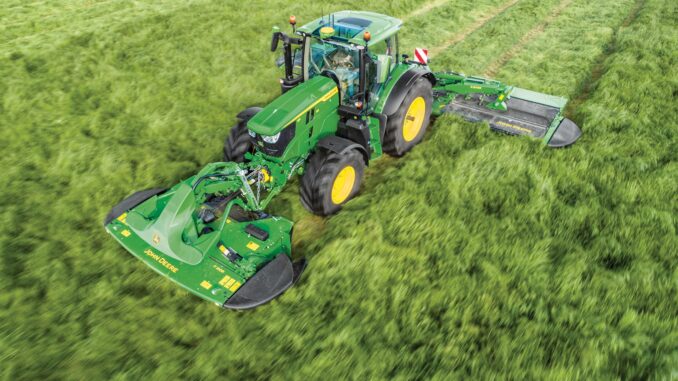
The John Deere 8410 is a high‑horsepower row‑crop tractor built for serious field work, and this guide is written for owners and operators who want to handle practical maintenance, basic troubleshooting, and sensible DIY repairs on their own machines. It focuses on what you actually see and feel in use—starting issues, warning lights, poor pull or hydraulics—then links those symptoms back to the systems and parts you can realistically tackle at home versus what should go to a dealer.
Introduction to the John Deere 8410
The John Deere 8410 is part of the 8000/8010 row‑crop tractor family, aimed at medium to large farms that need a powerful, versatile tractor for tillage, planting, grain cart work, and heavy PTO applications. It runs a large diesel engine with electronic fuel management, a powershift transmission, and a full hydraulic system capable of handling modern implements and precision farming add‑ons.
Most owners will use the John Deere 8410 for long hours under load, so reliability, cooling capacity, and clean fuel delivery are critical. This guide walks through common service parts, day‑to‑day maintenance, basic troubleshooting by symptom, and a detailed FAQ so you can keep the tractor working safely between dealer visits.
General overview of the John Deere 8410
Within the Deere lineup, the John Deere 8410 sits as a high‑horsepower row‑crop tractor in the 8010 series, sharing many components with the 8110, 8210, and 8310. It uses a large turbocharged diesel engine, an electronically controlled powershift transmission, and a closed‑center hydraulic system with multiple SCVs and high‑capacity rear linkage.
Key systems you will interact with on a John Deere 8410 include:
-
Engine and fuel system (turbo diesel, injection pump, injectors, fuel filters, water separator)
-
Cooling system (radiator, charge‑air cooler, fan drive, coolant hoses)
-
Powershift transmission and rear axle
-
Hydraulics and SCVs, three‑point hitch and draft control
-
Electrical system (batteries, alternator, starter, relays, fuses, safety switches, electronic controllers)
-
Cab controls, instrumentation, and warning systems
Common service parts owners actually buy for the John Deere 8410 include:
-
Engine oil filters (spin‑on cartridge type)
-
Fuel filters and water separator elements
-
Engine air filters (primary and secondary)
-
Serpentine/fan belts
-
Hydraulic and transmission filters
-
Cab air filter
-
Batteries and battery cables
-
Work light bulbs and switches
Always cross‑check exact part numbers using your tractor’s PIN and engine code, because the 8410 family can have serial‑break changes, especially on filters, electronics, and transmission‑related components.
Troubleshooting approach on a John Deere 8410
The most efficient way to troubleshoot a John Deere 8410 is to start from the symptom you notice in the field or in the yard, then walk back to the system and parts that could cause it. Rather than pulling parts at random, identify how the tractor behaves: does it crank but not start, pull down under load, show hydraulic chatter, or bring up a specific warning icon?
Main symptom categories for a John Deere 8410 include:
-
Starting issues (no crank, slow crank, cranks but will not fire)
-
Running issues (loss of power, surging, smoke changes, derate modes)
-
Hydraulic and hitch problems (weak SCVs, hitch not lifting, hydraulic noise)
-
Transmission and drive issues (no movement, harsh shifts, error codes)
-
Steering and braking issues
-
Electrical problems (dead displays, blown fuses, lights not working)
-
Cab comfort issues (AC not cooling, fan not working)
-
Overheating and fluid leaks
Treat the operator’s manual and any codes on the display as your first diagnostic tools. Use them alongside this symptom‑first structure to decide which jobs are safe to do yourself and which ones should go straight to your Deere dealer.
Emergency and immediate repair needs on John Deere 8410
Certain symptoms on a John Deere 8410 mean you should stop operation immediately to avoid major damage or safety risks. This includes sudden loss of oil pressure, coolant temperature in the red zone, a strong burning smell or visible smoke from wiring, or driveline noises under heavy load. When in doubt, park the tractor safely, shut down, and investigate before returning to work.
1. John Deere 8410 starting issues
Starting problems range from a dead key to a tractor that cranks strongly but never fires. This matters because repeated cranking with poor fuel delivery or low voltage can stress the starter and batteries and introduce air into the fuel system.
Common causes:
-
Weak batteries or poor battery connections
-
Faulty starter motor or solenoid
-
Blown starter or key switch fuses
-
Faulty key switch or neutral safety switch
-
Clogged fuel filters or air in fuel lines
-
Low fuel or contaminated fuel (water, dirt)
Basic owner checks:
-
Check battery voltage, terminals, and ground cables for tight, clean connections.
-
Confirm the transmission range selector and park are correctly set (safety interlocks).
-
Inspect and replace engine fuel filters if they are overdue or suspect.
-
Bleed the fuel system according to the operator’s manual after changing filters.
-
Check main fuses and relays related to the starter circuit.
-
If the starter only clicks or overheats, book dealer service.
2. John Deere 8410 running and power issues
Running issues include loss of power under load, engine hunting, black or white smoke, or engine derate with warning lights. These problems matter because they often signal restrictions in fuel or air, turbo issues, or electronic fuel management faults.
Common causes:
-
Restricted fuel filters or partially blocked tank outlet
-
Dirty or collapsed air filter elements
-
Turbocharger or boost leaks (loose clamps, split hoses)
-
Faulty sensors or wiring in the fuel management system
-
Injection pump or injector wear (dealer‑level diagnostics)
Basic owner checks:
-
Replace fuel filters and drain the water separator, checking for contamination.
-
Inspect primary and secondary air filters; replace if heavily dirty or damaged.
-
Check intercooler and charge‑air hoses for loose clamps or splits.
-
Look for obvious fuel leaks around lines and filter heads.
-
If power issues remain or codes appear, schedule dealer diagnostics.
3. John Deere 8410 vibration and noise
Abnormal vibration or noise in a John Deere 8410 can come from driveline components, PTO shafts, fans, or hydraulic pumps. Left unchecked, it can cause severe mechanical damage.
Common causes:
-
Worn or unbalanced front tires and wheels
-
Damaged driveline or PTO shaft components
-
Worn fan hub or misaligned belts
-
Hydraulic cavitation due to low oil or restricted filters
-
Cab mount wear
Basic owner checks:
-
Inspect front and rear tires for damage, incorrect pressure, and uneven wear.
-
Check PTO driveline components for bent shafts or missing shields.
-
Inspect belts and fan hub for wobble or abnormal movement.
-
Confirm hydraulic oil level and condition; replace filters if due.
-
If vibration remains, especially under load, consult a dealer.
4. John Deere 8410 overheating and leaks
Overheating or noticeable fluid leaks should always be treated as an immediate stop‑and‑inspect issue. The John Deere 8410 runs under heavy load, and overheating can quickly damage the engine or transmission.
Common causes:
-
Plugged radiator or charge‑air cooler fins
-
Low coolant level or air pockets in cooling system
-
Failing fan drive or belt
-
Oil leaks from engine, transmission, or hydraulics
-
Loose hose clamps or aged hoses
Basic owner checks:
-
Shut down and allow the engine to cool before opening any caps.
-
Visually inspect the radiator and coolers, blowing out debris with low‑pressure air.
-
Check coolant level in the reservoir; top up with the correct coolant mix.
-
Inspect belts and pulleys for tension and wear.
-
Identify and monitor any oil leaks; address minor hose clamp issues but use a dealer for major leaks.
5. John Deere 8410 transmission and drive problems
Transmission and drive issues include no movement in one or more ranges, harsh shifting, or error codes on the display. Because the 8410 uses an electronically controlled powershift, some faults are beyond normal DIY scope.
Common causes:
-
Low or incorrect transmission/hydraulic fluid level
-
Restricted or plugged transmission filters
-
Faulty range or clutch solenoids (electrical)
-
Internal clutch pack or valve body problems
-
Sensor or controller faults
Basic owner checks:
-
Check transmission/hydraulic fluid level and correct if low, using the recommended oil.
-
Inspect and replace transmission/hydraulic filters if maintenance is overdue.
-
Note any error codes or warning lights and record them before cycling power.
-
Avoid further heavy use until a dealer reviews codes and performs diagnostics.
6. John Deere 8410 electrical problems
Electrical issues on a John Deere 8410 often show as dead displays, non‑working lights, blown fuses, or intermittent faults in controllers and sensors. Electrical problems can cascade if wiring is damaged or unprotected.
Common causes:
-
Battery or alternator problems
-
Damaged wiring harnesses or connectors
-
Faulty relays and fuses
-
Cab switch and control panel wear
-
Corrosion at grounds and bulkhead connections
Basic owner checks:
-
Verify battery condition and alternator output with a multimeter if possible.
-
Inspect visible wiring for abrasion, pinched sections, and corrosion.
-
Clean and tighten key ground points.
-
Replace blown fuses with identical ratings and investigate repeat failures.
-
For persistent controller or CAN‑bus issues, rely on dealer diagnostics.
DIY or dealer? Repair decision guide for John Deere 8410
With a tractor like the John Deere 8410, the practical line is between routine service and basic bolt‑on component replacement (good DIY jobs) and any internal work on the engine, transmission, or hydraulic system that requires test equipment, lifting tools, or software (dealer work). If a repair involves splitting the tractor, opening major housings, or reprogramming controllers, treat it as dealer territory.
Good DIY jobs on a John Deere 8410:
-
Engine oil and filter changes
-
Fuel filter and water separator changes
-
Air and cab filter replacement
-
Battery and battery cable replacement
-
Light bulb and basic switch replacement
-
Cleaning coolers and radiator
-
Greasing joints and driveline maintenance
Advanced DIY or dealer jobs on a John Deere 8410:
-
Internal engine repair (injectors, pump, turbo removal)
-
Transmission internal work, clutch packs, and valve bodies
-
Major hydraulic repairs and pump replacement
-
Steering and brake system internals
-
Electronic controller diagnostics and software updates
Skill level guide:
-
Beginner: Checking fluids and tire pressures, cleaning radiators, replacing bulbs and fuses, basic greasing.
-
Intermediate: Changing filters and fluids, replacing belts, replacing batteries, cab filters, and simple sensors.
-
Advanced: Any work that requires major disassembly, heavy lifting, precision torque sequences, or access to dealer‑grade diagnostic tools.
Parts needed and information for John Deere 8410
Before ordering parts for your John Deere 8410, collect:
-
Full model designation: “John Deere 8410”
-
Product Identification Number (PIN)
-
Engine model and serial number
-
Transmission type and any noted options
-
Any serial break information from the operator’s manual or dealer
You will also need to know which specific configuration and options your tractor has, as things like hydraulic filter numbers, sensor types, and wiring harnesses can vary.
Key John Deere 8410 service parts table
Use OEM parts or high‑quality equivalents that explicitly list John Deere 8410 compatibility. For critical items such as belts, transmission filters, safety switches, and core engine components, OEM is strongly recommended to ensure fit and correct micron ratings. Aftermarket filters, batteries, and some lighting can be acceptable if they are a direct cross‑reference and meet or exceed the original specifications.
Where to find parts diagrams and service information
You will rely heavily on official parts diagrams and operator manuals when working on a John Deere 8410. These resources show exploded diagrams, part numbers, torque values, and maintenance intervals.
Useful online resources include:
-
John Deere official manuals and training site (operator’s manuals, technical manuals, and service information).
-
John Deere online parts catalog (model search for “8410”) with diagrams and part numbers.
-
Deere Technical Publications store, where you can purchase digital or printed technical and diagnosis manuals for the 8410.
-
A reputable Deere‑focused parts website with a dedicated John Deere 8410 parts page, offering OEM and compatible parts with exploded views.
Use these sites to confirm exact part numbers, serial breaks, and optional equipment that might affect the parts you order.
How to locate model, serial and engine numbers on John Deere 8410
Model and serial numbers are essential for ordering the correct parts for your John Deere 8410 because Deere made changes during production runs that can alter filters, sensors, and software. The PIN also helps dealers access build data for your specific tractor.
Typical locations:
-
Tractor PIN plate: On the frame near the front right‑hand side or around the rear axle area, depending on production; look for a metal plate or decal stamped with “8410” and a long alphanumeric PIN.
-
Cab or interior ID: Some tractors carry a cab identification decal with important information inside the cab door or under the console.
-
Engine serial number plate: Usually on the side of the engine block, on a metal tag fixed to the block or a major component; clean the area to read the stamping.
-
Transmission or axle tags: On the housings, used for internal or major component identification.
-
Note these details in a notebook or phone so you can quote them quickly when ordering parts or booking dealer service.
Buying John Deere 8410 parts online and in‑store
A sensible strategy for John Deere 8410 parts is to use official channels for critical components and a mix of dealer and reputable aftermarket suppliers for routine items. Always double‑check that the part listing matches your exact model and PIN range.
Options:
-
Online: Use the official John Deere parts catalog and licensed online parts stores to cross‑reference part numbers; only buy from marketplaces if listings clearly state John Deere 8410 compatibility and include OEM or cross‑reference numbers.
-
Dealer counter: Best for complex or PIN‑sensitive items like controllers, harnesses, transmission components, and any parts where serial breaks are common.
-
Retail farm stores: Acceptable for consumables such as grease, oil that meets Deere specifications, general batteries, and standard bulbs, provided packaging lists John Deere 8410 or equivalent specifications.
For convenience, you can bookmark the official John Deere parts catalog and at least one strong independent parts website that offers a dedicated John Deere 8410 section.
Step‑by‑step fitting guide for common John Deere 8410 jobs
The following jobs represent practical, high‑impact DIY work that most John Deere 8410 owners can manage with basic tools and safety awareness.
Engine oil and filter change on John Deere 8410
An engine oil and filter change keeps the 8410’s diesel engine protected under heavy load and is one of the core DIY tasks.
Steps:
-
Park the tractor on level ground, set the park brake, and shut down the engine; allow oil to cool slightly but remain warm.
-
Place a drain pan under the oil drain plug and remove the plug carefully; let all oil drain completely.
-
Remove the engine oil filter using an appropriate filter wrench, keeping the area clean.
-
Install the new filter after lightly oiling the gasket, tightening it to the manufacturer’s recommendation.
-
Reinstall the drain plug with a new washer if required and fill the engine with the recommended oil type and quantity.
-
Start the engine, check for leaks, and then re‑check the oil level, topping up as needed.
Fuel filter change on John Deere 8410
Changing fuel filters and the water separator helps prevent fuel starvation, injector wear, and hard‑starting issues.
Steps:
-
Park safely and shut off the engine; relieve any fuel system pressure as outlined in the operator’s manual.
-
Place a container under the fuel filter and water separator assemblies.
-
Remove the old filters and drain the water separator; note any heavy contamination.
-
Install new fuel filters and reassemble the separator, pre‑filling with clean diesel if recommended.
-
Use the hand primer or bleed screws to remove air from the system until solid fuel flows.
-
Start the engine and run at low idle, checking for leaks and smooth operation.
Air filter replacement on John Deere 8410
Keeping the 8410’s air filters clean helps maintain power and reduce smoke.
Steps:
-
Open the engine hood and locate the air cleaner housing.
-
Release the housing clamps and carefully remove the primary air filter.
-
Inspect the secondary (safety) filter; replace it if the operator’s manual specifies or if damaged.
-
Clean out any dust from the housing with a dry cloth or low‑pressure air, avoiding damage to seals.
-
Install the new primary filter and reassemble the housing, ensuring all clamps are secure.
-
Reset any air restriction indicators if fitted.
Battery replacement on John Deere 8410
Strong batteries are vital for reliable starting and to support the 8410’s electronics.
Steps:
-
Park the tractor, shut down the engine, and remove the key; locate the battery compartment.
-
Note cable positions, then disconnect the negative (ground) cable first, followed by the positive.
-
Remove the old batteries carefully and clean the tray and clamps.
-
Install the new batteries in the correct orientation and secure them.
-
Reconnect the positive cables first, then the negative, ensuring all connections are tight and clean.
-
Start the tractor to confirm proper operation and check for any warning lights.
Maintenance to prevent John Deere 8410 problems
Regular maintenance on a John Deere 8410 is the most effective way to prevent costly downtime and repairs. Because these tractors often operate under heavy load and long hours, maintenance has a direct impact on fuel economy, component life, and reliability.
Key focus areas:
-
Starting reliability: Maintain high‑quality batteries, clean terminals, and timely fuel filter changes to prevent hard starting.
-
Engine performance: Keep air and fuel filters fresh, maintain clean coolers, and monitor for leaks.
-
Cooling and fire prevention: Remove crop residue and dust from the engine compartment and coolers to prevent overheating and reduce fire risk.
-
Drive and transmission performance: Maintain correct oil levels, replace filters on schedule, and avoid extended operation with low fluid levels.
-
Electrical reliability: Inspect wiring harnesses regularly, protect them from chafing, and address any moisture ingress in connectors.
John Deere 8410 maintenance schedule and year‑round checklist
Use the official maintenance chart for your specific John Deere 8410 operator’s manual as the baseline, then adapt the following structure to your operation. Always update intervals if you operate in severe conditions (dust, heavy load, extreme temperatures).
Daily / before each use
-
Walk‑around inspection for leaks, loose components, and damaged hoses.
-
Check engine oil level and coolant level.
-
Check fuel level and drain water separator as needed.
-
Inspect tires for damage and correct inflation.
-
Verify all lights and indicators needed for road and field use.
After approximately 8–10 hours
-
Clean radiator and coolers of dust and debris, especially in heavy crop or dusty conditions.
-
Grease high‑frequency lubrication points as listed in the operator’s manual.
-
Inspect air restriction indicator and visually inspect the intake area.
Every 50 hours
-
Check and adjust fan belt tension as required.
-
Inspect battery terminals and clean if needed.
-
Check hydraulic and transmission oil levels; top up if necessary.
-
Inspect PTO and hitch components for wear, cracks, or looseness.
Every 250 hours (typical)
-
Change engine oil and engine oil filter, or at the interval recommended in the manual for your operating conditions.
-
Inspect and, if necessary, replace primary fuel filters and water separator elements.
-
Inspect primary air filter; replace if restriction or heavy contamination is evident.
Every 500 hours or yearly
-
Replace fuel filters as part of scheduled maintenance if not done earlier.
-
Replace primary and secondary air filters when due.
-
Replace hydraulic and transmission filters according to the official schedule.
-
Inspect and service cab air filter and HVAC system.
Seasonal checklist for John Deere 8410
Pre‑season (before busy field work):
-
Complete oil and filter changes if approaching interval.
-
Check tires, ballast, and wheel torque according to the manual.
-
Inspect and test all SCV outlets, PTO, hitch, and electronic controls.
-
Update or verify any precision farming equipment connections and software.
Mid‑season:
-
Monitor filter restriction indicators more frequently.
-
Increase frequency of radiator and cooler cleaning.
-
Inspect hoses and belts for any cracks or leaks that have developed under load.
End‑of‑season:
-
Perform fuel treatment and tank preparation if the tractor will sit.
-
Change engine oil if hours are close to the interval, to remove contaminants before storage.
-
Clean the tractor thoroughly, especially around coolers and electrical connections.
-
Disconnect batteries or maintain them with a suitable charger if stored long‑term.
John Deere 8410: repair, upgrade, or replace?
For most owners, the John Deere 8410 remains worth repairing because of its robust build and strong resale value, but there is a point where major repairs versus newer technology become a key decision. Consider total hours, the overall condition of engine, transmission, and axles, and whether your operation needs newer features such as more advanced precision controls or emissions‑level equipment.
Repair if:
-
The issue is limited to one system (e.g., fuel pump, hydraulic hose, electrical harness) and the rest of the tractor is sound.
-
Hour count and frame condition suggest many more serviceable hours.
-
The cost of repair is reasonable compared to the value of the tractor.
Upgrade if:
-
You need better precision agriculture integration, additional hydraulic capacity, or different tire/tracks setups.
-
The tractor is mechanically sound but lacks certain productivity or comfort features.
-
Retrofits, additional SCVs, or updated electronics can meet your needs without replacing the entire machine.
Replace if:
-
Major systems (engine, transmission, hydraulics) all show significant wear and failure patterns.
-
The cost of major repairs approaches the value of the tractor.
-
Your operation has grown beyond the horsepower or capability of the 8410 and you need a newer platform.
Expanded John Deere 8410 troubleshooting FAQ (30+ questions)
1. Why will my John Deere 8410 not start?
If your John Deere 8410 will not start, check whether it cranks at all, cranks slowly, or cranks normally but never fires. Begin with batteries, cable connections, and fuses, then move on to fuel filters and air in the fuel system. Verify that all safety switches (seat, neutral, park brake) are engaged correctly. Persistent no‑start conditions with good fuel and strong cranking may indicate sensor or injector issues that require dealer diagnostics.
2. Why does my John Deere 8410 crank slowly?
Slow cranking typically points to weak batteries, corroded terminals, or a failing starter on the John Deere 8410. Inspect and clean battery posts and grounds and test battery voltage under load. If the batteries test fine, the starter motor or cable may be the problem. Avoid repeated extended cranking, as it can overheat the starter and drain the batteries.
3. What should I check if the John Deere 8410 starts then stalls?
If the tractor starts but stalls shortly afterward, suspect fuel starvation or air in the fuel system. Replace or inspect fuel filters and confirm that the water separator is drained and clean. Use the priming system to purge air, following the operator’s manual. If stalling persists under load, deeper fuel system testing at a dealer may be necessary.
4. Why does my John Deere 8410 lose power under load?
Loss of power under load is often caused by restricted fuel supply, dirty air filters, or boost leaks. Ensure that fuel filters are fresh and the water separator is not clogged. Inspect the primary air filter and replace it if heavily contaminated. Check turbo hoses and clamps for leaks. If the tractor still derates or logs codes, there may be a sensor or injection issue requiring professional diagnosis.
5. What does black smoke from my John Deere 8410 exhaust mean?
Black smoke usually indicates excess fuel or insufficient air flow. Common causes include plugged air filters, restricted intake, or over‑fueling. Replace the air filter and check intake hoses. If the engine is heavily loaded and lugging, downshift to reduce load. Persistent heavy black smoke under moderate load warrants inspection of injectors, turbocharger, and fuel settings by a dealer.
6. Why does my John Deere 8410 show white or grey smoke?
White or grey smoke can indicate unburnt fuel, low engine temperature, or coolant entering the combustion chamber. If it occurs only on cold start and quickly clears, it may be normal. If it continues, check for loss of coolant, overheating, or other signs of head gasket or injector problems. Do not ignore persistent white smoke, as it may signal damage that requires dealer attention.
7. Why is my John Deere 8410 overheating?
Overheating is often linked to plugged radiators, low coolant, or a failing fan drive. Clean debris from the radiator, charge‑air cooler, and any stacked coolers using low‑pressure air. Check coolant level and inspect for leaks. Verify belt tension and fan operation. If overheating persists under normal load, a thermostat, water pump, or internal cooling issue may be present and should be checked by a dealer.
8. What should I do if the John Deere 8410 coolant warning light comes on?
If a coolant warning light appears, reduce load immediately and find a safe place to stop. Shut down the engine and allow it to cool fully before checking coolant levels. Never open the radiator cap while hot. Inspect for leaks and top up with the recommended coolant mix. If the light returns quickly, have the cooling system pressure‑tested by a dealer.
9. Why does my John Deere 8410 hydraulic system feel weak?
Weak hydraulics can result from low hydraulic oil level, dirty filters, or pump wear. Check the hydraulic oil level and top up using the correct fluid. Replace hydraulic filters if they are overdue. Inspect for external leaks around SCVs and hoses. If hydraulics remain weak, especially when multiple functions are used, pump or internal leakage issues may require dealer diagnostics.
10. Why is the three‑point hitch on my John Deere 8410 slow or not lifting?
A slow or non‑lifting hitch may be caused by incorrect control settings, low hydraulic oil, or internal valve problems. Confirm that the hitch control levers and draft settings are correctly adjusted. Check hydraulic oil level and filters. If the hitch still fails to respond or makes unusual noises, there may be internal valve or cylinder issues that need professional service.
11. Why does the John Deere 8410 have noisy hydraulics?
Hydraulic noise such as whining or cavitation sounds can indicate aerated or low oil, restricted filters, or pump problems. Check oil level and condition, ensuring no foaming or contamination. Replace filters as scheduled. If noise persists under varied loads, do not ignore it—prolonged cavitation can damage the pump, so a dealer inspection is advised.
12. Why won’t my John Deere 8410 move in gear?
If the tractor will not move in any gear, first verify that the park brake is released and that the transmission display is functioning. Check transmission/hydraulic oil level and look for obvious leaks. Inspect for any error codes displayed in the cab. If there is no simple explanation, internal or electronic transmission issues should be handled by a dealer.
13. Why does my John Deere 8410 shift harshly?
Harsh shifting can result from low or cold oil, incorrect calibration, or controller issues. Warm the tractor fully and see if shifts improve. Confirm fluid level and quality. Some shift quality issues may require clutch or transmission calibrations, which are normally dealer tasks using specialized tools.
14. Why are my John Deere 8410 brakes weak or spongy?
Weak or inconsistent brakes can be caused by worn brake components, hydraulic issues, or contaminated oil. Inspect for external leaks around brake lines and housings. Check hydraulic oil level and replace filters if due. Because brake system repairs often involve safety‑critical components, significant braking issues should be handled by a qualified technician.
15. Why is the steering on my John Deere 8410 heavy or unresponsive?
Heavy or unresponsive steering may indicate low hydraulic oil, steering valve issues, or problems with steering cylinders. Check oil level and look for leaks near the steering linkages. Inspect front axle components and wheel bearings. Persistent steering problems should be investigated by a dealer, especially on road‑going tractors.
16. Why are some lights on my John Deere 8410 not working?
Non‑working lights usually come down to blown bulbs, blown fuses, or wiring issues. Start by checking the bulbs and replacing any burnt‑out units. Inspect relevant fuses and relays. If multiple lights on a circuit fail, inspect wiring and switches for damage or corrosion, especially where harnesses pass through the cab or fenders.
17. Why does my John Deere 8410 battery keep going flat?
Repeatedly flat batteries can indicate parasitic drain, an undercharging alternator, or simply old batteries. Check that all lights and accessories are off when the tractor is parked. Measure charging voltage when the engine is running. If the alternator output is low or erratic, have it tested or replaced. If the batteries are old, consider replacing them as a pair.
18. Why does my John Deere 8410 dash or display go blank?
A blank or intermittent display may be caused by bad connections, a failing power supply, or controller issues. Inspect the fuses and power feed to the dashboard module. Check for loose connectors behind the dash and in the cab. If basic checks do not restore function, a dealer may need to test the module and CAN‑bus communication.
19. Why does my John Deere 8410 throw random warning lights?
Random warning lights often indicate intermittent wiring issues, sensor problems, or power supply fluctuations. Note which lights appear and under what conditions. Inspect wiring harnesses around moving components for chafing and moisture ingress. Cleaning ground points and connectors can sometimes restore stability. Persistent warning behavior warrants dealer diagnostics.
20. Why is my John Deere 8410 cab AC not cooling?
Poor AC performance can be due to clogged cab filters, dirty condensers, or low refrigerant charge. Replace or clean the cab air filter first. Inspect the condenser and evaporator for debris and clean as needed. If airflow is good but cooling is weak, a licensed technician should inspect the refrigerant system.
21. Why does my John Deere 8410 heater not work properly?
A weak heater may result from air pockets, low coolant, or heater core restrictions. Check coolant level and ensure the engine reaches proper operating temperature. Inspect heater hoses and controls for correct operation. Bleeding the cooling system or flushing the heater core may be required but should be done according to the manual.
22. How often should I change oil in my John Deere 8410?
Follow the interval listed in your operator’s manual, typically based on hours of operation and conditions. Many owners target regular changes at 250‑hour intervals under typical farm use, but this can vary. Severe conditions such as heavy dust or frequent short runs may justify shorter intervals.
23. How often should I change fuel filters on my John Deere 8410?
Fuel filters should be replaced at the interval specified in the manual, often every 500 hours or yearly, whichever comes first. However, poor fuel quality or contamination can require more frequent changes. Any sign of power loss or repeated stalling should prompt immediate fuel filter inspection.
24. How do I reset service intervals on the John Deere 8410?
The method for resetting service reminders or intervals is outlined in the operator’s manual and may involve specific key or button combinations in the cab display. Follow those steps exactly to clear reminders after performing maintenance. If the display or buttons are non‑responsive, address those issues first.
25. What oil should I use in my John Deere 8410 engine?
Use engine oil that meets or exceeds the specifications listed in the operator’s manual for your climate and usage. Typically this is a high‑quality diesel engine oil in a viscosity range suited to your temperature, such as 15W‑40, but always defer to the official spec.
26. What hydraulic/transmission oil should I use in my John Deere 8410?
The 8410 generally requires a specific multi‑purpose transmission and hydraulic fluid that meets John Deere’s recommended specification. Using generic or incorrect oil can affect clutch operation and system life. Consult your manual or dealer for the correct product name and spec.
27. Why is my John Deere 8410 PTO not engaging?
A PTO that fails to engage may be caused by a faulty PTO switch, blown fuses, or hydraulic/transmission issues. Check the PTO switch and related fuses first. Confirm hydraulic oil level and inspect for fault codes. If basic checks do not solve it, internal PTO clutch or control problems need professional service.
28. Why does my John Deere 8410 PTO disengage under load?
If the PTO drops out when loaded, there may be hydraulic pressure issues, slipping PTO clutches, or electronic control faults. Monitor for warning lights and codes. Check fluid levels and filters. Severe or repeated PTO slippage can overheat clutches, so avoid heavy use and contact a dealer promptly.
29. How do I improve ride comfort on my John Deere 8410?
Ride comfort can often be improved by adjusting tire pressures, checking cab suspension, and ensuring seat suspension settings match the operator’s weight. Inspect cab mounts and front axle components for wear. If ride remains harsh, discuss suspension or tire configuration changes with your dealer.
30. How can I reduce fuel consumption on my John Deere 8410?
To reduce fuel use, keep filters clean, maintain proper tire pressures, avoid unnecessary idling, and match gear and speed to load so the engine runs in its efficient RPM band. Ensure implements are set correctly to avoid dragging or excess slip. Regular maintenance is central to good fuel economy.
31. What should I do if my John Deere 8410 shows a transmission fault code?
If a transmission fault code appears, safely stop and consult the operator’s manual for the code meaning. Note the code and conditions under which it appeared. Avoid heavy load operation until a dealer examines the system and clears the fault. Attempting to ignore transmission codes can lead to more severe damage.
32. How do I store my John Deere 8410 over winter?
For off‑season storage, clean the tractor thoroughly, change engine oil if due, and top up fuel with an appropriate stabilizer. Store in a dry area if possible, with batteries maintained or disconnected. Cover cab and critical components to reduce dust and moisture exposure.
33. How often should I grease my John Deere 8410?
Greasing intervals are listed in the operator’s manual, often daily or every 50 hours for key pivots and driveline components under heavy use. Refer to the lubrication chart and use a high‑quality grease that meets Deere specifications.
34. Why does my John Deere 8410 smell like burning?
A burning smell may indicate crop residue contacting hot surfaces, overheated electrical wiring, or slipping clutches. Inspect the engine and transmission area for debris and clean thoroughly. Check for discolored wiring or connectors. If the smell persists or occurs with warning lights, stop using the tractor and investigate further.
35. Can I perform my own electronic diagnostics on a John Deere 8410?
Basic diagnostics like reading codes via the cab display and checking wiring can be done by owners, but deeper diagnostics often require dealer‑grade tools and software. For complex or persistent electronic issues, it is more efficient and safer to use a dealer equipped for the 8410 series.