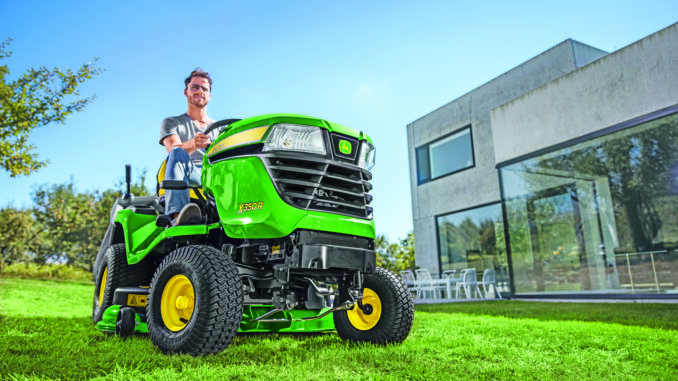
The John Deere X590 is a premium Select Series lawn tractor aimed at homeowners who want heavier-duty mowing capability, power steering, and fuel-injected V-twin performance for larger properties. Deere lists the X590 in its X500 Select Series, and the operator information for the family covers the X570, X580, X584, and X590 models, while the X590 specifically uses a Kawasaki FS730V EFI engine with 726 cc displacement and air-cooled V-twin layout.
For owners in the USA and Canada, this guide is built to do what a good repair article should do: start with the symptom, identify the likely systems involved, help you decide whether the job is realistic DIY work, and point you toward the right manuals, parts diagrams, and service parts before you spend money. Deere’s owner support portal also provides model-specific access to the operator’s manual and support resources for the X590.
John Deere X590 model overview
The John Deere X590 sits near the top of the gasoline-powered X500 Select Series lineup for residential users who need more than a basic lawn tractor but do not necessarily want to move into a commercial zero-turn. It is typically used on larger home lawns, properties with slopes where its heavier-duty platform matters, and situations where owners expect stronger towing, better steering feel, and more durability than entry-level series machines usually provide.
From a repair point of view, the most important John Deere X590 systems are the EFI engine and fuel system, the mower deck and belt drive, the hydrostatic drive system, and the electrical/safety interlock system. Those are the systems most often involved when the machine will not start, cuts poorly, vibrates, loses drive, or behaves intermittently during operation.
Common service parts owners frequently end up buying for this platform include engine oil, oil filter, air filter elements, spark plugs, fuel filter, mower blades, mower deck drive belts, deck spindle parts, and batteries. Deere’s official shop portal also shows X590 owner support and related parts access, while Deere’s parts ecosystem and Deere-focused aftermarket suppliers use the illustrated catalog format to match parts by model and serial details.
Troubleshooting the John Deere X590 by symptom
The most efficient way to diagnose a John Deere X590 is to begin with what the owner actually sees: no crank, cranks but will not fire, weak cutting, vibration, loss of traction, overheating smell, battery drain, or safety-switch behavior. That symptom-first approach prevents random parts swapping and lines up with the way Deere organizes owner support and operator information.
Main symptom groups on this model usually fall into these categories:
-
Starting issues, including no crank or crank-no-start conditions.
-
Running issues, such as rough running, surging, misfire, or loss of power under load.
-
Cut-quality problems, including uneven cut, uncut strips, scalping, or poor discharge.
-
Vibration and noise, often tied to blades, spindle issues, debris, or belt damage.
-
Overheating and leaks, especially around engine cooling fins, oil service neglect, or fuel-system faults.
-
Transmission and drive problems, including weak ground speed, failure to move, or freewheel-related confusion.
-
Electrical and safety-switch issues, such as PTO interlock, brake-pedal switch, seat switch, or battery/charging faults.
John Deere X590 emergency repair needs
Some problems on the John Deere X590 should not be ignored because they affect safe operation or can quickly damage expensive parts. A machine that will not shut blades off correctly, has severe deck vibration, leaks fuel, overheats, or loses braking/drive control needs immediate attention before further use.
John Deere X590 starting issues
If the X590 will not crank or suddenly becomes non-responsive, the immediate concern is usually an interlock, battery, cable, or switch condition rather than a major engine failure. Owners often overlook brake-pedal position, PTO switch position, and battery condition first, especially after stopping and restarting repeatedly during mowing.
Common causes:
-
Weak or discharged battery.
-
PTO switch left engaged.
-
Brake pedal not fully depressed, preventing the safety circuit from allowing crank.
-
Dirty or loose battery terminals.
-
Failed seat, brake, or PTO safety switch.
Basic checks:
-
Confirm the PTO/blade switch is fully off.
-
Push the brake pedal completely down and hold it firmly.
-
Check battery voltage and inspect cable connections for looseness or corrosion.
-
Try again only after confirming the machine is in the proper starting position.
-
If it still will not crank, test safety-switch continuity or move to dealer diagnosis.
John Deere X590 cut-quality problems
Poor cut quality usually shows up as ragged grass tips, one side cutting lower, clumps, or strips left behind. On the X590 this normally points to blade condition, deck cleanliness, belt wear, deck-level issues, or tire pressure rather than an engine problem.
Common causes:
-
Dull, bent, or unbalanced blades.
-
Packed grass under the deck shell.
-
Incorrect tire pressures affecting deck attitude.
-
Worn or slipping mower deck belt.
-
Deck out of level.
Basic checks:
-
Set tire pressures to specification before judging deck level.
-
Clean the underside of the deck safely with the engine off and key removed.
-
Inspect blades for wear, bends, or heavy damage.
-
Check deck belt condition for glazing, cracks, or burn marks.
-
Re-level the deck if the cut remains uneven after blade and tire checks.
John Deere X590 vibration and noise
Strong vibration means stop mowing and inspect the machine before continuing. Continued use with a bent blade, wrapped spindle, damaged pulley, or failing bearing can multiply repair cost quickly and may damage the deck shell or spindle assemblies.
Common causes:
-
Bent or loose mower blade.
-
Debris wrapped around spindle shafts.
-
Failing spindle bearings.
-
Damaged pulleys or belt.
-
Foreign object trapped under the deck.
Basic checks:
-
Shut the engine off, remove the key, and wait for all movement to stop.
-
Inspect the deck underside for sticks, wire, or packed debris.
-
Spin blades by hand only with the ignition disabled and proper hand protection; feel for roughness or looseness.
-
Replace damaged blades in matched sets when necessary.
-
If noise remains after blade and debris checks, inspect spindle and pulley condition more deeply or book dealer service.
John Deere X590 overheating and leaks
An air-cooled EFI engine still depends heavily on clean cooling airflow and good routine service. If the John Deere X590 starts running hot, smells of burning grass, or shows oil/fuel leakage, stop and inspect it immediately because air-flow blockage and leaks can damage the engine or create fire risk.
Common causes:
-
Grass and debris packed around engine cooling areas.
-
Low or overdue engine oil.
-
Oil leak from filter, drain area, or gasket surface.
-
Fuel leak from line or filter connections.
-
Operating in heavy buildup without cleaning the deck and engine area.
Basic checks:
-
Let the engine cool fully before inspection.
-
Check engine oil level correctly and top up only with the specified grade.
-
Clean external cooling areas and remove dry debris around the engine and deck.
-
Inspect for wet spots around the filter, drain, and fuel lines.
-
Do not continue using the tractor if leakage is active or if overheating repeats quickly.
John Deere X590 transmission and drive problems
Loss of movement on an X590 does not always mean hydrostatic transmission failure. Owners should first confirm the freewheel or hydraulic bypass control is fully returned to the drive position because partially disengaged tow mode can mimic a major drive issue.
Common causes:
-
Freewheel/bypass control left out or partially engaged.
-
Drive linkage issue.
-
Low traction or tire-related issue rather than transmission failure.
-
Hydrostatic wear or internal problem.
Basic checks:
-
Verify the freewheel control is fully in the drive position.
-
Check whether the tractor behaves differently in forward versus reverse.
-
Inspect obvious external linkage movement at the pedal input area.
-
Rule out parking brake drag or wheel-related mechanical bind.
-
Move to dealer diagnosis if the machine still fails to propel normally.
John Deere X590 electrical problems
Electrical faults often appear as intermittent no-start conditions, PTO cutout, dead battery complaints, or dash-related confusion. On this model, the battery, terminals, charging condition, and safety switches deserve attention before more invasive testing begins.
Common causes:
-
Weak battery or battery at end of service life.
-
Corroded cable ends.
-
Faulty seat, brake, or PTO switch.
-
Charging problem.
-
Connector issues after storage or vibration.
Basic checks:
-
Charge and load-test the battery.
-
Clean and tighten terminals.
-
Confirm all safety inputs are in the correct starting/run positions.
-
Inspect visible harness connectors around the battery and dash area.
-
If the fault is intermittent, write down exactly when it happens before replacing parts.
DIY or dealer for John Deere X590 repairs
The normal line on a John Deere X590 is straightforward: routine maintenance, blades, belts, filters, spark plugs, deck cleaning, and basic electrical checks are realistic DIY jobs for most homeowners, while internal engine work, hydrostatic diagnosis, EFI troubleshooting beyond simple inspection, and major wiring faults are usually better handled by a Deere dealer or an experienced garden equipment technician. The X590 is owner-serviceable in many routine areas, but it is still a premium machine with electronic fuel injection and a heavier-duty chassis that can justify professional diagnosis when symptoms are unclear.
Good DIY jobs on a John Deere X590
-
Engine oil and filter service.
-
Air filter inspection and replacement.
-
Spark plug replacement using the published plug gap and torque specs.
-
Blade removal, sharpening, balancing, and replacement.
-
Deck belt inspection and replacement when access is straightforward.
-
Battery charging and terminal cleaning.
Advanced DIY or dealer jobs on a John Deere X590
-
EFI fuel-system diagnosis beyond obvious filter/connection checks.
-
Hydrostatic transmission diagnosis.
-
Safety interlock tracing with wiring tests.
-
Steering, front axle, or major deck spindle rebuilds.
-
Engine internal repairs or valve-clearance work.
Skill level guide
-
Beginner: battery care, deck cleaning, blade inspection, air filter service.
-
Intermediate: oil and filter changes, spark plugs, blade replacement, belt changes, deck leveling.
-
Advanced: electrical diagnosis, spindle rebuilds, EFI fault tracing, transmission-related repairs.
John Deere X590 parts, OEM numbers, and ordering information
Before ordering parts for a John Deere X590, collect four things: the full model name, the product identification number (PIN), the engine model information, and the deck size or attachment version fitted to the tractor. Those details matter because Deere parts fitment can change by serial range and because belts, blades, and deck components vary with mower deck configuration.
Below is a practical service-parts table for commonly searched X590 items. Always verify by PIN before ordering, especially for deck-drive parts and any electrical switch.
For John Deere X590 owners, OEM parts are usually the safest choice for belts, safety switches, deck-drive components, and fit-sensitive items because these parts are more likely to behave correctly without trial and error. Aftermarket parts can make sense for filters, some blades, and batteries, but only when the supplier clearly cross-references the exact Deere number and machine range.
John Deere X590 diagrams and manuals
The best sources for John Deere X590 diagrams and manuals are the official Deere operator manual, Deere’s owner support portal, Deere parts lookup resources, and a Deere-focused parts supplier that mirrors the illustrated catalog structure. Using these together gives you operating procedures, maintenance intervals, exploded diagrams, and orderable part numbers in one workflow.
Recommended links:
-
John Deere X590 owner support portal — quickest route to model-specific manuals, support, and owner resources.
-
Official X570/X580/X584/X590 operator’s manual — useful for maintenance procedures, safety instructions, and baseline specs for the X590 family.
-
John Deere parts support — official Deere parts entry point for OEM parts categories and support.
-
Green Farm Parts illustrated parts lookup — useful for looking up Deere illustrated catalog references and then ordering by part number.
How to find John Deere X590 serial and engine numbers
Correct identification matters because serial breaks and engine-specific changes are common in lawn and garden equipment. Ordering by appearance alone is risky, especially with belts, electrical parts, and engine service items.
Use this process:
-
Find the tractor Product Identification Number (PIN) tag on the machine frame area identified in Deere owner information or on the tractor identification label.
-
Record the full model and the complete PIN exactly as shown, including letters and numbers.
-
Identify the mower deck model or width fitted to the tractor, because deck parts often change by deck version.
-
Locate the Kawasaki engine model and serial information on the engine shroud or engine identification label.
-
Use all of those numbers together when checking parts diagrams or speaking to a dealer counter.
Buying John Deere X590 parts online and in stores
The safest buying strategy is to identify the Deere OEM number first, then decide whether you want genuine OEM or a clearly cross-referenced aftermarket replacement. That method reduces returns and is especially important on the X590 because deck and engine-related items can be serial-sensitive.
-
Online: best for price-checking and diagram use, but confirm OEM numbers first and avoid guessing from photos alone.
-
Dealer counter: best for serial-number-sensitive parts, electrical items, and anything related to EFI, controls, or deck configuration.
-
Retail stores: acceptable for common consumables like oil, batteries, or spark plugs only when the package clearly matches the engine and application.
Useful sources:
John Deere X590 fitting guide for common parts
The highest-value DIY jobs on an X590 are the ones that restore starting reliability, cut quality, and routine service condition without deep disassembly. The steps below stay at owner level and assume normal home workshop tools.
Change the John Deere X590 engine oil and filter
Fresh oil and a correct filter protect the air-cooled V-twin and help reduce heat-related wear. TractorData’s X590 engine summary also lists a 100-hour oil change interval and 2.1-quart oil capacity for the FS730 EFI-equipped tractor, which is useful as a quick cross-check against the manual workflow.
-
Run the engine briefly so the oil flows more easily, then shut it off and let hot parts cool enough for safe service.
-
Park on level ground, remove the key, and place a drain pan under the engine drain point.
-
Drain the oil fully and remove the old filter.
-
Install the new filter, refill with the specified oil quantity/grade, and recheck the level correctly.
-
Start the engine, inspect for leaks, shut down, and verify final oil level.
Replace the John Deere X590 air filter
Air filter service helps preserve power and reduces rich-running or dirt-ingestion problems. Because the X590 uses a Kawasaki FS730V EFI engine, confirm the exact filter elements by engine identification before ordering.
-
Open the hood and locate the air cleaner housing on the engine.
-
Remove the cover carefully so dirt does not fall into the intake.
-
Inspect the primary element and any pre-cleaner element; replace rather than over-clean a damaged filter.
-
Wipe the housing clean and seat the new element correctly.
-
Refit the cover securely and verify no gaps remain around the seal.
Replace John Deere X590 spark plugs
Spark plugs are a realistic DIY service item and can help with hard starting, weak running, or maintenance catch-up. Deere’s X590 engine spec gives a plug gap of 0.75 mm (0.030 in.) and torque of 20 N·m (15 lb-ft.).
-
Allow the engine to cool fully.
-
Remove the spark plug leads carefully without damaging the boots.
-
Remove both plugs and compare their appearance for signs of fouling or uneven running.
-
Gap the new plugs to 0.75 mm (0.030 in.) and install them by hand first.
-
Tighten to the published torque, reconnect the leads, and test run the engine.
Inspect or replace the John Deere X590 mower deck belt
A worn deck belt can cause poor blade speed, weak cut quality, burning smell, or intermittent blade drive. Deere’s shop listing shows mower deck drive belt M169485 for X590-related application, but deck configuration must still be verified before ordering.
-
Lower the deck, remove the key, and make sure the PTO is off.
-
Remove belt guards or covers as needed to expose the routing.
-
Inspect for glazing, cracking, frayed edges, and heat damage.
-
Route the replacement belt exactly as shown in the deck diagram or decal.
-
Rotate pulleys by hand to confirm the belt seats correctly before restarting.
John Deere X590 maintenance to prevent repeat failures
Most recurring X590 problems come back to neglected cleaning, overdue routine service, dull blades, weak batteries, and ignored deck wear. Preventive maintenance matters even more on a heavier residential tractor because repair costs rise quickly once belts, spindles, electrical faults, or engine heat issues are allowed to cascade.
Focus areas:
-
Starting reliability: keep the battery charged, terminals clean, and safety controls working correctly.
-
Cut quality: maintain sharp blades, correct tire pressure, a level deck, and a healthy belt.
-
Fire and overheating prevention: remove grass buildup from the deck and engine cooling area regularly.
-
Drive performance: verify tow/freewheel controls are fully returned to drive position after moving the tractor manually.
-
Electrical reliability: protect connectors from corrosion and avoid long storage with a discharged battery.
John Deere X590 maintenance schedule
The exact service chart should always be checked in the official operator’s manual for the specific tractor and deck combination. Still, Deere’s owner manual resources and the published X590 engine information support a practical owner schedule built around before-use checks and periodic oil service.
Daily or before each use on a John Deere X590
-
Check engine oil level.
-
Check fuel level and look for obvious leaks.
-
Inspect tire condition and inflation before evaluating cut quality.
-
Clear debris from the deck and engine area.
-
Confirm the PTO and brake controls operate normally.
Every 8 to 10 hours
-
Clean heavy grass buildup from mower deck surfaces and discharge area during active mowing periods.
-
Inspect blades and underside conditions if cut quality changes suddenly.
-
Check battery condition more often during infrequent use or storage periods.
Every 25 hours
-
Inspect air intake and filter condition more closely in dusty mowing conditions.
-
Check deck belt and pulley condition.
-
Inspect blade hardware and spindle area for looseness or wrapped debris.
Every 50 hours or yearly
-
Replace engine oil and filter if annual use pattern or manual schedule calls for it sooner than the long interval.
-
Inspect spark plugs and replace if condition is poor or service interval is due.
-
Review battery and charging condition before peak mowing season.
Every 100 hours on a John Deere X590
-
Change engine oil according to the published X590 engine service summary, unless the official manual for the exact machine setup specifies otherwise.
-
Recheck major routine service items such as plugs, filters, belts, and blade condition.
Seasonal checklist
-
Spring: change overdue service items, sharpen blades, inspect the belt, charge the battery, and test all controls before first heavy use.
-
Mid-season: clean the deck often, keep blades sharp, and watch for vibration or belt slip as mowing hours accumulate.
-
Fall or storage: clean thoroughly, address needed repairs before parking, and maintain the battery during storage.
Repair, upgrade, or replace a John Deere X590?
For most owners, a John Deere X590 is worth repairing when the frame, engine, and transmission are fundamentally sound because it is a higher-spec residential tractor with a heavier-duty design than basic box-store machines. The decision changes when repeated hydrostatic, major engine, or multiple deck-structure failures begin stacking up at the same time.
Repair if:
-
The issue is routine service-related, such as blades, belts, plugs, filters, switches, or battery condition.
-
The tractor otherwise starts, drives, and cuts well after basic maintenance catch-up.
-
The repair is isolated and clearly diagnosed.
Upgrade if:
-
Your property size or workload now exceeds what a garden tractor setup handles comfortably.
-
You need different deck, attachment, or traction capability more than you need major repairs.
-
Repeated seasonal downtime is hurting productivity even though the current machine is still serviceable.
Replace if:
-
The machine has simultaneous engine, transmission, and deck-cost issues.
-
Structural wear or repeated major failures make the repair bill disproportionate.
-
Parts chasing by serial break has turned the project into an uneconomical long-term repair.
John Deere X590 troubleshooting FAQ
1. Why will my John Deere X590 not start?
On the X590, start with the simple interlocks before assuming a serious fault. A weak battery, PTO switch left on, brake pedal not pressed fully, corroded terminals, or a failed safety switch are all common reasons for a no-start or no-crank complaint on this type of Deere tractor.
2. Why does my John Deere X590 crank but not fire?
A crank-no-start condition usually points away from the starter circuit and toward fuel, ignition, or electronic control issues. Check for stale fuel, obvious wiring issues, loose connections, and overdue tune-up items first, then move to dealer-level EFI diagnosis if the simple checks do not solve it.
3. Why does my John Deere X590 click once and not crank?
A single click often means battery voltage is too low under load, the cable connections are poor, or the starter circuit is not getting enough current. Charge and test the battery, clean both cable ends, and confirm the safety conditions are met before suspecting the starter itself.
4. Why does my John Deere X590 lose power while mowing?
Loss of power under load can come from restricted airflow, overdue service items, dull blades increasing load, or fuel/EFI-related problems. Begin with the air filter, blade condition, deck cleanliness, and any signs of misfire before looking deeper.
5. Why is my John Deere X590 running rough?
Rough running often reflects ignition, air-filter, fuel-quality, or maintenance issues. If plugs and filters are overdue or the machine has been sitting, correct those basics first and then investigate further if the problem remains.
6. Why does my John Deere X590 backfire or pop?
Popping or backfiring can be linked to ignition issues, fuel problems, or shutdown behavior, but it should not be ignored if it becomes frequent. Check tune-up condition, fuel quality, and any loose intake or ignition-related connections before escalating the diagnosis.
7. Why will my John Deere X590 blades not engage?
If the mower blades will not engage, inspect the PTO control position, deck belt condition, and whether anything is jammed under the deck. Electrical interlock problems or PTO-related switch faults can also stop engagement on this type of tractor.
8. Why is my John Deere X590 cutting unevenly?
Uneven cut is usually caused by tire pressure differences, deck-level issues, dull blades, or worn deck components rather than the engine. Set tire pressure first, then inspect blade condition and deck level before buying parts.
9. Why does my John Deere X590 leave uncut strips?
Uncut strips often point to worn blades, low blade speed, or mowing conditions that exceed the deck’s discharge ability. Check blade sharpness, belt condition, and whether wet or overgrown grass is overloading the deck.
10. Why is the John Deere X590 mower deck vibrating?
Deck vibration is a stop-now symptom because it commonly means a bent blade, debris wrapped around a spindle, bearing trouble, or belt/pulley damage. Continuing to mow can damage spindles and deck structure, so inspect underneath before further use.
11. Why does my John Deere X590 make a squealing belt noise?
A squeal usually means the deck belt is worn, glazed, contaminated, or slipping under load. Inspect the belt and pulleys for heat marks, cracks, or routing problems, and verify you have the correct belt for the deck setup.
12. Why does my John Deere X590 smell like burning grass or rubber?
That smell often comes from heavy grass packed under the deck, belt slip, or debris around hot engine areas. Stop, clean the machine thoroughly, and inspect the belt system before running it again.
13. Why is my John Deere X590 overheating?
The X590 uses an air-cooled engine, so blocked cooling airflow and dirty external surfaces matter a lot. Clean the engine area, check oil level, and do not keep mowing if the tractor repeatedly runs hot or smells overheated.
14. Why is my John Deere X590 leaking oil?
Oil leakage may come from the filter area, drain point, gasket surfaces, or service errors after maintenance. Clean the engine first, locate the fresh leak path, and repair it before continued use if the leak is active.
15. Why is my John Deere X590 leaking fuel?
Fuel leaks should be treated urgently because of fire risk. Check hose connections, the fuel filter area, and any visible wet spots around the fuel system, then stop using the tractor until the source is corrected.
16. Why will my John Deere X590 not move forward or reverse?
Before assuming the transmission has failed, check whether the freewheel or bypass control is fully returned to the drive position. Owners sometimes knock this control partly out after moving the tractor manually, which can create a no-drive complaint.
17. Why does my John Deere X590 move weakly uphill?
Weak uphill drive can be traction-related, setup-related, or a sign of hydrostatic wear if the condition is persistent. Rule out tire issues, brake drag, and tow-valve position first because those are simpler and cheaper to fix.
18. Why does my John Deere X590 battery keep going flat?
Battery problems commonly come from age, infrequent use, poor charging habits, corroded terminals, or a charging-system fault. A trickle charger during storage and clean tight terminals often prevent repeat trouble on seasonal machines.
19. Why does my John Deere X590 start and then die when I leave the seat?
That behavior often points to the seat safety circuit working as designed or malfunctioning depending on PTO and control position. Review normal operating conditions first, then inspect the seat switch and related interlock logic if the shutdown seems abnormal.
20. Why does my John Deere X590 only start with the brake mashed hard down?
The brake safety input must be fully satisfied for starting, and partial pedal travel may not trigger the switch. If you consistently need excessive force, inspect switch adjustment, linkage, or pedal travel rather than ignoring it.
21. Why does the PTO on my John Deere X590 shut off unexpectedly?
Unexpected PTO shutdown can be caused by interlock issues, switch problems, seat-switch behavior, or electrical interruption. Check whether the shutdown happens over bumps, after shifting position, or when seat pressure changes, because that can point to the interlock circuit.
22. Why are my John Deere X590 blades dulling so quickly?
Blades dull fast when mowing sandy soil, sticks, hidden stones, or overgrown material. Sharpening helps, but badly worn or bent blades should be replaced because balance and airflow matter as much as edge sharpness.
23. Why does my John Deere X590 scalp the lawn?
Scalping usually comes from an uneven deck, wrong tire pressures, mowing too low, or crossing uneven ground too quickly. Set the machine up correctly before blaming the blades or deck shell.
24. Why does my John Deere X590 discharge clumps of grass?
Clumping happens when the deck is packed, the grass is wet or too long, blade edges are poor, or ground speed is too high for conditions. Cleaning the deck and reducing mowing load are often the quickest fixes.
25. How often should I change John Deere X590 engine oil?
A published X590 engine summary lists the oil change interval at 100 hours, but owners should still confirm the final interval in the official operator’s manual for their exact machine and use pattern. Annual service may be sensible even if hours are low, especially on seasonal homeowner equipment.
26. What spark plug gap does a John Deere X590 use?
The Deere engine specification for the X590 lists a spark plug gap of 0.75 mm, which is 0.030 inch. It also lists spark plug torque at 20 N·m, or 15 lb-ft., which is useful when finishing the job correctly.
27. What engine is in a John Deere X590?
Deere’s engine information for the X590 identifies a Kawasaki FS730V EFI V-twin with 726 cc displacement and air cooling. That matters because service parts should be matched to the engine identification, not just the tractor name alone.
28. Does the John Deere X590 have fuel injection?
Yes, Deere’s X590 engine listing identifies the model as using the Kawasaki FS730V EFI engine. That means fuel-system diagnosis can be more specialized than on a simple carbureted lawn tractor.
29. Can I use aftermarket parts on a John Deere X590?
Aftermarket parts can work well for some consumables such as batteries, some filters, and some blades when the cross-reference is exact. For belts, safety switches, and fit-sensitive drivetrain or deck parts, OEM is usually the safer choice.
30. Where can I find a John Deere X590 parts diagram?
A good starting point is Deere’s owner support and parts support pages, then a Deere-focused illustrated parts supplier such as Green Farm Parts. The key is to search by the exact model and verify with PIN when the part is serial-sensitive.
31. Where can I get a John Deere X590 manual online?
The official Deere operator’s manual for the X570, X580, X584, and X590 family is available through Deere’s manuals site, and Deere’s owner support portal also links owners to model-specific support resources. Those are better starting points than generic re-upload sites.
32. Is a John Deere X590 worth repairing?
In many cases, yes, because the X590 is a premium homeowner tractor rather than an entry-level disposable machine. When the problem is limited to maintenance, deck wear items, or a single subsystem fault, repair is often more sensible than replacement.
33. When should I take my John Deere X590 to a dealer?
Dealer help makes sense when you have repeated no-start issues after basic checks, EFI-related symptoms, hydrostatic drive complaints, major electrical faults, or repairs that require serial-range confirmation and specialized testing. These are the jobs where accurate diagnosis matters more than guesswork.
34. What should I check first on a used John Deere X590?
Check starting behavior, PTO engagement, drive performance, deck vibration, serial identification, service history, and overall condition of belts, blades, tires, and battery. A tractor that starts cleanly, drives properly, and has no deck drama is usually a better buying bet than one with obvious deferred maintenance.
35. What is the safest way to troubleshoot a John Deere X590 at home?
Start with the symptom, park safely on level ground, remove the key before touching moving parts, and inspect the simple items first: battery, PTO position, brake position, visible leaks, debris, blades, and belts. That approach solves many homeowner issues without creating new ones or skipping over a serious safety problem.
Common John Deere X590 engine performance issues
Common John Deere X590 engine performance issues usually trace back to fuel quality, EFI-related fuel delivery, air filter restriction, and basic maintenance items like plugs and oil level rather than catastrophic engine failures. Deere’s own troubleshooting chart for the X590 also highlights problems such as uneven running, hard starting, overheating, and power loss, with causes that are largely manageable at owner level if caught early.
Poor engine performance and rough running
Deere’s engine troubleshooting table lists “Poor Engine Performance” with causes such as dirt in the fuel system, stale or alcohol-blended fuel, and dirty or faulty injectors on the X590 EFI model. It also notes that suppliers blend fuel differently, so changing fuel source and using fresh, stabilized fuel can often resolve performance complaints without deeper repair.
Owners commonly see:
-
Loss of power under load
-
Surging or uneven response
-
Hesitation when engaging blades
Basic owner-level checks include:
-
Draining stale fuel and refilling with fresh, stabilized petrol
-
Replacing the fuel filter if restricted
-
Inspecting for obvious dirt or water in the fuel system before suspecting injectors
Hard starting and crank‑no‑start issues
Deere’s manual lists “Engine Cranks But Will Not Start” with causes such as loose spark plug wires, no or improper fuel, and a plugged fuel filter. For “Engine Is Hard To Start,” it highlights faulty spark plugs, stale or improper fuel, loose or corroded electrical connections, and, for non‑EFI siblings, choke issues; on the X590 EFI these translate into similar electrical and fuel-quality concerns.
Common patterns on X590-type EFI machines include:
-
Long crank times after storage
-
Starts only with fresh fuel or after filter change
-
Cranks but will not fire after a flat battery or jump-start event
Because the X590 uses electronic control and EFI, jump-starting with a dead battery can also damage the ECU on some Deere models, leading to crank‑no‑start situations that require ECU replacement rather than simple tune-up work. This is why good battery care and avoiding repeated jump-starts are important preventive steps.
Engine runs unevenly or misses under load
The Deere engine troubleshooting chart identifies “Engine Runs Unevenly” with causes including engine overheating, loose electrical connections, plugged fuel line or fuel filter, stale or dirty fuel, improper fuel, and a plugged air cleaner element. It also notes “Engine Misses Under Load” and “Engine Vapor Locks” linked to a plugged tank vent, dirt in the fuel filter, and blocked cooling fins or intake screens.
In practical terms, X590 owners often see:
-
Surging or hunting at steady throttle
-
Misfire when blades are engaged or climbing a slope
-
Intermittent loss of power under heavy load
Basic checks:
-
Clean or replace the air filter if dirty or oil‑soaked
-
Inspect cooling fins and intake screens for debris that could lead to overheating and knock-on misfire
-
Ensure tank venting is clear and fuel lines/filters are not restricted
Overheating and warning light on X590
Deere specifically calls out “Engine Overheats/Malfunction Indicator Light displaying (X590 only)” with causes such as incorrect oil level (too low or too high) and prolonged running at slow idle. The X590’s air‑cooled Kawasaki FS730V EFI engine also depends on clean cooling fins and air passages to maintain temperature.
Typical owner-visible symptoms include:
-
Hot smell and possible warning indicator
-
Loss of power as the unit heats up
-
EFI malfunction light illuminating under heavy load
Key preventive steps:
-
Maintain oil at the correct level, not overfilled or low
-
Keep cooling fins and air intake screens free of debris
-
Avoid extended low‑idle operation under minimal load, as recommended by Deere’s troubleshooting guidance for the X590.
Fuel system and vapor lock issues
Deere flags “Engine Vapor Locks” in the troubleshooting list with causes such as a plugged fuel tank vent, dirt in the fuel filter, and plugged cooling fins or air intake screens. These conditions can cause the engine to stall or lose power after running for a while, especially in hot conditions.
Signs that suggest vapor lock or fuel delivery problems:
-
Engine runs for a period, then stalls and will restart only after cooling
-
Loss of power as temperature rises
-
Occasional miss combined with hot running and restricted fuel flow
The recommended solutions focus on:
-
Clearing or replacing a blocked fuel filter
-
Ensuring the tank vent and cap can breathe properly
-
Cleaning cooling fins and intake screens to reduce heat buildup that encourages vapor lock.
Excessive fuel consumption and black smoke
The Deere chart lists “Excessive Fuel Consumption” and “Black Exhaust Smoke” when the choke is not fully open on carb models or when the air filter is dirty or oil‑soaked. On the X590 EFI, equivalent conditions can be caused by restricted airflow, incorrect maintenance, or EFI control reacting to poor sensor inputs.
Typical symptoms:
-
Noticeably higher fuel use for the same mowing work
-
Black smoke under load
-
Sooty plugs or heavy carbon deposit indications
Primary checks:
-
Replace a dirty or oil‑soaked air cleaner element
-
Verify that all EFI-related electrical connections are secure
-
Ensure correct oil level and that routine maintenance intervals are followed
Knocking, backfiring, and hillside behavior
Deere’s troubleshooting section also addresses “Engine Knocks,” linking it to stale or low‑octane fuel, engine overload, low engine speed, and low oil level. “Engine Backfires” is associated with sticking intake or exhaust valves, warranting dealer attention. Additionally, “Engine Stops Or Misses When Operating On Hillsides” is linked to low fuel level and the operator lifting off the seat, reflecting both fuel pickup and safety interlock behavior.
In practice this means:
-
Using fresh, appropriate‑octane fuel is important to reduce knock
-
Avoiding overload and maintaining proper oil level helps prevent knock‑related damage
-
Sudden cut‑out on hills can be either fuel pickup limitation at low tank level or seat-switch activation, not necessarily an engine defect