
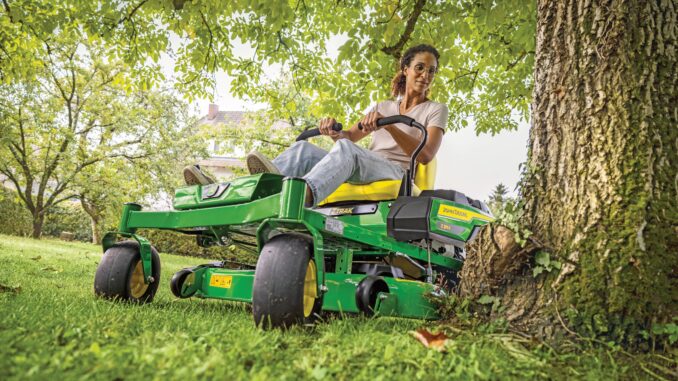
Introduction: John Deere Z355R overview
The John Deere Z355R is a residential zero‑turn mower designed for fast mowing on home lawns, typically with a 48‑inch Accel Deep deck and twin‑cylinder engine. It uses independent hydrostatic transaxles and lap bar steering, giving you tight turning and high productivity on flat to moderately sloping ground.
This guide is written for USA and Canada owners who want a practical, symptom‑first reference covering repairs, troubleshooting, maintenance, parts, diagrams, manuals, and the point where a home repair should become dealer work.
For most owners, the biggest wins come from identifying the symptom first, then checking the few systems most likely to cause it: starting and ignition, fuel and air, deck and blades, traction belt and transaxles, and safety interlocks.
General overview of the John Deere Z355R
Within the Deere lineup, the John Deere Z355R sits in the residential EZtrak/zero‑turn family, above basic lawn tractors and below the larger commercial ZTrak units in terms of capability and duty cycle. It is built around a gasoline V‑twin engine, a front‑mounted Accel Deep mower deck, and twin hydrostatic transaxles driven by a traction belt and pulleys.
Key systems you will deal with on the Z355R are:
-
Engine and fuel system: air‑cooled gasoline V‑twin, carbureted, with replaceable air, fuel, and oil filters.
-
Mower system: 48‑inch Accel Deep deck, multi‑blade configuration, deck belt, pulleys, spindles, and gauge wheels.
-
Drive system: traction belt, twin hydrostatic transaxles, lap bar controls, and rear drive wheels.
-
Electrical system: starter, battery, ignition switch, PTO switch, safety interlocks, and wiring.
Common service parts owners actually buy include engine oil and oil filter, air filter and pre‑cleaner, fuel filter, spark plugs, deck belt, traction belt, mower blades, battery, and safety switches. The Deere parts and owner‑support pages for the Z355R provide model‑specific part numbers and diagrams and are worth bookmarking for reference.
Troubleshooting approach for John Deere Z355R
On the John Deere Z355R, diagnosis should always start from what you see and hear as the operator, not from guessing which part has failed. Begin with the symptom and then work logically through the simple checks: fuel, air, spark, belt condition, blade condition, tire pressure, deck level, and safety switches.
For this mower, the main symptom categories are:
-
Starting issues (won’t crank, won’t start, hard starting).
-
Running issues (stalling, surging, loss of power).
-
Cut quality problems (uneven cut, scalping, stragglers).
-
Vibration and noise (shaking deck, rattles, squeals).
-
Overheating and leaks (burning smell, smoke, visible fluid).
-
Transmission and drive problems (won’t move, weak drive, tracking).
-
Electrical and safety‑switch faults (dead controls, PTO won’t engage).
Because one symptom can have several causes, always start with the easy visual and safety checks first, then move into deeper diagnosis only if needed.
John Deere Z355R emergency and immediate repair needs
Some problems on the John Deere Z355R must be treated as “stop‑use” issues because they affect safety or can quickly damage expensive components. If you smell burning, see fresh fluid leaks, notice major vibration, or lose drive or braking control, stop mowing and diagnose before you continue.
In this section, each symptom area is broken down with what it looks like, why it matters, common causes, and a short checklist of owner‑level checks you can perform.
John Deere Z355R starting issues
Starting problems show up as the engine not cranking at all, cranking slowly, or cranking normally but failing to fire. They matter because repeated failed starts can damage the starter, drain the battery, and often indicate a maintenance issue that will only get worse.
Common causes:
-
Weak or discharged battery.
-
Loose or corroded battery cables and ground connections.
-
Stale fuel or water contamination in the tank.
-
Fouled spark plugs or failed ignition components.
-
Safety interlocks not satisfied (PTO on, lap bars out of position, brake not set).
Basic owner checklist:
-
Confirm the PTO is off, parking brake is fully applied, and lap bars are in the start position.
-
Check battery terminals for corrosion and tightness; clean and re‑secure if needed.
-
Inspect fuel freshness; if in doubt, drain old fuel and refill with fresh gasoline.
-
Check the air filter and fuel filter age and condition against your maintenance interval.
-
Remove and inspect the spark plugs; replace them if heavily worn, fouled, or overdue.
John Deere Z355R cut‑quality problems
Cut‑quality problems on the Z355R show up as uneven cutting, missed grass, scalping, or persistent ridges and stripes that do not match your mowing pattern. They matter because poor cut quality is often a sign of worn blades or incorrect deck setup, both of which can stress the deck components.
Common causes:
-
Dull, bent, or mismatched blades.
-
Deck belt slipping, routed incorrectly, or badly worn.
-
Deck not level side to side or pitched incorrectly front to rear.
-
Tire pressures uneven, causing the mower to tilt.
-
Debris buildup under the deck altering airflow and cutting action.
Basic owner checklist:
-
Clean the underside of the deck thoroughly and inspect blade edges.
-
Check deck belt condition and tension feel along its accessible runs.
-
Verify tire pressures match the specifications before adjusting the deck.
-
Level the deck side to side and set front blade tips slightly lower than rear tips.
-
Replace damaged or heavily worn blades as a matched set, not just one.
John Deere Z355R vibration and noise
Vibration and noise issues feel like extra shaking through the seat or lap bars, or you may hear rattling, banging, squealing, or grinding from the deck or drive area. These issues matter because severe vibration can damage spindles, belts, pulleys, and even the frame if ignored.
Common causes:
-
Bent or out‑of‑balance blades.
-
Debris wrapped around spindles or pulleys.
-
Worn deck belt or cracked pulleys.
-
Loose hardware on deck hangers, spindles, and guards.
-
Failing bearings in spindles or idlers (often dealer territory).
Basic owner checklist:
-
Shut the machine down, remove the key, and wait for all moving parts to stop.
-
Inspect blades for bends, chips, and correct installation orientation.
-
Look for debris wrapped around blade shafts, spindles, and belt areas.
-
Check belt and pulley surfaces for glazing, cracking, or wobble.
-
If vibration persists after replacing blades and checking belts, consider dealer diagnosis for spindles and bearings.
John Deere Z355R overheating and leaks
Overheating and leaks show up as burning smells, smoke from the engine or deck area, or visible oil or fuel on the ground, deck, or chassis. They matter because heat and leaks can cause engine failure, fire risk, or loss of lubrication in transaxles or bearings.
Common causes:
-
Blocked engine cooling fins and intake screens.
-
Heavy debris buildup around the muffler and engine shrouds.
-
Overfilled or old engine oil.
-
Damaged fuel lines, clamps, or filter connections.
-
Leaking hydraulic/transaxle seals or hoses.
Basic owner checklist:
-
Let the mower cool fully before working near the engine or exhaust.
-
Remove debris from the engine cooling fins, intake screens, muffler area, deck top, and belt zones.
-
Check engine oil level against the dipstick and correct if over‑ or under‑filled.
-
Inspect fuel lines and filter connections for dampness, stains, or drips.
-
If you see persistent leaks near hot surfaces or moving parts, treat it as a stop‑use issue until repaired.
John Deere Z355R transmission and drive problems
Drive problems on the Z355R usually appear as the mower refusing to move, moving only weakly, or pulling to one side even when lap bars are aligned. They matter because loss of drive can cause you to lose control on slopes and can indicate wear or damage in the traction belt or transaxles.
Common causes:
-
Traction belt loose, glazed, contaminated, or broken.
-
Debris packed around pulleys and transaxles.
-
Tire pressure differences causing tracking problems.
-
Transaxle issues or air in the system after storage or service.
-
Linkage or lap bar alignment problems.
Basic owner checklist:
-
Check and equalize tire pressures first, front and rear.
-
Inspect the traction belt for glazing, cracks, contamination, and general wear.
-
Clean debris from the drive area around pulleys, belt guards, and transaxles.
-
Follow Deere guidance for purging air from transaxles if they feel weak after storage.
-
If drive remains weak or erratic after belt and tire checks, dealer transaxle diagnosis is usually sensible.
John Deere Z355R electrical and safety‑switch problems
Electrical and safety‑switch problems show up as the mower being completely dead when you turn the key, or certain functions such as the PTO or starter not operating even though other parts work. They matter because safety interlocks exist to protect you, and bypassing or ignoring faults can be dangerous.
Common causes:
-
Faulty ignition switch or PTO switch.
-
Blown fuse or poor fuse contact.
-
Failed or misadjusted seat, brake, or lap bar safety switches.
-
Broken or corroded wiring at connectors or ground points.
-
Battery failure or poor charging.
Basic owner checklist:
-
Confirm you are meeting all start and PTO safety conditions (seat occupied, brake set, lap bars in correct position).
-
Check fuses for continuity and proper seating in the fuse holder.
-
Inspect visible wiring and connectors around the battery, ignition switch, and seat area for damage or corrosion.
-
Gently test seat and safety switches for physical damage or loose brackets.
-
If electrical faults persist, consider dealer testing with proper tools before replacing major components.
DIY or dealer? Repair decision guide for John Deere Z355R
For the John Deere Z355R, the dividing line between DIY work and dealer work usually sits at the point where you need special tools, lifting equipment, or system‑specific knowledge such as transaxle repairs or deep electrical diagnosis. Most owners can handle routine maintenance, simple part replacements, and basic adjustments, while internal hydraulic, structural, and advanced electrical faults should go to a dealer.
Good DIY jobs:
-
Engine oil and oil filter changes.
-
Air filter, fuel filter, and spark plug replacement.
-
Basic deck cleaning, blade replacement, and deck leveling.
-
Battery replacement and terminal cleaning.
-
Simple switch replacement when access and part numbers are clear.
Advanced DIY or dealer jobs:
-
Traction belt replacement where routing and access are complex.
-
Spindle replacement or bearing work on the deck.
-
Internal transaxle service or replacement.
-
Major wiring harness repairs or deep electrical troubleshooting.
-
Structural repairs to the frame or deck shell.
Skill level guide:
-
Beginner: Oil and filter changes, battery service, deck cleaning, visual inspections.
-
Intermediate: Blade replacement, deck belt replacement, deck leveling and gauge wheel setup, simple switch replacement.
-
Advanced: Traction belt work, transaxle adjustments or replacement, complex wiring diagnostics, spindle and bearing repairs.
John Deere Z355R parts: OEM vs aftermarket and what you need to know
Before ordering parts for your John Deere Z355R, gather all of the identifying information so you can match components correctly. The same model name can have variations across years and markets, and deck and engine options can change which parts fit.
Information to collect first:
-
Full model name as shown on the mower (John Deere Z355R).
-
Product Identification Number (PIN) from the frame plate.
-
Engine model and serial number from the engine label.
-
Deck size and type (commonly a 48‑inch Accel Deep deck on Z355R).
John Deere Z355R key service parts table
Use this table as a starting checklist and then confirm numbers against your operator’s manual, Deere owner‑information pages, or a dealer, especially where your PIN or deck size may alter the exact part.
*Because Deere occasionally revises part numbers, always cross‑check the latest OEM number for your specific PIN and deck.
OEM vs aftermarket guidance for the Z355R:
-
Use OEM parts for belts, safety‑critical items, and parts where fit and geometry are crucial (traction belt, deck belt, blades, safety switches).
-
Aftermarket can be acceptable for routine items such as engine oil, some filters, and batteries, as long as they are properly cross‑referenced to your Z355R model and engine.
-
If in doubt, start with OEM part numbers and look for cross‑reference charts on reputable retailer websites rather than guessing by size alone.
John Deere Z355R diagrams and manuals: where to find them
Accurate parts diagrams and service manuals make Z355R repairs far easier and help you order the right components the first time. Your main goal is to combine Deere’s official resources with at least one illustrated parts retailer so you can see how everything fits together.
Useful online sources include:
-
John Deere Z355R Owner Information (Canada or USA pages) – This provides the operator’s manual, safety information, quick‑reference guides, and links to parts diagrams in one place.
-
Deere Technical Publications – A portal where you can purchase or access detailed technical and service manuals for the Z355R.
-
JDParts or Shop.Deere model page – Allows you to look up parts by model and PIN, view diagrams, and check current part numbers and supersessions.
-
A reputable Deere‑focused parts retailer – Many offer Z355R‑specific pages with exploded diagrams, belt routing illustrations, and blade options.
Use the official operator’s manual for basic maintenance intervals, safety procedures, and deck setup, then switch to detailed parts diagrams and technical publications for belt routing, drive system layout, and more complex repairs.
How to find model, serial and engine numbers on the Z355R
Model and serial information matter because John Deere often changes parts mid‑production and uses the Product Identification Number to determine which exact components fit your mower. Engine tags also control which spark plugs, filters, and tune‑up parts you should buy.
Step‑by‑step:
-
Park the Z355R safely on a level surface, set the parking brake, and remove the key.
-
Locate the Product Identification Number plate on the mower frame; it is usually on a rear or side frame rail as indicated in your operator’s manual.
-
Record the full PIN exactly, including any letters and leading zeros.
-
Find the engine label on the blower housing or engine shroud; note the engine model and serial number.
-
Confirm the deck size and type from the deck shell label or operator’s manual, and keep all numbers together with your documentation when ordering parts.
Buying John Deere Z355R parts online and in stores
A simple parts‑buying strategy saves time and prevents returns. Start online, where you can cross‑reference OEM numbers against your PIN, then use dealer or retail sources when you need confirmation or urgent availability.
Buying channels:
-
Online: Use OEM part numbers from Deere’s owner information or JDParts, and pay attention to any notes about serial breaks or deck variations.
-
Dealer counter: Best for complex items, serial‑sensitive parts, or when you are unsure; bring photos of tags and a list of symptoms.
-
Retail stores: Acceptable for common consumables such as oil, grease, and some batteries or generic filters, provided the packaging clearly lists compatibility with the Z355R or your engine.
Many owners combine official Deere websites with an illustrated aftermarket retailer and a local dealer to balance speed, price, and confidence in fit.
John Deere Z355R step‑by‑step fitting guides for common DIY jobs
For the Z355R, a handful of straightforward jobs deliver most of the reliability and cut‑quality gains. The sections below focus on simple, high‑impact tasks while keeping safety at the front.
Replacing the air filter on a John Deere Z355R
A clean air filter protects the engine from dust and helps prevent hard starting, surging, and loss of power.
Steps:
-
Park the mower, shut it off, set the parking brake, and remove the key.
-
Open the air cleaner housing on the engine and note how the existing cartridge and pre‑cleaner are installed.
-
Remove the old elements and gently clean dust from the housing without pushing debris deeper into the intake.
-
Install the new pre‑cleaner and air filter cartridge in the correct orientation.
-
Close the housing securely and check that all latches or clips are fastened to prevent unfiltered air from bypassing the filter.
Changing spark plugs on a John Deere Z355R
Fresh spark plugs help with starting reliability and smooth running, especially after many hours or a season of use.
Steps:
-
Allow the engine to cool fully and remove the spark plug wires from both plugs.
-
Use a suitable spark plug socket to remove each old plug while noting their thread condition and appearance.
-
Compare the new plugs to the old ones to ensure they match in reach and style; check or set the gap according to the engine specification.
-
Thread the new plugs in by hand first to avoid cross‑threading, then tighten with the socket to the recommended torque.
-
Reconnect the plug wires firmly and test‑start the mower to confirm smooth running.
Replacing mower blades on a John Deere Z355R
Sharp, correctly installed blades are critical for cut quality, bagging, and mulching. Replacing blades in matched sets helps keep vibration low and cut quality consistent.
Steps:
-
Park the mower on level ground, shut it off, remove the key, and follow safe lifting practices to access the deck underside.
-
Note the orientation of each blade before removal so you can install new ones correctly.
-
Remove the blade bolts and take off each blade, checking for bends, cracks, and uneven wear.
-
Install matched replacement blades for your 48‑inch Accel Deep deck, ensuring the cutting edge and lift profile face the correct direction.
-
Tighten hardware to the specification in the operator’s manual, then lower the deck, clear tools, and test cut quality in a safe area.
Changing the deck belt on a John Deere Z355R
A healthy deck belt keeps the blades turning at proper speed and prevents slipping, uneven cutting, and belt squeal.
Steps:
-
Park the Z355R, remove the key, set the brake, and let moving parts stop completely.
-
Remove belt guards and note the routing of the current belt using diagrams from your manual or parts page.
-
Release belt tension via the idler or spring as described in the operator’s or technical guide.
-
Remove the old belt and install the new OEM belt, following the correct routing around pulleys and idlers.
-
Re‑apply tension, reinstall guards, and test blade engagement and cut performance, watching for any abnormal noises or vibrations.
Maintenance to prevent John Deere Z355R problems
Regular maintenance on the John Deere Z355R prevents most of the common failures and keeps your mower safe and productive. Concentrate on the systems that affect starting, cutting performance, overheating, drive, and electrical reliability.
Focus areas:
-
Starting reliability: Keep the battery charged, terminals clean, spark plugs fresh, and fuel clean.
-
Cut quality: Monitor blade condition, deck belt wear, deck cleanliness, and deck level.
-
Fire and overheating prevention: Remove debris from engine, muffler, deck top, and belt areas, and keep cooling fins and intake screens clear.
-
Drive performance: Check traction belt condition, tire pressures, and transaxle operation regularly.
-
Electrical reliability: Inspect fuses, switches, and connectors, and avoid letting corrosion build up at battery and ground points.
John Deere Z355R maintenance schedule and year‑round checklist
Always base your detailed schedule on the official Z355R maintenance chart in the operator’s manual. The outline below reflects typical tasks for a residential zero‑turn mower and should be adapted to your exact recommendations.
Daily or before each use
-
Check engine oil level and look for leaks.
-
Inspect for loose hardware, damage, or debris buildup around hot or moving parts.
-
Visually check blades and deck condition.
-
Confirm controls, lap bars, and steering components move freely and feel normal.
After several hours of use (for example, every 8 hours of mowing)
-
Clean grass and debris from the deck top and belt areas.
-
Inspect air intake screens and cooling fins for blockage.
-
Check tire pressures and overall tracking.
Every 25 hours
-
Grease any fittings specified in the Z355R operator’s manual.
-
Inspect deck and traction belts for wear and adjust tension if applicable.
-
Check battery terminals and cables for corrosion or looseness.
Every 50 hours or yearly
-
Change engine oil and replace the oil filter.
-
Inspect spark plugs and replace if needed.
-
Check all safety switches for proper operation.
-
Inspect blades and deck hardware thoroughly and replace worn items.
Every 100 hours or yearly
-
Replace the engine air filter and pre‑cleaner.
-
Replace the fuel filter.
-
Perform a thorough cleaning of cooling fins, engine shrouds, and muffler areas.
Seasonal checklist for John Deere Z355R
Spring (pre‑season):
-
Perform annual oil and filter changes if due.
-
Install fresh blades or sharpen existing ones.
-
Check battery health after storage and clean terminals.
Mid‑season:
-
Re‑check deck level and blade condition.
-
Inspect belts and pulleys for wear or glazing.
-
Clean cooling fins and intake screens to prevent overheating.
Fall (end‑of‑season):
-
Clean the mower thoroughly, including deck underside and belt areas.
-
Stabilize fuel or drain tank and run the engine dry if storing for winter.
-
Store the Z355R in a dry location, battery maintained or disconnected as preferred.
John Deere Z355R: repair, upgrade, or replace?
For the Z355R, the decision to repair, upgrade, or replace depends on the age of the machine, the severity of faults, and whether the deck and frame are still structurally sound. Most owners will repair routine wear items and consider replacement only when multiple major systems reach the end of life together.
Repair if:
-
The fault is a normal wear item with clear parts and procedures (belts, blades, filters, plugs, battery, switches).
-
The mower still starts and drives but has specific cut or vibration issues.
-
You can confirm the repair path from the operator guide, diagrams, or dealer advice.
Upgrade if:
-
You want better cut quality through different blade styles or deck setup.
-
You are adding accessories such as a mulching kit, collection system, or improved seat.
-
You are refining maintenance with higher‑quality consumables or installing a battery with more capacity.
Replace if:
-
The frame or deck shell is badly cracked, rusted, or out of shape.
-
Both transaxles or the engine need major work at the same time.
-
Total repair cost approaches or exceeds the value of a newer Z‑series mower suited to your property.
Expanded troubleshooting FAQ – John Deere Z355R
1. Why will my John Deere Z355R not start?
If your Z355R will not start, begin by checking that the PTO is off, the parking brake is set, and the lap bars are in the proper start position. Then inspect the battery terminals for corrosion, verify fuel is fresh, and confirm the engine oil level is correct. A fouled spark plug or blocked air filter can also prevent the engine from firing. If basic checks are good and the starter still will not engage, suspect a safety switch or ignition switch fault.
2. Why does my John Deere Z355R crank but not fire?
Cranking without firing usually points to a fuel, air, or spark issue. Confirm that the fuel shutoff is open and that fuel reaches the filter area, then check that the air filter is not completely blocked. Remove and inspect both spark plugs, replacing them if they are worn or fouled. If spark and fuel appear normal yet the engine still will not start, deeper ignition or carburetion diagnosis may be needed at dealer level.
3. Why does my John Deere Z355R start then stall?
A Z355R that starts and then stalls may have stale fuel, partially blocked fuel flow, or an air leak or restriction around the intake. Check the fuel filter for contamination and consider replacing it, and clean or replace the air filter if it is heavily loaded. Also inspect the seat and safety switches, because a faulty switch can cut ignition if the system thinks you have left the seat. Persistent stalling under load often indicates clogged jets or a fuel delivery issue best handled by a dealer.
4. Why is my John Deere Z355R hard to start when cold?
Cold‑start problems are often linked to fuel quality, choke or throttle settings, and plug condition. Make sure you are following the recommended starting sequence and that the choke operates correctly. Use fresh gasoline, especially at the beginning of the season. If the plugs have many hours on them, replacing them can help cold starting. A weak battery can also make cold starts difficult, particularly after storage.
5. Why does my John Deere Z355R battery keep going flat?
A battery that keeps going flat may be old, undersized, or suffering from parasitic drain or charging system issues. First, check the battery age and test it; lawn and garden batteries typically have limited lifespans. Clean terminals and ensure good ground connections, then check for any lights or accessories left on. If the battery tests fine but still discharges, have the charging system and wiring checked by a dealer.
6. Why does my John Deere Z355R click but not crank?
A clicking sound without cranking usually comes from the starter solenoid trying to engage but not receiving enough current. Check the battery voltage and terminal cleanliness, and make sure the ground cable is secure. Inspect main fuses and the ignition switch for signs of damage. If voltage is healthy and wiring looks good, the starter motor or solenoid may be failing and could require replacement.
7. Why does my John Deere Z355R lose power while mowing?
Loss of power while mowing can result from a dirty air filter, clogged fuel filter, dull blades, or excessive deck load due to tall or wet grass. Clean or replace the air and fuel filters and verify that the engine oil is at the correct level. Sharpen or replace blades and mow at a slower speed or higher cut height in heavy conditions. Ongoing power loss after maintenance suggests an engine or fuel system issue needing professional diagnosis.
8. Why is my John Deere Z355R surging or hunting at idle?
Engine surging at idle typically comes from fuel mixture or air issues. Check that the fuel is fresh and that the fuel filter is not restricted. Clean the air filter and inspect for vacuum leaks around the intake and carburetor area. If surging continues, internal carburetor passages may be partially blocked and may require cleaning or service by a professional.
9. Why does my John Deere Z355R cut unevenly?
Uneven cutting is usually caused by dull or bent blades, incorrect deck leveling, or uneven tire pressure. Inspect and replace damaged blades, then level the deck according to the manual so side‑to‑side difference is minimal and the front is slightly lower than the rear. Adjust tire pressures to the recommended values to prevent one side of the mower from sitting higher or lower. Debris under the deck can also affect cut quality, so keep it clean.
10. Why is my John Deere Z355R scalping the lawn?
Scalping occurs when the blades sit too low relative to the ground or when the deck pitches incorrectly on uneven terrain. Raise your cutting height and check deck level, making sure gauge wheels are set properly to help follow the lawn surface. Uneven tire pressures or mowing too fast over rough ground can also cause scalping. If the deck shell or hangers are bent, you may need dealer inspection.
11. Why does my John Deere Z355R leave uncut strips?
Uncut strips often mean one blade is not cutting properly or that the deck belt is slipping. Inspect all blades for correct installation and matching type, and replace worn blades in sets. Check deck belt condition and routing and ensure tension is correct. Make sure you overlap each pass slightly when mowing, especially at higher speeds. If one spindle is failing, you may see persistent strips even after belt and blade work.
12. Why does my John Deere Z355R vibrate heavily when the blades are on?
Heavy vibration when engaging the blades is usually tied to bent, out‑of‑balance, or mismatched blades, or to problems with deck belt or pulleys. Replace blades with a matched set and confirm they are installed correctly. Inspect the belt and pulleys for damage, wobble, or debris. If vibration remains after basic blade and belt work, spindle bearings or deck components may need dealer attention.
13. Why does my John Deere Z355R make a squealing noise from the deck?
Squealing often indicates a slipping deck belt, seized idler, or contaminated belt surfaces. Check the belt for glazing and cracks, and clean any contamination from pulleys. Spin idler pulleys by hand to feel for stiffness or roughness. Replace worn belts and bad idlers promptly to avoid further damage. If noise persists, inspect the spindles and tensioning system.
14. Why does my John Deere Z355R smell hot or burn grass?
A hot smell or scorched grass can come from debris packed against the muffler or engine, or from cutting height set too low over dry turf. Clean all debris from around the engine, muffler, deck top, and belt covers. Raise the cutting height in sensitive areas and avoid mowing extremely dry lawns at the lowest setting. Persistent overheating smell may indicate cooling issues or leaks and should be investigated.
15. Why is oil leaking under my John Deere Z355R?
Oil leaks under the mower may originate from the engine, transaxles, or other lubricated components. Identify whether the fluid is engine oil, hydraulic/transaxle oil, or something else. Check drain plugs, filters, and seals for visible leaks. Small seepage can sometimes be addressed by tightening or replacing gaskets, but significant leaks, especially from transaxles, usually warrant dealer repair.
16. Why is fuel leaking on my John Deere Z355R?
Fuel leaks are serious and require immediate attention. Inspect fuel lines, clamps, and the fuel filter area for dampness or drips. Tighten clamps and replace any cracked hoses or damaged filters. Make sure the fuel tank cap seals properly. If you cannot quickly locate and stop the leak, do not operate the mower until a dealer has repaired the system.
17. Why will my John Deere Z355R not move when I push the lap bars?
If the Z355R starts but will not move, check that the parking brake is released, and verify that the transaxle bypass or tow valves are not left open. Inspect the traction belt for breakage or serious wear and confirm tire pressures are correct. Debris around the drive area can also interfere with movement. If everything looks normal but the mower still will not move, transaxle or control linkage problems may require dealer service.
18. Why does my John Deere Z355R creep or pull to one side?
Creeping or pulling to one side often comes from unequal tire pressures, uneven lap bar alignment, or transaxle issues. Start by equalizing tire pressures and checking that both lap bars return to neutral evenly. Some models allow limited adjustment of the control linkages to correct tracking. If adjustments and tire checks do not resolve the issue, a transaxle problem or internal wear may be at fault.
19. Why is the drive weak on my John Deere Z355R?
Weak drive can result from a worn or slipping traction belt, air in the transaxles after storage, or general transaxle wear. Inspect the traction belt and replace it if glazing, cracks, or stretching are evident. Follow the recommended procedure to purge air from the transaxles if the unit feels weak after being stored or transported. Persistent weak drive despite belt and purge work is usually dealer territory.
20. Why does my John Deere Z355R not respond smoothly to steering?
If steering feels jerky or inconsistent, check that lap bars move freely and that there is no debris or damage around the control linkages. Inspect tire pressures and wheel conditions. Uneven transaxle response or a binding linkage can cause erratic steering. Serious control issues, especially sudden surges or loss of steering, should be checked by a dealer promptly.
21. Why does my John Deere Z355R PTO not engage?
A PTO that will not engage may have a faulty PTO switch, a weak battery, a safety interlock problem, or an issue with the PTO clutch. Confirm safety conditions, including seat occupancy and brake status, then check battery voltage. Inspect the PTO switch for wear or damage and verify fuses are intact. If the clutch is receiving power but does not engage, the clutch itself may need replacement.
22. Why does my John Deere Z355R shut off when I leave the seat?
Most Z355R mowers are designed to shut off the blades or engine if you leave the seat with the PTO engaged or without setting the brake, as part of the safety interlock system. This is normal behavior when safety conditions are not met. If the mower shuts off even when you follow the correct procedure, the seat switch or related wiring may need adjustment or replacement.
23. Why are the safety switches on my John Deere Z355R causing problems?
Safety switches can become misaligned, dirty, or worn over time, leading to intermittent starting or sudden shutdowns. Check each switch location for secure mounting and proper mechanical movement. Clean connectors and look for broken or chafed wires. When replacing safety switches, use OEM parts and match them to your PIN, as there may be variations across production years.
24. How often should I change the oil on my John Deere Z355R?
In general, change the engine oil and filter at least once per season or every 50 hours of operation, whichever comes first, following the guidance in your Z355R operator’s manual. Heavy use or dusty conditions may justify more frequent changes. Always use oil of the grade recommended for your engine and climate.
25. How often should I replace the air filter on my John Deere Z355R?
Most owners should replace the air filter and pre‑cleaner annually or around every 100 hours of operation, adjusting for extremely dusty conditions. Inspect the filter periodically and replace it early if it is visibly clogged or damaged. Keeping a spare on hand makes it easy to maintain airflow and prevent dust ingestion.
26. How often should I replace blades on my John Deere Z355R?
Blade replacement frequency depends on mowing conditions, but many residential owners find that blades need replacement or sharpening at least once per season. If you notice poor cut quality, ragged grass tips, or visible damage, replace blades sooner. Always use matched sets designed for your deck and intended mowing style.
27. How often should I replace belts on my John Deere Z355R?
There is no fixed hour limit for belts, because they wear according to load, debris, and storage conditions. Inspect deck and traction belts regularly for cracks, glazing, and loss of tension. Replace belts when they show obvious wear or slipping. Using OEM belts helps preserve drive performance and protects transaxles and deck components.
28. How should I store my John Deere Z355R over winter?
For winter storage, clean the mower thoroughly, including the deck underside and cooling areas. Either use fuel stabilizer and run the engine to circulate it or drain the fuel system, depending on your preference and manual guidance. Change oil if due, disconnect or maintain the battery, and store the unit indoors or under cover whenever possible. Check tires so they do not sit flat for extended periods.
29. What fuel should I use in my John Deere Z355R?
Use fresh gasoline that meets your engine’s octane recommendation, avoiding fuel that has been stored for long periods, especially in hot conditions. Many owners prefer gasoline with minimal ethanol content to reduce moisture‑related issues. Never use fuel blends above what your engine is rated for, and avoid mixing old and new fuel when possible.
30. Can I tow or push my John Deere Z355R without damaging it?
You can roll or tow the Z355R short distances if you follow the proper procedure, typically by opening the transaxle bypass or tow valves specified in the manual. Never force the machine to move with the valves closed, as this can damage the transaxles. For longer moves, transport the mower on a trailer rather than towing it with the drive system engaged.
31. What are realistic DIY limits on a John Deere Z355R?
Realistic DIY limits for most owners include routine maintenance, blade and belt replacement, and simple electrical work such as swapping a known‑bad switch. Once repairs require opening transaxles, working deep inside the engine, or diagnosing complex electrical faults, dealer involvement is usually safer and more cost‑effective. Use your comfort level and available tools as a guide, and do not hesitate to seek professional help for safety‑critical systems.
32. Which upgrades are worth fitting to a John Deere Z355R?
Worthwhile upgrades for many Z355R owners include better seat options for comfort, mulching kits or collection systems that match the deck, and high‑lift blades for specific mowing conditions. Some owners also add hour meters or improved battery setups for maintenance tracking and reliability. Keep upgrades OEM‑compatible to avoid compromising safety or performance.
33. How do I get the correct John Deere Z355R manuals?
Start with the official Z355R owner information page for your region, which links to the operator’s manual and quick‑reference guides. For deeper repair coverage, look for technical or service manuals through Deere Technical Publications or authorized dealers. Be cautious about third‑party manual sources and confirm that any digital downloads match your exact model and PIN.
34. Where can I find John Deere Z355R parts diagrams?
You can find parts diagrams through Deere’s online parts and owner‑support portals, where the Z355R model page provides exploded views of the deck, drive, engine, and electrical systems. Many reputable parts retailers also offer Z355R diagrams tied to OEM part numbers. Use your PIN and deck size to ensure you are viewing the correct version for your mower.
35. When is it time to replace my John Deere Z355R rather than repair it?
It is time to consider replacement rather than repair when your Z355R needs major engine, deck, and transaxle work at the same time or when the frame and deck shell are significantly damaged or corroded. If repeated repairs fail to restore reliability and costs are approaching the price of a newer mower suited to your property, upgrading can be more economical. Use a dealer estimate and your long‑term plans to decide whether another season of repairs is worthwhile.
Common engine maintenance tips for Z355R V-twin engines
The Z355R’s V‑twin will stay reliable if you keep on top of clean fuel, clean air, correct oil, and cooling airflow, with a few seasonal checks on ignition and valve train. Here are practical, owner‑level tips that line up with typical guidance for zero‑turn V‑twin engines and Deere’s own Z355R owner information.
Basic service intervals and mindset
Think in hours as well as seasons: most residential zero‑turns benefit from an oil change around every 50 hours or once per year, with air and fuel filters and plugs in the 100‑hour
Core habits:
-
Check engine oil level before use, not just when you remember.rdoequipment
-
Log hours since the last service so you can schedule changes instead of reacting to problems.kawasaki-engines
-
Treat dusty, hot, or heavy‑load mowing as “severe service” and tighten intervals.kawasaki-engines+1
Oil and filter care on Z355R V‑twin engines
Regular oil changes are the single biggest thing you can do for a Z355R’s V‑twin
Key tips:
-
Warm‑up first: run the engine briefly, then let it cool to a safe temperature before draining; warm oil flows and carries contaminants better.
-
Use the grade specified in the Z355R operator’s manual and avoid mixing random oils; wrong viscosity can increase wear or starting issues.
-
Change engine oil at least annually or around 50–100 hours depending on the exact recommendation for your engine variant.kawasaki-engines+1
-
Replace the oil filter on schedule (often every 100–200 hours) and always clean the mounting surface and lightly oil the new filter gasket before installation to ensure a proper seal.
-
After filling, run the engine briefly, let it cool, and re‑check level to avoid overfilling, which can cause plug fouling and hard starting.
Air filter and cooling system maintenance
V‑twin engines are very sensitive to restricted airflow and clogged cooling fins, which can cause surging, power loss, and overheating.
Best practices:
-
Inspect the air filter several times per season; tap a paper element gently to remove loose dust, but never blow it out with compressed air or wash it, and replace if heavily loaded.
-
Follow your engine’s chart: many FR‑type V‑twins recommend cleaning at 100 hours and replacing around 200 hours or annually, adjusting for heavy use.Keep the intake screens, rotating screen (if fitted), and cooling fins clear of grass and debris; check visually at least every 100 hours.
-
When cleaning the cooling system, remove shrouds as directed, clear fins carefully, and reassemble everything before running again; missing shrouds can lead to hot spots.
Fuel system care and surging prevention
Dirty fuel and neglected filters are a common cause of Z355R surging, stalling, or power loss.
Practical tips:
-
Use fresh gasoline that meets your engine’s octane recommendation, and avoid storing fuel in the tank for more than 30 days without stabilizer.
-
Replace the fuel filter at least annually or per the Z355R’s maintenance chart; match the direction arrow on the filter to fuel flow when fitting a new one.
-
Inspect fuel lines for cracks, soft spots, or collapse, especially near hot areas; compromised lines can cause surging and intermittent cutoff.
-
Before long‑term storage, either drain the fuel system or use stabilizer and run the engine to circulate it, as manufacturers increasingly emphasize emptying fuel for long storage.
Spark plugs and ignition health
Healthy spark is essential for easy starting and smooth running in V‑twin engines.
Tips:
-
Inspect and clean or replace both spark plugs around every 100 hours or annually, in line with typical 4‑stroke guidance.
-
Check and set the plug gap to the engine specification; incorrect gap can cause misfires and surging.
-
When installing new plugs, start them by hand to avoid cross‑threading, then torque to spec so they seal but do not strip.
-
If you see foul‑smelling black deposits, check for rich mixture, over‑choking, or oil overfill; repeated fouling indicates a deeper issue.
Storage, inspection and general preventive habits
Good storage and regular visual checks can prevent many Z355R engine issues before they start.
Helpful habits:
-
For off‑season storage, clean the engine and deck area, deal with fuel (drain or stabilize), and keep the mower in a dry, ventilated spot.
-
Check battery condition and connections before the first start after storage to prevent crank‑but‑no‑start situations.
-
Listen for changes: any new noise, surge, or smell from the engine is a cue to inspect filters, fuel, and cooling areas before continuing.
-
Always follow the Z355R operator’s manual for exact intervals and safety steps; Deere’s owner‑information page for Z355R hosts the official schedule and videos for core task.
Troubleshooting Z355R zero-turn steering alignment issues
On a John Deere Z355R, steering and tracking problems usually show up as the mower pulling to one side when both lap bars are pushed straight ahead, wandering instead of holding a line, or feeling different in forward versus reverse. You might also notice the lap bars are not physically aligned when fully forward, even though you think you are steering straight.
Treat mis‑tracking as a real issue: it makes the mower harder to control, increases operator fatigue, and can mask deeper problems with linkages, tires or hydrostatic drives if left uncorrected.
Common causes of Z355R steering alignment problems
Most Z355R steering issues come down to a handful of causes:
-
Uneven tire pressures and/or mismatched tread between left and right.
-
Lap bars not aligned when fully forward or in neutral.
-
Wear or play in the control linkages between lap bars and transaxles.
-
Drive (traction) belt or pulley problems affecting one side more than the other.
-
Hydrostatic transaxle issues or air in the system after storage or service.
Start with the simple external checks – tires and handle alignment – before assuming you have a hydraulic or transmission fault.
Step 1: Safety before steering adjustments
Before you touch any steering or linkage hardware:
-
Park the Z355R on a flat, level surface.
-
Disengage the PTO, set the parking brake and remove the key.
-
Let moving parts stop completely.
-
If you need to reach under or around the machine, use appropriate blocking or stands so it cannot roll or tip.
Working safely is essential, especially when you are near lap bar pivots, linkages and drive components.
Step 2: Check tire pressures and tread
Uneven tire pressure is one of the most overlooked causes of tracking issues.
Do this first:
-
Use a decent gauge to check all four tires.
-
Inflate front and rear tires to the pressures specified in your Z355R operator’s manual; make sure left and right match within about 1 PSI.
-
Inspect tread depth and pattern; very uneven wear or mismatched tires side‑to‑side can cause subtle pulling.
-
If you have badly uneven tread, consider rotating or replacing tires so both sides behave similarly.
If the mower still pulls after tire pressures are corrected, move on to the lap bars and linkages.
Step 3: Align the lap bars on the Z355R
Zero‑turn mowers rely on the lap bars being aligned to give equal input to each hydrostatic drive. On many ZTrak‑style machines, including the Z355R, the handles can be adjusted at their mounting points.
Basic procedure:
-
With the engine off, bring both lap bars in from the park position and push them fully forward as if you were at maximum forward speed.
-
Stand in front of the mower and sight along the bars; they should be level with each other and reach the same forward position.
-
If one bar sits further forward or back, loosen the mounting hardware at the handle pivot enough to adjust its position in the slotted holes.
-
Move the bar so both handles line up when fully forward, then tighten bolts securely.
-
Repeat for any left/right alignment differences in the neutral/park positions if the mower feels awkward at rest.
Aligning the arms is the foundation; if they are out, you’ll fight the machine even if the hydros are working correctly.
Step 4: Check control linkages and pivots
If handle alignment does not fix the steering pull, check the linkages between the lap bars and the transaxles. Over time, bushings and joints can wear, introducing play that makes one side respond differently than the other.
Inspection steps:
-
With the engine off, move each lap bar through its full range and watch how the linkage moves at the mower’s frame and transaxle.
-
Look for obvious bends, loose hardware, or excessive play at rod ends and pivot points.
-
Grip linkage rods and ends and wiggle them; more than a small amount of free movement suggests wear.
-
Lubricate pivot points lightly if they feel dry or stiff, then re‑test movement for smooth operation.
If you find worn rod ends, bushings or mounting brackets, replacing them can significantly tighten up steering response and tracking.
Step 5: Adjust tracking if one side runs faster
When the mower tracks to one side even with aligned lap bars and correct tire pressures, one hydro drive may be delivering slightly more or less speed than the other. Many ZTrak designs, including models close to the Z355R, provide a simple tracking adjustment screw or linkage point.
General approach (always adapt to the exact layout on your machine):
-
Identify the tracking adjustment screw or linkage on the side that feels too fast or too slow; this is usually a small bolt or eccentric that changes how far the control arm on the transaxle can travel.
-
On a safe, open straightaway, run the mower at full forward speed and note which way it pulls.
-
Stop the mower, shut off the engine and make a small adjustment to the tracking screw or linkage on the side indicated by the manual (often one side only).
-
Restart and test again at full forward speed, repeating with small increments until the mower tracks straight.
-
Avoid large adjustments; it is better to make multiple small tweaks than to overshoot and introduce a pull in the opposite direction.
Do not attempt tracking adjustments while distracted or near obstacles; you need space to test safely.
Step 6: Check drive belt, pulleys and hydros if steering is still off
If steering remains inconsistent after tire, handle and tracking adjustments, look at the drive components that actually move the mower.
Checks:
-
Inspect the traction belt for glazing, cracks, contamination or uneven wear; a belt that slips more on one side can cause pulling and weak drive.
-
Examine drive pulleys and idlers; they should spin smoothly without wobble or grinding noises.
-
Verify belt tension is correct; excessive slack or over‑tight tension can both affect how smoothly the mower turns and tracks.
-
If the mower has recently been serviced, follow the recommended procedure for purging air from hydrostatic transaxles after storage or replacement, as air in the system can cause inconsistent drive.
Any signs of hydraulic leaks, burnt‑smelling oil from transaxles, or major drive weakness usually indicate dealer‑level work rather than simple adjustment.
When Z355R steering issues should go to a dealer
Not all steering problems are realistic DIY jobs. It’s time to involve a dealer when:
-
The mower has visible hydraulic leaks or transaxles that lose power or make abnormal noises.
-
Track adjustments and handle alignment no longer produce predictable results.
-
Frame brackets, welds or major linkage components are cracked or bent.
-
You’re uncomfortable making further adjustments or feel the machine is unsafe to operate.
For most Z355R owners, DIY is appropriate for tire pressure checks, handle alignment, basic linkage inspection and minor tracking tweaks. Once you’re into hydrostatic internals or structural repairs, dealer support is the sensible option.