
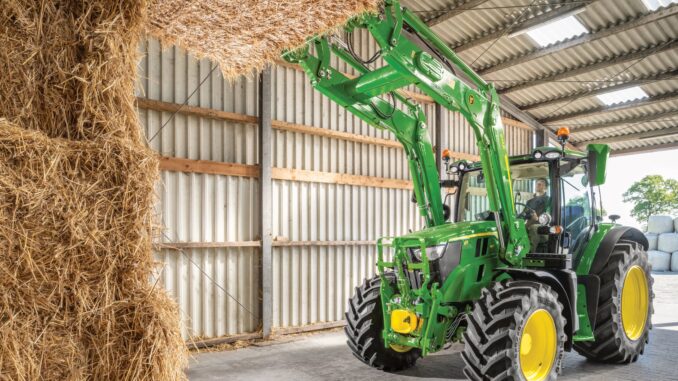
John Deere 5300 owners can handle a lot of day‑to‑day maintenance and basic repairs themselves, but you need a clear plan, the right parts, and good information on diagrams and manuals before you start.
The John Deere 5300 is a compact utility tractor from the 5000 series, typically equipped with a diesel engine, live or independent PTO, and options for 2WD or MFWD. It is commonly used for small acreage, hobby farms, light hay work, loader tasks, and general property maintenance rather than purely lawn work.
This guide walks you through repair basics, symptom‑based troubleshooting, routine maintenance, parts and diagrams, and a practical FAQ designed for homeowners and DIY users.
The focus here is on what you see as the operator first: starting, running, hydraulic and drive issues, PTO problems, and electrical faults. You will also find direct pointers to manuals and parts diagrams, a parts list for typical 5300 service jobs, and clear boundaries between realistic DIY work and tasks that should go straight to a Deere dealer or experienced mechanic.
General overview of the John Deere 5300
Within the Deere lineup, the John Deere 5300 sits in the 5000 utility series rather than the lawn & garden range, so it is heavier, more complex, and built for agricultural and small‑farm tasks. Key systems you will be dealing with include the diesel engine and fuel system, cooling system, transmission and clutch, hydraulic lift and SCVs, PTO drive, steering system, and the electrical and safety switch network.
For typical owners, the most commonly‑used service parts include engine oil filters, fuel filters, air filters, hydraulic and transmission filters, engine coolant, fan belts, loader or power steering hoses, PTO and accessory drive parts, batteries and fuses, and a range of switches such as the neutral start and PTO safety switches. Depending on how you use the tractor, you may also regularly replace tyres, brake components, and three‑point hitch wear parts like check chains and balls.
Troubleshooting approach for John Deere 5300 owners
Always start with the symptom you can see or feel on your John Deere 5300, then work backwards to the system and part that might be at fault. Think in categories, not random parts swaps: is it a starting issue, a running/power problem, a hydraulic or PTO fault, a transmission/clutch complaint, or an electrical/safety interruption?
For the 5300, the main symptom groups to consider are:
-
Starting issues (won’t crank, cranks but won’t fire, hard cold starts).
-
Running issues (low power, stalling, smoking, surging).
-
Hydraulic problems (slow or dead hydraulics, loader not lifting, hitch not raising).
-
Transmission, clutch and drive issues (won’t move, slipping, grinding gears).
-
PTO problems (PTO won’t engage, slips under load, noise).
-
Electrical and safety switch issues (no dash power, intermittent shutdowns).
-
Overheating, leaks and general noise/vibration.
Once you have placed the symptom in a category, you can do a short, safe checklist before buying parts or calling the dealer.
Emergency and immediate repair needs on a John Deere 5300
Certain issues on a John Deere 5300 must be treated as “stop now” problems because they either make the tractor unsafe, or they can quickly damage expensive systems such as the engine or hydraulics. In this section we break those down by the main symptom categories and give you basic checks you can perform at home before deciding on a repair path.
Starting issues on the John Deere 5300
Starting problems range from a simple flat battery to fuel system or safety switch faults. On a 5300, hard starting and repeated cranking can overheat the starter, damage the battery, and leave you stranded, so it is worth diagnosing properly rather than just jumping it again and again.
Common causes:
-
Weak or failing battery.
-
Corroded or loose battery cables and grounds.
-
Faulty neutral or PTO safety switches preventing cranking.
-
Air in the diesel fuel system after filter changes or fuel leaks.
-
Glow plug circuit or cold start aid not working in low temperatures.
Basic owner checks:
-
Verify battery age, charge level and condition; clean terminals and tighten clamps.
-
Check main ground strap and connections from battery to chassis and engine.
-
Confirm gear range is in neutral, PTO is off and any safety switches are fully engaged.
-
Inspect recent fuel filter changes and bleed points to ensure the system has been properly primed.
-
In cold weather, confirm glow plug indicator and listen/feel for operation if accessible.
Running and power problems on a John Deere 5300
Running issues can escalate into engine damage if ignored, particularly severe overheating, heavy knocking, or very low oil pressure. Low power or light smoke under load may be less urgent but still point to fuel, air or hydraulic loading problems that need attention.
Common causes:
-
Restricted fuel filter or dirty fuel.
-
Blocked air cleaner or collapsed intake hose.
-
Overheating from low coolant, dirty radiator or failed fan belt.
-
Dragging brakes or hydraulic load making the engine labour.
-
Injection pump or injector wear on high‑hour machines.
Basic owner checks:
-
Replace or at least inspect the primary and secondary fuel filters, looking for contamination.
-
Check and clean the air filter elements; inspect intake hoses for soft spots or collapse.
-
Verify coolant level, look through radiator fins for packed dirt and check fan belt condition.
-
Make sure parking brake is fully released and no brake is dragging on one side.
-
Note whether problems occur under PTO load, hydraulic load, or travel; this helps target the system.
Hydraulic and loader issues on the John Deere 5300
Hydraulic faults can quickly become safety issues, especially if a loader or implement suddenly drops. They can also indicate pump damage or severe fluid contamination that will only get worse if ignored.
Common causes:
-
Low hydraulic/transmission oil level.
-
Clogged hydraulic filter or suction screen.
-
Air entering the hydraulic circuit after hose changes or leaks.
-
Worn hydraulic pump or internal leakage.
-
Mis‑set or faulty selective control valve (SCV) or remote couplers.
Basic owner checks:
-
Park safely, lower all implements and check hydraulic oil level against the dipstick or sight glass.
-
Inspect for obvious leaks along hoses, cylinders and at couplers.
-
Replace hydraulic filter on schedule and check any suction screens or strainers if accessible.
-
Confirm that quick couplers are fully seated and locked.
-
If hydraulics are noisy or foamy, allow the tractor to run at low idle to bleed air, then reassess.
Transmission, clutch and drive problems on a John Deere 5300
Drive issues can cause loss of control or expensive transmission damage. Grinding, slipping, or inability to select gears should be taken seriously and, in many cases, be left to an experienced mechanic once basic checks are done.
Common causes:
-
Clutch wear or misadjustment.
-
Low or contaminated transmission oil.
-
Damaged shift linkages or cables.
-
4WD/MFWD engagement problems or axle issues.
-
Internal gear or bearing wear in high‑hour tractors.
Basic owner checks:
-
Check transmission oil level and condition; look for burnt smell or metal particles.
-
Verify clutch pedal free play and adjustment according to the operator’s manual.
-
Inspect external linkages for loose pins, worn joints or bent components.
-
Test both 2WD and 4WD engagement to see if problems change.
-
If you hear grinding or knocking from the transmission case, stop use and call a professional.
PTO problems on the John Deere 5300
PTO faults can damage implements and create unsafe operating conditions. Slipping PTO clutches, noisy driveline components, or an unresponsive PTO engagement lever on the John Deere 5300 should be treated as urgent issues.
Common causes:
-
PTO clutch wear or misadjustment.
-
Faulty PTO engagement linkage or valve (depending on configuration).
-
Damaged PTO shaft splines.
-
Internal PTO drive issues in the transmission.
Basic owner checks:
-
Inspect PTO lever or switch for full travel and positive engagement.
-
Check external PTO shaft splines for wear or damage.
-
Test PTO under light load and listen for noise; if slipping or harsh noises occur, stop immediately.
-
Confirm that hydraulic and transmission oil levels are correct, as many PTO systems depend on them.
-
If internal knocking or clunking is heard, avoid further use and seek dealer support.
Electrical and safety switch issues on a John Deere 5300
Electrical faults often appear as intermittent starting, random shutdowns, or dead instrument clusters. Safety switches are integral to the electrical chain and can prevent starting or cause shutdowns when they fail or go out of adjustment.
Common causes:
-
Battery and cable corrosion.
-
Worn ignition switch or loose wiring at the steering column.
-
Faulty seat, neutral and PTO safety switches.
-
Bad grounds or corroded connectors in wet or coastal environments.
-
Relays and fuses failing with age.
Basic owner checks:
-
Clean battery terminals and inspect cables for broken strands or cracked insulation.
-
Check main fuses and relays in the designated fuse box.
-
Confirm that seat and neutral switches are fully made; lightly move the seat or shifter while starting to see if symptoms change.
-
Look for green corrosion at connectors under the dash and around the engine.
-
If electrical issues persist, consider a detailed inspection with a multimeter or dealer diagnostic.
DIY or dealer? Repair decision guide for John Deere 5300
On the John Deere 5300, the typical DIY line sits between routine service with bolt‑on parts and anything that involves splitting the tractor or opening major hydraulic or transmission components. Homeowners with good mechanical sense can handle filters, fluids, belts, minor electrical work, and some clutch/linkage adjustments, but engine internal work, hydraulic pump replacement, and transmission strip‑downs are best left to trained technicians with the right tools.
Good DIY jobs:
-
Engine oil and filter changes.
-
Fuel and air filter replacement.
-
Fan belt inspection and replacement.
-
Battery, starter, and basic electrical repairs.
-
Loader and three‑point hitch pin and ball replacement.
-
Hydraulic filter changes and basic leak repairs (hoses).
Advanced DIY or dealer jobs:
-
Clutch replacement or tractor splitting.
-
Internal transmission or differential repairs.
-
Hydraulic pump overhaul or replacement.
-
PTO clutch and internal drive work.
-
Injection pump and injector replacement or calibration.
-
Major engine repairs (head gasket, piston/liner work).
Skill level guide:
-
Beginner: Checking and topping fluids, basic greasing, battery replacement, simple filter changes.
-
Intermediate: Full service (oil, fuel, air, hydraulic filters), belt changes, minor wiring repairs, basic clutch and linkage adjustment.
-
Advanced: Engine and transmission internals, hydraulic pump and valve overhaul, splitting the tractor, complex diagnostics with gauges and test equipment.
Parts needed, OEM vs aftermarket, and information to gather
Before ordering parts for your John Deere 5300, always collect the full model designation and Product Identification Number (PIN), plus any engine model and serial details. This ensures that you get the correct filters, belts, hydraulic and transmission components, and that you avoid compatibility issues between early and late production machines. If your 5300 has specific options (MFWD, cab, loader, etc.), note those too, as they affect hoses, wiring, and some service parts.
Key information to have ready:
-
Tractor model: John Deere 5300.
-
PIN from the tractor frame plate.
-
Engine model and serial from the engine tag.
-
Configuration: 2WD or MFWD, cab or open station, loader model if fitted.
-
Any implement or hydraulic options (e.g. mid SCVs, special PTO ratings).
Common John Deere 5300 service parts
*Numbers shown are typical examples for the series; always cross‑check against your tractor’s PIN and engine tag via official parts listings or a Deere dealer.
OEM vs aftermarket guidance:
-
Use OEM or high‑quality equivalent parts for belts, hydraulic and transmission filters, safety switches, and any fit‑critical components.
-
Aftermarket is acceptable for engine oil and fuel filters, batteries, and some electrical items if they properly cross‑reference and meet or exceed OEM specifications.
-
Avoid very cheap unbranded parts for critical systems like hydraulics, brakes, and steering.
Where to find John Deere 5300 parts diagrams and service manuals
For accurate parts diagrams and maintenance procedures on the John Deere 5300, your best sources are Deere’s own technical publications and reputable online parts platforms. These resources will give you exploded views, torque specs, wiring diagrams, and service intervals.
Useful links:
-
John Deere Technical Publications: search for “5300” to access the official operator’s manual and technical/service manuals (TM series).
-
John Deere online parts catalog (JDParts): model‑specific diagrams and part numbers for the 5300, broken down by system.
-
A trusted Deere‑focused parts retailer with a John Deere 5300 page, providing OEM and quality aftermarket options.
-
General farm equipment manual repositories that host 5300 operator and service manuals for download.
Use the operator’s manual for routine maintenance, safety information and basic troubleshooting. Use the technical/service manual for repair procedures like clutch work, hydraulic testing, and engine or transmission internals. The parts catalog is your go‑to for identifying correct part numbers and understanding how components assemble.
How to locate model, serial and engine numbers on a 5300
Correct identification numbers are critical when ordering parts or referencing diagrams for your John Deere 5300. Serial breaks and option codes can change filter sizes, hydraulic components, and electrical harnesses.
To locate these numbers:
-
Tractor PIN plate: Look on the tractor frame, typically on the right‑hand side of the front frame or near the rear axle housing. Clean the plate carefully to read the full serial.
-
Engine tag: Check the engine block side, usually a metal tag or etched area giving engine model and serial. Use a torch and rag to clear oil or dirt.
-
Transmission/hydraulic identification: Some tractors have additional codes stamped on the transmission case; note these if visible.
-
Loader and implement tags: Any attached loader, backhoe or other implement should have its own model and serial plate on the main frame.
-
Record all numbers in a maintenance log or notebook so you do not have to re‑hunt for them every time.
Buying John Deere 5300 parts online and in stores
Your overall strategy should be to use online resources for planning and price comparison, then decide whether to order via a Deere dealer, a reputable online parts retailer, or pick up simple consumables locally. Always verify OEM numbers and be cautious with serial‑specific components that can vary within the 5300 range.
-
Online: Use official Deere parts catalog and established farm equipment parts sites to cross‑reference part numbers against your PIN. Ideal for filters, belts, switches, and common hydraulic parts.
-
Dealer counter: Best for complex hydraulic, transmission, and PTO components, and when your tractor falls into a tricky serial range or has unusual options.
-
Retail farm/tractor stores: Suitable for widely‑used items like common filters, oils, and batteries, but only if packaging or catalog listings clearly state John Deere 5300 compatibility.
Consider bookmarking at least two strong online sources: the official John Deere parts catalog and one recognised aftermarket parts retailer that lists “John Deere 5300” clearly in their fitment charts.
Step‑by‑step fitting guide for common John Deere 5300 jobs
Below are straightforward DIY jobs that most 5300 owners can handle with basic tools. Always park safely, lower implements, and disconnect the battery before working near moving parts or electrical systems.
Engine oil and filter change – John Deere 5300
This job protects the engine from wear and is the core of your maintenance routine.
-
Warm the engine briefly, then park on level ground, set the brake and stop the engine.
-
Place a suitable drain pan under the sump and remove the drain plug; allow all oil to drain.
-
Remove the spin‑on oil filter, making sure its gasket comes off with it.
-
Lightly oil the gasket of the new filter, install by hand until the gasket seats, then tighten according to instructions.
-
Reinstall the drain plug with a new washer if needed, fill with the correct grade and quantity of oil.
-
Start the engine, check for leaks, then recheck oil level and top up as required.
Fuel filter replacement and bleeding – John Deere 5300
This helps with starting reliability and running quality, especially if you have contaminated fuel.
-
Park safely, switch off ignition and close any fuel shut‑off valve if fitted.
-
Place a container beneath the fuel filter housing, then remove the old filter(s) carefully.
-
Clean the filter head sealing surfaces and install new filters, ensuring seals are correctly seated.
-
Use the hand primer or bleed screws to purge air from the system until clean fuel flows.
-
Crank the engine following the manual’s procedure, allowing it to run at idle and checking for leaks.
-
If starting is difficult, repeat the bleeding sequence until all air is expelled.
Air filter service – John Deere 5300
Proper air filtration prevents dust‑related engine wear and power loss.
-
Open the air cleaner housing as per the operator’s manual.
-
Remove the primary filter element without knocking loose dirt into the intake.
-
Tap the filter gently to dislodge loose dust; replace rather than reuse if heavily dirty or at interval.
-
Inspect or replace the inner safety element as required (do not blow it out with high‑pressure air).
-
Clean the inside of the housing, then refit elements and secure all clamps and covers.
-
Check the dust indicator if fitted and reset or monitor according to instructions.
Hydraulic/transmission filter change – John Deere 5300
This job helps maintain hydraulic performance and transmission life.
-
Park the tractor, lower all implements to the ground and stop the engine.
-
Place a drain pan under the hydraulic filter area and remove the old filter.
-
Wipe the mounting base clean, ensuring old seals or O‑rings are removed.
-
Pre‑fill the new filter if recommended, oil the seal lightly, then install and tighten.
-
Check the hydraulic/transmission oil level and top up with the specified fluid.
-
Start the tractor, operate hydraulics gently to circulate fluid, then check for leaks and re‑check the level.
Battery replacement – John Deere 5300
This addresses weak starting and intermittent electrical problems.
-
Switch off the tractor, remove the key and open any battery cover or hood.
-
Disconnect the negative (ground) cable first, then the positive cable.
-
Remove the old battery carefully, noting any hold‑down brackets or clamps.
-
Clean the tray, check for corrosion, and apply protective coating if needed.
-
Install the new battery with correct orientation, secure clamps, and reconnect positive then negative.
-
Test starting and ensure all electrical systems operate correctly.
Maintenance to prevent John Deere 5300 problems
Regular maintenance on your John Deere 5300 reduces breakdowns and extends tractor life. Focus efforts on systems that commonly cause downtime for owners: starting, cooling, hydraulics, and transmission/clutch operation.
Key focus areas:
-
Starting reliability: Maintain the battery, clean grounds, and replace fuel filters on schedule to avoid hard starts.
-
Engine health: Keep up with oil and coolant changes, ensure the radiator stays clean, and monitor for unusual smoke or noise.
-
Hydraulic performance: Change filters as recommended, watch for leaks, and avoid running with low oil.
-
Transmission and clutch: Use correct oil, respect service intervals, and address any early signs of slipping or grinding.
-
Electrical reliability: Protect wiring from rodent damage, corrosion and physical strain; replace failing switches before they cause repeated shut‑downs.
John Deere 5300 maintenance schedule and year‑round checklist
The following is a practical, owner‑friendly adaptation of typical utility‑tractor maintenance intervals. Always cross‑check with your specific John Deere 5300 operator’s manual for exact hours and tasks.
Daily / before each use
-
Check engine oil level and look for obvious leaks under the tractor.
-
Inspect coolant level and radiator area for debris.
-
Walk around the tractor to check tyres, wheel nuts and visible hydraulic hoses.
-
Verify that lights, indicators and warning lamps work.
-
Ensure the parking brake releases fully and that all controls move freely.
After roughly 8 hours of work
-
Clean the radiator and oil cooler fins with low‑pressure air or a soft brush.
-
Check loader pins, three‑point hitch balls and drawbar for wear or loose hardware.
-
Inspect the air intake area and dust indicator if fitted.
-
Lubricate any daily‑grease points as specified.
Every 25 hours
-
Grease front axle pivots, steering linkages, and loader pivot points.
-
Inspect the fan belt, adjust tension if necessary.
-
Check brake pedal travel and clutch pedal free play.
-
Look over hydraulic couplers and hoses for seepage.
Every 50 hours or yearly
-
Change engine oil and filter according to the manual’s hour or annual schedule.
-
Inspect and, if necessary, replace fuel filters.
-
Clean primary air filter or replace if service indicator shows restriction.
-
Check battery state, clean terminals, and ensure hold‑downs are secure.
-
Inspect tyre tread and pressure; adjust to recommended values.
Every 200 hours (or as specified)
-
Replace hydraulic/transmission filters and check oil condition.
-
Inspect front axle and driveline components on MFWD tractors.
-
Check PTO operation and linkage adjustments.
-
Examine steering and suspension components for play or wear.
-
Review the overall tractor for developing leaks or unusual noises.
Seasonal checklist – John Deere 5300
Spring:
-
Perform an oil change and full filter service if not done over winter.
-
Check hydraulic operation with planned loader and implement work in mind.
-
Inspect tyres and brakes before busy seasons.
Mid‑season:
-
Clean cooling system thoroughly to prevent overheating.
-
Verify hydraulic and transmission oil levels.
-
Check all safety systems and lighting for long operating hours.
Fall / winter:
-
Winterise fuel system (anti‑gel additives or winter fuel as appropriate).
-
Test and maintain the battery before cold weather.
-
Store tractor under cover if possible, with periodic starts and checks.
John Deere 5300 – repair, upgrade, or replace?
For most John Deere 5300 owners, repairing is the default choice: these tractors are durable and worth maintaining, particularly when the frame, engine, and hydraulics are fundamentally sound. Upgrades can be worthwhile when improving usability (loader addition, lighting, seat, tyre changes), while full replacement usually comes into play when major failures stack up or the tractor no longer fits your needs.
Repair if:
-
Problems are limited to filters, belts, hoses, switches or single systems.
-
The tractor otherwise starts, runs and works reliably.
-
Repair costs are modest compared to the tractor’s value.
Upgrade if:
-
You need better lighting, ergonomics or tyres for your current work.
-
Adding or improving a loader, rear SCVs, or PTO capability will significantly increase productivity.
-
You want to fit modern electrical accessories or safety features.
Replace if:
-
Multiple major systems (engine, transmission, hydraulics) are failing together.
-
The frame or axle structures are damaged or corroded beyond economical repair.
-
Your workload has outgrown the 5300’s power and capabilities.
Expanded troubleshooting FAQ – John Deere 5300
1. Why will my John Deere 5300 not start at all?
A 5300 that will not crank usually has an issue with the battery, main cables, ignition switch, or safety switches. Begin by checking battery voltage and cleaning the terminals, then confirm the main ground strap is secure at both ends. Make sure the transmission is in neutral and PTO is off, as the neutral and PTO safety switches must be made before the starter will engage. If the dash stays dark or the starter does nothing, inspect fuses and relays and consider testing the ignition switch.
2. Why does my John Deere 5300 crank but not fire?
Cranking without firing points to a fuel delivery or compression issue rather than electrical supply. Check whether you recently changed fuel filters and properly bled the system, as trapped air can stop the injectors from receiving fuel. Inspect fuel lines for leaks or loose fittings, and confirm the fuel shut‑off is open and the tank actually contains clean fuel. In cold weather, verify that the glow plugs or cold start aid are working and allow extra pre‑heat time. Persistent no‑start conditions may require inspection of the injection pump and injectors.
3. Why is my John Deere 5300 hard to start in cold weather?
Diesel engines rely on heat of compression, and a 5300 will struggle if the glow plug system or battery is weak. Make sure you use the correct procedure for cold starting, including waiting for any glow plug indicator before cranking. Check the battery condition and consider a higher cold‑cranking‑amp rating if you operate in very low temperatures. Using winter‑grade diesel and appropriate anti‑gel additives also reduces cold‑start problems. If hard starting continues, test glow plug circuits and connections for proper operation.
4. Why does my John Deere 5300 start but then stall?
A 5300 that starts and then stalls often has fuel restriction or air in the fuel system. Inspect the fuel filters for blockage and ensure the water‑separator, if fitted, is drained and clean. Check for cracked fuel lines or loose clamps that may be drawing air. Watch for signs of contamination such as black sludge or rust flakes in the old filters. Bleeding the system and replacing filters usually resolves minor issues; if stalling persists, consider having the injection system professionally checked.
5. Why is my John Deere 5300 down on power under load?
Low power under load can result from restricted air or fuel supply, dragging brakes, or hydraulic loads. Make sure the air cleaner is clean and that intake hoses are intact. Replace fuel filters if they are near the service interval or you suspect dirty fuel. Check that parking brakes are fully released and that both sides roll freely. If power loss only occurs when using hydraulics or PTO, they may be overloading the engine due to internal faults or incorrect operation, and you should have those systems tested.
6. Why is my John Deere 5300 blowing black smoke?
Black smoke indicates excessive fuel relative to air, often due to restricted air intake or over‑fueling. Check the primary and safety air filters and replace them if dirty or damaged. Inspect intake hoses for collapse or blockage. Over‑fueling from worn injectors or injection pump settings is more complex and usually requires specialist testing and calibration. Avoid operating under heavy load until you diagnose the cause, as prolonged black smoke can contaminate oil and reduce engine life.
7. Why is my John Deere 5300 blowing white or grey smoke?
White or light grey smoke can be caused by cold starting, unburnt fuel, or coolant in the combustion chambers. Brief white smoke on cold start can be normal, but persistent smoke points to injector problems, low compression or head gasket issues. Watch coolant level closely and look for oil contamination or bubbles in the radiator. If coolant loss accompanies smoke, shut the tractor down and have the engine inspected promptly to prevent further damage.
8. Why does my John Deere 5300 overheat?
Overheating on a 5300 usually stems from low coolant, a blocked radiator, failed fan belt or cooling system faults. Check coolant level in the tank and radiator (when cool) and inspect the radiator fins for packed dirt or debris. Verify that the fan belt is present, correctly tensioned and not slipping. Clean the radiator and oil cooler thoroughly using low‑pressure air or water. If overheating continues, the thermostat, water pump, or internal blockages may need professional attention.
9. Why is my John Deere 5300 losing coolant?
Coolant loss may be due to external leaks at hoses, radiator or water pump, or internal leaks such as a head gasket problem. Look for wet areas, white residue, or staining around hoses, clamps, and the radiator. Check the water pump for leakage at the weep hole or shaft area. Monitor engine oil for milky appearance and watch exhaust for lingering white smoke. Serious internal leaks need urgent diagnosis and repair to avoid major engine damage.
10. Why is there oil leaking under my John Deere 5300?
Oil leaks can come from the engine sump, front and rear seals, hydraulic connections or transmission seals. Identify the type of fluid first by smell, colour and feel; engine oil, hydraulic oil and gear oil differ. Clean the area and watch where fresh oil appears when the tractor runs. Tighten accessible clamps and fittings if they are loose, but avoid over‑tightening and cracking housings. If leaks originate from major seals or housings, plan a proper repair rather than topping up endlessly.
11. Why are the hydraulics on my John Deere 5300 slow or weak?
Slow hydraulics often indicate low fluid level, a clogged filter, or pump wear. Check hydraulic/transmission oil level and top up as needed with the correct fluid. Replace the hydraulic filter if it is due or if performance has recently dropped. Inspect for air leaks or foamy oil, as air in the system reduces effectiveness. If hydraulics remain weak after basic maintenance, the pump output and valves may need dealer testing with pressure and flow gauges.
12. Why won’t my loader lift properly on the John Deere 5300?
Loader issues can be traced to hydraulic supply, valve function or the loader itself. Confirm hydraulic oil level and filter condition first. Make sure quick couplers between tractor and loader are fully engaged and not damaged. Check loader pins and cylinder connections for bent or binding components. If the loader still struggles, the control valve or pump output may need diagnosis, and you should avoid lifting heavy loads until the problem is resolved.
13. Why won’t the three‑point hitch raise on my John Deere 5300?
A dead or weak three‑point hitch usually points to hydraulic issues or linkage mis‑adjustment. Verify that the position and draft control levers are set correctly for lifting. Check hydraulic oil level and filter condition. Inspect for leaks around the lift cover and any external hydraulic lines. If the hitch does not respond at all, internal valves or lift components may be at fault, and you will likely need a service manual or dealer help.
14. Why won’t my John Deere 5300 move in gear?
If the 5300 will not move when in gear, first check that the clutch is engaging properly and that the parking brake is released. Confirm the transmission range and gear selection lever positions and watch for any linkage issues. Verify transmission oil level and look for severe noises when engaging gears. Serious internal transmission or clutch failures should not be forced; arrange for inspection before further use.
15. Why does my John Deere 5300 grind gears when shifting?
Gear grinding usually indicates clutch drag or improper shifting technique. Ensure proper clutch pedal free play and full pedal travel, and adjust according to the operator’s manual if necessary. Avoid shifting without fully depressing the clutch or trying to change direction at speed. If grinding persists even with correct adjustment and technique, internal clutch or synchroniser components may be worn and require professional repair.
16. Why is the clutch slipping on my John Deere 5300?
Clutch slip shows up as engine revs increasing without corresponding movement, especially under load. Check for correct clutch pedal adjustment and verify that no mats or foreign objects prevent full pedal release. If the clutch continues to slip after proper adjustment, the disc and pressure plate are likely worn or contaminated with oil. Slipping that occurs frequently will quickly damage the clutch, so plan a repair and avoid heavy work until it is fixed.
17. Why does my John Deere 5300 vibrate while driving?
Vibration during travel can come from tyres, wheel balance, driveline components or engine mounts. Inspect tyres for uneven wear, bulges or foreign objects lodged in the tread. Check wheel bolts for tightness and examine driveline shafts for damage or missing weights. Note whether vibration occurs only at certain speeds or in certain gears; this helps narrow down the source. Severe vibration warrants a more detailed mechanical inspection.
18. Why is my John Deere 5300 making unusual engine noise?
Unusual engine noise can range from a simple loose shield to serious internal problems. Listen for where the noise originates: top end, front, or bottom of the engine. Check that fan belts and pulleys are tight and that no guards or pipes are contacting rotating parts. If knocking, loud tapping, or rumbling noises persist, stop using the tractor and have the engine checked promptly, as continued operation can lead to catastrophic failure.
19. Why is there a knocking sound in the transmission on my John Deere 5300?
Knocking from the transmission area suggests internal gear, bearing or shaft problems. Verify that transmission oil level is correct and that the oil is not contaminated with metal particles. Note which gears or speeds produce the noise and whether it changes under load. Reduce use immediately and avoid heavy pulling until a technician can inspect the transmission. Running with internal knock can multiply damage quickly.
20. Why won’t the PTO engage on my John Deere 5300?
PTO engagement problems often relate to linkage, safety systems or hydraulic control, depending on the PTO type. Check that any engagement levers or switches move fully and feel positive. Confirm that safety conditions (seat occupied, PTO shields in place, etc.) are satisfied. Verify hydraulic and transmission oil levels for units that use hydraulic actuation. If the PTO still refuses to engage, the clutch or internal actuator may need service.
21. Why does the PTO slip under load on my John Deere 5300?
PTO slip shows up as implements slowing or stopping while the engine continues at speed. This usually points to clutch wear or incorrect adjustment. Refer to the operator’s manual for PTO clutch adjustment procedures, if user‑serviceable. If adjustment does not restore performance, the clutch pack or internal PTO components may need replacement. Continued slipping can damage the clutch and driven implements, so reduce load and seek repair.
22. Why is my John Deere 5300’s PTO noisy?
Noise from the PTO can come from worn bearings, gears or driveline issues. Inspect the external PTO shaft and any implement driveline for bent shafts, worn universal joints or missing guards. Listen carefully with the PTO engaged under light load and note whether noise changes with load or speed. Persistent grinding or clunking suggests internal wear that should be examined before further heavy work.
23. Why is the steering heavy on my John Deere 5300?
Heavy steering can result from low power steering/hydraulic oil, steering cylinder issues or front axle problems. Check hydraulic oil level and look for leaks around the steering cylinders and lines. Inspect front tyres for correct pressure and excessive wear. Grease front axle and steering linkage points as specified. If steering remains very heavy, the steering pump or internal components may require professional service.
24. Why does my John Deere 5300 wander or pull to one side?
Pulling to one side often indicates tyre, brake or steering alignment issues. Verify tyre pressures on both sides and adjust to match recommended values. Check for a dragging brake on one side by feeling wheel temperatures after short travel. Inspect steering linkages for bent rods or worn joints. Correcting simple tyre or brake issues may resolve the problem; more complex alignment issues may need workshop attention.
25. Why do the lights or dash instruments fail on my John Deere 5300?
Electrical accessories like lights and instruments rely on good fuses, switches, wiring and grounds. Check the relevant fuses and replace them only once; if they blow again, look for shorts. Inspect the light switch, wiring under the dash, and any connectors exposed to moisture. Clean grounds and ensure battery voltage is stable. If multiple instruments fail together, the issue may be in a common power feed or ground.
26. Why does my John Deere 5300 shut off unexpectedly?
Unexpected shutdowns often come from safety switches, fuel problems or electrical faults. Observe whether shutdowns happen when leaving the seat or changing PTO or gear settings, which may point to safety circuits. Check fuel level and filters to rule out starvation. Inspect wiring around the ignition and safety switches for loose or damaged connections. If the tractor cuts out with bumps or vibrations, focus on wiring and switch mounting.
27. How often should I change oil and filters on my John Deere 5300?
Follow the hour‑based schedule in the operator’s manual, but a common pattern is engine oil and filter every 50–100 hours or yearly, depending on use. Fuel filters often need replacement every 200 hours or sooner in dirty fuel conditions. Hydraulic and transmission filters typically follow a 200‑hour or annual pattern, with fluid changes at longer intervals. High‑dust or high‑load environments may justify more frequent service.
28. What engine oil should I use in my John Deere 5300?
Most 5300 tractors use high‑quality diesel engine oil that meets manufacturer specifications, often in multi‑grade viscosities suited to your climate. Check the operator’s manual for recommended viscosity and API classification. In colder climates, a lower‑viscosity multi‑grade oil improves starting and lubrication. Always avoid mixing incompatible oils and maintain a record of what you use.
29. What hydraulic/transmission oil does my John Deere 5300 require?
The 5300 usually uses a specific tractor hydraulic/transmission oil grade called out in the manual. Use fluids that meet or exceed the manufacturer’s specification and avoid generic oils that lack the correct additive package. Using the right oil ensures proper clutch and brake performance and protects the hydraulic pump and valves. When topping up, try to use the same brand and grade already in the tractor.
30. How often should I service the air filter on my John Deere 5300?
Air filter service frequency depends on dust levels, but the manual will give standard intervals. Check the primary element regularly, especially in dusty or field conditions, and clean or replace it when the restriction indicator shows or when visibly dirty. The inner safety element usually needs less frequent replacement but should be inspected on schedule. Never run without proper air filtration, as it can rapidly damage the engine.
31. How do I know when the clutch on my John Deere 5300 needs replacement?
Signs of clutch wear include slipping under load, difficulty selecting gears, and changes in pedal feel. If proper adjustment does not restore function, the friction disc and pressure plate may be worn or contaminated. High‑hour tractors or those used heavily with loaders or PTO work are more prone to clutch wear. Plan replacement before total failure to avoid additional damage.
32. When should I replace the fan belt on my John Deere 5300?
Inspect the fan belt at each service for cracks, glazing, fraying or loss of tension. Replace it when any damage is observed or at the interval specified in the manual. A failing fan belt can cause overheating and reduced charging, so it is best to be proactive. After fitting a new belt, recheck tension after initial run‑in.
33. How long should a battery last on my John Deere 5300?
Battery life varies with climate and use, but many tractor batteries last around 4–6 years if properly maintained. Frequent short starts, extreme temperatures and poor charging can shorten this. Keep terminals clean, secure, and protected, and test the battery if cranking speed drops. Replace the battery before complete failure if you depend on the tractor regularly.
34. How can I extend the life of hydraulics on my John Deere 5300?
Use correct fluid, keep it clean, and avoid running with low levels. Replace filters as per schedule and repair leaks promptly. Avoid sudden shocks to hydraulics by operating implements smoothly. Store hydraulic equipment under cover where possible to limit rust and contamination. Periodic inspection of hoses and cylinders for wear or scoring also helps prevent failures.
35. Is the John Deere 5300 still worth repairing, or should I upgrade to a newer model?
If your 5300 has a sound frame, reasonable engine hours and only one or two major repairs needed, it is generally worth repairing, especially given its utility value on small farms and properties. Consider upgrading if you require more power, modern features, or better ergonomics, and if repair costs approach a large fraction of the tractor’s value. Replacement is most appropriate when multiple major systems are failing or the tractor no longer suits your work.